What is WordPress Mega Pack for Visual Composer?
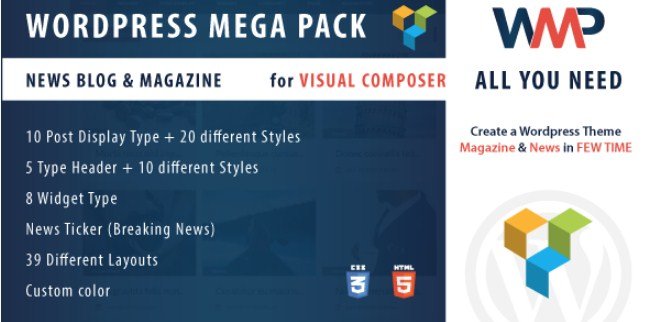
When WordPress users need to create professional news, blog, and magazine layouts without coding, WordPress Mega Pack for Visual Composer offers an all-in-one solution with 39 pre-built layouts and powerful customization options. This comprehensive plugin extends the functionality of WPBakery Page Builder (formerly Visual Composer) with specialized elements designed specifically for content-rich websites. WordPress Mega Pack for Visual Composer transforms the standard page builder experience by adding news-focused components like tickers, varied post displays, and header layouts that make publishing dynamic content straightforward and visually appealing.
Designed specifically for publishers and content creators, this addon package addresses the unique needs of news and magazine websites that require diverse content presentation options. Whether you’re managing a personal blog or a large-scale news portal, WordPress Mega Pack provides the flexibility to showcase your content in engaging ways while maintaining site performance and user experience.
What Makes WordPress Mega Pack Different
Unlike generic page builder addons, WordPress Mega Pack for Visual Composer focuses specifically on content presentation and navigation patterns that work best for publishing sites. The plugin combines multiple specialized tools into a single package, eliminating the need to purchase and manage multiple different addons. This integrated approach ensures consistent design language and functionality across your entire site while saving both time and resources.
- Specialized components designed specifically for news and magazine websites
- 39 unique layouts covering various content presentation styles
- Seamless integration with WPBakery Page Builder maintaining familiar workflow
- Comprehensive solution that replaces multiple single-purpose plugins
WordPress Mega Pack Features for WordPress Users
Content Display Options
WordPress Mega Pack for Visual Composer excels in providing diverse content presentation options with 10 post display elements offering 20 different layout variations. These displays allow you to showcase your articles in grids, lists, carousels, and masonry formats with customizable styling options. Each display can be filtered by category, tag, or custom taxonomies, giving you precise control over what content appears in each section. Whether you want to highlight featured articles or display recent posts with thumbnails, the plugin offers the flexibility to create visually appealing content sections that match your design aesthetic.
The plugin includes specialized layouts for different types of content, from standard blog posts to news articles with rich metadata. Each display element supports custom styling for images, text, metadata, and buttons, ensuring complete integration with your brand identity. For publishers who need to organize large amounts of content effectively, these display options provide the structure and visual hierarchy that modern readers expect from professional news and magazine websites.
Header and Navigation Elements
The plugin includes 5 header post display elements with 10 different layout variations specifically designed to highlight important content at the top of your pages. These header elements are particularly valuable for news sites that need to showcase breaking news, featured articles, or trending content prominently. WordPress Mega Pack’s header components integrate seamlessly with standard WordPress navigation while adding visual interest and content discovery opportunities. Each header layout can be customized to match your site’s design language while providing clear paths to important content.
Beyond standard navigation, the plugin includes a dedicated news ticker component perfect for displaying breaking news headlines. This ticker supports various animation styles and can be positioned in different areas of your site, ensuring that important updates catch visitors’ attention immediately. The news ticker is fully responsive and touch-friendly, making it accessible across all devices while maintaining professional presentation standards expected of modern news websites.
Customization and Design Control
WordPress Mega Pack for Visual Composer provides extensive customization options that allow you to tailor every aspect of your content presentation. The plugin includes comprehensive color controls that enable you to match elements to your existing brand identity without writing any code. Each component supports custom typography options, spacing adjustments, and responsive settings that ensure your content looks perfect on all devices. This level of control means you can maintain design consistency across your entire site while still benefiting from the powerful pre-built layouts.
The plugin is translation-ready and includes .po/.mo files for easy localization, making it suitable for international news sites that need to reach audiences in multiple languages. For developers and advanced users, WordPress Mega Pack offers clean code structure and comprehensive documentation that makes customization and extension straightforward. This balance between user-friendly controls and developer accessibility ensures that the plugin can grow and adapt with your site’s evolving needs.
How to Install WordPress Mega Pack
Quick Installation
- Purchase and download the plugin zip file from CodeCanyon
- Go to Plugins → Add New in WordPress dashboard
- Click “Upload Plugin” button at the top of the page
- Select the zip file you downloaded and click “Install Now”
- Activate the plugin after installation completes
Before installing WordPress Mega Pack, ensure that you have WPBakery Page Builder (formerly Visual Composer) installed and activated on your site, as this plugin functions as an addon that extends WPBakery’s functionality. After activation, you’ll find the new mega pack elements in your WPBakery element menu, ready to be added to your pages.
Who Should Use WordPress Mega Pack?
News and Magazine Publishers
For news and magazine publishers who need to present large volumes of content in organized, visually appealing ways, WordPress Mega Pack for Visual Composer offers specialized tools designed specifically for your workflow. The plugin’s diverse layout options allow you to create dynamic homepages and category pages that highlight different types of content effectively. Breaking news tickers, featured post displays, and flexible grid layouts enable you to prioritize stories based on importance and relevance while maintaining a professional appearance that builds reader trust.
News sites benefit particularly from the plugin’s ability to create consistent content presentation across different sections while allowing for variation in design that helps readers distinguish between content types. The responsive design ensures your news content remains accessible and readable on mobile devices, where an increasing portion of news consumption occurs.
Bloggers and Content Creators
Bloggers looking to elevate their site’s design without hiring developers will find WordPress Mega Pack an invaluable tool for creating professional layouts that showcase content effectively. The plugin’s intuitive interface works within the familiar WPBakery environment, making it accessible even for those with limited technical experience. Content creators who want to implement related posts sections, author highlights, or category showcases can do so quickly using the pre-built elements, freeing more time for content creation rather than site maintenance.
For bloggers monetizing their sites through ads or sponsored content, the plugin’s flexible layout options enable strategic placement of promotional content alongside organic posts. The ability to create custom category displays also helps build content discovery paths that keep readers engaged longer, potentially increasing page views and ad revenue.
WordPress Mega Pack vs Alternatives
| Feature | WordPress Mega Pack | Competitors |
|---|---|---|
| Number of Layouts | 39 included layouts | Often 10-15 basic layouts |
| News Ticker | Built-in component | Usually separate plugin needed |
| Specialized Header Elements | 5 with 10 variations | Limited header options |
| Post Display Types | 10 types with 20 variations | Typically 3-5 basic types |
| Integration | Seamless WPBakery integration | May require complex configuration |
While other plugin solutions might offer similar individual features, WordPress Mega Pack stands out by providing a comprehensive toolkit specifically designed for content-rich websites. Alternatives like Ultimate Addons for WPBakery offer broader general-purpose elements but lack the specialized news and magazine focus that makes WordPress Mega Pack so effective for publishers. The plugin’s focused approach means you get precisely the tools you need without the bloat of unnecessary features, resulting in better site performance and easier management.
WordPress Mega Pack Pricing
WordPress Mega Pack for Visual Composer is available through CodeCanyon with a one-time purchase model that includes lifetime updates and six months of support (extendable to twelve months for an additional fee). This pricing model represents excellent value compared to purchasing multiple specialized plugins separately, as WordPress Mega Pack replaces several single-purpose addons while providing integrated functionality. For professional news and magazine sites, the investment quickly pays for itself through reduced development time and improved content presentation that can increase engagement and revenue.
Pros and Cons
✅ Pros
- Comprehensive solution with 39 layouts specifically designed for news and magazine sites
- Built-in news ticker component eliminates need for separate plugins
- Extensive customization options while maintaining user-friendly interface
- Translation-ready with included .po/.mo files for international sites
- Fully responsive design ensuring great appearance on all devices
- Direct integration with WPBakery Page Builder maintaining familiar workflow
❌ Cons
- Requires WPBakery Page Builder (additional cost if not already owned)
- Exclusive to WPBakery ecosystem, not compatible with other page builders
- Learning curve for understanding all 39 layout options and their applications
- Some advanced customizations may require CSS knowledge for complete control
Frequently Asked Questions
Is WordPress Mega Pack compatible with the latest version of WPBakery?
Yes, WordPress Mega Pack for Visual Composer is regularly updated to ensure full compatibility with the latest versions of WPBakery Page Builder and WordPress itself. The developers provide timely updates to address any compatibility issues that may arise with core updates.
Do I need coding knowledge to use WordPress Mega Pack?
No, WordPress Mega Pack is designed to be used without coding knowledge. All elements can be configured through intuitive interfaces within WPBakery Page Builder. While some CSS knowledge can be helpful for advanced customizations, it’s not required for basic implementation.
Can I use WordPress Mega Pack with any WordPress theme?
Yes, WordPress Mega Pack works with any WordPress theme that supports WPBakery Page Builder. The plugin’s elements are designed to adapt to your theme’s styling while providing additional customization options to ensure perfect integration.
Does WordPress Mega Pack slow down my website?
WordPress Mega Pack is optimized for performance and loads only the necessary assets for the elements you use on each page. The code is clean and efficient, ensuring minimal impact on page load times, especially when combined with proper caching and optimization practices.
Is there documentation available for WordPress Mega Pack?
Yes, WordPress Mega Pack includes comprehensive documentation that covers installation, configuration, and usage of all elements. Video tutorials are also provided to help users get the most out of the plugin’s features.
Can I create custom layouts beyond the 39 included options?
While WordPress Mega Pack offers 39 pre-built layouts, each element includes extensive customization options that allow you to create unique appearances. For developers, the plugin’s clean code structure makes it possible to extend functionality with custom development if needed.
Final Verdict
WordPress Mega Pack for Visual Composer delivers exceptional value for publishers and content creators who need specialized tools for news and magazine websites. The comprehensive collection of 39 layouts, combined with focused features like the news ticker and varied post displays, creates a powerful toolkit that addresses the specific needs of content-rich sites. While it requires WPBakery Page Builder to function, this focused integration ensures seamless operation and consistent user experience. For anyone running or planning a news, blog, or magazine site on WordPress, WordPress Mega Pack provides an efficient solution for creating professional content presentations without the need for custom development or multiple disjointed plugins.