What is JetElements For Elementor?
JetElements For Elementor is a premium plugin designed to extend the capabilities of the Elementor page builder. It provides a comprehensive suite of widgets that address various design and functionality needs, from content sections and media display to interactive elements and WooCommerce enhancements. With JetElements, users can create visually appealing and engaging websites without requiring extensive coding knowledge. This plugin is particularly useful for those looking to add advanced features and customizations to their Elementor-based sites, making it a valuable tool for both beginners and experienced WordPress developers.
Key Features of JetElements For Elementor
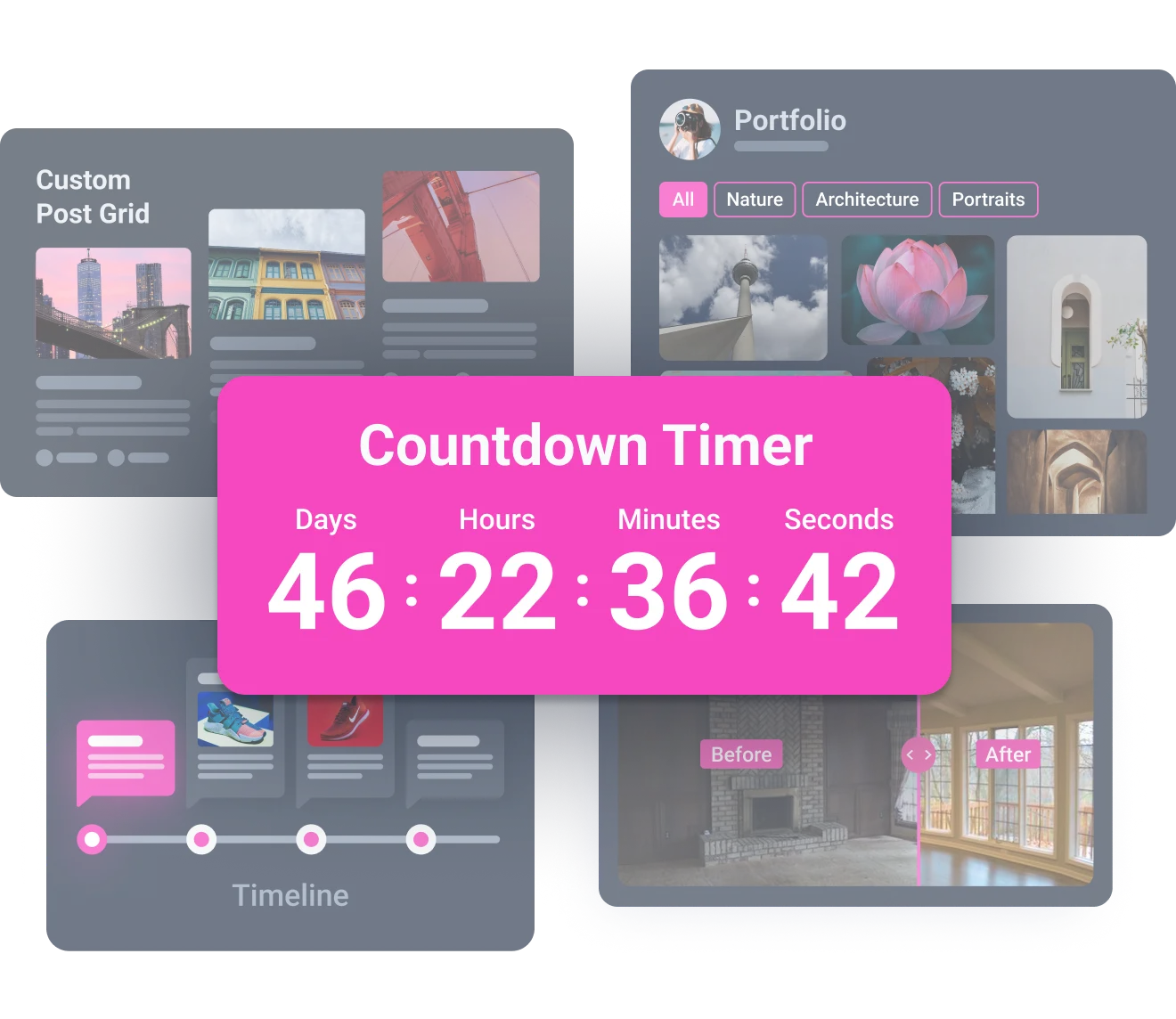
- Content Sections: Includes widgets like Countdown Timer, Testimonials, and Team Member to create structured and engaging content sections.
- Media Content: Offers advanced options for displaying posts, images, and videos with widgets like Portfolio Gallery, Advanced Carousel, and Post Grid.
- Interactive Widgets: Enhances user engagement with interactive elements such as Section Parallax, Vertical Scroll, and Creative Headlines.
- Third-Party Content Embedding: Enables embedding content from platforms like YouTube, Vimeo, Instagram, and more using dedicated widgets.
- WooCommerce Integration: Provides WooCommerce-specific widgets to add badges and enhance product displays.
The latest version, 2.7.2, features Elementor compatibility and includes updates such as support for YouTube Shorts in the Video Player widget and a GDPR option for Vimeo Video Player.
Why Choose JetElements For Elementor in 2024?
JetElements For Elementor stands out as a top choice for extending Elementor’s functionality due to its extensive range of widgets and ease of use. Here’s why it’s the top choice:
- Comprehensive Widget Suite: Offers a wide variety of widgets for different design and functionality needs.
- Ease of Use: Seamlessly integrates with Elementor, making it easy to add and customize elements on your pages.
- Enhanced Engagement: Provides interactive widgets to create a more engaging user experience.
- Dynamic Content Support: Works well with dynamic content via integration with JetEngine, allowing for synchronized content updates.
- Regular Updates: Constantly updated with new features and improvements to stay compatible with the latest WordPress and Elementor versions.
How to Download JetElements For Elementor for Free
1. Visit the Official Crocoblock Website:
- Navigate to the Crocoblock website and look for the JetElements plugin.
- Check if there’s a free trial or a limited free version available.
2. Explore WordPress Repository:
- Search the WordPress plugin repository for JetElements.
- Download any available free or lite versions of the plugin.
3. Check for Promotional Offers:
- Keep an eye on Crocoblock’s promotional campaigns or bundled offers that might include JetElements.
- Look for limited-time discounts or special deals.
For a hassle-free setup, consider WPX Hosting from top rated reliable and managed providers, which comes with pre-install WordPress and WooCommerce with optimized performance.
Installing JetElements For Elementor: Step-by-Step Guide
1. Purchase and Download:
- Purchase JetElements from the Crocoblock website.
- Download the plugin ZIP file to your computer.
2. Install the Plugin:
- In your WordPress dashboard, go to Plugins > Add New.
- Click ‘Upload Plugin,’ then choose the ZIP file you downloaded.
3. Activate the Plugin:
- After uploading, click ‘Install Now’ and then ‘Activate Plugin.’
- Follow the activation prompts to complete the installation.
Note: Back up your site before installing or updating plugins/themes. Use JetElements’s built-in tools if prompted after an update.
JetElements For Elementor Pricing
| Component | Price | Details |
|---|---|---|
| JetElements Plugin | $43 per year | Includes 45 widgets, 1-year updates, and Zoom chat support for one website. |
| All-Inclusive Subscription | From $199 per year | Includes 150 widgets, 21 JetPlugins, 1-year updates, and Zoom chat support. |
JetElements For Elementor Alternatives
Elementor Pro:
- Pros: Extensive features, seamless integration with Elementor.
- Cons: Can be more expensive, some features overlap.
- Best For: Users who need a comprehensive solution directly from Elementor.
Ultimate Addons for Elementor:
- Pros: Lightweight, offers a variety of unique widgets.
- Cons: Fewer widgets compared to JetElements.
- Best For: Users looking for a smaller set of essential add-ons.
Essential Addons for Elementor:
- Pros: Free version available, wide range of widgets, user-friendly.
- Cons: Premium version needed for full access to all features.
- Best For: Users starting with a free option and potentially upgrading for more features, also check Essential Addons review.
JetElements For Elementor vs. Other Plugins/Themes
JetElements distinguishes itself with a focus on interactive and visually dynamic elements, setting it apart from more generic widget packs like Elementor Pro or Ultimate Addons. While Elementor Pro offers an all-in-one solution, JetElements provides specialized widgets that can significantly enhance user engagement. Compared to general-purpose themes, JetElements offers targeted functionality, allowing you to extend Elementor’s capabilities without switching themes.
Tips for Using JetElements For Elementor Effectively
- Plan Your Layout: Before adding widgets, sketch out your page layout to ensure a cohesive design.
- Use Interactive Elements Sparingly: While interactive widgets are engaging, avoid overusing them to prevent overwhelming your visitors.
- Optimize Images: Use optimized images to ensure your pages load quickly and efficiently.
- Leverage Dynamic Content: Integrate JetElements with JetEngine to dynamically update content across your site.
- Test on Multiple Devices: Ensure your designs are responsive and look great on all devices.
Pairing JetElements For Elementor with JetEngine
JetElements pairs exceptionally well with JetEngine, another plugin from Crocoblock, to create dynamic websites. JetEngine allows you to create custom post types, custom fields, and dynamic content templates. By combining JetElements with JetEngine, you can display dynamic data in visually appealing ways using JetElements’ widgets, creating a powerful and flexible solution for building complex websites. You can also check JetEngine Review for a better understanding
Should You Invest in Premium Features?
Investing in the premium features of JetElements is worth considering if you need advanced widgets and functionalities that are not available in the free version. The premium version unlocks a wider range of widgets, enhanced customization options, and dedicated support. If you are serious about creating a professional and engaging website with Elementor, the premium version provides significant value. Also consider purchasing Crocoblock All-inclusive subscription to get all JetPlugins.
Conclusion
JetElements For Elementor is a valuable tool for anyone looking to enhance their Elementor-based website with advanced widgets and interactive elements. Its comprehensive feature set, ease of use, and seamless integration with Elementor make it a top choice for both beginners and experienced developers. By downloading and using JetElements, you can create visually stunning and engaging websites that stand out from the competition. Consider exploring its premium features for even more advanced capabilities and dedicated support.
Disclaimer: Always refer to the official Crocoblock website for the most up-to-date pricing, features, and compatibility information. Prices and features are subject to change.