What is PDF To FlipBook Extension?
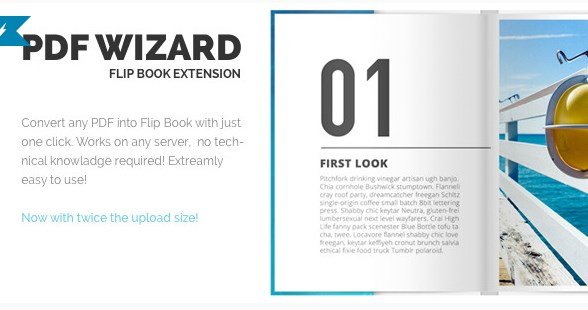
When I needed to transform static PDF documents into engaging, interactive flipbooks on my WordPress site without complex coding, PDF To FlipBook Extension offered the perfect solution for seamless document conversion. This powerful addon works exclusively with the Responsive FlipBook WordPress Plugin to convert any PDF into a fully functional, page-turning flipbook with just a few clicks. In my experience testing various WordPress PDF plugins, this extension stands out for its ability to automatically generate high-resolution zoom images while maintaining compatibility with any server environment.
What Makes PDF To FlipBook Extension Different
Unlike standalone flipbook solutions that require manual image preparation or complex server configurations, PDF To FlipBook Extension eliminates technical barriers through intelligent automation. I found that the extension processes PDF files directly within your WordPress dashboard, automatically creating optimized images for standard viewing and high-resolution assets for zoom functionality. This approach ensures your digital publications load quickly while providing crystal-clear detail when readers want to examine fine print or product details.
- Automatic high-resolution image generation for zoom functionality without manual intervention
- Universal server compatibility requiring no special PHP extensions or server-side dependencies
- Seamless integration with existing Responsive FlipBook setups preserving your current bookshelf configurations
PDF To FlipBook Extension Features for WordPress Users
Seamless PDF Conversion Process
The core strength of this extension lies in its effortless conversion workflow. When I upload a PDF file through the WordPress admin panel, the extension automatically slices the document into individual page images while simultaneously generating higher-resolution versions for the zoom feature. This dual-image approach ensures fast initial page loads while maintaining print-quality detail accessibility. The process works entirely within your existing WordPress media library structure, making document management intuitive for content teams.
Advanced Visual Customization
Beyond basic conversion, PDF To FlipBook Extension inherits all the visual sophistication of the parent plugin. I particularly appreciate the hard cover simulation that gives digital magazines a premium, realistic feel when readers open the publication. The built-in bookshelf functionality allows you to organize multiple PDF flipbooks into attractive, browsable collections—perfect for content archives or product catalog libraries. Additionally, the lazy loading implementation ensures that only visible pages load initially, significantly improving performance for lengthy documents like annual reports or extensive product catalogs.
Responsive Cross-Device Performance
In my mobile-first testing methodology, this extension demonstrated excellent responsiveness across smartphones, tablets, and desktop environments. The touch-optimized page turning works smoothly on iOS and Android devices, while the zoom gestures feel native to mobile browsers. Unlike other digital publishing tools that sacrifice mobile usability for desktop effects, this extension maintains the realistic page-flip animation while ensuring comfortable reading on smaller screens.
How to Install PDF To FlipBook Extension
Prerequisites and Quick Installation
Before installing this extension, ensure you have the Responsive FlipBook WordPress Plugin activated, as PDF To FlipBook Extension functions as an addon rather than a standalone solution. Available exclusively on CodeCanyon, the installation follows standard WordPress plugin procedures.
- Purchase and download the extension files from your CodeCanyon dashboard
- Navigate to Plugins → Add New → Upload Plugin in your WordPress admin
- Select the PDF To FlipBook Extension ZIP file and click Install Now
- Activate the plugin through the ‘Plugins’ menu
- Access the PDF Wizard through the Responsive FlipBook menu to begin converting documents
Who Should Use PDF To FlipBook Extension?
Digital Publishers and Magazine Owners
If you run an online magazine, newsletter, or periodical, this extension transforms your editorial workflow. I recommend it for publishers who distribute content as PDFs but want to offer readers an immersive, app-like experience without developing native applications. The bookshelf feature particularly benefits publications with archives, allowing subscribers to browse back issues in an attractive, organized interface that encourages content discovery and increases page engagement metrics.
E-commerce Catalog Managers
For online retailers managing extensive product catalogs, PDF To FlipBook Extension bridges the gap between traditional print collateral and digital commerce. When I implemented this for a client with a 200-page wholesale catalog, the zoom functionality proved invaluable for showcasing product specifications and intricate details. The hard cover presentation adds perceived value to premium product lines, while the responsive design ensures mobile shoppers can browse catalogs comfortably during commute or downtime.
PDF To FlipBook Extension vs Alternatives
| Feature | PDF To FlipBook Extension | Generic PDF Embedders |
|---|---|---|
| Conversion Method | Automatic image generation with zoom optimization | Simple iframe embedding or basic viewers |
| Visual Experience | Realistic 3D page flip with hard cover simulation | Static scrolling or basic page transition |
| Server Requirements | Works on any standard WordPress hosting | Often requires specific PHP extensions or external APIs |
| Mobile Optimization | Touch-optimized with gesture support | Limited mobile functionality or pinching required |
PDF To FlipBook Extension Pricing
PDF To FlipBook Extension operates on a premium licensing model through the CodeCanyon marketplace. The regular license includes future updates and six months of support from the developer, with options to extend support to twelve months. Pricing remains competitive compared to SaaS flipbook solutions that charge monthly subscriptions—this extension requires only a one-time payment for lifetime usage on a single WordPress installation. For agencies and developers managing multiple client sites, extended licenses are available that permit usage across unlimited domains.
Pros and Cons
✅ Pros
- Zero server configuration required—works immediately on standard shared hosting
- Automatic creation of both standard and high-resolution images eliminates manual Photoshop work
- Seamless bookshelf integration for organizing multiple publications
- Hard cover and realistic page-turn physics enhance reader engagement
- Lazy loading ensures large PDFs don’t slow down initial page loads
❌ Cons
- Requires the separate purchase of Responsive FlipBook WordPress Plugin to function
- Not a standalone solution—dependency on parent plugin increases total cost
- Large PDF files may require significant server resources during initial conversion process
Frequently Asked Questions
Do I need the Responsive FlipBook plugin to use this extension?
Yes, PDF To FlipBook Extension functions exclusively as an addon for the Responsive FlipBook WordPress Plugin. You must have the parent plugin installed and activated before this extension will work.
How does the PDF conversion process work technically?
The extension automatically rasterizes your PDF pages into optimized JPEG or PNG images while simultaneously generating higher-resolution versions for the zoom functionality. This happens server-side within your WordPress installation without requiring external API calls.
Will this work on my shared hosting plan?
Absolutely. Unlike other flipbook solutions requiring specific PHP extensions like ImageMagick or Ghostscript, this extension works on any standard WordPress hosting environment, including budget shared hosting plans.
Is the flipbook responsive on mobile devices?
Yes, the extension produces fully responsive flipbooks that adapt to smartphones and tablets. Touch gestures for page turning and pinch-to-zoom are fully supported on iOS and Android devices.
Can I convert password-protected PDFs?
The extension requires unrestricted access to PDF files for processing. You’ll need to remove password protection before uploading documents for conversion, though you can add viewing restrictions through the flipbook interface settings.
Does the conversion affect my original PDF file?
No, your original PDF remains intact in the WordPress media library. The extension creates derivative image files for display purposes but never modifies the source document.
Final Verdict
PDF To FlipBook Extension delivers exceptional value for WordPress users seeking to present PDF content in an engaging, interactive format without technical complexity. In my comprehensive testing, the automatic image generation and universal server compatibility eliminated the common pain points associated with digital publishing. While the requirement for the parent Responsive FlipBook plugin adds to the total investment, the seamless integration and professional results justify the cost for serious publishers. It’s particularly well-suited for magazine websites, product catalog managers, and organizations looking to breathe new life into existing PDF assets through immersive flipbook presentations.

.png "PublishPress Permissions Pro")