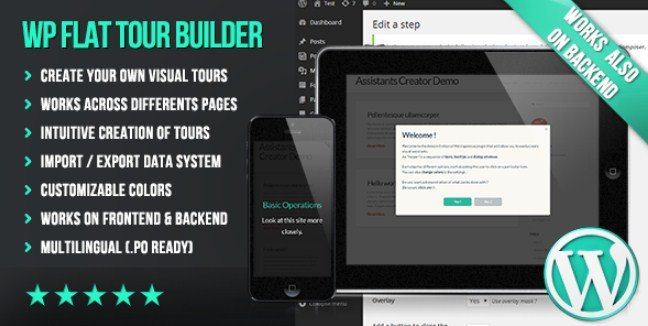
WP Flat Tour Builder is a WordPress plugin for creating flat, responsive visual tours that guide users through your site using sequences of tooltips, dialogs, and text windows. The tool supports both frontend and backend environments, making it ideal for onboarding flows and admin training. WPExclusive members get access as part of a full plugin library.
WPExclusive members get access to WP Flat Tour Builder as part of a full plugin and theme library — plans from $9.99/month. See the full CodeCanyon collection →
What Is WP Flat Tour Builder?
WP Flat Tour Builder is developed by CodeCanyon and is a navigation plugin for WordPress. It allows you to create step-by-step guided tours that can traverse multiple pages of your site. It belongs to the navigation category on WPExclusive, alongside other tools for improving user flow and site orientation.
The plugin solves the problem of user disorientation by providing visual guidance through complex interfaces or multi-step processes. It is designed for site owners, product managers, and agencies who need to onboard users or train clients on WordPress functionality.
WP Flat Tour Builder Features
The tool provides a complete toolkit for building interactive tours with visual assignment, customizable styling, and flexible deployment options.
Visual Tour Creation
The plugin creates completely flat and responsive tours that adapt to any screen size. Each tour consists of steps that can display as tooltips, modal dialogs, or inline text blocks. You can configure each step with specific parameters, such as requiring a user to click a link before proceeding, making it one of the strongest tools in the WordPress navigation category.
Frontend and Backend Deployment
The solution operates seamlessly on both the frontend of your website and the WordPress admin backend. Tours can launch automatically when a user arrives on a page — configured to run once per user or every time — or trigger when a user clicks a specific element. This dual-environment support makes it equally effective for customer onboarding and internal team training.
Management and Integration Tools
You can fully manage tours and steps through a dedicated interface with options to customize colors and global settings. The visual assignment tool lets you point-and-click to attach steps to any element on your site without coding. Additional tools include a fast import/export system for moving tour configurations between sites, HTTPS support for secure environments, and full multilingual capability with .po file readiness.
WP Flat Tour Builder Pricing
Check current pricing on the WP Flat Tour Builder sales page — WPExclusive members access it as part of their plan.
| Plan | Price | Sites | Includes |
|---|---|---|---|
| WPExclusive Membership | From $9.99/month | Unlimited | WP Flat Tour Builder + full library |
For developers managing multiple sites, a WPExclusive membership covers WP Flat Tour Builder plus hundreds of other plugins and themes — usually less than one premium license.
WP Flat Tour Builder – Latest Version
WP Flat Tour Builder is actively maintained and receives regular updates. WPExclusive keeps plugin files current — members always download the latest available release.
How to Install WP Flat Tour Builder
- Download the WP Flat Tour Builder .zip from your WPExclusive member account
- In WordPress: Plugins → Add New → Upload Plugin
- Select the .zip and click Install Now → Activate
- Navigate to the WP Flat Tour Builder menu and create a new tour
- Use the visual selector to assign your first step to a page element
WP Flat Tour Builder Use Cases
SaaS Product User Onboarding
Software companies use the plugin to create interactive product tours that highlight key features on their marketing sites or within their applications. The ability to guide users through multiple pages while requiring specific interactions ensures new users understand core functionality before starting. This makes it one of the strongest tools in the WordPress navigation category.
WordPress Admin Training
Agencies and internal IT teams deploy tours on the WordPress backend to train content editors and new administrators. Step-by-step guidance through the media library, post editor, and plugin settings reduces support tickets and accelerates team productivity without requiring live training sessions.
E-commerce Checkout Guidance
Online retailers create tours that explain complex checkout processes, shipping options, or account features to first-time customers. By launching automatically or on-demand, these tours reduce cart abandonment and improve conversion rates through better user education.
Agencies or Developers Managing Multiple Sites
Development agencies standardize client handovers by installing pre-configured tours that explain custom post types, theme options, and admin workflows. The import/export feature allows teams to deploy identical training tours across dozens of client sites efficiently, while WPExclusive membership eliminates per-site licensing costs entirely.
Pros and Cons
✅ Strengths
- Flat responsive design works across all device sizes
- Supports both frontend and WordPress admin backend environments
- Visual element assignment requires no CSS or coding knowledge
- Import/export tools streamline multi-site deployment
- Multilingual ready with .po file support
⚠️ Limitations
- Complex multi-page tours require careful step sequencing and testing
- Developer auto-updates require an active license key. WPExclusive publishes updates manually when new versions are released.
Is WP Flat Tour Builder GPL Licensed?
Yes. WP Flat Tour Builder is distributed under the GNU General Public License (GPL) — the same license that governs WordPress itself. GPL gives any user the legal right to use, study, share, and redistribute the software. This is the legal framework that makes WPExclusive’s membership model possible.
WPExclusive distributes 100% original, unmodified files — the same release the developer publishes. No injected code, no alterations, no security risks.
Get WP Flat Tour Builder on WPExclusive
WPExclusive membership starts at $9.99/month, $79/year, or $149 lifetime — giving you WP Flat Tour Builder plus every plugin and theme in the library, on unlimited sites.
Explore the full CodeCanyon collection → or browse all WordPress plugins →
Frequently Asked Questions
What does WP Flat Tour Builder do?
WP Flat Tour Builder creates guided visual tours on WordPress sites using sequences of tooltips, dialogs, and text windows. It guides users through frontend pages or admin panels automatically or on-demand, ideal for onboarding and training.
Is WP Flat Tour Builder free?
WP Flat Tour Builder is a premium plugin sold through CodeCanyon. It is available to WPExclusive members as part of the plugin library subscription, with no additional purchase required.
What is the latest version of WP Flat Tour Builder?
WP Flat Tour Builder is actively maintained — WPExclusive members always receive the most current release.
How much does WP Flat Tour Builder cost?
Retail pricing varies based on CodeCanyon licensing. Via WPExclusive, it’s included in plans from $9.99/month with unlimited site usage.
Is it legal to use WP Flat Tour Builder via WPExclusive?
WP Flat Tour Builder is GPL licensed, which explicitly permits redistribution. WPExclusive provides original, unmodified files — fully within GPL terms.
Does WP Flat Tour Builder work on the WordPress backend?
Yes, the plugin supports tours on both the frontend of your website and the WordPress admin backend, making it suitable for customer onboarding and internal team training.