What is WordPress Automatic Plugin?
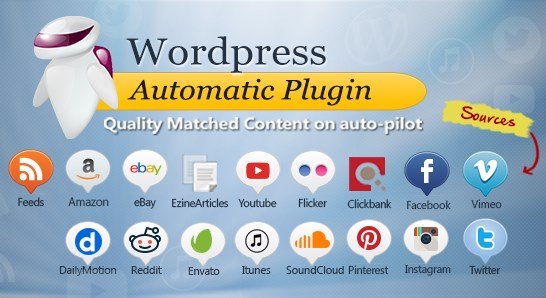
When WordPress users need to save time on content creation and site management, the WordPress Automatic Plugin offers a powerful solution. As a site owner, I know the struggle of keeping a blog updated daily. This plugin acts as a dedicated auto-blogging tool, pulling content from various sources and publishing it automatically. Whether you are looking to curate news, aggregate videos, or run an affiliate store, this tool handles the heavy lifting by importing content from RSS feeds, social media platforms like YouTube and Twitter, and marketplaces like Amazon and eBay directly to your WordPress site.
What Makes WordPress Automatic Plugin Different
>While there are many content curation tools available, the WordPress Automatic Plugin stands out due to its versatility and sheer number of supported sources. Unlike standard RSS feed importers that are limited to XML feeds, this plugin utilizes scraping modules and official APIs to extract content from almost any website. It doesn’t just copy text; it can extract categories, tags, authors, and even set featured images automatically. It’s an “all-in-one” automation solution that eliminates the need for multiple plugins to handle different content types.- Comprehensive Source Support: Import from over 40 different sources including RSS, Amazon, YouTube, eBay, Twitter, and more.
- Full Automation: Set it and forget it. The plugin runs in the background via WordPress cron jobs to fetch and post content without manual intervention.
- Monetization Ready: Built-in support for WooCommerce and automatic affiliate link insertion for Amazon, ClickBank, and Envato products.
WordPress Automatic Plugin Features for WordPress Users
Advanced RSS to Post Automation
At its core, the plugin excels at RSS feed management. It goes beyond simple excerpt importing. If a source only provides a summary, the plugin’s parsing engine can often extract the full content from the original website. It allows you to filter content by keywords, skip posts without images, and even decode HTML entities to ensure your formatting remains clean. For those running multi-author sites, it can automatically assign the original author’s name to the post or create a new user based on the source data. You can check out how it compares to other SEO tools on our sitemap.
eCommerce and Affiliate Integration
For affiliate marketers, this is the plugin’s killer feature. It seamlessly integrates with WooCommerce, allowing you to import products as custom post types. You can import Amazon products by keyword or Browse Node, complete with prices, descriptions, and galleries. The plugin will automatically update prices and insert your affiliate ID. It supports other major platforms like eBay, Walmart, ClickBank, and Envato (CodeCanyon and ThemeForest), making it incredibly easy to generate a passive income stream by auto-posting product reviews and listings.
Social Media and Video Auto-Posting
Keeping a video blog or curating social media trends is effortless. The plugin can pull videos from YouTube, Vimeo, and DailyMotion, embedding them directly into your posts. It can also search and import tweets, Instagram photos, Pinterest pins, and Reddit threads. For instance, you can set up a campaign to import every tweet from a specific Twitter handle or videos matching a specific keyword on YouTube. This keeps your site dynamic and fresh with user-generated content without you ever logging into those social networks.
How to Install WordPress Automatic Plugin
Quick Installation
- Log in to your WordPress dashboard and navigate to Plugins → Add New.
- Click the “Upload Plugin” button at the top of the page.
- Select the zip file you downloaded from CodeCanyon.
- Click Install Now and then Activate the plugin.
Who Should Use WordPress Automatic Plugin?
Affiliate Marketers
If you build niche sites targeting Amazon products or ClickBank software, this plugin is a game-changer. It allows you to populate hundreds of product pages quickly, complete with reviews and descriptions. The WooCommerce integration means you can even set up a functional store rather than just a blog with links.
News Aggregators and Curators
For sites that rely on trending news, the RSS and Twitter import modules are essential. You can monitor specific keywords or hashtags and automatically publish relevant stories as they break. This is particularly useful for tech news, celebrity gossip, or sports update sites where speed is of the essence.
WordPress Automatic Plugin vs Alternatives
| Feature | WordPress Automatic Plugin | WP RSS Aggregator |
|---|---|---|
| Source Variety | 40+ sources (Amazon, YT, Twitter, etc.) | Primarily RSS Feeds |
| eCommerce Integration | Native WooCommerce & Amazon support | Limited (requires extensions) |
| Scraping Capability | Built-in CSS/XPath scrapers | No scraping (feed parsing only) |
WordPress Automatic Plugin Pricing
The plugin is available exclusively on CodeCanyon. It typically uses a one-time purchase model. At the time of writing, a Regular License costs around $39, which includes 6 months of support from the developer. Future updates are included with the purchase. There is no free version available in the WordPress.org repository, distinguishing it from many competitors who offer a “freemium” model.
Pros and Cons
✅ Pros
- Massive Time Saver: Automates content creation completely.
- Versatility: Handles text, video, audio, and ecommerce products.
- Spintax Support: Includes a built-in spinner to rewrite content for uniqueness.
❌ Cons
- Duplicate Content Risk: Requires careful configuration (Spintax) to avoid SEO penalties.
- Learning Curve: The sheer number of options can be overwhelming for beginners.
- Premium Only: No free trial to test functionality before buying.
Frequently Asked Questions
Is the WordPress Automatic Plugin legal to use?
Yes, using the plugin is legal. However, how you use it matters. Scraping content and republishing it without permission can violate copyright laws. It is best used for public RSS feeds, affiliate products (where permitted), or content with proper attribution and curation.
Does it work with the latest WordPress version?
Yes, the developer updates the plugin regularly to ensure compatibility with the latest WordPress versions and PHP standards.
Can I import full content from RSS feeds?
Yes, the plugin has a mechanism to extract the full content from the source URL even if the RSS feed only provides a summary.
Does it support the WordPress Block Editor (Gutenberg)?
Yes, the plugin supports Gutenberg. You can map extracted content to blocks or use the classic editor style, depending on your configuration.
Can I use this plugin for Amazon affiliate sites?
Absolutely. It is one of the most popular plugins for building Amazon affiliate sites because it can import product details, prices, and images, and automatically insert your affiliate links.
How do I avoid duplicate content penalties?
The plugin offers a “Spintax” feature to rewrite content automatically. Additionally, you should add your own commentary, rewrite titles, and use canonical tags if necessary to inform search engines of the content source.
Final Verdict
The WordPress Automatic Plugin is a robust tool for anyone looking to automate their WordPress site. While it requires careful handling to ensure SEO health regarding duplicate content, its ability to aggregate diverse media types and monetize content via WooCommerce is unmatched. It’s particularly well-suited for affiliate marketers and news curators who need to scale their content production quickly without manual effort.