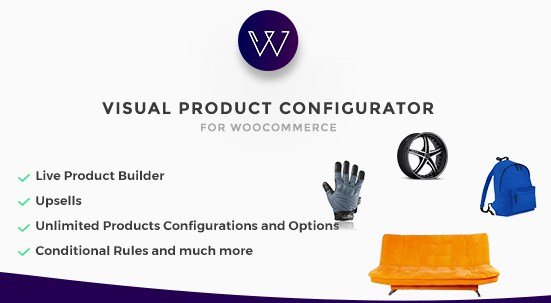
What is Woocommerce Visual Products Configurator?
When WordPress users need to offer interactive product customization without complex coding, Woocommerce Visual Products Configurator provides a complete visual solution. This premium WooCommerce product customizer transforms standard product pages into dynamic configuration studios where customers can visually build their perfect item before purchase.
What Makes Woocommerce Visual Products Configurator Different
Unlike basic product variation dropdowns, Woocommerce Visual Products Configurator creates a layered visual experience where customers see real-time changes as they select options. The plugin generates composite product images by merging multiple layers, allowing for unlimited configuration combinations while maintaining fast performance. It bridges the gap between standard WooCommerce functionality and enterprise-level product customization tools.
- Real-time visual feedback with layered image composition
- Unlimited product configurations without performance degradation
- Dynamic price calculation based on selected options
- Social sharing capabilities for custom designs
- Complete mobile-responsive configuration interface
Woocommerce Visual Products Configurator Features for WordPress Users
Advanced Visual Configuration Engine
The core strength of Woocommerce Visual Products Configurator lies in its sophisticated layer management system. Store owners can upload individual component images (base product, colors, textures, add-ons) which the plugin combines into a seamless final product visualization. This visual product builder supports unlimited options including color swatches, image selectors, text inputs, and radio buttons. Each selection instantly updates the product preview, eliminating customer uncertainty about final product appearance.
Dynamic Pricing & Inventory Management
Beyond visual appeal, the plugin handles complex pricing logic effortlessly. Merchants can assign individual prices to specific options, create pricing rules based on combinations, and automatically calculate totals as customers build their products. The system integrates natively with WooCommerce inventory management, ensuring that configured products respect stock levels and availability restrictions. This makes it ideal for businesses offering custom manufacturing or made-to-order items.
User Experience & Administrative Tools
The plugin includes a streamlined admin interface for building configurations without touching code. Store managers can organize options into logical steps, set conditional visibility rules, and preview configurations from the customer’s perspective. On the frontend, the responsive design ensures mobile users enjoy the same seamless customization experience as desktop visitors. Customers can save configurations for later, share their designs on social media, and receive detailed specification summaries with their orders.
How to Install Woocommerce Visual Products Configurator
Installation Process
As a premium CodeCanyon plugin, installation requires manual upload to your WordPress site.
- Purchase the plugin from CodeCanyon and download the ZIP file
- Navigate to WordPress Admin → Plugins → Add New → Upload Plugin
- Select the downloaded ZIP file and click Install Now
- Activate the plugin through the Plugins menu
- Enter your purchase code under Visual Products Configurator → License
- Configure global settings and begin creating your first configurable product
For detailed WordPress plugin development standards and compatibility checks, ensure your server meets the minimum requirements: PHP 7.4+, WordPress 5.8+, and WooCommerce 6.0+.
Who Should Use Woocommerce Visual Products Configurator?
Print-on-Demand & Apparel Retailers
T-shirt shops, custom clothing stores, and merchandise businesses benefit tremendously from visual configuration. Customers can see exactly how their text, logos, and graphics appear on different garment colors and styles before ordering. This reduces return rates and increases conversion by eliminating imagination gaps between customer vision and final product.
Furniture & Interior Design Stores
Businesses selling customizable furniture, cabinetry, or home decor use this plugin to let clients visualize different wood finishes, fabric colors, hardware options, and configurations. The ability to see a 3D-composite representation of a custom sofa or cabinet before manufacturing significantly improves customer confidence and average order values.
Automotive & Sporting Goods Retailers
Car customization shops, bicycle retailers, and sporting goods stores utilize the configurator for complex product builders. Customers can select different components, colors, and accessories while viewing accurate visual representations of their customized vehicles, bikes, or equipment. This application requires the plugin’s ability to handle numerous configuration layers and conditional logic.
Woocommerce Visual Products Configurator vs Alternatives
| Feature | Woocommerce Visual Products Configurator | Standard Product Variations |
|---|---|---|
| Visual Representation | Real-time layered image composition | Static product images only |
| Configuration Complexity | Unlimited options with conditional logic | Limited to WooCommerce variation system |
| Pricing Structure | Dynamic calculation based on selections | Fixed variation pricing |
| User Experience | Interactive step-by-step builder | Dropdown selection menus |
Woocommerce Visual Products Configurator Pricing
Woocommerce Visual Products Configurator is available exclusively through CodeCanyon as a premium solution. The Regular License typically costs around $39-$59 for use on a single site, while the Extended License accommodates multi-site implementations and client projects. Pricing includes six months of support from the developer, with options to extend support to 12 months. For specific licensing terms and current pricing, refer to the official CodeCanyon listing. The plugin does not operate on a subscription model, making it cost-effective for long-term use compared to SaaS alternatives.
Pros and Cons
✅ Pros
- True visual configuration with layered image technology
- Seamless WooCommerce integration maintaining native checkout flow
- Unlimited configuration possibilities without coding knowledge
- Responsive design works perfectly on mobile devices
- One-time purchase price with lifetime updates
❌ Cons
- Requires preparation of individual component images for each option
- Learning curve for complex multi-step configurations
- No free version available for testing before purchase
- Can impact site speed if not optimized with proper hosting
Frequently Asked Questions
What is Woocommerce Visual Products Configurator used for?
Woocommerce Visual Products Configurator is used to create interactive product builders where customers visually customize items before purchase. It’s ideal for stores selling customizable apparel, furniture, promotional products, or any items with multiple visual options.
Is Woocommerce Visual Products Configurator compatible with the latest WooCommerce version?
Yes, the plugin regularly updates to maintain compatibility with the latest WooCommerce and WordPress versions. Always check the changelog on CodeCanyon before updating to ensure compatibility with your specific setup.
Can I use this plugin with variable products?
Absolutely. Woocommerce Visual Products Configurator works alongside WooCommerce variable products, allowing you to add visual configuration layers on top of existing variation structures. This combination provides maximum flexibility for complex product offerings.
Does it support dynamic pricing based on selected options?
Yes, the plugin includes comprehensive pricing rules. You can assign base prices, add costs for specific options, create conditional pricing scenarios, and automatically calculate totals as customers build their configurations.
Will it slow down my website?
When properly configured with optimized images and quality hosting, the plugin maintains excellent performance. The layered images are loaded efficiently, and configuration data is handled through AJAX to prevent page reloads.
Can customers save their configurations?
Yes, users can save their custom designs to their account for later purchase, share configurations via social media or email, and administrators can view detailed specifications in the order admin panel.
Final Verdict
Woocommerce Visual Products Configurator delivers exceptional value for businesses requiring sophisticated product customization capabilities. The visual layer technology sets it apart from basic variation plugins, providing customers with confidence in their purchases while reducing merchant support inquiries. While it requires upfront investment in product photography and configuration setup, the conversion rate improvements and reduced return rates justify the effort for serious customization businesses. It’s particularly well-suited for print-on-demand services, furniture retailers, and any WooCommerce store where visual accuracy influences purchasing decisions.