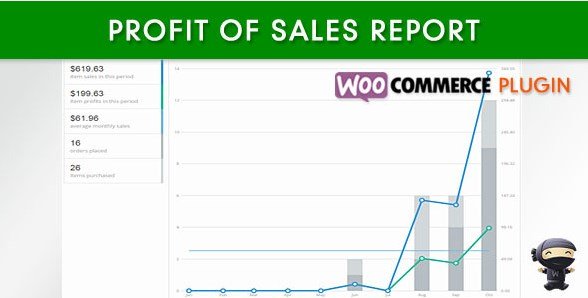
What is WooCommerce Profit of Sales Report?
When WordPress users need to gain total control over their e-commerce financial health, the WooCommerce Profit of Sales Report offers a streamlined solution to the often-complex task of calculating net earnings. As an experienced developer, I know that standard WooCommerce installations are excellent at tracking revenue, but they fall silent when it comes to actual profit. This plugin bridges that critical gap by introducing a robust system to track the WooCommerce Profit of Sales Report, ensuring that store owners can distinguish between top-line sales and bottom-line income. By integrating cost of goods data directly into your dashboard, this tool transforms raw order data into actionable financial intelligence.
Running a successful online store requires more than just watching the money come in; you need to know exactly how much is staying in your pocket after expenses. The default WooCommerce reports show you sales, taxes, and shipping, but they completely ignore the cost of your inventory. This is where the WooCommerce Profit of Sales Report becomes essential. It allows you to input the cost price for your products and generates comprehensive reports that visualize your profit margins over time. Whether you are a dropshipper, a manufacturer, or a reseller, understanding your net profit is the only way to scale sustainably.
What Makes WooCommerce Profit of Sales Report Different
While there are several analytics plugins on the market, many are overly complex or require expensive third-party integrations to calculate margins. The WooCommerce Profit of Sales Report differentiates itself by offering a lightweight, native integration that feels like a standard extension of your WordPress dashboard. It focuses specifically on the “Cost of Goods Sold” (COGS) aspect without bloating your site with unnecessary features you will never use. The plugin’s unique selling proposition is its simplicity combined with deep data granularity—it doesn’t just show you a total number; it breaks down profitability by date, product, and category, giving you a surgical view of your business performance.
- Native Integration: Seamlessly fits into your existing WooCommerce admin interface without a steep learning curve.
- Granular Reporting: Unlike generic stats, this plugin breaks down profit by specific products and categories.
- Cost Efficiency: A one-time purchase solution compared to subscription-based analytics platforms.
WooCommerce Profit of Sales Report Features for WordPress Users
Precise Cost of Goods Management
The core functionality of the plugin revolves around its ability to handle the Cost of Goods (COG) for every item in your inventory. You can manually input the cost price for each product directly from the product edit screen. This is vital because the selling price minus the cost price equals your gross profit. The plugin supports simple products, and in many implementations, it handles variable products effectively, allowing you to assign different costs to different variations (e.g., a size XL might cost more to produce than a size S). By maintaining accurate cost data, the WooCommerce Profit of Sales Report ensures that every time an order is placed, the system instantly calculates the true value of that transaction. You can learn more about managing inventory on official WooCommerce documentation.
Streamlined Admin Quick Edit
Efficiency is key when managing a large catalog with hundreds or thousands of products. Going into individual product pages to update costs can be tedious. This plugin addresses this by adding a “Cost of Good” column directly to the Admin Products Listing page and enabling the Quick Edit feature. This means you can update costs rapidly without leaving the main products view. I find this feature particularly useful during supplier price changes or seasonal inventory updates. It saves administrators hours of manual clicking, allowing for bulk updates that keep your profit reporting accurate in real-time. For those managing large WordPress sites, check out our list of essential WordPress plugins to improve workflow.
Order-Level Profit Visibility
Transparency is crucial for customer support and accounting teams. The WooCommerce Profit of Sales Report adds a “Profit” meta box to the Admin Order Details page. When you view a specific order, you can immediately see the total revenue versus the total cost, and the resulting profit. Furthermore, the plugin allows for the editing of the Cost of Good directly on the order details page. This is a lifesaver in scenarios where your supplier costs change between the time the order was placed and when it was fulfilled, or if you need to account for specific one-off expenses related to a particular order. This flexibility ensures that your historical data remains accurate even when operational anomalies occur.
Comprehensive Reporting Dashboard
The heart of the plugin is its reporting suite. It moves beyond simple lists to provide visual insights. You can view profits organized by date, helping you spot seasonal trends, or by product, which helps you identify your best-performing items in terms of margin rather than just volume. The category report is excellent for high-level strategic decisions, allowing you to see which product lines are carrying the business. These reports are available for various periods, including Current Year, Last Month, This Month, and the Last 7 Days. There is also a “Custom Dates” feature that allows you to generate reports for specific campaigns, such as Black Friday or Cyber Monday, giving you a clear picture of how those specific events performed in terms of actual profitability. If you need help optimizing your store for these high-traffic events, visit our WooCommerce optimization guide.
Data Export Capabilities
While viewing data in the dashboard is great, accountants and business analysts often need raw data. The WooCommerce Profit of Sales Report includes an Export to CSV feature. This allows you to download your profit data and import it into Excel, Google Sheets, or accounting software like QuickBooks or Xero. This feature bridges the gap between your WordPress site and your broader financial ecosystem, ensuring that your bookkeeping is based on actual e-commerce performance rather than rough estimates.
How to Install WooCommerce Profit of Sales Report
Quick Installation
- Log in to your WordPress dashboard and navigate to Plugins → Add New.
- Click the “Upload Plugin” button at the top of the page.
- Select the zip file you downloaded from CodeCanyon.
- Click Install Now and then Activate.
Once activated, you will find a new menu item or settings options specifically designed to input your costs of goods and start generating reports immediately. The plugin is designed to be lightweight, so it won’t slow down your site’s backend performance.
Who Should Use WooCommerce Profit of Sales Report?
E-commerce Store Owners Scaling Up
If you are running a store that is growing beyond a hobby, you need to know your margins. Users who are reinvesting in inventory or planning to spend on advertising need this plugin to ensure their Cost of Goods Sold (COGS) and marketing spend don’t eat up all their revenue. It provides the clarity needed to make pricing decisions and discount strategies confidently.
Accountants and Bookkeepers
For professionals managing the books for multiple clients, the WooCommerce Profit of Sales Report is a godsend. It eliminates the need for manual data entry to calculate gross margins. By exporting the CSV, accountants can reconcile bank feeds with actual store performance instantly, making tax season significantly less stressful.
WooCommerce Profit of Sales Report vs Alternatives
| Feature | WooCommerce Profit of Sales Report | Metorik (Premium Analytics) |
|---|---|---|
| Cost of Goods Input | Native product edit & Quick Edit | Available via import/integration |
| Price Model | One-time purchase | Monthly Subscription |
| Order Detail View | Direct profit view on order page | Detailed customer timelines |
| Complexity | Lightweight, focused on profit | Comprehensive suite (email, insights) |
WooCommerce Profit of Sales Report Pricing
The WooCommerce Profit of Sales Report is available as a premium plugin on CodeCanyon. Unlike many modern SaaS solutions that charge a recurring monthly fee, this plugin typically follows a traditional Envato model where you purchase a license for a one-time fee. This often includes 6 months of support from the developer, with the option to extend support periods. For small to medium businesses, this represents a significant cost saving over analytics tools that charge $20-$50 per month indefinitely. It is an investment that pays for itself quickly by identifying unprofitable products. Check our downloads section for similar cost-effective tools.
Pros and Cons
✅ Pros
- Cost-Effective: One-time payment rather than a monthly subscription.
- User-Friendly: Integrates directly into the familiar WooCommerce dashboard.
- Time-Saving: Quick Edit feature allows for fast bulk cost updates.
- Data Export: CSV export makes accounting integration seamless.
❌ Cons
- Manual Entry: Requires initial manual input of cost data unless a custom import script is used.
- Caching: Reports use a cache system for performance, meaning real-time data might require a manual cache clear (available in the admin, not demo).
- Scope: Focuses specifically on profit/reporting and does not include email marketing or advanced CRM features.
Frequently Asked Questions
Does this plugin calculate tax and shipping costs in the profit report?
The WooCommerce Profit of Sales Report primarily focuses on the Gross Profit (Revenue minus Cost of Goods). While it acknowledges the revenue from shipping and tax, the core “Profit” metric is designed to show the margin on your products. You can analyze the data in the CSV export to derive net margins including overheads if needed.
Can I import costs in bulk instead of entering them one by one?
The plugin excels at individual and quick-edit management. While the core interface focuses on direct entry, the structure allows for developers to hook into it for bulk imports. For standard users, the Quick Edit feature is the fastest way to update products without opening each page.
Is the profit data visible to customers on the front end?
Absolutely not. All cost and profit data is strictly restricted to the WordPress Admin Dashboard. Your customers will never see your cost prices or your profit margins on their invoices or order pages.
Does the plugin support variable products?
Yes, the WooCommerce Profit of Sales Report supports variable products. You can assign different cost values to different variations of a product, ensuring that your profit calculation is precise even if a larger size costs more to produce or source.
How does the caching feature work?
To ensure your store runs smoothly, the plugin caches the report data rather than calculating it from scratch every time you load the page. This data is typically refreshed daily. However, if you make significant changes to costs, there is a feature in the admin panel to clear the cache and refresh the reports immediately.
Can I use this plugin with multi-currency setups?
The plugin calculates profit based on the order currency recorded in WooCommerce. If you are using a multi-currency plugin, the Profit of Sales Report will display the profit in the currency the order was processed in, maintaining accuracy across different regions.
Final Verdict
The WooCommerce Profit of Sales Report is a specialized, highly effective tool for any serious store owner who realizes that “Revenue is vanity, profit is sanity.” It delivers exactly what it promises: a clear, accessible way to track the profitability of your WooCommerce store. It avoids the bloat of all-in-one suites and provides a lightweight, fast interface for managing costs and viewing margins. While it requires some manual setup to input your product costs, the payoff in financial clarity is immense. It’s particularly well-suited for small to medium-sized businesses looking to optimize their product pricing and improve their bottom line without committing to expensive monthly analytics subscriptions.