What is WooCommerce Advanced Shipping?
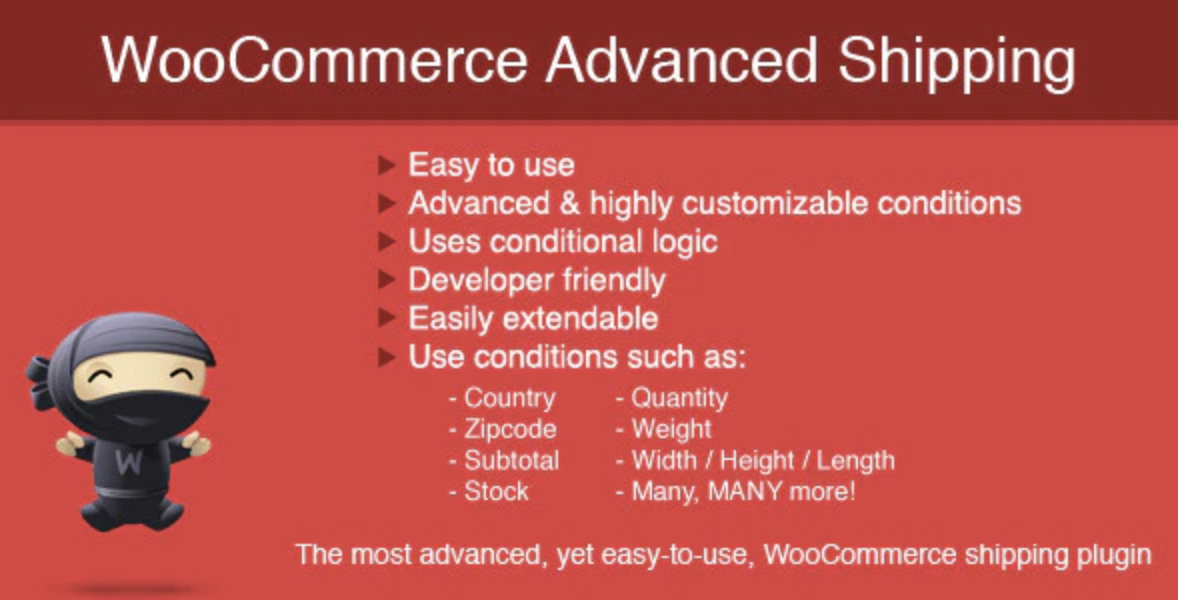
WooCommerce Advanced Shipping is a robust WordPress plugin designed to give online store owners granular control over their shipping rates. Instead of relying on standard flat rates or complicated built-in options, this plugin empowers you to define custom shipping rules based on a wide range of specific conditions. Imagine setting different rates for customers in certain countries, applying extra charges for heavy items, or offering free shipping for orders over a specific value. WooCommerce Advanced Shipping makes this level of customization straightforward and accessible, even if you have no coding experience. It’s an essential tool for businesses with diverse product lines, international shipping needs, or complex pricing strategies that standard WooCommerce shipping methods cannot accommodate. By allowing precise control, it helps you accurately reflect shipping costs, prevent undercharging, and ultimately improve profitability while offering flexible options to your customers.
Key Features of WooCommerce Advanced Shipping
- Condition-Based Shipping Rules: Create shipping rates based on powerful conditions such as product weight, volume, quantity, country, state, zip code, user role, and more. Combine multiple conditions for highly specific rules.
- Intuitive User Interface: Set up complex shipping rules easily through a simple, visual interface without writing any code. Manage all your shipping methods in one place.
- Flexible Rate Calculation: Define rates as flat fees, percentage of order total, or add breakpoint-based costs (e.g., incrementing costs per unit of weight or quantity).
- Shipping Zones Integration: Works seamlessly with WooCommerce’s built-in shipping zones, allowing you to define different sets of rules for distinct geographical areas.
- Multiple Rules Per Zone: Add multiple shipping rules within a single shipping zone, and the plugin will apply the rule that matches the conditions of the customer’s cart.
The latest version of WooCommerce Advanced Shipping continuously improves compatibility with the latest versions of WooCommerce and WordPress, focusing on performance and adding new condition types based on user feedback. It ensures your custom shipping logic remains reliable and efficient.
How to Download WooCommerce Advanced Shipping
As a premium plugin, WooCommerce Advanced Shipping is available for purchase and download exclusively through its official sales channel. You cannot download a fully functional premium version directly from the WordPress.org plugin repository or from unofficial sources.
1. Visit the Official Sales Page:
- Navigate to the official product page for WooCommerce Advanced Shipping, currently hosted on CodeCanyon (https://codecanyon.net/item/woocommerce-advanced-shipping/8634573). This is the authorized platform for purchasing and downloading the plugin.
- Review the plugin details, features, customer reviews, and licensing information to ensure it meets your specific needs.
2. Purchase a License:
- Click the ‘Add to Cart’ or ‘Buy Now’ button on the sales page. You will be guided through the checkout process facilitated by the platform.
- Choose your desired license type (e.g., Regular License) which grants you usage rights and access to support and updates for a specific period.
3. Download the Plugin Files:
- Once your purchase is complete, you will have access to download the plugin files (usually as a .zip archive) through your account on the Envato Market (CodeCanyon) platform.
- Keep the downloaded .zip file in a location you can easily access, as you will need it for installation on your WordPress site.
For a hassle-free setup, consider WPX Hosting from top rated reliable and managed providers, which comes with pre-install WordPress and WooCommerce with optimized performance. Note that WPX Hosting provides an optimized environment for WooCommerce, but you will still need to purchase and install the WooCommerce Advanced Shipping plugin separately.
Installing WooCommerce Advanced Shipping: Step-by-Step Guide
Installing WooCommerce Advanced Shipping on your WordPress site is a standard process for premium plugins downloaded as a .zip file. Ensure you have purchased the plugin and have the .zip file ready.
1. Upload the Plugin via WordPress Dashboard:
- Log in to your WordPress website’s admin dashboard.
- Navigate to
Plugins>Add Newin the left-hand menu.
2. Choose and Install the Plugin File:
- At the top of the ‘Add New Plugin’ page, click the ‘Upload Plugin’ button. This option allows you to upload a plugin from a .zip file stored on your computer.
- Click ‘Browse…’ or ‘Choose File’, locate the
woocommerce-advanced-shipping.zipfile that you downloaded after your purchase from CodeCanyon, and select it. Ensure you upload the main plugin .zip file and not an unzipped folder or a documentation file within the package. - Click the ‘Install Now’ button to upload and install the plugin. WordPress will process the file, extract its contents, and place them in the correct directory on your server.
3. Activate the Plugin:
- Once the installation is complete, WordPress will show a success message indicating that the plugin has been installed successfully.
- Click the ‘Activate Plugin’ button which appears directly below the success message. This step is crucial; without activation, the plugin’s functionalities will not be available on your site. Once activated, WooCommerce Advanced Shipping will be ready for configuration within your WooCommerce settings.
Note: Back up your site before installing or updating plugins/themes. Use WooCommerce Advanced Shipping’s built-in tools if prompted after an update.
WooCommerce Advanced Shipping Pricing
| Component | Price | Details |
|---|---|---|
| Regular License | $27 (one-time fee) | Includes future updates and 6 months of support. Can be extended to 12 months. This license is suitable for a single end product (meaning a single WooCommerce store) for which you are not charging your end users. |
| Extended License | $115 (one-time fee) | Includes future updates and 6 months of support. Suitable for a single end product that you or your client may charge end users for. |
| Support Extension | +$8.25 for 6 months | Extends included support period from 6 months to 12 months for the Regular License. Recommended for ongoing assistance and updates. |
Please note that pricing is accurate as of the last update and is subject to change by the developer on CodeCanyon. The one-time purchase fee grants you access to all future updates for the plugin, ensuring long-term compatibility and feature enhancements. While a support period is included, extending it can be beneficial if you anticipate needing ongoing technical assistance or wish to contribute to the plugin’s development by staying involved with the community and support forums. Envato Market often provides bundle deals or seasonal discounts, so it’s worth checking their official sales page for the most current offers.
WooCommerce Advanced Shipping Alternatives
While WooCommerce Advanced Shipping offers robust functionality, several other plugins also provide advanced shipping capabilities for WooCommerce stores. Each has its own strengths and ideal use cases:
WooCommerce Table Rate Shipping by Bolder Elements:
- Pros: Very popular and mature plugin, offers extensive conditions (weight, price, item count, quantity, shipping class, etc.), and supports complex calculation methods. Good documentation and community support.
- Cons: Can be overwhelming for beginners due to the sheer number of options. Pricing is subscription-based from WooCommerce.com.
- Best For: Stores needing highly complex, multi-tiered shipping rate calculations based on various cart and destination parameters, often with different rules for different shipping classes or product groups.
Flat Rate Shipping Plugin For WooCommerce by PluginHive:
- Pros: Focuses on flat-rate shipping with conditions, intuitive interface, supports advanced features like rule-based zones and multiple flat rates. Easier to set up for basic conditional flat rates.
- Cons: May not offer the same depth of complex rule combination as WooCommerce Advanced Shipping for very specific scenarios.
- Best For: Businesses that primarily use flat rates but need to apply them conditionally based on product, location, or cart attributes. Good for simplifying conditional rate setup.
Flexible Shipping for WooCommerce by WP Desk:
- Pros: Offers a free version with powerful features (weight and cart total rules, shipping classes). Pro version extends capabilities significantly with more conditions (user role, product, dimension) and calculation methods.
- Cons: The free version might be too limited for advanced needs, requiring an upgrade to Pro. Interface can be less intuitive than WAS for highly visual users.
- Best For: Stores looking for a strong free starting point with an clear upgrade path for more advanced conditional shipping, particularly those focused on weight-based or cart total-based pricing.
Each of these alternatives has a slightly different approach to addressing conditional shipping, and the best choice depends on the specific complexity of your shipping requirements, your budget, and your comfort level with different plugin interfaces. Researching current user reviews and active development for each is advised.
WooCommerce Advanced Shipping vs. Other Shipping Plugins
WooCommerce Advanced Shipping stands out in the crowded field of WooCommerce shipping plugins due to its balanced approach to power and usability. While some alternatives might offer more niche conditions or slightly different calculation methods, WAS often proves to be a sweet spot for many businesses. Here’s how it compares:
- Ease of Use vs. Complexity: WooCommerce Advanced Shipping strikes a good balance. It provides a visual, condition-based rule builder that makes complex logic understandable without requiring coding. Some alternatives can be either too simplistic (lacking advanced conditions) or overly complex (with steeper learning curves).
- Rule Flexibility & Combination: The plugin excels at allowing you to combine multiple conditions (AND/OR logic) within a single rule, enabling highly specific shipping scenarios. This flexibility often surpasses simpler flat-rate or basic table-rate plugins that have fewer condition types or less intricate logical operators.
- Performance Impact: Designed with performance in mind, WooCommerce Advanced Shipping efficiently processes shipping rules, minimizing any potential slowdowns on your checkout page. This is a critical advantage over poorly coded alternatives that can add significant latency.
- Support and Updates: Being a well-established premium plugin on CodeCanyon, it benefits from ongoing development, regular updates for compatibility with the latest WooCommerce and WordPress versions, and dedicated support from the creators. This ensures long-term reliability and access to help when needed.
The plugin’s structure makes it an excellent choice for stores that have outgrown basic flat rates but don’t need a full-blown carrier integration. It provides fine-grained control for scenarios like offering free shipping for loyal customers, applying surcharges for fragile items, or adjusting rates based on regional tax laws. Its strength lies in being able to define almost any rule you can imagine without resorting to custom code.
Tips for Using WooCommerce Advanced Shipping Effectively
- Plan Your Shipping Strategy First: Before diving into setting up rules, map out all your desired shipping scenarios on paper or a spreadsheet. Identify conditions (e.g., product weight, destination, cart total) and corresponding rates.
- Start Simple and Build Up: Begin with your most common or basic shipping rules. Test them thoroughly. Then, gradually add more complex rules, testing each new addition to ensure it doesn’t conflict with existing ones.
- Leverage Condition Groups: Utilize the “AND” and “OR” operators and condition groups effectively. This allows you to create highly specific rules, such as “IF (Country is US AND State is CA) OR (Country is Canada AND Postal Code starts with M) THEN apply X rate.”
- Use Shipping Classes: For product-specific shipping adjustments, assign WooCommerce Shipping Classes to your products. Then, use these classes as conditions in your WooCommerce Advanced Shipping rules. This is especially useful for handling oversized, fragile, or unique items.
- Test Thoroughly with Different Scenarios: Before launching or making significant changes, impersonate different customer types (logged-in, guest) and test various cart combinations (different products, quantities, destinations) to ensure your shipping rates are calculating as expected.
Pairing WooCommerce Advanced Shipping with Complementary Tools
WooCommerce Advanced Shipping integrates perfectly within the standard WooCommerce ecosystem, requiring no special complementary plugins for its core functionality. However, its power is amplified when used in conjunction with other well-established WooCommerce extensions that handle aspects related to shipping but outside of rate calculation. For instance, pairing it with a plugin for WooCommerce Product Filters can improve the customer experience by allowing users to refine product searches, which might in turn affect shipping calculations if your rules are product-specific. Similarly, while not directly integrated, using a robust WooCommerce Subscriptions plugin can mean your advanced shipping rules apply seamlessly to recurring orders, ensuring consistent and accurate charges over time. These pairings enhance the overall customer journey and operational efficiency without creating conflicts with the shipping logic defined by WooCommerce Advanced Shipping.
Should You Invest in WooCommerce Advanced Shipping?
WooCommerce Advanced Shipping is a premium plugin, and while the base WooCommerce shipping options are free, investing in this tool is definitely worth considering if you need:
- Advanced Functionality beyond Flat Rate: If your shipping needs go beyond simple flat rates or generic free shipping, and you require conditions based on weight, quantity, user role, specific products, or complex location rules.
- Enhanced Control & Accuracy: To ensure accurate shipping costs are always applied, preventing undercharging or overcharging customers, which impacts profitability and customer satisfaction.
- Integration with WooCommerce Shipping Zones: If you leverage WooCommerce shipping zones and need a powerful way to define unique, conditional rules within each zone.
- Customization without Code: If you need to implement highly specific, custom shipping logic on your store but lack the technical expertise or desire to write custom PHP code.
For a one-time purchase, WooCommerce Advanced Shipping provides incredible value by eliminating the need for costly custom development and giving you complete command over your shipping strategy. Visit the official CodeCanyon sales page for pricing details and to see if it aligns with your specific e-commerce needs.
Frequently Asked Question:
Can I set up free shipping with WooCommerce Advanced Shipping?
Yes, absolutely. You can create a rule that sets the shipping cost to zero when certain conditions are met, such as an order total exceeding a specific amount, a customer’s user role, or specific products being in the cart.
Is WooCommerce Advanced Shipping compatible with all WooCommerce themes?
WooCommerce Advanced Shipping works by integrating with WooCommerce’s core shipping functionality, so it is generally theme-agnostic. As long as your theme is compatible with the latest version of WooCommerce, this plugin should function correctly.
Can I define shipping rates based on product categories?
Yes, WooCommerce Advanced Shipping allows you to set conditions based on various product attributes, including product categories, along with product quantity, weight, and specific product ID.
Does this plugin support multiple shipping methods per zone?
Yes, within each WooCommerce Shipping Zone, you can add multiple advanced shipping rules. The plugin will evaluate these rules and apply the one(s) that match the customer’s cart and destination.
What kind of support is included with the purchase?
A regular license typically includes 6 months of support from the developer. You can often extend this support period for an additional fee directly through CodeCanyon.
How does this plugin handle shipping for virtual or downloadable products?
WooCommerce Advanced Shipping allows you to create rules that specifically exclude or include virtual/downloadable products. You can also set a condition based on whether a product requires shipping, ensuring virtual items don’t trigger physical shipping costs.
Conclusion
WooCommerce Advanced Shipping is an indispensable tool for any WooCommerce store that requires precision and flexibility in its shipping rate calculations. Its intuitive interface combined with powerful conditional logic allows store owners to implement a vast array of shipping scenarios without writing a single line of code. From region-specific pricing and weight-based rules to cart-value discounts and user-role conditions, this plugin provides the comprehensive control needed to optimize your shipping strategy, enhance profitability, and deliver a clear, fair shipping experience to your customers. If you’ve felt limited by WooCommerce’s default shipping options, investing in WooCommerce Advanced Shipping will unlock a new level of customization and efficiency for your online store.
Disclaimer: Pricing and features mentioned are subject to change by the plugin developer. Always refer to the official CodeCanyon sales page for the most current and accurate information before making a purchase. Compatibility may vary with specific WooCommerce extensions; consult the plugin’s documentation or support if you encounter issues.