What is Ultimate Layouts Responsive Grid – Addon For Visual Composer?
Ultimate Layouts Responsive Grid – Addon For Visual Composer is a premium WordPress plugin specifically designed to supercharge the WPBakery Page Builder (formerly known as Visual Composer). Its core purpose is to extend WPBakery’s native capabilities by providing an extensive collection of over 70 unique, pre-designed, and highly customizable responsive grid and layout options. This addon addresses a common need among WordPress users and developers for more sophisticated, visually engaging, and diverse ways to present content beyond what standard page builder elements or basic theme options might offer. Its significance lies in empowering users to effortlessly create intricate and professional-looking sections for various content types, including blog posts, portfolios, e-commerce products via WooCommerce integration, and any custom post types your website might utilize. The plugin places a strong emphasis on responsive design, ensuring that all layouts adapt flawlessly across desktops, tablets, and smartphones—a critical aspect for modern web standards and achieving good rankings with mobile-first indexing by search engines like Google. By integrating directly into the WPBakery Page Builder interface, Ultimate Layouts maintains a familiar drag-and-drop workflow, making the creation of complex layouts accessible even to users without extensive coding knowledge. It aims to significantly reduce development time and associated costs by offering a plethora of ready-to-use templates that can be quickly implemented and tailored to specific branding and content requirements. Furthermore, performance is a key consideration, with features like lazy loading for images and AJAX-powered interactions contributing to a smoother user experience and potentially better SEO outcomes. The versatility to display a wide array of content with specialized features, such as ‘Quick View’ for WooCommerce products, positions Ultimate Layouts as an indispensable tool for a multitude of web projects, transforming ordinary content displays into engaging, organized, and effective user experiences.
Key Features of Ultimate Layouts Responsive Grid – Addon For Visual Composer
- 70+ Layouts & Unique Designs: Offers an expansive library of over 70 pre-built, distinct layouts, providing exceptional variety for showcasing posts, pages, custom post types, and WooCommerce products. These designs span classic grids, modern lists, creative masonry arrangements, and dynamic carousel/slider styles, ensuring a unique and professional appearance for any website section. Each layout is meticulously crafted with current design trends and user engagement in mind.
- WooCommerce Ready with Quick View: Features deep integration with WooCommerce, enabling users to display products in visually appealing grid, list, or carousel formats. A standout feature is the ‘Quick View’ option, allowing customers to view product details in a modal popup without leaving the current page, thereby enhancing the online shopping experience and potentially increasing conversion rates.
- Comprehensive Custom Post Types & Taxonomies Support: Fully supports all custom post types (CPTs) and custom taxonomies. This flexibility is paramount for websites with specialized content such as portfolios, testimonials, team members, events, or services, allowing for tailored and contextually relevant content displays far beyond standard WordPress posts and pages.
- Advanced Filtering & Sorting Options: Provides robust filtering mechanisms, including interactive smart tabs, sleek dropdown lists, and convenient inline buttons. Website visitors can dynamically filter displayed content based on categories, tags, or custom taxonomies. The plugin also supports multi-taxonomy filtering, enabling complex content sorting for enhanced navigation.
- 100% Responsive and Retina Ready: Guarantees that all layouts are fully responsive, adapting seamlessly to various screen sizes and orientations across desktops, tablets, and smartphones. Additionally, it is retina-ready, ensuring that all visuals, icons, and text appear crisp and sharp on high-resolution displays.
- Performance-Oriented (Lazy Load & AJAX): Incorporates essential performance-enhancing features such as lazy loading for images, which defers the loading of off-screen images until they are needed. AJAX-powered pagination options (including page numbers, a ‘load more’ button, and infinite scroll) ensure smooth content loading without full page reloads, improving page speed and user experience.
- Extensive Customization Capabilities: Delivers a wealth of customization options. Users can choose from over 40 animation styles for item loading, 4 distinct image hover effects, and 17 overlay hover effects. It supports custom column layouts (up to 12 columns), unlimited overlap colors with variable opacity settings, and access to over 700 Google Fonts for precise typography control. Users also have control over displaying or hiding various post meta elements like author, date, and comments.
- SEO Optimized and WPML Compatible: Developed following SEO best practices to ensure that content displayed through its layouts is structured correctly and easily discoverable by search engines. The plugin is also fully compatible with the WordPress Multilingual Plugin (WPML), facilitating the creation of multilingual websites.
- Additional Powerful Functionalities: Includes inline post read popups for quick content previews, integration for Adsense ads between posts within the grid, hashtag-based filtering, beautiful lightbox galleries for images and videos (supporting YouTube, Vimeo, DailyMotion, Twitch, and Facebook), social sharing icons for each post, and the ability to query and display posts from multiple post types simultaneously. Regular updates ensure compatibility and introduce new features, backed by dedicated premium support.
The latest version of Ultimate Layouts Responsive Grid – Addon For Visual Composer typically includes enhancements, bug fixes, and ensures compatibility with the newest WordPress and WPBakery Page Builder versions, maintaining its status as a cutting-edge layout tool.
How to Download Ultimate Layouts Responsive Grid – Addon For Visual Composer
Ultimate Layouts Responsive Grid – Addon For Visual Composer is a premium plugin, which means it is not available for free download from the official WordPress.org plugin repository. To obtain this powerful addon, you need to purchase it from the CodeCanyon marketplace, part of Envato Market. Here’s a step-by-step guide:
- 1. Visit the Official Product Page on CodeCanyon:
- Navigate your web browser to the Ultimate Layouts Responsive Grid – Addon For Visual Composer sales page on CodeCanyon. This is the sole official source for purchasing and downloading the legitimate plugin.
- On this page, you can review detailed information about its features, explore live demos, read user reviews and ratings, check the latest version number, and verify compatibility requirements.
- 2. Purchase the Required License:
- You will need an Envato account to make a purchase. If you don’t have one, you can create it during the checkout process.
- Click on the “Buy Now” or “Add to Cart” button. You’ll typically be presented with two license options: a Regular License and an Extended License. The Regular License is suitable for use on a single website (either your own or a client’s) where end-users are not charged for access to the product. The Extended License is required if the end product incorporating the plugin will be sold to end-users. Choose the license that fits your needs and proceed to checkout.
- Complete the payment using one of the available payment methods.
- 3. Download the Plugin Files and License Key:
- Once your purchase is successfully processed, log in to your Envato account and navigate to your “Downloads” page. You should find Ultimate Layouts Responsive Grid listed there.
- Click the “Download” button next to the plugin name. You will usually have options to download: “All files & documentation” or “Installable WordPress file only”. For installation, the “Installable WordPress file only” (which will be a .zip file) is what you need. It’s also advisable to download the full package as it contains the documentation and license certificate/purchase code, which might be required for plugin activation or for accessing premium support from the author.
Always ensure you are downloading premium plugins from their official sources like CodeCanyon to avoid unofficial, nulled, or malicious versions that could compromise your website’s security. For a smooth WordPress experience, especially with advanced plugins, reliable hosting is key. Consider options like WPX Hosting, known for its performance and managed WordPress services, which can provide an optimized environment for plugins like Ultimate Layouts Responsive Grid.
Installing Ultimate Layouts Responsive Grid – Addon For Visual Composer: Step-by-Step Guide
Installing the Ultimate Layouts Responsive Grid – Addon For Visual Composer plugin is a relatively straightforward process, similar to installing other premium WordPress plugins. However, a critical prerequisite is that you must have the WPBakery Page Builder (formerly Visual Composer) plugin already installed and activated on your WordPress site, as Ultimate Layouts is an addon designed to work with it. Follow these steps carefully:
- 1. Ensure WPBakery Page Builder is Installed and Active:
- Log in to your WordPress administrative dashboard.
- Navigate to `Plugins > Installed Plugins`. Verify that WPBakery Page Builder is listed among your installed plugins and that its status is “Active”. If it’s not installed, you’ll need to install it first. WPBakery Page Builder is a premium plugin that can be purchased from its official website or might be bundled with your premium WordPress theme. Ultimate Layouts will not function without WPBakery Page Builder being active.
- 2. Upload the Plugin via WordPress Dashboard:
- Once WPBakery is active, go to `Plugins > Add New` from your WordPress admin menu.
- At the top of the “Add Plugins” page, click on the “Upload Plugin” button.
- This will reveal an upload form. Click the “Choose File” button and browse your computer to locate the installable .zip file for Ultimate Layouts Responsive Grid that you downloaded from CodeCanyon (e.g., `ultimate-layouts.zip`). Select the file.
- After selecting the file, click the “Install Now” button. WordPress will now upload the plugin package and install it on your site.
- 3. Activate the Plugin:
- Upon successful installation, you will see a message confirming this, along with a link to “Activate Plugin”. Click this link.
- Once activated, the Ultimate Layouts elements and features should become available within the WPBakery Page Builder interface. You will typically find new content elements specific to Ultimate Layouts when you edit a page or post with WPBakery. There might also be a new menu item in your WordPress dashboard for plugin settings or license activation. Refer to the plugin’s documentation (usually included in the full download package from CodeCanyon) for any specific post-activation configuration steps, such as entering your purchase code for updates and support.
Note: It is always a best practice to back up your entire WordPress site (both files and database) before installing any new plugin, especially premium ones. After activation, if the plugin author provides any setup wizard or prompts for license activation, follow those instructions. Keep an eye on your WordPress plugins page for updates to both WPBakery Page Builder and Ultimate Layouts Responsive Grid to ensure optimal performance and security.
Ultimate Layouts Responsive Grid – Addon For Visual Composer Pricing
Ultimate Layouts Responsive Grid – Addon For Visual Composer is a premium plugin exclusively available for purchase on the CodeCanyon marketplace, which is part of Envato. The pricing is generally structured around a one-time payment for the plugin license, which includes future updates, and a set period of included author support, with an option to extend that support. As prices on Envato Market can occasionally be adjusted by authors or during promotional periods, it’s crucial to check the official sales page for the most current figures. Typically, you’ll encounter the following licensing and pricing components:
| Component | Price (USD – Approximate) | Details |
|---|---|---|
| Regular License | ~$25 – $29 | This is the most common license type. It grants you, or one client, the right to use the plugin in a single end product (e.g., a single website) for which end users are not charged. This license typically includes 6 months of dedicated support from the plugin author. Updates for the plugin are generally included for the lifetime of the product as per Envato’s policy, though support is time-limited. |
| Extended License | ~$125 – $150 | The Extended License is required if you, or one client, intend to use the plugin in a single end product (e.g., a web application or a theme sold in a marketplace) where end users can be charged for access or use of that end product. This license also usually includes 6 months of author support, with similar terms for updates as the Regular License. The higher price reflects the broader commercial usage rights. |
| Support Extension (Optional) | ~$7 – $10 (for 6 additional months) | When purchasing either the Regular or Extended License, you receive an initial 6 months of support from the plugin author. CodeCanyon provides an option at the time of purchase (or shortly after) to extend this support period to a total of 12 months for an additional fee. This extension ensures continued access to technical assistance, bug fixes, and guidance on using the plugin’s features beyond the initial support period. |
It’s important to understand that these are one-time payments for the license itself. There are no recurring annual subscription fees to continue using the plugin or to receive core plugin updates. However, if you wish to maintain access to direct author support after your initial or extended support period expires, you would typically need to renew your support package. Always confirm the current pricing, included support duration, and exact terms on the official Ultimate Layouts Responsive Grid page on CodeCanyon before making a purchase. The value offered by its extensive features, including 70+ layouts and deep WPBakery integration, generally provides good return on investment for users needing advanced layout capabilities.
Ultimate Layouts Responsive Grid – Addon For Visual Composer Alternatives
While Ultimate Layouts Responsive Grid – Addon For Visual Composer is a highly capable plugin for users of WPBakery Page Builder, the WordPress ecosystem offers several other robust plugins that provide grid and layout functionalities. The best alternative often depends on your specific needs, whether you use WPBakery, and the level of customization required. Here are a few notable alternatives:
- 1. The Grid:
- Pros: The Grid is a powerful standalone premium WordPress plugin renowned for its versatility and advanced skin builder, which allows for intricate customization of grid item appearances. It supports various post types, custom post types, and has excellent WooCommerce integration. Key features include multiple grid layouts (masonry, justified, classic grid), robust filtering and sorting options, and strong integration capabilities with social media streams like Instagram, Flickr, Twitter, and YouTube. It’s known for its performance and touch-friendly responsive behavior.
- Cons: Due to its extensive array of options and its powerful skin builder, The Grid can present a steeper learning curve for new users. It is a premium plugin, so it represents an additional cost if you’re looking for free alternatives.
- Best For: Users and developers who require maximum control over grid aesthetics and functionality. It’s an excellent choice for creating complex portfolios, visually rich blogs, e-commerce product displays, and integrating dynamic social media content. It’s a strong contender if you need a solution independent of any specific page builder.
- 2. Essential Grid WordPress Plugin:
- Pros: Another popular premium plugin, Essential Grid, comes packed with a vast library of over 50 pre-built skins and a user-friendly visual skin editor, making customization relatively easy. It supports all post types, custom post types, WooCommerce products, and can effectively pull content from various social media streams (e.g., Instagram, Twitter, Facebook, YouTube, Vimeo). It offers diverse grid layouts, including even, masonry, and cobbles, along with comprehensive animation and loading effects.
- Cons: The sheer number of features and skins, while beneficial, can sometimes lead to a slightly heavier impact on page load speed if not carefully configured and optimized. The interface, though visual, can still be overwhelming for absolute beginners.
- Best For: Users who prioritize a wide selection of ready-to-use design templates and robust social media integration. It’s ideal for creating visually striking galleries, portfolios, blogs, and product showcases with minimal fuss.
- 3. Content Views Pro:
- Pros: Content Views Pro is praised for its simplicity and effectiveness in creating grids and lists of posts, pages, or custom post types without requiring any coding knowledge. Its core strength lies in its powerful query builder and front-end filtering capabilities (allowing users to filter by category, tag, custom taxonomy, or even custom fields). It’s generally lightweight and performs well.
- Cons: While excellent for querying and filtering content, its design and layout customization options are typically less sophisticated and visually diverse when compared to dedicated layout plugins like Ultimate Layouts, The Grid, or Essential Grid. It offers fewer animation styles and complex hover effects.
- Best For: Users whose primary requirement is to display specific selections of content in clean, functional grid or list formats with robust, user-friendly front-end filtering. It’s well-suited for building directories, knowledge bases, simple product listings, or any scenario where content organization and filtering are key.
Each of these alternatives has its unique strengths. The primary advantage of Ultimate Layouts Responsive Grid lies in its seamless and deep integration with the WPBakery Page Builder ecosystem and its specific collection of 70+ layouts tailored for it. Your choice should be guided by your existing toolset (especially if you are a WPBakery user), your budget, the complexity of the layouts you need, and specific feature requirements like social media streaming or advanced skin building.
Ultimate Layouts Responsive Grid – Addon For Visual Composer vs. Other Plugins
Ultimate Layouts Responsive Grid – Addon For Visual Composer distinguishes itself in the crowded field of WordPress layout and grid plugins primarily through its specialized nature as an addon for WPBakery Page Builder. This focus provides both unique advantages and clear differentiators when compared to standalone grid plugins or even other generic WPBakery addons that might offer limited layout functionalities. It’s not designed to be a one-size-fits-all solution but rather a targeted enhancement for the WPBakery environment, aiming to synergize with and significantly extend the page builder’s core capabilities in displaying dynamic content.
- Deep and Seamless WPBakery Page Builder Integration: Unlike standalone grid plugins such as The Grid or Essential Grid, which are designed to work across various themes and page builders (or even without a page builder), Ultimate Layouts is purpose-built exclusively for WPBakery. This results in an exceptionally tight integration where its elements become native components within the WPBakery interface. Users already familiar with WPBakery will find the workflow intuitive, as they can drag, drop, and configure Ultimate Layouts elements just like any other WPBakery module, often within the same familiar settings modals.
- Extensive Library of Pre-Designed Layouts Optimized for WPBakery: With a collection of over 70 unique, professionally designed layouts, Ultimate Layouts offers a significantly larger out-of-the-box selection specifically tailored for WPBakery than many general-purpose addons or even some standalone plugins. While some alternatives boast powerful skin builders for infinite customization from scratch, Ultimate Layouts provides a substantial head start with a wealth of ready-to-use designs that can be rapidly implemented and then further customized, thereby accelerating the development process for WPBakery users.
- Comprehensive and Context-Specific Feature Set: Beyond just creating grids, Ultimate Layouts bundles a suite of features highly relevant to dynamic content display within WPBakery. These include specialized WooCommerce integration with ‘Quick View’, the ability to strategically insert Adsense ads within layouts, inline post read popups for better content engagement, and sophisticated query options for custom post types and taxonomies. While some standalone plugins might offer a subset of these, Ultimate Layouts delivers them as an integrated package optimized for the WPBakery framework, potentially reducing the need to install and manage multiple disparate plugins.
- Enhanced Cost-Effectiveness for the WPBakery Ecosystem: For WordPress developers and site owners already invested in and using WPBakery Page Builder, Ultimate Layouts represents a cost-effective way to dramatically enhance their site’s layout capabilities with a single, one-time purchase. While standalone premium grid plugins might have similar or even higher price points, they do not offer the same level of direct, native integration and workflow consistency within WPBakery’s backend editor.
In essence, when compared to WPBakery’s own native post grid or basic layout elements, Ultimate Layouts provides a monumental leap in terms of design sophistication, responsiveness, filtering power, and specialized features. It effectively supercharges WPBakery’s ability to handle and present dynamic content in compelling ways. While other plugins might excel in areas like universal compatibility or more advanced visual skin building tools, Ultimate Layouts carves its niche by delivering a rich, feature-packed set of pre-designed, highly customizable layout options crafted specifically for, and seamlessly integrated into, the WPBakery Page Builder environment, making it an efficient and powerful choice for dedicated users of that page builder.
Tips for Using Ultimate Layouts Responsive Grid – Addon For Visual Composer Effectively
- Systematically Explore All 70+ Layouts: Don’t just pick the first layout that seems adequate. Dedicate time to thoroughly explore the extensive library of over 70 unique designs. Each layout presents a different aesthetic and functional approach to content presentation. Utilize the plugin’s live previews or documentation to understand how each layout interacts with varying content types, text lengths, and image dimensions to find the perfect match for your specific needs.
- Maximize Custom Post Types and Taxonomies: The true power of Ultimate Layouts shines when used in conjunction with custom content structures. If your site features portfolios, services, team members, events, or any other custom post types (CPTs), leverage Ultimate Layouts to display them in unique and engaging ways. Configure the plugin’s robust query settings to pull content from specific CPTs and allow filtering by their associated custom taxonomies to create highly relevant, organized, and user-friendly content sections.
- Prioritize Image Optimization and Enable Lazy Loading: Grid-based layouts often display a significant number of images, which can impact page load times. Before uploading, ensure all images are properly compressed (using tools like TinyPNG or ImageOptim) and correctly sized for their intended display dimensions on the web. Crucially, enable the plugin’s built-in lazy loading feature. This significantly improves initial page load speed and perceived performance by deferring the loading of images until they scroll into the user’s viewport.
- Master the Advanced Query Builder Settings: Dive deep into the query settings offered by Ultimate Layouts. You have granular control to select specific post types (or multiple post types simultaneously), include or exclude content based on categories, tags, or individual post IDs. Understanding how to effectively combine these query parameters allows you to create very dynamic, targeted, and rich content displays tailored to specific audiences or sections of your site.
- Rigorously Test Responsiveness and Fine-Tune for Devices: While all layouts are designed to be inherently responsive, it’s essential to meticulously test your implemented grids on a variety of actual devices (desktops, different-sized tablets, and smartphones) and in both portrait and landscape orientations. Use your browser’s developer tools for emulation, but always verify on real devices. If necessary, utilize WPBakery Page Builder’s responsive controls in conjunction with Ultimate Layouts settings to fine-tune column counts, element visibility, or spacing specifically for different screen sizes, ensuring an optimal viewing experience for all users.
- Strategically Implement Filtering, Pagination, and AJAX Features: For websites with large volumes of content displayed in grids, providing intuitive navigation is key to user experience. Implement the plugin’s smart tabs, dropdown filters, or inline button filters to allow users to easily sift through content. For pagination, choose between classic page numbers, a ‘load more’ button, or infinite scroll, depending on what best suits your content and user flow. Leveraging AJAX-powered interactions for these features ensures smooth, fast content loading without disruptive full page reloads.
- Use Animations and Hover Effects Judiciously: The plugin offers over 40 animation styles for item loading and numerous hover effects. While these can add visual flair, overuse can lead to a cluttered user interface, distract users from the content, and potentially slow down perceived performance. Choose animations and effects that are subtle, align with your brand’s aesthetic, and genuinely enhance the user’s interaction with the content rather than overwhelming them.
- Integrate Adsense Thoughtfully if Used: If you plan to use the Adsense ad integration feature, position ads strategically within the grid so they are visible but do not disrupt the primary content flow or negatively impact the user experience. Test different ad placements and monitor their performance to find an optimal balance between monetization and usability.
By consistently applying these tips, you can harness the full potential of Ultimate Layouts Responsive Grid to create not only visually appealing but also high-performing, SEO-friendly, and exceptionally user-friendly content layouts that significantly enhance your WordPress website built with the WPBakery Page Builder.
Pairing Ultimate Layouts Responsive Grid – Addon For Visual Composer with WPBakery Page Builder and WooCommerce
Ultimate Layouts Responsive Grid is fundamentally conceived and engineered as a dedicated addon for WPBakery Page Builder (formerly Visual Composer). This inherent design makes its pairing with WPBakery not just a complementary action, but its primary and most impactful use case. The plugin doesn’t merely function alongside WPBakery; it deeply integrates with and significantly extends its core functionalities. This allows users to transcend the limitations often encountered with WPBakery’s standard, built-in content elements, particularly when it comes to displaying dynamic post queries in sophisticated, highly customizable, and visually diverse layouts. The synergy between Ultimate Layouts and WPBakery transforms the page building experience, offering a much richer palette of design options.
When paired with WPBakery Page Builder, Ultimate Layouts seamlessly introduces its extensive library of over 70 new, advanced layout elements directly into the WPBakery element selection interface. This means that users can effortlessly drag and drop these complex grids, versatile carousels, elegant lists, and dynamic sliders onto their pages or posts, treating them just like any other native WPBakery element. This direct integration streamlines the web design process, enabling the creation of intricate, visually rich website sections without necessitating custom coding or the often cumbersome management of multiple, disparate plugins to achieve similar results. For example, while WPBakery’s native post grid might offer basic customization options, Ultimate Layouts provides far more elaborate and refined design choices, a wider array of animation effects, more diverse hover styles, and significantly more advanced filtering capabilities (such as interactive smart tabs, dropdown lists, and inline filter buttons). All these powerful features are directly configurable within the familiar WPBakery settings modals for each element, ensuring a consistent and intuitive user experience for those already proficient with the page builder.
Another exceptionally potent pairing for Ultimate Layouts Responsive Grid is with WooCommerce, the leading e-commerce platform for WordPress. The plugin is explicitly marketed as “WooCommerce Ready,” and it delivers on this promise by offering specialized layouts and features meticulously designed for showcasing products. This integration goes well beyond creating simple product grids. A standout feature is the “Quick View” functionality, which allows potential customers to view essential product details, images, and an add-to-cart button within a sleek modal popup, all without navigating away from the current product listing or category page. This significantly improves the user’s shopping experience, making browsing faster and more convenient, which can lead to increased engagement and higher conversion rates. With Ultimate Layouts, users can leverage WPBakery’s interface to craft custom shop pages, display related products in unique styles, feature best-selling items with eye-catching effects, or create promotional sections that perfectly match their brand identity. This level of control over an e-commerce site’s appearance is particularly valuable for businesses looking to differentiate themselves from competitors and overcome the design limitations often imposed by standard WooCommerce templates or basic theme options. The ability to combine rich WooCommerce product data with the diverse layout options, responsive design prowess, and interactive features of Ultimate Layouts, all managed seamlessly within the WPBakery Page Builder, creates a formidable toolkit for building attractive, highly functional, and successful online stores.
Why Choose Ultimate Layouts Responsive Grid – Addon For Visual Composer?
Ultimate Layouts Responsive Grid – Addon For Visual Composer is a premium plugin, and the decision to invest in it hinges on specific project requirements and the desire to elevate a website’s design and functionality beyond what standard WPBakery Page Builder elements or simpler free grid plugins can offer. If your website development workflow is heavily reliant on WPBakery, this addon can prove to be an invaluable asset, potentially transforming how you present content and engage with your audience. Its value proposition becomes clear when you need sophisticated, diverse, and highly customizable layout solutions without delving into custom code.
The foremost reason to choose Ultimate Layouts is for its **Advanced and Exceptionally Diverse Layout Control**. If you consistently find WPBakery’s native post grid, list elements, or even its masonry grid options too restrictive in terms of design flexibility, customization depth, or responsive handling, Ultimate Layouts steps in by providing an impressive arsenal of over 70 unique, pre-designed layouts. These are not merely slight variations of a few basic templates; they represent distinct visual styles encompassing various grid configurations, elegant masonry layouts, professional lists, dynamic carousels, and engaging sliders. Each of these layouts comes with a plethora of its own customization options, including multiple animation styles, diverse hover effects, fine-tuned typography settings using Google Fonts, color schemes, and spacing controls. This comprehensive suite of tools allows for the creation of truly unique, polished, and engaging content presentations that can significantly enhance your website’s overall aesthetic appeal and the quality of user interaction.
Another compelling benefit is its robust capability for **Specialized and Custom Content Display**. The plugin truly excels when tasked with handling custom post types (CPTs) and their associated custom taxonomies. Whether your website is designed to showcase a creative portfolio, list real estate properties, feature a movie database, introduce team members, manage event listings, or any other site reliant on custom-defined content structures, Ultimate Layouts provides the tools to query and display this information in sophisticated, organized, and user-friendly ways. Its deep WooCommerce integration, complete with practical e-commerce enhancements like the ‘Quick View’ feature, makes it an indispensable tool for online stores aiming to break free from generic product layouts and offer a more refined shopping experience.
Furthermore, Ultimate Layouts offers a suite of **Enhanced User Experience Features** that directly contribute to better site engagement and usability. Features such as AJAX-powered filtering (offering interactive tabs, dropdowns, and buttons for content sorting), flexible pagination options (including ‘load more’ buttons, infinite scroll, and traditional page numbers), inline post read popups for quick content previews without page reloads, and efficient lazy loading for images all converge to create a smoother, faster, and more interactive browsing experience for your site visitors. These features are critical not only for keeping users engaged on your site for longer periods but also for helping them discover the content they are looking for more easily and efficiently.
Finally, being a premium product available on CodeCanyon, Ultimate Layouts typically comes with the assurance of **Dedicated Developer Support and Regular Updates**. This means you have a direct channel for assistance if you encounter technical issues or need guidance, and the plugin is more likely to be maintained with compatibility for the latest versions of WordPress and WPBakery Page Builder. It also often receives new features or improvements over time. This ongoing reliability and development support are crucial for professional websites that depend on consistent performance and up-to-date functionality. If your project demands sophisticated, responsive, and highly customizable content layouts specifically within the WPBakery Page Builder ecosystem, then Ultimate Layouts Responsive Grid is a highly recommended and worthwhile investment.
Frequently Asked Questions:
Q1: Is Ultimate Layouts Responsive Grid compatible with the latest versions of WordPress and WPBakery Page Builder?
A1: Yes, the developers of Ultimate Layouts Responsive Grid – Addon For Visual Composer typically ensure ongoing compatibility with the latest stable versions of both WordPress and WPBakery Page Builder. However, it is always a best practice to check the plugin’s official sales page on CodeCanyon for the most current compatibility information, changelogs, and requirements before purchasing or updating to ensure seamless integration.
Q2: Can I use Ultimate Layouts to display WooCommerce products with special features?
A2: Absolutely. Ultimate Layouts Responsive Grid is fully WooCommerce-ready and includes specific features tailored for e-commerce websites. You can create attractive grid, list, and carousel layouts for your products. A notable feature is the “Quick View” functionality, which allows users to see key product details and add items to their cart via a modal popup, without needing to navigate away from the main product listing page, thus enhancing the shopping experience.
Q3: Does Ultimate Layouts Responsive Grid support custom post types and custom taxonomies?
A3: Yes, one of the significant strengths of Ultimate Layouts Responsive Grid is its comprehensive support for custom post types (CPTs) and custom taxonomies. This flexibility allows you to create highly customized and targeted layouts for any type of unique content you have structured on your WordPress site, extending far beyond the capabilities for standard posts and pages.
Q4: How many different layouts are included with the Ultimate Layouts plugin?
A4: Ultimate Layouts Responsive Grid – Addon For Visual Composer comes bundled with an impressive collection of over 70 unique and pre-designed layouts. This extensive library offers a vast range of styles for presenting your content, including various grid configurations, masonry layouts, elegant lists, dynamic carousels, sliders, and more, providing ample choice for diverse design needs.
Q5: Is Ultimate Layouts Responsive Grid SEO friendly?
A5: Yes, the plugin is developed with SEO best practices in mind. It aims to generate clean, semantic HTML5 markup for the layouts it creates. Additionally, its commitment to responsive design is crucial for mobile-first indexing by search engines. Features like lazy loading for images can also contribute positively to page speed, which is another important factor for SEO performance.
Q6: Does the Ultimate Layouts plugin offer lazy loading for images in the grids?
A6: Yes, Ultimate Layouts Responsive Grid includes a lazy load feature for images. When enabled, images within the grids or other layouts will only load as they become visible in the user’s browser viewport during scrolling. This technique can significantly improve initial page load times, conserve bandwidth, and enhance overall website performance, especially on pages with many images.
Conclusion
Ultimate Layouts Responsive Grid – Addon For Visual Composer stands out as an exceptionally powerful and versatile enhancement for WordPress users who have built their websites using WPBakery Page Builder. Its impressive library of over 70 unique and meticulously designed responsive layouts, coupled with a deep well of customization options, empowers website creators to forge visually stunning, highly functional, and engaging content presentations. Whether your goal is to elegantly showcase blog posts, highlight professional portfolio items, dynamically display WooCommerce products, or present any form of custom post type content, this plugin furnishes the necessary flexibility and robust features to achieve these objectives with remarkable effectiveness. The inclusion of key benefits such as seamless WooCommerce integration (complete with a user-friendly Quick View feature), advanced content filtering systems, smooth AJAX-powered interactions for pagination and loading, performance-boosting lazy loading for images, and strategic Adsense integration solidifies its status as a comprehensive layout solution. This addon can significantly elevate both the aesthetic appeal of a website and the overall user engagement it fosters. For individuals and businesses seeking to transcend the limitations of standard WPBakery layouts and craft dynamic, engaging, and thoroughly professional-looking content displays, Ultimate Layouts Responsive Grid is a highly recommended and valuable investment. We encourage you to explore its full range of capabilities by visiting its official sales page on CodeCanyon. Download it today and revolutionize how you present content on your WordPress site. Don’t forget to browse other useful WordPress plugins available on WPExclusive to further enhance your website’s functionality and design.
Disclaimer: All information regarding plugin features, current pricing, and compatibility details are subject to change by the plugin author. Always refer to the official plugin page on CodeCanyon for the most up-to-date and accurate information before making any purchase decisions. Please ensure that WPBakery Page Builder is installed and active on your WordPress site, as Ultimate Layouts Responsive Grid is an addon and requires it to function correctly.
{ “@context”: “https://schema.org”, “@type”: “FAQPage”, “mainEntity”: [ { “@type”: “Question”, “name”: “Is Ultimate Layouts Responsive Grid compatible with the latest versions of WordPress and WPBakery Page Builder?”, “acceptedAnswer”: { “@type”: “Answer”, “text”: “Yes, the developers of Ultimate Layouts Responsive Grid – Addon For Visual Composer typically ensure ongoing compatibility with the latest stable versions of both WordPress and WPBakery Page Builder. However, it is always a best practice to check the plugin’s official sales page on CodeCanyon for the most current compatibility information, changelogs, and requirements before purchasing or updating to ensure seamless integration.” } }, { “@type”: “Question”, “name”: “Can I use Ultimate Layouts to display WooCommerce products with special features?”, “acceptedAnswer”: { “@type”: “Answer”, “text”: “Absolutely. Ultimate Layouts Responsive Grid is fully WooCommerce-ready and includes specific features tailored for e-commerce websites. You can create attractive grid, list, and carousel layouts for your products. A notable feature is the “Quick View” functionality, which allows users to see key product details and add items to their cart via a modal popup, without needing to navigate away from the main product listing page, thus enhancing the shopping experience.” } }, { “@type”: “Question”, “name”: “Does Ultimate Layouts Responsive Grid support custom post types and custom taxonomies?”, “acceptedAnswer”: { “@type”: “Answer”, “text”: “Yes, one of the significant strengths of Ultimate Layouts Responsive Grid is its comprehensive support for custom post types (CPTs) and custom taxonomies. This flexibility allows you to create highly customized and targeted layouts for any type of unique content you have structured on your WordPress site, extending far beyond the capabilities for standard posts and pages.” } }, { “@type”: “Question”, “name”: “How many different layouts are included with the Ultimate Layouts plugin?”, “acceptedAnswer”: { “@type”: “Answer”, “text”: “Ultimate Layouts Responsive Grid – Addon For Visual Composer comes bundled with an impressive collection of over 70 unique and pre-designed layouts. This extensive library offers a vast range of styles for presenting your content, including various grid configurations, masonry layouts, elegant lists, dynamic carousels, sliders, and more, providing ample choice for diverse design needs.” } }, { “@type”: “Question”, “name”: “Is Ultimate Layouts Responsive Grid SEO friendly?”, “acceptedAnswer”: { “@type”: “Answer”, “text”: “Yes, the plugin is developed with SEO best practices in mind. It aims to generate clean, semantic HTML5 markup for the layouts it creates. Additionally, its commitment to responsive design is crucial for mobile-first indexing by search engines. Features like lazy loading for images can also contribute positively to page speed, which is another important factor for SEO performance.” } }, { “@type”: “Question”, “name”: “Does the Ultimate Layouts plugin offer lazy loading for images in the grids?”, “acceptedAnswer”: { “@type”: “Answer”, “text”: “Yes, Ultimate Layouts Responsive Grid includes a lazy load feature for images. When enabled, images within the grids or other layouts will only load as they become visible in the user’s browser viewport during scrolling. This technique can significantly improve initial page load times, conserve bandwidth, and enhance overall website performance, especially on pages with many images.” } } ] }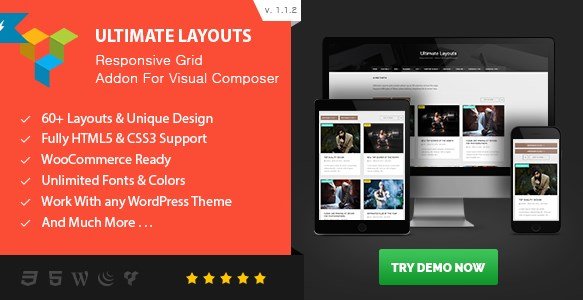


.png "Gravity Perks QR Code 1.0-beta")