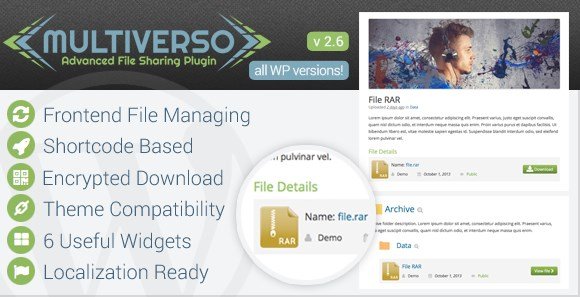
What is Multiverso Advanced File Sharing Plugin?
When WordPress users need a comprehensive solution for managing file sharing and digital asset distribution, Multiverso Advanced File Sharing Plugin offers a robust frontend and backend management system with military-grade security features. Unlike standard media library tools, Multiverso transforms your WordPress site into a fully functional file sharing platform where administrators and subscribers can upload, organize, and share files with granular access controls.
What Makes Multiverso Different
Multiverso stands out in the crowded WordPress file management space by combining frontend usability with enterprise-level security. The plugin creates a separated upload folder outside the standard plugins directory, encrypts file paths to prevent direct URL access, and implements WordPress security checks during every upload operation. This makes it ideal for secure file sharing scenarios where protecting intellectual property and sensitive documents is paramount.
- Frontend upload capabilities for subscribers without backend access
- Encrypted file paths preventing unauthorized direct downloads
- Hierarchical folder/category management system
- Complete access and owner management for every file
- Remote upload functionality alongside standard uploads
Multiverso Features for WordPress Users
Advanced Frontend File Management
Multiverso revolutionizes user interaction by enabling frontend file uploading and management for subscribers. Users can upload files directly through your website interface without accessing the WordPress dashboard, making it perfect for membership sites and client portals. The system supports both standard uploads and remote uploads, allowing files to be transferred from external sources while maintaining WordPress’s native security standards. The upload script utilizes native WordPress functions, ensuring compatibility and stability across different hosting environments.
Military-Grade Security & Access Control
Security is where Multiverso truly excels. The plugin stores files in a separated upload folder outside the plugins directory, ensuring that even if a plugin vulnerability is exploited, your files remain protected. Each file path is encrypted, preventing users from guessing download URLs. Additionally, you can limit download numbers for individual files, manage specific file owners, and control access permissions with precision. The system performs rigorous WordPress security checks during every upload to prevent malicious file injections, making it significantly more secure than standard media library solutions.
Flexible Organization & Display Options
Organizing files is intuitive with Multiverso’s hierarchical folder and category management system. Files can be treated like standard WordPress posts with titles, content descriptions, and thumbnail images. The plugin includes six useful widgets and multiple shortcodes—including “All Files,” “All Personal Files,” “Single File,” and “Search”—giving you complete control over how content displays across your site. jQuery toggle functionality for folders enhances user experience, while the included IcoMoon font and basic styles ensure aesthetic consistency. You can also manage accepted file types and set specific file size limits to prevent abuse.
How to Install Multiverso
Installation via CodeCanyon
- Purchase and download the plugin from CodeCanyon
- Navigate to Plugins → Add New in your WordPress dashboard
- Click “Upload Plugin” and select the downloaded ZIP file
- Click Install Now, then Activate the plugin
- Configure file type restrictions and upload limits in the settings panel
- Set up custom slugs for the file post type if desired
For detailed configuration guidance, refer to the WordPress document management best practices to ensure optimal security and performance when handling file uploads.
Who Should Use Multiverso?
Membership Sites & Online Communities
If you run a membership site requiring resource sharing among users, Multiverso provides the perfect infrastructure. Subscribers can upload their own content while administrators maintain oversight. The personal files shortcode allows members to manage their own document repositories, creating a Dropbox-like experience within your WordPress environment. The ability to enable or disable comments for files adds community interaction capabilities while maintaining control.
Digital Agencies & Client Portals
Creative agencies delivering digital assets to clients benefit from Multiverso’s secure download links and access management. The ability to attach direct links to download buttons without uploading files to WordPress provides flexibility for distributing large files hosted on external CDNs, while maintaining a branded user experience. The theme compatibility features, including custom CSS and HTML options, ensure the file sharing interface matches your brand identity perfectly.
Multiverso vs Alternatives
| Feature | Multiverso | Standard WordPress Media Library |
|---|---|---|
| Frontend Uploading | Yes, with subscriber permissions | No, requires admin access |
| File Path Encryption | Advanced encryption included | Direct URLs exposed |
| Download Limits | Per-file download counting | Not available |
| Folder Hierarchy | Complex category systems | Flat date-based organization |
| Access Control | Granular owner and permission management | Basic attachment privacy |
Multiverso Pricing
Multiverso is available exclusively through CodeCanyon as a premium solution. The plugin operates on a one-time purchase model with optional extended support packages. Given its extensive feature set—including frontend management, security encryption, and developer-friendly advanced functions—it represents significant value for businesses requiring professional file sharing capabilities without recurring subscription fees common in SaaS alternatives. The investment pays dividends through enhanced security and reduced development time.
Pros and Cons
✅ Pros
- Robust security with encrypted file paths and separated storage
- Complete frontend file management for subscribers
- Flexible shortcode system with 6 useful widgets included
- Hierarchical folder organization with jQuery toggle functionality
- Developer-friendly with advanced functions and WP standard code
- Localization ready with English and Italian included
❌ Cons
- Premium only (no free version available for testing)
- Requires CodeCanyon purchase rather than WordPress.org repository
- May require CSS customization for perfect theme integration
Frequently Asked Questions
Can users upload files without accessing the WordPress admin dashboard?
Yes, Multiverso specializes in frontend file uploading and management, allowing subscribers to upload, organize, and manage their files directly from the frontend of your website without ever seeing the WordPress backend.
How does Multiverso protect files from direct URL access?
Multiverso implements encrypted file paths and stores uploads in a separated folder outside the plugins directory. This prevents users from guessing download URLs and accessing files without proper permissions, providing superior security compared to standard media libraries.
Can I limit how many times a file is downloaded?
Absolutely. Multiverso includes functionality to set specific download limits for every individual file, making it perfect for selling digital products or sharing sensitive documents with controlled distribution.
Is Multiverso compatible with multilingual WordPress sites?
Yes, the plugin is localization ready and includes English and Italian language files by default. It follows WordPress internationalization standards, making it compatible with popular translation plugins like WPML and Polylang.
Can I organize files into folders and categories?
Yes, Multiverso supports hierarchical folder and category management, allowing you to create complex organizational structures. The system includes jQuery toggle functionality for folders, making navigation intuitive for end users.
Does Multiverso work with my existing WordPress theme?
Multiverso is built with WordPress standard compatible code using standard CSS classes and HTML hierarchy. It includes theme compatibility options with custom CSS support and allows you to select specific plugin pages, ensuring seamless integration with most well-coded WordPress themes.
Final Verdict
Multiverso Advanced File Sharing Plugin delivers exceptional value for WordPress users requiring secure, frontend-facing file management capabilities. Its combination of encrypted security measures, hierarchical organization, and user-friendly shortcodes makes it particularly well-suited for membership sites, client portals, and digital asset distribution platforms. While the premium price point and CodeCanyon exclusivity might deter casual users, businesses serious about protecting their digital content while providing intuitive upload capabilities will find Multiverso’s feature set justifies the investment. The plugin’s adherence to WordPress coding standards and developer-friendly advanced functions ensure long-term viability and customization potential.