Google Tag Manager for WooCommerce PRO is an advanced integration that pushes standard eCommerce information, compatible with GA4 and Universal Analytics Enhanced eCommerce, to the Google Tag Manager Data Layer. With over 1,000 active installations, it provides reliable data flow for reporting and advertising. This extension allows store owners to unify tracking across multiple marketing channels using a single GTM container.
WPExclusive members get access to GTM for WooCommerce as part of a full plugin and theme library — plans from $9.99/month. See the full Woocommerce Extensions collection →
What Is Google Tag Manager for WooCommerce PRO?
Google Tag Manager for WooCommerce PRO is developed by Woocommerce Extensions and is a ecommerce plugin for WordPress. It belongs to the ecommerce category on WPExclusive, alongside other tools for professional online retailers. The extension bridges the gap between your store data and the GTM workspace.
It solves the problem of manual data layer configuration by automatically emitting events like view_item, add_to_cart, and purchase. It is designed for merchants who need high-quality data for Google Ads, Facebook Pixel, and GA4 without writing custom JavaScript.
Google Tag Manager for WooCommerce PRO Features
The core feature set is built around making GTM implementation plug-and-play for complex WooCommerce stores.
Packaged GTM Presets
Setting up GTM variables and triggers is time-consuming, so GTM for WooCommerce includes ready-to-import presets. These allow you to enable data flow to Google Analytics GA4, Facebook Pixel, and Google Ads in few simple steps. This bypasses the need to manually create every single variable and trigger in your GTM workspace, streamlining your ecommerce tracking setup.
Full Sales Funnel Coverage
The plugin tracks the entire customer journey with events such as view_item_list, select_item, and begin_checkout. It also captures specific checkout details including add_billing_info and add_payment_info. This level of detail ensures your conversion tracking is precise enough to calculate exact ROI for your marketing campaigns.
Advanced Compatibility
GTM for WooCommerce is built to stay compatible with the latest market trends, including full support for Google Consent Mode v2. It works with modern store layouts such as WooCommerce Cart and Checkout blocks. It also handles specific plugin interactions like Quick-view, Wish-lists, and Multi-lingual setups without breaking the data layer.
Pricing
Check current pricing on the GTM for WooCommerce sales page — WPExclusive members access it as part of their plan.
| Plan | Price | Sites | Includes |
|---|---|---|---|
| 1-year plan | $99 | 1 Site | Updates & Support |
| 2-year plan | $158.40 | 1 Site | 20% Savings |
| WPExclusive Membership | From $9.99/month | Unlimited | GTM for WooCommerce + full library |
For developers managing multiple sites, a WPExclusive membership covers GTM for WooCommerce plus hundreds of other plugins and themes — usually less than one premium license.
Latest Version
The current version is 1.18.0. The plugin receives regular updates to maintain compatibility with the latest WooCommerce and GA4 standards. WPExclusive updates plugin files promptly after each release.
How to Install
- Download the GTM for WooCommerce .zip from your WPExclusive member account
- In WordPress: Plugins → Add New → Upload Plugin
- Select the .zip and click Install Now → Activate
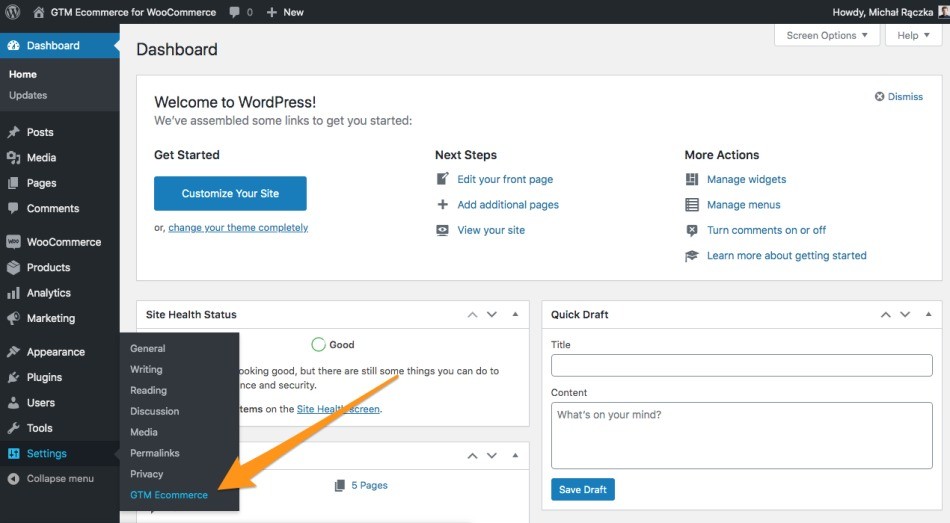
- Navigate to the plugin settings and enter your GTM Container ID
- Optionally import the provided GTM JSON presets into your Google Tag Manager workspace
Use Cases
Scaling Multi-Channel Marketing
Merchants running simultaneous ads on Facebook, Google, and TikTok can use this ecommerce tracking solution to ensure data consistency across all platforms. Since the data comes from a single GTM container, there are no discrepancies between report tools.
Legal Compliance in Targeted Regions
Stores operating in countries requiring strict user consent can utilize the Google Consent Mode v2 features. This ensures that tracking tags only fire after users have given explicit permission, keeping the store legally compliant with global privacy laws.
Agencies and Developers Managing Multiple Client Sites
Agencies can deploy standard tracking across various client stores using identical GTM containers. A WPExclusive membership makes this cost-effective by allowing unlimited site usage under one subscription.
vs Alternatives
| Feature | GTM for WooCommerce | GTM4WP (Free) | PixelYourSite |
|---|---|---|---|
| GA4 eCommerce Events | ✅ Full Support | ✅ Partial | ✅ Full Support |
| Importable GTM Presets | ✅ Included | ❌ No | ❌ No |
| Consent Mode v2 | ✅ Native | ⚠️ Requires Config | ✅ Native |
| Starting Price | $99 | Free | $160 |
| Available on WPExclusive | ✅ Yes | ❌ No | ✅ Yes |
Browse the full ecommerce plugins on WPExclusive →
Pros and Cons
✅ Strengths
- Packaged GTM presets significantly reduces setup time for non-technical users
- Deep level of event tracking including specific funnel steps like payment info additions
- Ensures data consistency and prevents firing duplicate purchase events
⚠️ Limitations
- User consent setup requires manual configuration within the GTM interface
- Requires a basic understanding of how the Google Tag Manager workspace operates
- Developer auto-updates require an active license key. WPExclusive publishes updates manually when new versions are released.
Is Google Tag Manager for WooCommerce PRO GPL Licensed?
Yes. Google Tag Manager for WooCommerce PRO is distributed under the GNU General Public License (GPL) — the same license that governs WordPress itself. GPL gives any user the legal right to use, study, share, and redistribute the software. This is the legal framework that makes WPExclusive’s membership model possible.
WPExclusive distributes 100% original, unmodified files — the same release the developer publishes. No injected code, no alterations, no security risks.
Get Google Tag Manager for WooCommerce PRO on WPExclusive
WPExclusive membership starts at $9.99/month, $87/year, or $149 lifetime — giving you Google Tag Manager for WooCommerce PRO plus every plugin and theme in the library, on unlimited sites.
Explore the full Woocommerce Extensions collection → or browse all WordPress plugins →
Frequently Asked Questions
What does Google Tag Manager for WooCommerce PRO do?
Google Tag Manager for WooCommerce PRO pushes ecommerce events directly to your GTM data layer. GTM for WooCommerce enables tracking for GA4, Ads, and social pixels without custom coding.
Is Google Tag Manager for WooCommerce PRO free?
This is a premium-only plugin starting at $99/year. Through WPExclusive, you can access the Pro version starting from $9.99/month.
What is the latest version of Google Tag Manager for WooCommerce PRO?
The current version is 1.18.0. WPExclusive members always receive the most current release as soon as it is published.
How much does Google Tag Manager for WooCommerce PRO cost?
Retail pricing starts at $99 annually per site. Via WPExclusive, it is included in plans from $9.99/month.
Is it legal to use Google Tag Manager for WooCommerce PRO via WPExclusive?
The plugin is GPL licensed, which explicitly permits redistribution. WPExclusive provides original, unmodified files — fully within GPL terms.
What are the best alternatives to Google Tag Manager for WooCommerce PRO?
Top alternatives include GTM4WP and PixelYourSite. All are available on WPExclusive within the same membership.