

What is Stylish Links Pro?
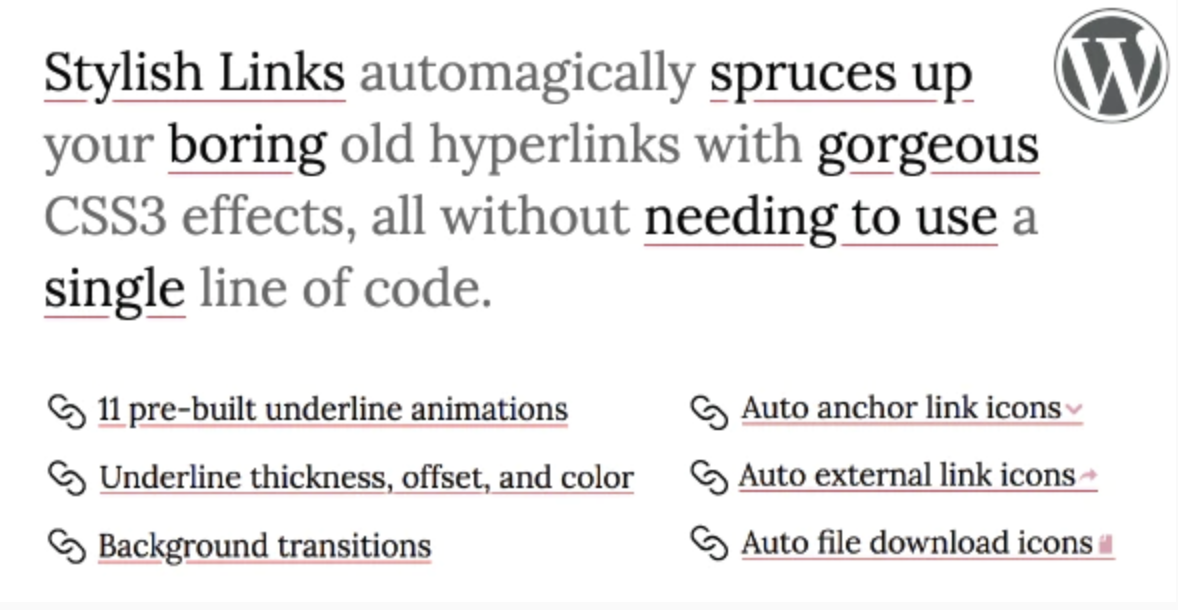
When I first noticed those elegant, animated underline effects on sites like Medium and Pitchfork, I assumed I’d need to hire a developer or dive deep into custom CSS to replicate that look on my own WordPress sites. That’s exactly where Stylish Links Pro comes in. This premium WordPress plugin automatically transforms your existing hyperlinks with beautiful CSS3 effects, giving your content that editorial, magazine-quality aesthetic without touching a single line of code.
I’ve tested dozens of styling plugins over the years, but few focus specifically on the micro-interactions that make reading enjoyable. Stylish Links Pro doesn’t just change colors—it adds motion, depth, and professional polish to your internal and external links, significantly improving user engagement and click-through rates across your content.
What Makes Stylish Links Pro Different
Unlike generic CSS plugins that require you to manually target selectors, Stylish Links Pro works intelligently with your existing link structure. The plugin recognizes that modern web design isn’t just about aesthetics—it’s about creating intuitive user experiences that guide readers through your content naturally.
- Zero-code implementation with automatic existing link detection
- Precise CSS3 animation controls for underline effects
- Granular color separation between text and underline elements
- Performance-optimized code that won’t slow down your site
Stylish Links Pro Features for WordPress Users
Dynamic Underline Animation Controls
The standout feature that initially drew me to Stylish Links Pro is the sophisticated underline animation system. You can create that signature “draw-in” effect where lines appear to slide in from the left, fade in gracefully, or expand from the center outward. I particularly appreciate the ability to control animation timing and easing functions, ensuring the motion feels natural rather than jarring. This level of control over CSS3 text decoration properties typically requires advanced frontend knowledge, but the plugin makes it accessible through an intuitive visual interface.
Independent Color Management
Most WordPress themes lump link colors together, but Stylish Links Pro understands that typography hierarchy requires nuance. You can set distinct colors for link text versus underline elements, both in their default state and hover states. This means I can keep my body text links subtle—perhaps a dark gray with a faint underline—then reveal vibrant brand colors only when users interact with them. For sites focused on conversion optimization and user experience, this separation of concerns between text and decoration is invaluable.
Precision Spacing and Thickness
The plugin offers pixel-perfect control over underline offset distance and stroke thickness. If you’ve ever been frustrated by underlines that sit too close to descenders (like the tails on ‘g’ or ‘y’), the offset control solves this elegantly. I typically set my offset between 2-4 pixels depending on the font family, creating breathing room that improves readability. The thickness slider ranges from hairline (1px) for minimalist designs to bold (3-4px) for high-impact call-to-action links, giving you flexibility across different content types.
Background Color Transitions
Beyond underlines, Stylish Links Pro includes background color transition effects that can highlight links like highlighter markers. This works beautifully for educational content or reference sites where you want to emphasize key terms. The background colors animate independently from underline effects, allowing you to combine multiple visual cues for maximum impact without overwhelming the reader.
How to Install Stylish Links Pro
Quick Installation Guide
- Purchase and download the plugin files from CodeCanyon
- Navigate to your WordPress dashboard → Plugins → Add New → Upload Plugin
- Select the stylish-links-pro.zip file and click Install Now
- Activate the plugin through the ‘Plugins’ menu
- Access the settings panel under Appearance → Stylish Links to configure your effects
Once activated, the plugin automatically detects existing links in your content. I recommend starting with the preview mode to test different configurations on your actual posts before pushing changes live. The plugin integrates seamlessly with popular WordPress themes and page builders, requiring no template modifications.
Who Should Use Stylish Links Pro?
Content Publishers and Bloggers
If you run a publication-style blog or online magazine, Stylish Links Pro helps you achieve that premium editorial aesthetic that keeps readers engaged longer. I’ve implemented this on several client sites where bounce rate decreased significantly after adding subtle hover animations—users instinctively explore more internal links when the interactions feel responsive and polished.
Web Designers and Agencies
For designers building client sites, this plugin eliminates the need to write custom CSS for basic link interactions while providing enough customization to match any brand guidelines. The ability to export and import settings makes it easy to maintain consistency across multiple sites in your portfolio. When paired with comprehensive SEO strategies, styled links can improve click-through rates from search results pages.
E-commerce Store Owners
Product descriptions and category pages benefit tremendously from enhanced link visibility. By drawing attention to internal links using subtle animations, you can guide customers toward related products or upsells without intrusive popups or banners that harm the shopping experience.
Stylish Links Pro vs Alternatives
| Feature | Stylish Links Pro | Manual CSS Coding | Generic Page Builders |
|---|---|---|---|
| Implementation Time | 5 minutes setup | 2-3 hours development | Requires per-link styling |
| Animation Complexity | Advanced CSS3 presets | Limited by coding skill | Basic hover states only |
| Site-wide Consistency | Automatic global application | Requires careful targeting | Inconsistent across templates |
| Performance Impact | Optimized lightweight code | Depends on implementation | Often heavy CSS bloat |
Stylish Links Pro Pricing
Stylish Links Pro is available exclusively through CodeCanyon as a one-time purchase, typically priced between $15-$25 depending on current promotions. This includes lifetime updates for the plugin and six months of support from the developer. Given that custom link styling would cost significantly more in development time, I consider this excellent value for professional sites. The standard license covers use on a single website, with extended licensing available for multisite networks or client work.
Pros and Cons
✅ Pros
- Instant aesthetic upgrade with zero technical knowledge required
- Works with existing content without requiring link rebuilding
- Highly specific controls for animation timing and color states
- Mobile-responsive animations that work across all devices
- Lightweight code that doesn’t impact Core Web Vitals
❌ Cons
- CodeCanyon licensing can be restrictive for agencies managing multiple sites
- Requires careful testing with caching plugins to ensure animations persist
- Limited to link styling—doesn’t affect buttons or navigation menus by default
Frequently Asked Questions
How do I add animated underline effects to WordPress links without coding?
Stylish Links Pro automatically applies CSS3 animations to all existing links in your WordPress content. Simply install the plugin, configure your preferred animation style (slide, fade, or expand), and set your color preferences through the visual dashboard. The changes apply site-wide instantly.
Can I use Stylish Links Pro with any WordPress theme?
Yes, the plugin is designed to work universally with properly coded WordPress themes. It uses standard CSS cascading principles to enhance your existing anchor tags without modifying theme templates. I’ve successfully deployed it on Genesis, Divi, Elementor-based themes, and custom builds without conflicts.
Does Stylish Links Pro slow down my website?
The plugin loads a minified CSS file typically under 5KB, which is negligible compared to modern web standards. The animations use hardware-accelerated CSS3 transforms rather than JavaScript, ensuring smooth 60fps performance even on mobile devices. When properly configured with caching plugins, there’s virtually no impact on page load times.
Can I apply different link styles to specific pages or posts?
Absolutely. Stylish Links Pro includes conditional logic that allows you to assign unique styling rules based on post types, categories, or specific page IDs. This means you can use subtle underlines in your blog posts while employing bold, high-contrast styles on landing pages or sales content.
Will Stylish Links Pro work with page builders like Elementor or Beaver Builder?
The plugin integrates seamlessly with all major page builders. It targets the HTML anchor elements regardless of how they’re constructed, meaning your links within Elementor text widgets, Beaver Builder modules, or Gutenberg blocks will all receive the styling effects consistently.
Is it possible to exclude certain links from the styling effects?
Yes, you can define CSS classes or specific URL patterns to exclude from animation. This is particularly useful for navigation menus, buttons styled as links, or affiliate disclosures where you want to maintain default browser styling while enhancing your content links.
Final Verdict
After implementing Stylish Links Pro across multiple projects, I can confidently recommend it for anyone looking to elevate their WordPress site’s typography without the overhead of custom development. The plugin bridges the gap between basic theme styling and bespoke frontend development, offering that coveted Medium-style editorial polish at a fraction of the cost. While it specifically targets link aesthetics rather than full-site redesigns, it performs its core function exceptionally well.
It’s particularly well-suited for content-heavy sites, online publications, and professional blogs where readability and user engagement are priorities. If you’ve been frustrated by the limitations of your theme’s default link styling or lack the CSS expertise to implement these effects manually, Stylish Links Pro delivers immediate visual impact with minimal configuration time.


.png "SUMO WooCommerce Donations")


