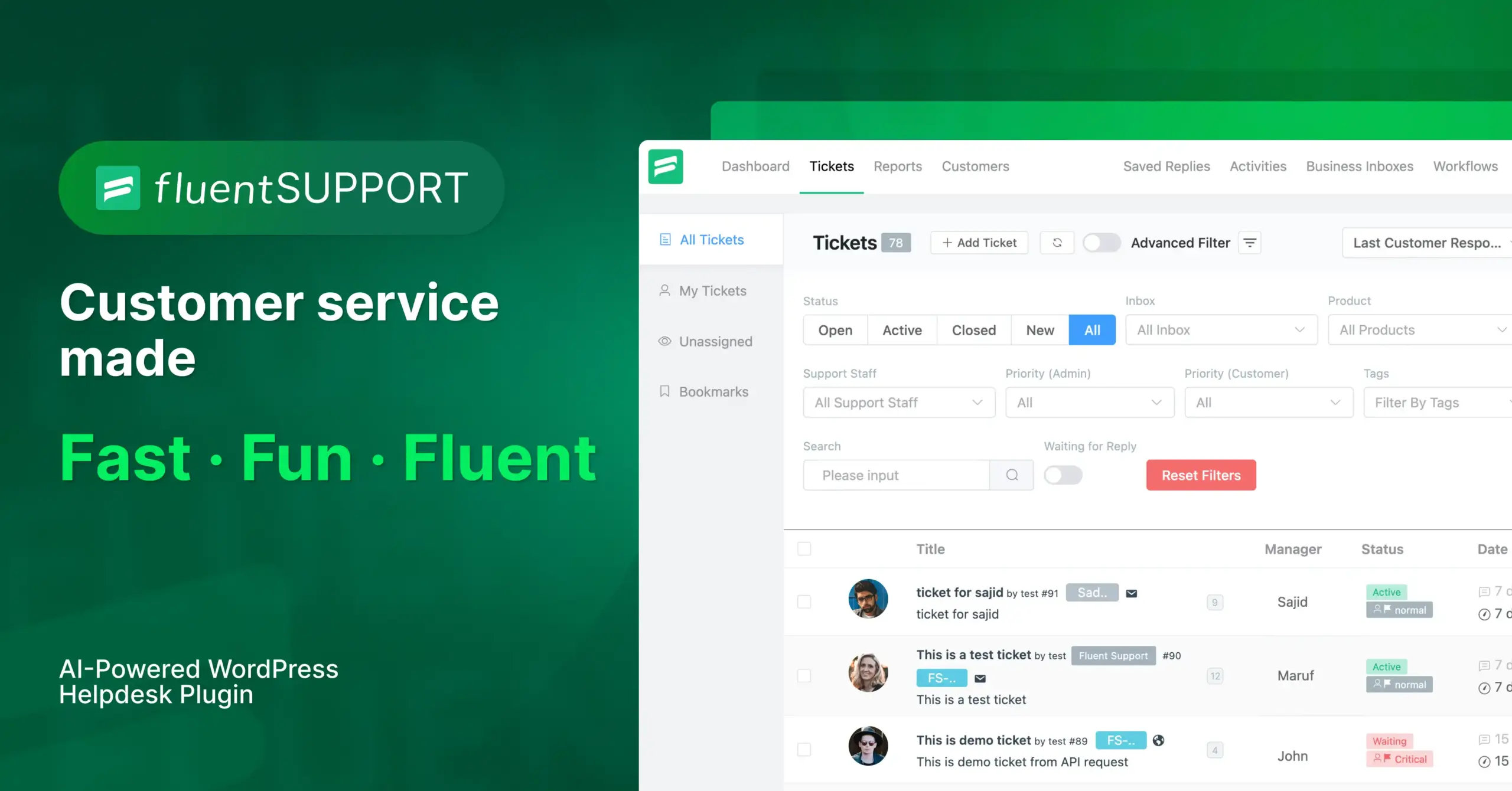
What is Fluent Support Pro?
Fluent Support Pro is a premium WordPress help desk plugin designed to efficiently manage and streamline customer support operations. It’s an advanced iteration of the free Fluent Support plugin, offering a comprehensive suite of features that cater to businesses of all sizes. By integrating directly into your WordPress dashboard, Fluent Support Pro eliminates the need for external, SaaS-based customer support systems, providing a cost-effective and self-hosted solution. It allows businesses to centralize all customer interactions, manage support tickets effectively, and ensure a seamless support experience. Key benefits of Fluent Support Pro include enhanced automation, detailed reporting, and integration with popular WordPress plugins and third-party services. With features like advanced filtering, custom fields, saved replies, and AI-powered assistance, support agents can resolve customer issues faster and more efficiently. Fluent Support Pro stands out as a robust, user-friendly, and customizable help desk solution that empowers businesses to deliver exceptional customer support directly from their WordPress site.
Key Features of Fluent Support Pro:
Fluent Support Pro is packed with features designed to enhance the efficiency and effectiveness of your customer support operations. From advanced ticket management to seamless integration with other tools, the Pro version offers a comprehensive solution for businesses of all sizes. Here’s an overview of its key capabilities:
- ✅ Advanced Ticket Management: Features include advanced filtering, sorting, and searching to quickly locate and prioritize tickets, ensuring no customer issue is overlooked.
- ✅ Custom Fields: Collect specific information from customers by adding custom fields to the ticket submission form, allowing for more targeted and efficient support.
- ✅ Automation and Workflows: Automate repetitive tasks and streamline support processes with workflows that trigger actions based on specific conditions, saving time and improving agent productivity.
- ✅ AI-Powered Assistance: Leverage AI to summarize messages, analyze tone, and generate responses, enabling faster and more accurate replies. This also improves the overall quality of customer interaction. More about Artificial intelligence.
- ✅ Integration with Popular Tools: Seamlessly connect with other WordPress plugins and third-party services like WooCommerce, FluentCRM, Slack, and more.
How to Get Started with Fluent Support Pro?
Getting started with Fluent Support Pro is straightforward. First, ensure you have the free version of Fluent Support installed from the WordPress plugin directory. Next, purchase a Fluent Support Pro license from the official website. Download the Pro add-on from your WPManageNinja account dashboard. Then, in your WordPress admin panel, navigate to Plugins > Add New and upload the downloaded .zip file to install Fluent Support Pro. Activate the plugin, and then enter your license key in the Fluent Support Pro settings to unlock all premium features. Configure your business inboxes, set up products for ticket categorization, and add your support staff or agents. Customize the customer support portal with global settings to match your brand. Consider exploring the migration options if you’re switching from another help desk solution, as Fluent Support Pro offers one-click migration from platforms like Help Scout, Freshdesk, and Zendesk. With the plugin activated and configured, you can streamline your customer support directly within WordPress using the advanced tools and integrations available in Fluent Support Pro.
Fluent Support Pro Integrations:
One of the major strengths of Fluent Support Pro lies in its ability to seamlessly integrate with a variety of other tools and platforms. The integrations amplify the functionality of the help desk system and create a more cohesive and efficient workflow. For e-commerce businesses, Fluent Support Pro integrates with WooCommerce and Easy Digital Downloads (EDD), pulling customer purchase history directly into support tickets. This provides agents with immediate context, enabling faster and more personalized support. For marketing and CRM, it offers integration with FluentCRM, allowing you to add customers to marketing lists and track support interactions directly within your CRM. Other notable integrations include those with popular LMS plugins such as LearnDash and TutorLMS, as well as communication tools like Slack, Telegram, and Discord. These integrations streamline workflows by bringing customer data and communication channels into a single, unified platform. By connecting Fluent Support Pro with your favorite tools, you can automate tasks, improve response times, and enhance customer satisfaction.
Fluent Support Pro Pricing
Fluent Support Pro offers flexible pricing plans designed to suit different business needs. All plans include essential features like unlimited tickets, email piping, and parsing as well as one year of plugin updates and support. Here’s a breakdown of the pricing structure:
| Plan | Price (Annual) | Key Features |
|---|---|---|
| Single Site License | $103 | 1 Domain License, 10 Business Email Piping |
| Agency License | $199 | 5 Domain License, 50 Business Email Piping |
| 50 Sites License | $319 | 50 Domain License, 500 Business Email Piping |
These plans make Fluent Support Pro available to single site operators with the single site license or larger agencies and businesses with the multi site licenses. *All payment transactions are handled by WPManageNinja.
Fluent Support Pro Alternatives
While Fluent Support Pro is a robust solution, several alternatives are available, each with its own strengths and weaknesses. One popular alternative is Zendesk, a cloud-based customer service platform known for its extensive features and scalability.
Another alternative is Help Scout, which is praised for its user-friendly interface and collaborative tools. A third option is Awesome Support, another WordPress plugin that integrates directly into your site. Here’s a quick comparison:
| Plugin | Pros | Cons |
|---|---|---|
| Fluent Support Pro | Direct WordPress integration, AI features, competitive pricing. | May require more technical setup compared to cloud-based solutions. |
| Zendesk | Highly scalable, feature-rich, established platform. | Higher cost, external SaaS dependency. |
| Help Scout | Easy to use, collaborative features, good for small to medium businesses. | Fewer advanced features compared to Zendesk, external SaaS dependency. |
Ultimately, the best choice depends on your specific needs, budget, and technical capabilities. Consider evaluating WordPress helpdesk options before deciding.
Fluent Support Pro Pros and Cons
To make an informed decision about whether Fluent Support Pro is the right help desk solution for your business, it’s essential to weigh its pros and cons. Here’s a balanced analysis:
Pros:
- Direct WordPress Integration: Operates directly within your WordPress dashboard, providing a seamless experience.
- AI-Powered Features: Leverages AI to enhance agent productivity and improve customer interactions.
- Flexible Pricing: Offers competitive pricing plans suitable for various business sizes.
- Comprehensive Feature Set: Includes advanced ticket management, automation, custom fields, and integrations.
- Data Control: Keeps customer data self-hosted on WordPress servers.
Cons:
- Setup: May require more technical setup compared to SaaS-based solutions.
- Reliance on WordPress: Performance can be affected by WordPress hosting and other plugin configurations.
- Customization: Extensive customization may require some coding knowledge.
Ultimately, Fluent Support Pro’s value depends on your specific requirements and technical capabilities. If you need a flexible pricing it may be right for you.
Summary
Fluent Support Pro is a robust WordPress help desk plugin that offers an impressive array of features and integrations. Its direct WordPress integration, coupled with advanced tools like AI-powered assistance and automation workflows, makes it a compelling choice for businesses looking to enhance their customer support operations. The plugin provides flexible pricing plans, allowing businesses to select the plan that best fits their budget and needs. It’s suitable for anything from freelance content writers, to WordPress membership sites and agencies managing lots of WordPress websites. While the plugin may require more technical setup compared to cloud-based alternatives, most users will find this offset by the control and flexibility it offers. Fluent Support Pro empowers businesses to deliver exceptional customer support directly from their WordPress site, improving customer satisfaction. Do not hesitate to compare with other Contact Form 7 Alternatives.
Fluent Support Pro FAQs
Who Should Use Fluent Support?
Fluent Support is ideal for businesses of all sizes—from small startups to large enterprises—that want to provide fast, efficient, and personalized customer support. It’s perfect for companies looking to manage customer inquiries directly within their WordPress dashboard without the hassle of complex setups. If you value speed, ease of use, and seamless integration with your existing tools, Fluent Support is a great choice for any business aiming to elevate their customer service experience.
Do I Need Coding Skills To Use Fluent Support?
No, you don’t need any coding skills to use Fluent Support. You can install and setup Fluent Support just like any other WordPress plugin. With just a few clicks, you can setup and deploy your own support portal in five minutes!
How Can I Use Fluent Support On Client Sites?
You can use Fluent Support on your client sites by purchasing a 5 sites or 50 sites annual license. Fluent Support can serve your clients in many ways:
It’s easy to set up, your client controls all user’s data in his/her servers, there are no limits on users or support agents, plus simple pricing plans for any kind of business.
Will It Be A Performance Issue For WordPress?
Absolutely not! We made sure the plugin will not affect your site’s performance. We used a cutting-edge JavaScript framework, this single-page application was built to ensure speed and reduce loading time.
Does AI with Fluent Support Boost Agent Productivity?
OpenAI in Fluent Support boosts First Response Time (FRT) and agent productivity by handling repetitive tasks like summarizing messages and analyzing tone. Also, it can generate accurate responses and streamline workflows, allowing agents to focus on solving more complicated problems and providing better support.
Can I migrate data from another helpdesk solution?
Yes, Fluent Support Pro offers one-click migration from platforms like Help Scout, Freshdesk, and Zendesk, making it easy to switch to Fluent Support Pro without losing your historical data.