What is Elementor Pro Popup Templates?
Elementor Pro Popup Templates are a core component of the Elementor Pro page builder plugin, offering an intuitive and powerful way to design and implement highly effective popups on your WordPress website. Unlike basic popup plugins, Elementor Pro leverages the familiar drag-and-drop interface, allowing users to create visually stunning and complex popup designs without needing any coding knowledge. These templates serve a multitude of purposes, from capturing leads and promoting special offers to displaying important announcements and guiding user navigation. The integration with Elementor’s extensive widget library means you can include various content types within your popups, such as forms, videos, images, and calls to action. This flexibility makes Elementor Pro Popups an indispensable tool for enhancing user engagement and achieving specific website goals. The built-in templates provide a fantastic starting point, offering pre-designed layouts for different use cases, which can then be fully customized to match your brand’s aesthetic and messaging.
Key Features of Elementor Pro Popup Templates
- Drag & Drop Editor: Build your popups using Elementor’s intuitive visual editor, just like you build your pages.
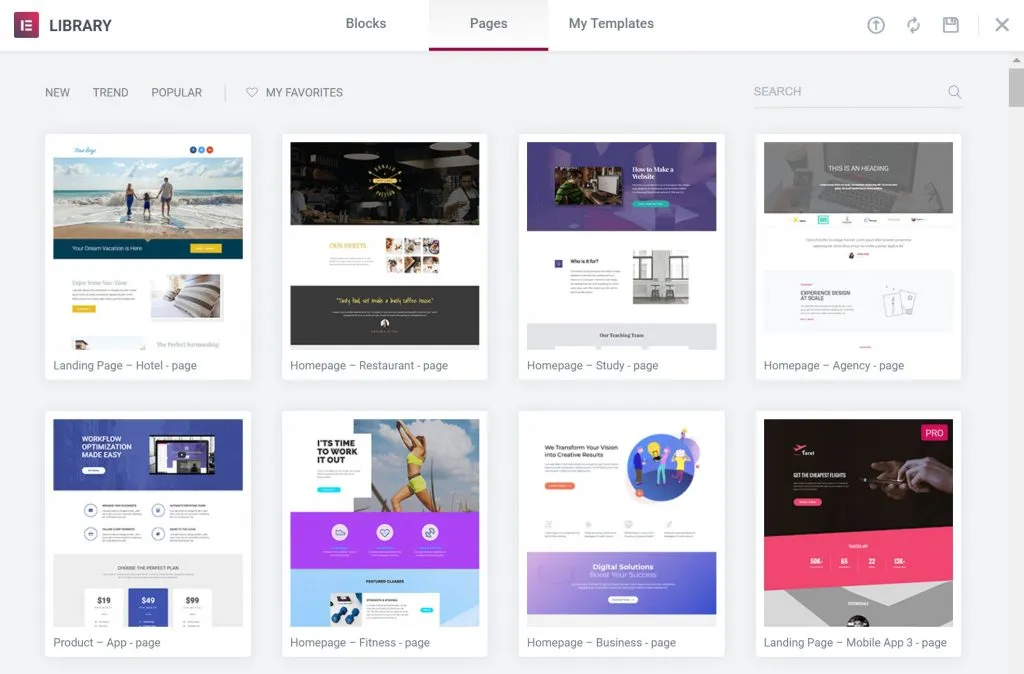
- Extensive Template Library: Access a wide range of pre-designed popup templates for various purposes, easily customizable to your needs.
- Advanced Display Conditions: Control precisely when and where your popups appear based on user behavior, page, post type, device, and more.
- Trigger Options: Set popups to appear on page load, on scroll, on click, after inactivity, on exit intent, and other user actions.
- Integration with Elementor Widgets: Utilize the full suite of Elementor widgets within your popups, including forms, buttons, social media icons, and more.
- Animation Effects: Add entrance and exit animations to make your popups more dynamic and attention-grabbing.
- Responsive Design Controls: Ensure your popups look great and function perfectly on all devices – desktop, tablet, and mobile.
- A/B Testing (via integrations): While not built-in, Elementor Pro popups can often be integrated with marketing tools for A/B testing.
- Save and Reuse Templates: Save your custom popup designs as templates for easy reuse across your site.
Elementor Pro, including its Popup Builder feature, is regularly updated. The latest versions consistently introduce new widgets, performance improvements, and enhanced design capabilities, ensuring the popup builder remains a leading tool for creating interactive website elements.
How to Download Elementor Pro Popup Templates
1. Purchase Elementor Pro:
- Visit the official Elementor website (elementor.com).
- Choose a suitable Elementor Pro plan based on your needs (Essential, Expert, Agency, etc.).
2. Download the Plugin File:
- After completing your purchase, log in to your Elementor account dashboard.
- Navigate to the ‘Downloads’ section and download the Elementor Pro plugin .zip file to your computer.
3. Ensure Elementor Free is Installed and Activated:
- Elementor Pro functions as an add-on to the free Elementor plugin. Make sure the free version is already installed and active on your WordPress site.
- You can download the free version from the WordPress Plugin Repository: https://wordpress.org/plugins/elementor/.
For a hassle-free setup, consider WPX Hosting from top rated reliable and managed providers, which comes with pre-install WordPress and WooCommerce with optimized performance.
Installing Elementor Pro: Step-by-Step Guide
1. Log in to Your WordPress Dashboard:
- Access your WordPress admin area by going to `yourwebsite.com/wp-admin`.
- Enter your username and password.
2. Upload the Elementor Pro Plugin:
- In the dashboard menu, go to `Plugins > Add New`.
- Click the `Upload Plugin` button at the top of the page.
- Click `Choose File`, select the Elementor Pro .zip file you downloaded, and click `Install Now`.
3. Activate and License Elementor Pro:
- Once the plugin is installed, click `Activate Plugin`.
- You will be prompted to connect and activate your license. Follow the on-screen instructions to connect Elementor Pro to your Elementor account and activate your license key. This step is crucial to access all Pro features, including the Popup Builder and its templates.