What is Easy Video Background WP 1?
When WordPress users need to add engaging video backgrounds to their websites, Easy Video Background WP 1 offers a straightforward solution that eliminates technical complexity. This powerful plugin allows you to create stunning video backgrounds that enhance visual appeal and increase user engagement. Easy Video Background WP 1 makes it incredibly simple to add video backgrounds across your entire website without any coding knowledge.
What Makes Easy Video Background WP 1 Different
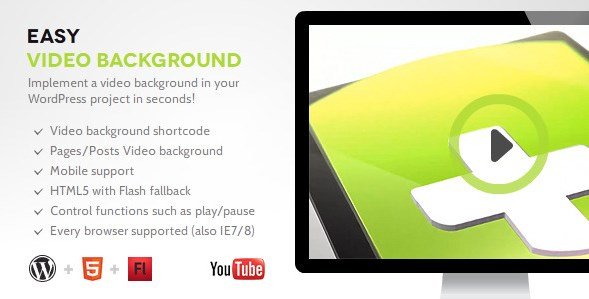
>Easy Video Background WP 1 stands out in the crowded WordPress plugin marketplace due to its intelligent video handling capabilities and user-friendly approach. Unlike many alternatives that require technical configuration, this plugin is truly “plug and play” – simply install, activate, and start adding beautiful video backgrounds to your pages. The plugin automatically selects the optimal video format based on the visitor’s browser, ensuring seamless playback across all devices.- Automatic video format detection for seamless cross-browser playback
- Built-in image fallback specifically designed for mobile devices
- Support for both YouTube videos and native video uploads
Easy Video Background WP 1 Features for WordPress Users
Video Support Options
Easy Video Background WP 1 provides versatile video support to accommodate different user preferences and technical requirements. You can use YouTube videos as backgrounds, which is perfect for showcasing existing content without using up your server resources. Alternatively, the plugin supports native video uploads, giving you complete control over your video content. This dual approach ensures that whether you’re leveraging existing YouTube content or creating custom videos for your site, Easy Video Background WP 1 has you covered.
Mobile Optimization
One of the standout features of Easy Video Background WP 1 is its thoughtful mobile optimization. The plugin recognizes that video backgrounds can negatively impact mobile performance and user experience, so it automatically implements an image fallback for mobile devices where video playback isn’t optimal. This ensures your site remains fast and user-friendly for all visitors, regardless of their device. For users whose systems don’t support HTML5 video tags, the plugin automatically activates a Flash fallback, providing comprehensive compatibility.
Flexible Positioning Options
Easy Video Background WP 1 offers flexible positioning options to suit different design requirements. You can choose fixed positioning, which creates a background that follows the user as they scroll down the page, creating an immersive experience. Alternatively, you can opt for absolute positioning within a specific div element, allowing you to confine the video background to particular sections of your website. The plugin also maintains the aspect ratio of your videos and automatically centers them, ensuring your backgrounds always look professional regardless of screen size.
How to Install Easy Video Background WP 1
Quick Installation
- Purchase and download the plugin from CodeCanyon
- Go to Plugins → Add New in your WordPress dashboard
- Click Upload Plugin and select the Easy Video Background WP 1 ZIP file
- Click Install Now → Activate
- Find the new “Easy Video Background” menu item in your dashboard
After installation, you can create your first video background by navigating to the plugin’s settings page. The intuitive interface allows you to upload or paste your video URL, configure positioning options, and set fallback images. For more detailed installation instructions and troubleshooting tips, check out our WordPress plugins guide.
Who Should Use Easy Video Background WP 1?
Creative Agencies and Portfolio Websites
Creative professionals and agencies looking to showcase their work in a visually stunning way will find Easy Video Background WP 1 invaluable. By using video backgrounds on landing pages, portfolio sections, or case studies, you can create an immersive experience that captures visitors’ attention immediately. The plugin’s image fallback ensures that even clients viewing your portfolio on mobile devices will have a positive experience without compromising the visual impact on desktop browsers.
E-commerce Store Owners
E-commerce businesses can leverage Easy Video Background WP 1 to create compelling product showcases or brand storytelling sections. For example, a fashion retailer could use a video background showing models wearing their latest collection, while a travel company might showcase destination videos to inspire bookings. The plugin’s ability to work with YouTube videos makes it easy to incorporate existing promotional content without taxing your website’s resources. This can be particularly effective when combined with other e-commerce solutions like WooCommerce for a complete online shopping experience.
Easy Video Background WP 1 vs Alternatives
| Feature | Easy Video Background WP 1 | Tm Video Background |
|---|---|---|
| Mobile Optimization | Automatic image fallback for mobile | Basic mobile responsiveness |
| Video Support | YouTube and native HTML5 | Native HTML5 only |
| Positioning Options | Fixed and absolute positioning | Fixed positioning only |
| Fallback Support | HTML5, Flash, and image fallback | Limited fallback options |
| Control Functions | Pause, play, mute toggle | Basic playback controls |
Easy Video Background WP 1 Pricing
Easy Video Background WP 1 is available through CodeCanyon as a premium plugin. The regular license is priced at $19, which includes lifetime updates and 6 months of support from the developer. For extended support (12 months), you can purchase the extended license for $8.25 additional. This pricing structure makes it an affordable option for most WordPress users, especially considering the comprehensive feature set and ongoing development support. The plugin is a worthwhile investment for businesses that prioritize visual impact and want to create a memorable user experience.
Pros and Cons
✅ Pros
- Truly “plug and play” with no technical knowledge required
- Automatic video format optimization for all browsers
- Intelligent mobile optimization with image fallback
- Dual support for both YouTube and native videos
- Flexible positioning options for different design needs
- Comprehensive fallback support (HTML5, Flash, image)
- Works seamlessly with major WordPress themes and page builders
❌ Cons
- Only available as a paid plugin (no free version)
- Limited advanced customization options compared to some premium alternatives
- Documentation could be more comprehensive for troubleshooting
Frequently Asked Questions
Does Easy Video Background WP 1 work with page builders like Elementor?
Yes, Easy Video Background WP 1 is compatible with most popular page builders including Elementor. You can easily add video backgrounds to specific sections created with page builders using either the fixed or absolute positioning options. For more information about page builder compatibility, visit our Elementor guide.
Will video backgrounds slow down my website?
Not significantly. Easy Video Background WP 1 is optimized for performance, with automatic format selection and intelligent fallback options. The plugin is particularly mindful of mobile performance, automatically switching to images on mobile devices where video playback would be detrimental to site speed and user experience.
What video formats are supported?
The plugin supports HTML5 video formats including MP4, WebM, and Ogg. It automatically detects the most appropriate format for each user’s browser, ensuring optimal playback. Additionally, YouTube videos are fully supported, which can be more convenient for users who want to avoid hosting video files directly on their servers.
Can I use video backgrounds on specific pages only?
Absolutely. Easy Video Background WP 1 gives you granular control over where your video backgrounds appear. You can configure them to show on specific pages, posts, or even particular sections of your website using the absolute positioning option within specific divs.
Is there a limit to the file size of videos I can upload?
While the plugin itself doesn’t impose strict file size limits, you should be mindful of your hosting environment and bandwidth constraints. For optimal performance, we recommend compressing your videos before uploading and keeping file sizes reasonable. Alternatively, using YouTube videos can help avoid hosting large video files on your server.
Does Easy Video Background WP 1 support audio in video backgrounds?
The plugin supports video with audio, but we recommend using muted videos for backgrounds to enhance user experience. Easy Video Background WP 1 includes control functions such as mute toggle, allowing you to give visitors the option to enable sound if they choose. According to web accessibility standards from W3C Web Content Accessibility Guidelines, auto-playing audio should be avoidable, and this plugin gives you the controls needed to maintain compliance.


.png "Sell Media Access Control Addon")