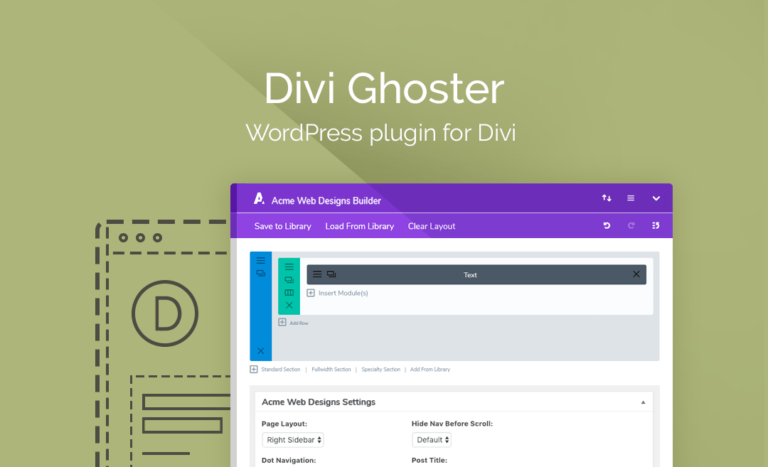
Divi Ghoster Plugin is a dedicated white-labeling solution that removes all traces of the Divi or Extra theme from the front end, back end, and source code of a WordPress website. It allows developers to replace standard theme branding with custom assets in seconds. This solution effectively hides the use of specific builders from theme detectors and curious site visitors.
WPExclusive members get access to Divi Ghoster as part of a full plugin and theme library — plans from $9.99/month. See the full Divi Space collection →
What Is Divi Ghoster Plugin?
Divi Ghoster Plugin is developed by Divi Space and is a customization plugin for WordPress. Often used by agencies to present a professional, proprietary interface to clients, it belongs to the customization category on WPExclusive, alongside other tools for brand management. It solves the problem of generic theme branding appearing in the WordPress dashboard and source code.
The plugin is designed for developers who want to claim full ownership of their web builds. It ensures that clients or competitors cannot easily see that a site was built using Elegant Themes products.
Divi Ghoster Plugin Features
The feature set is built around complete brand anonymity and backend aesthetics.
Full Theme Rebranding
Divi Ghoster allows users to change the theme name, author name, and description within the WordPress appearance menu. You can upload a custom branded thumbnail to replace the default Divi or Extra images. All future theme updates appear as updates to your custom branded theme, removing any mention of Elegant Themes from the update cycle to maintain the administration experience.
Ultimate Ghoster Mode
This high-level stealth feature puts the website into a full incognito state. It hides Divi-related plugins such as Divi Switch, Divi Bars, and Divi Booster from the plugin list. It also masks the theme from most online theme detector tools and removes Divi-specific identifiers from the site source code, including CSS file paths and script handles.
Login and Dashboard Customizer
The plugin includes a Login Customizer to replace the WordPress logo and background on the wp-login.php page. Users can also use the Divi Builder to create a completely custom dashboard welcome screen. This allows agencies to provide clients with helpful links, support forms, or video tutorials directly on the initial login screen.
Menu and UI Control
Administrators can hide specific Divi menu items like Theme Options, the Support Center, or the Divi Library. It also provides the ability to hide default WordPress dashboard widgets and menu items like Tools, Settings, or Plugins. This simplifies the interface for non-technical clients and prevents accidental changes to site configurations.
Pricing
Retail pricing for Divi Ghoster starts at $29.00 for a single site license. WPExclusive members access it as part of their plan for significantly lower costs across unlimited sites.
| Plan | Price | Sites | Includes |
|---|---|---|---|
| Single Site | $29.00 | 1 Site | 1 Year Support & Updates |
| Unlimited Sites | $49.00 | Unlimited | 1 Year Support & Updates |
| WPExclusive Membership | From $9.99/month | Unlimited | Divi Ghoster + full library |
For developers managing multiple sites, a WPExclusive membership covers Divi Ghoster plus hundreds of other plugins and themes — usually less than one premium license.
Latest Version
The plugin receives regular updates to ensure compatibility with the latest versions of Divi and WordPress. WPExclusive updates plugin files promptly after each release to ensure users have access to the Ultimate Ghoster features and the newest Login Customizer modules.
How to Install
- Download the Divi Ghoster .zip from your WPExclusive member account
- In WordPress: Plugins → Add New → Upload Plugin
- Select the .zip and click Install Now → Activate
- Navigate to the new branding tab in your dashboard to begin renaming the theme
- Enable “Ultimate Ghoster” if you need to hide the plugin itself from the list
Use Cases
Client Handover and Brand Protection
When delivering a site to a client, agencies use this to hide the Divi menu and replace it with their own agency branding. This provides a more professional customization experience and makes the website look like a custom-coded solution rather than a theme-based build.
Security Through Obscurity
By changing the theme slug and hiding the theme from detectors, you make it harder for bots or attackers to identify the specific tools used on your site. Disguising the source code can deter basic automated scans looking for Divi-specific vulnerabilities.
Custom Admin Dashboards for Members
For membership sites where users have backend access, Divi Ghoster can create a unique welcome screen. Using Divi layouts as the dashboard allows you to present account info or community news in a branded environment.
Agencies and Developers Managing Multiple Client Sites
WPExclusive members can deploy Divi Ghoster across dozens of client installs without purchasing individual licenses. This allows for a consistent agency brand across every site in a portfolio while maintaining low overhead costs.
Pros and Cons
✅ Strengths
- Deep white-labeling that includes URL slugs and source code identifiers
- Ability to use the Divi Builder for the WordPress dashboard and login page
- One-click removal of WordPress and Elegant Themes branding
- Import/Export settings feature for rapid deployment across multiple sites
⚠️ Limitations
- The plugin is currently not compatible with WordPress Multisite environments
- Advanced caching or CDNs may occasionally require a cache purge to reflect source code changes
- Developer auto-updates require an active license key. WPExclusive publishes updates manually when new versions are released.
Is Divi Ghoster Plugin GPL Licensed?
Yes. Divi Ghoster Plugin is distributed under the GNU General Public License (GPL) — the same license that governs WordPress itself. GPL gives any user the legal right to use, study, share, and redistribute the software. This is the legal framework that makes WPExclusive’s membership model possible.
WPExclusive distributes 100% original, unmodified files — the same release the developer publishes. No injected code, no alterations, no security risks.
Get Divi Ghoster Plugin on WPExclusive
WPExclusive membership starts at $9.99/month, $87/year, or $149 lifetime — giving you Divi Ghoster Plugin plus every plugin and theme in the library, on unlimited sites.
Explore the full Divi Space collection → or browse all WordPress plugins →
Frequently Asked Questions
What does Divi Ghoster Plugin do?
Divi Ghoster Plugin is a white-labeling tool that removes Divi and Extra branding from your site. Divi Ghoster allows you to rename the theme, change the author details, and hide the plugin from the backend entirely.
Is Divi Ghoster Plugin free?
Divi Ghoster is a premium-only plugin. While there is no official free version, WPExclusive provides access to the full plugin within membership plans starting at $9.99/month.
What is the latest version of Divi Ghoster Plugin?
The plugin is actively maintained — WPExclusive members always receive the most current release following its publication by Divi Space.
How much does Divi Ghoster Plugin cost?
Retail licenses cost between $29 and $49 per year depending on site count. Via WPExclusive, it is included in plans from $9.99/month.
Is it legal to use Divi Ghoster Plugin via WPExclusive?
The plugin is GPL licensed, which explicitly permits redistribution. WPExclusive provides original, unmodified files — fully within GPL terms.
Can I hide the plugin from the plugin list using Divi Ghoster Plugin?
Yes, Divi Ghoster includes an Ultimate Ghoster mode that hides both the theme and the plugin itself from the dashboard, accessible only via a secret link or keyboard shortcut.