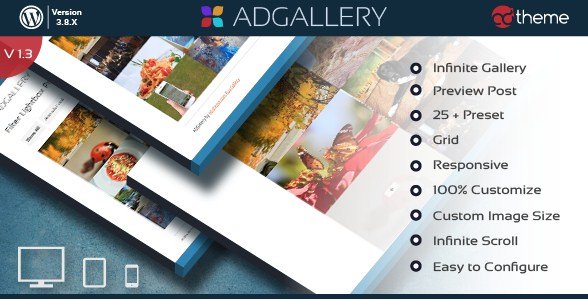
What is AD Gallery Premium WordPress Plugin?
When WordPress users need a robust solution to display images beautifully without diving into complex code, the AD Gallery Premium WordPress Plugin offers a versatile and user-friendly approach. As someone who has tested dozens of gallery solutions, I find that this plugin stands out because it allows you to create a gallery with just one click while offering a level of customization that typically requires much more expensive tools. Whether you are a photographer looking to showcase a portfolio or a blogger wanting to organize travel photos, this plugin bridges the gap between simplicity and professional presentation.
What Makes AD Gallery Premium WordPress Plugin Different
The primary difference with the AD Gallery Premium WordPress Plugin is its extensive library of pre-built gallery engines. Unlike standard plugins that might offer a single grid view, this solution integrates five distinct gallery types, including PrettyPhoto, PhotoBox, and SGallery. This variety ensures that you can match the gallery’s functionality to the specific mood of your website. Furthermore, the inclusion of advanced features like infinite scroll and filterable grids puts it on par with high-end portfolio themes, but in a lightweight plugin format. It effectively turns a standard WordPress install into a dynamic visual showcase.
- One-click gallery creation saving time
- Five distinct gallery styles including PrettyPhoto and PhotoBox
- Advanced Grid Masonry Layout for aesthetic alignment
AD Gallery Premium WordPress Plugin Features for WordPress Users
Multiple Gallery Engines and Lightboxes
One of the strongest assets of the AD Gallery Premium WordPress Plugin is its support for multiple viewing engines. The PrettyPhoto integration is perfect for users who want a classic, clean lightbox effect that supports video and iframes. For those looking for something more modern, PhotoBox offers a sleek, minimalist animation that feels faster and more responsive. The plugin also includes SGallery, which provides a different interaction model, ideal for users who want to stand out. By offering these choices, the plugin ensures that the user experience remains fresh and engaging, rather than the generic look often found in free alternatives. You can check out other premium plugins that offer similar versatility, but few bundle this many engines in one package.
Advanced Layouts: Masonry and Filtering
Visual consistency is key for professional websites, and the Grid Masonry Layout feature handles this elegantly. Standard galleries often force images into rigid rows, leaving awkward whitespace or requiring you to crop every image to the exact same size. The Masonry layout in the AD Gallery Premium WordPress Plugin intelligently arranges images of varying heights and widths into a tight, Pinterest-style grid. This is particularly useful for photographers who shoot in both portrait and landscape orientations. Additionally, the Filter feature allows visitors to sort galleries by categories (e.g., “Nature”, “Urban”, “Portrait”) without reloading the page. This dynamic filtering improves user retention by allowing visitors to find exactly what they are looking for instantly.
User Experience Enhancements (Infinite Scroll)
In the modern web environment, keeping users on the page is paramount. The AD Gallery Premium WordPress Plugin addresses this through its Infinite Scroll capability. Instead of cumbersome pagination links (Page 1, 2, 3…), infinite scroll automatically loads more images as the user scrolls down the page. This creates a seamless browsing experience that encourages visitors to view more content. It is a feature often seen on major social media platforms, and having it available here brings that same level of polish to your WordPress site. For more insights on improving site engagement, MDN Web Docs offer great resources on performance optimization techniques that complement this feature.
How to Install AD Gallery Premium WordPress Plugin
Quick Installation
- Log in to your WordPress dashboard and navigate to Plugins → Add New.
- Click the “Upload Plugin” button at the top of the page.
- Select the ZIP file you downloaded from CodeCanyon for AD Gallery Premium.
- Click Install Now and then Activate the plugin.
Who Should Use AD Gallery Premium WordPress Plugin?
Photographers and Creative Artists
For photographers, the portfolio is the product. The AD Gallery Premium WordPress Plugin is ideal because it doesn’t distract from the artwork. The PrettyPhoto and PhotoBox lightboxes ensure that when a client clicks a thumbnail, the image takes center stage with a darkened background, mimicking the experience of viewing a print in a gallery. The Masonry layout also allows for artistic freedom in formatting, ensuring that vertical and horizontal shots coexist beautifully on the same page.
E-commerce Store Owners
While primarily a gallery tool, e-commerce sites can leverage this plugin to showcase product variations or lifestyle shots. The “Filter” feature is particularly powerful here. A clothing retailer could use the AD Gallery Premium WordPress Plugin to display a lookbook, allowing users to filter by “Summer”, “Winter”, or “Accessories” instantly. This visual navigation aids in upselling and keeps customers browsing the catalog longer than they would with a standard product grid.
AD Gallery Premium WordPress Plugin vs Alternatives
| Feature | AD Gallery Premium | Standard WP Gallery |
|---|---|---|
| Gallery Layouts | 5 Types (PrettyPhoto, PhotoBox, etc.) | Basic Grid/Thumbnail |
| Layout Style | Grid Masonry & Infinite Scroll | Standard Rows |
| Filtering | Yes (AJAX Filter) | No (Requires Categories/Pagination) |
AD Gallery Premium WordPress Plugin Pricing
The AD Gallery Premium WordPress Plugin is available via CodeCanyon as a premium product. It typically follows a one-time purchase model which includes lifetime updates and 6 months of support (with the option to extend). This pricing model is advantageous for users who prefer to avoid the recurring monthly subscriptions found in many modern SaaS-style gallery plugins. You get a powerful tool for a single upfront cost. For more great tools, you can visit WPExclusive Themes.
Pros and Cons
✅ Pros
- Incredible variety of gallery engines (PrettyPhoto, PhotoBox, SGallery).
- Masonry layout support for visually appealing grids.
- Infinite scroll feature enhances user engagement.
❌ Cons
- Requires manual installation via ZIP upload (not in WordPress.org repo).
- Advanced features may require a brief learning curve for configuration.
Frequently Asked Questions
Is the AD Gallery Premium WordPress Plugin responsive?
Yes, the plugin is fully responsive and adapts perfectly to mobile devices, tablets, and desktops.
Can I use this plugin to sell images?
This plugin is designed for display. While it integrates well with WooCommerce, it is primarily a gallery tool rather than a shopping cart.
Does it support lazy loading?
The plugin focuses on presentation and performance. While specific lazy loading configs depend on your host, the infinite scroll feature aids in performance management.
How do I add the gallery to a post?
After creating your gallery in the plugin dashboard, you can insert it using a simple shortcode provided by the plugin.
What is the difference between PrettyPhoto and PhotoBox?
PrettyPhoto is a classic lightbox with support for various media types, while PhotoBox is a lightweight, modern alternative focused on smooth animations.
Is technical support included?
Yes, purchases on CodeCanyon include 6 months of support from the developer, which can be extended if needed.
Final Verdict
The AD Gallery Premium WordPress Plugin is a solid choice for anyone who finds the default WordPress gallery options limiting. It provides a professional suite of tools—Masonry layouts, diverse lightboxes, and filtering—that are essential for high-quality visual websites. It’s particularly well-suited for photographers and designers who need a reliable, one-click solution that doesn’t sacrifice aesthetic flexibility.