What is Captcha Plus WordPress Plugin?
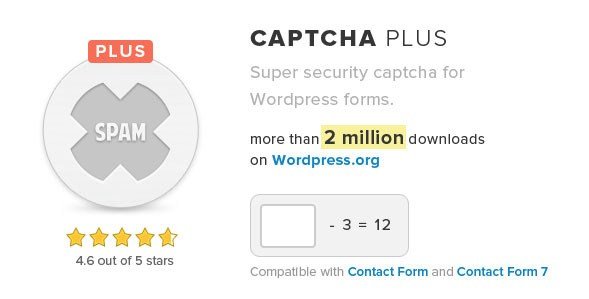
When WordPress users need a robust solution to combat the relentless tide of spam registrations and comments, Captcha Plus WordPress Plugin offers a sophisticated yet user-friendly line of defense. As a site owner, nothing is more frustrating than seeing your database cluttered with fake users or your comment sections overrun by bot-generated garbage. This plugin serves as a gatekeeper, ensuring that every interaction on your site—be it a login attempt, a new user registration, or a comment submission—is performed by a human. By implementing various logic-based challenges, Captcha Plus WordPress Plugin effectively neutralizes automated scripts without compromising the user experience for your legitimate visitors.
Spam isn’t just a nuisance; it’s a security risk and a resource hog. Fake users can lead to brute force attacks, while spam comments can damage your site’s SEO reputation. This plugin addresses these issues head-on by providing a versatile suite of captcha tools that integrate seamlessly into your existing WordPress forms. Whether you are running a small personal blog or a large membership site, maintaining the integrity of your user data is paramount. For additional security layers, you might also consider pairing this with Limit Login Attempts Reloaded to completely lock down your admin area.
What Makes Captcha Plus Different
While there are many security plugins available, Captcha Plus WordPress Plugin distinguishes itself through its incredible flexibility and focus on user experience. Unlike rigid solutions that force you to use a specific type of verification—often the frustrating “I am not a robot” checkbox—this plugin allows you to choose the method that best fits your audience. It is not just a shield; it is a customizable security protocol designed to adapt to your specific needs.
- Multiple Verification Modes: Switch between Invisible captcha, Math logic, and Character recognition based on your security level preference.
- Comprehensive Coverage: It doesn’t just protect one form; it secures Login, Registration, Password Recovery, Comments, and even Custom Forms.
- Seamless Integration: Works perfectly with popular plugins and custom forms, including specialized solutions like Contact Form by BestWebSoft and others.
Captcha Plus Features for WordPress Users
Comprehensive Form Protection
The core strength of the Captcha Plus WordPress Plugin lies in its ability to blanket your entire site in a layer of security. Spammers often target the weakest link, which is usually the default WordPress forms. This plugin adds captcha verification to the Login form to stop brute force attacks, the Registration form to prevent fake signups, and the Password Recovery form to block user enumeration attacks. Furthermore, it protects your Comments section, ensuring your discussions remain relevant and spam-free. It extends its reach to Contact Form 7 and other custom forms, ensuring no entry point is left vulnerable. It even integrates with niche plugins like Car Rental V2 Pro, making it a versatile tool for diverse website types. To understand more about common vulnerabilities, check out WordPress.org’s security guide.
Flexible Captcha Algorithms
One size does not fit all when it comes to user verification. Captcha Plus offers three distinct types of challenges to balance security and usability. The Simple Math option asks users to solve basic arithmetic (addition, subtraction, multiplication), which is excellent for keeping the interface clean and accessible. The Character Recognition option displays a distorted string of letters and numbers that users must type, providing a higher level of security against more advanced bots. For those who prioritize user experience above all else, the Invisible Captcha runs quietly in the background, analyzing user behavior to block bots without requiring any interaction from the human user at all.
Advanced Customization and Control
Beyond basic captcha insertion, the plugin granular control over how security is enforced. You can enhance the complexity of character recognition by mixing numbers with uppercase and lowercase letters. For accessibility, you can hide the captcha for registered users in the comments form—trusting your community members—or whitelist specific IP addresses that you know are safe. A particularly useful feature is the ability to set a captcha submission time limit. This prevents bots from filling out a form instantly, which is a tell-tale sign of automated activity. You can also enable a refresh option, allowing users to reload the captcha if they cannot read the current one, thereby reducing frustration and form abandonment. Learn more about credential stuffing and why time limits matter at OWASP.
How to Install Captcha Plus WordPress Plugin
Quick Installation
- Log in to your WordPress dashboard and navigate to Plugins → Add New.
- Click the “Upload Plugin” button at the top of the page.
- Select the Captcha Plus WordPress Plugin ZIP file you downloaded from CodeCanyon.
- Click Install Now and wait for the installation to complete.
- Finally, click “Activate Plugin” to start protecting your site.
Who Should Use Captcha Plus WordPress Plugin?
Membership and Community Site Owners
If you run a membership site or an online forum, user integrity is your currency. Fake registrations can skew your analytics, degrade the community experience, and potentially lead to data scraping. Captcha Plus WordPress Plugin is essential for these users because it safeguards the Registration and Login forms. By implementing math or invisible captcha, you ensure that only genuine human beings can join your community, preserving the quality of interactions and the security of your user database.
E-commerce and Business Sites
For businesses, every contact form submission is a potential lead. However, high-traffic business sites are magnets for spam bots injecting malicious links or filling out forms with junk data. This wastes your sales team’s time and can clutter your CRM. By using Captcha Plus, business owners can protect their Contact Forms and inquiry pages. This ensures that when you receive a notification, it’s from a real customer or client, allowing you to focus your efforts on genuine opportunities rather than filtering through spam. If you are building your site with Elementor Pro, this plugin adds that necessary layer of security to your custom forms effortlessly.
Captcha Plus vs Alternatives
| Feature | Captcha Plus WordPress Plugin | Google reCAPTCHA (v3) |
|---|---|---|
| User Privacy | High (No Google tracking required for Math/Char modes) | Low (Requires Google API keys and data sharing) |
| Customization | Extensive (Math, Char, Invisible, Images, Time limits) | Limited (Dependent on Google’s scoring system) |
| Setup Complexity | Low (Works out of the box) | Medium (Requires API key registration) |
Captcha Plus Pricing
Captcha Plus WordPress Plugin is available as a premium solution via CodeCanyon. It typically follows a one-time payment model for a regular license, which includes lifetime updates and 6 months of support (with the option to extend). This makes it a cost-effective investment compared to recurring subscription models for SaaS-based security solutions.
Pros and Cons
✅ Pros
- Versatility: Offers Math, Character, and Invisible captcha options in one package.
- Broad Compatibility: Works with native WP forms as well as third-party plugins like Contact Form and Car Rental V2.
- Privacy Friendly: Math and Character modes do not require user data to be sent to third-party services like Google.
- Granular Settings: Ability to whitelist IPs, hide for registered users, and set time limits.
❌ Cons
- Premium Only: Unlike some basic plugins, there is no free version in the WordPress.org repository.
- Interface Design: The settings page, while functional, has a somewhat traditional backend design that could feel dated to some.
- Character Captcha: While secure, the character recognition option can sometimes be difficult for users with visual impairments if not configured carefully.
Frequently Asked Questions
Does Captcha Plus work with WooCommerce?
Yes, Captcha Plus is designed to protect standard WordPress forms. While the feature list highlights specific integrations like Contact Form and Car Rental, it also supports custom forms. For WooCommerce checkout and login forms, it generally integrates well, but testing on a staging environment is recommended to ensure it matches your specific theme’s flow.
What is the difference between Math Captcha and Invisible Captcha?
Math Captcha requires the user to solve a simple arithmetic problem (e.g., 5 + 3 = ?) to prove they are human. Invisible Captcha, on the other hand, runs in the background and analyzes the user’s behavior (mouse movements, typing speed) to detect bots without asking the user to perform any task.
Can I hide the captcha for logged-in users?
Absolutely. One of the key features of Captcha Plus WordPress Plugin is the ability to hide the captcha challenge for registered users in the comments form. This improves the user experience for your loyal community members while still blocking anonymous spammers.
Is this plugin GDPR compliant?
When using the Math or Character Recognition modes, the data is processed locally without sharing user information with external third parties, which aids in GDPR compliance. However, if you choose to integrate external services or use specific image packages, you should review how that data is handled.
How does the time limit feature work?
The time limit feature allows you to set a minimum amount of time a user must spend on the page before they can submit the form. Since bots typically fill out forms in milliseconds, this effectively blocks automated scripts while not affecting real humans who naturally take time to read and type.
Do I need coding skills to install this plugin?
No coding skills are required. Captcha Plus WordPress Plugin is built for ease of use. You can install it via the WordPress dashboard, and the settings page offers simple checkboxes and dropdown menus to configure which forms to protect and which captcha style to use.
Final Verdict
Captcha Plus WordPress Plugin is a robust, feature-rich solution for any website owner serious about reducing spam and securing their forms. Its ability to offer multiple types of verification—ranging from the user-friendly Math captcha to the seamless Invisible captcha—gives it an edge over one-dimensional competitors. It is particularly well-suited for membership sites, business portals, and blogs that require strict control over user registrations and comments without sacrificing user experience. If you need a reliable, privacy-conscious security layer that works out of the box, Captcha Plus is an excellent investment.