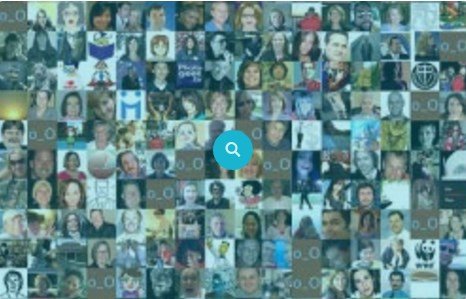
WPMU DEV Avatars is a multisite-compatible solution that allows users to upload, manage, and share profile and site avatars directly on your network. It removes the reliance on third-party services by providing native image handling for individual users and entire blogs. This tool creates a more personalized environment where images personally connect users and companies across the web.
WPExclusive members get access to Avatars as part of a full plugin and theme library — plans from $9.99/month. See the full WPMU Dev collection →
What Is WPMU DEV Avatars?
WPMU DEV Avatars is developed by WPMU Dev and is a community plugin for WordPress. Originally launched to give network administrators more control over user identities, it has served as a staple for multisite networks looking to bypass external avatar social services. It belongs to the community category on WPExclusive, alongside other tools for enhancing user interaction.
The plugin solves the problem of generic mystery man icons and unbranded site listings. It is designed for multisite owners who want to offer their users professional profile customization without forcing them to create accounts on external platforms.
WPMU DEV Avatars Features
The core feature set of the plugin is built around visual identity and ease of management within a WordPress network.
Complete Multisite Integration
The plugin lets network users upload and manage profile and site avatars in a way that feels native to the core WordPress interface. It adds a simple avatars settings feature to the user profile and a site avatar option under the settings menu. This integration encourages higher user participation across the community by making customization accessible.
Advanced Image Cropping and Storage
Users can upload images of any shape and use the built-in crop tool to select the best focal point. The plugin stores these files in a unique folder rather than the standard media library. This approach protects your main media library from being cluttered with hundreds of user profile images, keeping your file structure organized.
Site Branding and Directory Support
Beyond personal profiles, the plugin allows for blog-specific branding. This is essential if you list sites in a directory or feature them on a network homepage. You can connect usernames with faces and site titles with company branding, ensuring that every corner of your network looks professional and established.
Third-Party Compatibility
Avatars offers a specialized addon for bbPress integration, allowing custom images within forum templates. It also works with various directory plugins to display user faces in friend lists and member directories automatically. Note that the plugin is not intended for use with BuddyPress, as that software includes its own avatar handling.
Pricing
Check current pricing on the Avatars sales page — WPExclusive members access it as part of their plan. WPMU Dev has moved many legacy plugins to a retired status, making them available through community repositories and GPL platforms.
| Plan | Price | Sites | Includes |
|---|---|---|---|
| WPExclusive Membership | From $9.99/month | Unlimited | Avatars + full library |
For developers managing multiple sites, a WPExclusive membership covers Avatars plus hundreds of other plugins and themes — usually less than one premium license.
Latest Version
The plugin receives regular updates via community maintenance on GitHub. While the original vendor has moved focus to other services, the core code remains functional for modern WordPress environments. WPExclusive updates plugin files promptly after each community release.
How to Install
- Download the Avatars .zip from your WPExclusive member account
- In WordPress: Plugins → Add New → Upload Plugin
- Select the .zip and click Install Now → Activate
- Navigate to Plugins in the network admin dashboard and network activate the plugin
- Go to Users > Your Profile to change your personal avatar
Use Cases
Educational Multisite Networks
Enable students and teachers to personalize their blogs without leaving the school network. Integrating community features like local avatars ensures high privacy levels for younger users.
Business Directories and Company Portals
Use site-wide avatars to represent different departments or regional branches on a corporate portal. This provides a clear visual distinction between different areas of a large multisite infrastructure.
Agencies and Developers Managing Multiple Client Sites
Deliver a finished look to client networks by including branded icons for each sub-site. A WPExclusive membership allows you to deploy this on as many client sites as needed without additional costs.
Pros and Cons
✅ Strengths
- Privacy-focused alternative to Gravatar that keeps user data local
- Independent storage folder prevents media library clutter
- Allows both personal profile images and blog-specific branding
- Includes a dedicated companion plugin for bbPress forum integration
⚠️ Limitations
- Not compatible with BuddyPress which uses its own internal avatar system
- Considered a legacy product by the original vendor requiring technical oversight
- Developer auto-updates require an active license key. WPExclusive publishes updates manually when new versions are released.
Is WPMU DEV Avatars GPL Licensed?
Yes. WPMU DEV Avatars is distributed under the GNU General Public License (GPL) — the same license that governs WordPress itself. GPL gives any user the legal right to use, study, share, and redistribute the software. This is the legal framework that makes WPExclusive’s membership model possible.
WPExclusive distributes 100% original, unmodified files — the same release the developer publishes. No injected code, no alterations, no security risks.
Get WPMU DEV Avatars on WPExclusive
WPExclusive membership starts at $9.99/month, $87/year, or $149 lifetime — giving you WPMU DEV Avatars plus every plugin and theme in the library, on unlimited sites.
Explore the full WPMU Dev collection → or browse all WordPress plugins →
Frequently Asked Questions
What does WPMU DEV Avatars do?
WPMU DEV Avatars is a multisite plugin used to allow local file uploads for user and blog profile pictures. It enables profile customization and site branding without using Gravatar. This makes it ideal for private networks or directories.
Is WPMU DEV Avatars free?
The plugin is available as open-source on GitHub but was originally a premium product. Via WPExclusive, it is included in plans from $9.99/month, which includes community-updated versions and support.
What is the latest version of WPMU DEV Avatars?
The plugin is actively maintained through communal updates — WPExclusive members always receive the most current release available from the repository.
How much does WPMU DEV Avatars cost?
Retail accessibility varies as the plugin is now listed as a legacy product. Via WPExclusive, it is included in plans from $9.99/month.
Is it legal to use WPMU DEV Avatars via WPExclusive?
The plugin is GPL licensed, which explicitly permits redistribution. WPExclusive provides original, unmodified files — fully within GPL terms.
Does WPMU DEV Avatars work with forums?
Yes, Avatars includes an optional companion plugin specifically for bbPress. This allows the local profile images to appear correctly within forum threads and user listings.