What is WordPress Dynamic Tables Input from XLS/MySQL/CSV?
When WordPress users need a powerful solution to display and manipulate complex datasets without touching a line of code, WordPress Dynamic Tables Input from XLS/MySQL/CSV offers a versatile approach to data management. This plugin bridges the gap between raw data sources—such as Excel spreadsheets, CSV files, and live MySQL databases—and a user-friendly frontend interface. Unlike standard table plugins that merely display static HTML, this tool transforms your WordPress site into a dynamic data hub where information can be imported, edited, sorted, and exported directly from the front end. Whether you are managing inventory, price lists, or member directories, the ability to handle WordPress Dynamic Tables Input from XLS/MySQL/CSV ensures that your data remains accessible and up-to-date across all devices.
What Makes WordPress Dynamic Tables Input from XLS/MySQL/CSV Different
The primary differentiator of this plugin is its dual focus on comprehensive input sources and frontend interactivity. While many competitors limit you to manual data entry or simple CSV uploads, this plugin creates a live ecosystem for your data. It allows you to pull data directly from MySQL queries using automated cron jobs, meaning your tables can update themselves automatically as your database changes. Furthermore, it democratizes data management by allowing authorized users to add, delete, or edit table content directly from the frontend, eliminating the need to give multiple users access to the sensitive WordPress backend dashboard. This combination of automated data ingestion and granular frontend control makes it a standout choice for professional WordPress plugins required for data-heavy websites.
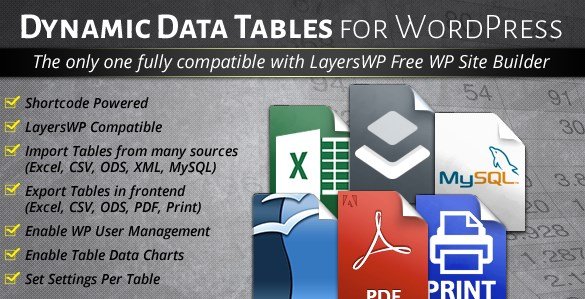
- Direct import from Excel, CSV, ODS, XML, and MySQL databases
- Frontend editing capabilities with role-based permissions
- Automatic data updates via MySQL cron jobs
WordPress Dynamic Tables Input from XLS/MySQL/CSV Features for WordPress Users
Seamless Data Importation and Integration
One of the most robust features of this plugin is its ability to aggregate data from disparate sources into a unified interface. You are not restricted to a single file format. Whether your team works in Excel, saves data as CSV, or stores critical records in a MySQL database, this plugin handles it all. The native support for Excel (.xls, .xlsx) is particularly noteworthy, as it preserves formatting and structure better than most converters. For advanced users, the MySQL integration is a game-changer; it allows you to write custom SQL queries to fetch specific data points, effectively turning your WordPress page into a customized reporting tool. You can even configure cron jobs to execute these queries at set intervals, ensuring that the table reflects the most current database state without manual intervention. For those managing external databases, referencing the official MySQL documentation can help in optimizing queries for performance.
Advanced Frontend Editing and User Management
This plugin revolutionizes how users interact with website data. Traditionally, updating a table required logging into the WordPress admin panel, navigating to the plugin settings, and editing rows in a cramped backend interface. WordPress Dynamic Tables Input from XLS/MySQL/CSV shifts this paradigm by enabling full frontend editing. You can configure specific user roles (e.g., Editors, Contributors, or custom roles) that have permission to edit table content. These authorized users can add new rows, delete outdated entries, and modify cell data directly on the live page. It also includes the ability to edit column titles from the frontend, providing a flexible content management experience. This feature is invaluable for directory sites or collaborative projects where multiple stakeholders need to input data without risking the security of the admin dashboard.
Visualization, Responsiveness, and Exporting
Data is only useful if it is readable and shareable. This plugin excels in presenting data through dynamic charts and responsive layouts. You can instantly generate visualizations based on your table data, supporting formats like Line, Spline, Area, Pie, Bar, and Scatter charts. This allows you to create visual dashboards alongside your raw data. Regarding responsiveness, the plugin offers granular control over how tables appear on different devices. You can enable or disable responsive mode per table and choose to hide specific columns on mobile phones or tablets to ensure the layout remains clean and usable. Additionally, the export capabilities are best-in-class. It offers native export functionality to Excel, CSV, ODS, PDF, and print formats. This native Excel export ensures that your data downloads maintain high fidelity, unlike generic CSV exports that might strip formatting. This makes the plugin an excellent tool for creating business solutions within WordPress.
How to Install WordPress Dynamic Tables Input from XLS/MySQL/CSV
Quick Installation
- Log in to your WordPress dashboard and navigate to Plugins → Add New.
- Click on the “Upload Plugin” button at the top of the page.
- Select the plugin ZIP file you purchased from CodeCanyon and click “Install Now”.
- Once the installation is complete, click “Activate” to start using the plugin.
Who Should Use WordPress Dynamic Tables Input from XLS/MySQL/CSV?
E-commerce Store Owners and Inventory Managers
For online store owners who need to display complex inventory lists, pricing tiers, or product specifications that change frequently, this plugin is an ideal solution. Instead of manually updating hundreds of product rows in a standard page builder, you can upload a fresh Excel file or connect the table to your store’s database. The frontend editing feature allows staff to update stock levels or prices directly from the frontend, streamlining the workflow significantly. The ability to hide specific columns on mobile ensures that customers on smartphones see only the most critical information, such as product name and price, without being overwhelmed by technical specs.
Developers and Data Analysts
Developers who build custom internal tools for clients will find the MySQL query feature invaluable. It allows the creation of live dashboards that pull data from external systems. For instance, a developer can set up a table that displays real-time sales figures or user registrations by querying the database directly. The charting feature adds a layer of analytics, allowing for immediate visual interpretation of the data. Furthermore, the lazy load feature ensures that even heavy data queries do not slow down the page load time, maintaining a high standard of performance. The plugin’s compatibility with Visual Composer and LayersWP also makes it easy to integrate into existing development workflows. For more advanced web development standards, the WordPress Developer Resources provide context on how such plugins interact with the core CMS.
WordPress Dynamic Tables Input from XLS/MySQL/CSV vs Alternatives
| Feature | WordPress Dynamic Tables Input | TablePress (Popular Alternative) |
|---|---|---|
| Data Sources | Excel, CSV, ODS, XML, MySQL (Live) | CSV, Manual Input, HTML Import |
| Frontend Editing | Yes (With role-based permissions) | No (Backend only) |
| Database Connectivity | Direct MySQL Queries + Cron Jobs | No native database connection |
| Export Options | Excel, CSV, ODS, PDF, Print | CSV, HTML, PDF (via extension) |
WordPress Dynamic Tables Input from XLS/MySQL/CSV Pricing
This plugin is available as a premium product on CodeCanyon. The pricing typically follows a standard marketplace model: a Regular License for use in a single end product (which can be used by you or one client) and an Extended License for use in multiple end products (such as SaaS applications or themes you intend to sell). The purchase includes 6 months of support from the developer, with the option to extend this period for an additional fee. Given the depth of features—including MySQL integration and frontend editing—the license cost provides significant value for businesses that rely on live data presentation.
Pros and Cons
✅ Pros
- Supports a wide range of input formats including live MySQL connections.
- Unique frontend editing capability improves workflow efficiency for teams.
- Built-in charting tools (Pie, Bar, Line, etc.) enhance data visualization.
- Granular control over responsive columns for mobile devices.
- Native export to Excel preserves formatting better than standard CSV plugins.
❌ Cons
- Premium only; no free version is available to test basic features.
- MySQL query functionality requires basic technical knowledge of SQL.
- Interface design may feel slightly dated compared to newer, lightweight block editor plugins.
Frequently Asked Questions
Can I import data directly from an Excel file?
Yes, the plugin supports native import from Excel (.xls, .xlsx) files, allowing you to upload your spreadsheets directly and convert them into responsive tables.
Does this plugin allow users to edit tables from the frontend?
Absolutely. One of its core features is frontend editing. You can grant permission to specific user roles to add, edit, or delete rows and columns directly on the webpage.
Is it possible to connect the table to a MySQL database?
Yes, you can connect your table to a MySQL database using custom queries. The plugin also supports cron jobs to automatically update the table content based on your database schedule.
Are the tables created with this plugin mobile responsive?
Yes, you can enable responsive mode for any table. The plugin gives you the option to hide specific columns on mobile devices or tablets to ensure a better user experience on smaller screens.
Can I create charts based on the table data?
Yes, the plugin includes a chart generation engine. You can create various chart types such as Line, Pie, Bar, and Area charts that visualize the data contained in your tables.
What export options are available for visitors?
Visitors can export table data to several formats, including Excel, CSV, ODS, PDF, and they can also use a print-friendly view to output the data physically.
Final Verdict
WordPress Dynamic Tables Input from XLS/MySQL/CSV is a robust and feature-rich tool that goes beyond simple table display. It is particularly well-suited for businesses, developers, and data analysts who need a reliable way to visualize and manage data within the WordPress ecosystem. While the lack of a free tier might be a barrier for casual users, the depth of features—specifically the MySQL integration and frontend editing capabilities—justifies the investment for professional use cases. If you need your website to function as a dynamic data interface rather than just a static brochure, this plugin is a top-tier contender.


.png "Download WooCommerce Multi Locations Inventory Management")