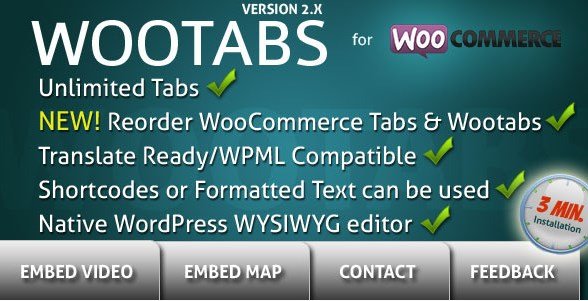
What is WooTabs – Add Extra Tabs To WooCommerce Product Page?
When WordPress users need to enhance their WooCommerce product pages with additional information without cluttering the product description, WooTabs – Add Extra Tabs To WooCommerce Product Page offers an elegant solution that organizes content into intuitive tabs. This powerful WooCommerce extension allows store owners to add unlimited custom tabs to their product pages, making it easier for customers to access important information such as specifications, warranty details, shipping information, or FAQs.
What Makes WooTabs Different
WooTabs stands out among WooCommerce extensions by providing a straightforward approach to adding and managing product tabs. While WooCommerce comes with default tabs for description and reviews, WooTabs gives merchants the flexibility to create additional tabs with custom content that can be applied globally to all products or selectively to specific categories or individual products. This level of customization helps create a better user experience while maintaining clean product page layouts.
- Simple yet powerful tab management interface
- Ability to create unlimited custom tabs with rich content
- Flexible display options for global or product-specific tabs
WooTabs Features for WordPress Users
Unlimited Custom Tabs
WooTabs allows you to add unlimited tabs to your WooCommerce product pages, giving you complete freedom to organize product information however works best for your business. Whether you need tabs for specifications, compatibility charts, warranty information, or user manuals, there’s no limit to what you can create. Each tab can be customized with its own title and content using the native WordPress WYSIWYG editor, making it easy to include formatted text, images, and even videos within your tabs.
Global and Specific Tab Management
One of the standout features of WooTabs is its flexible tab management system. You can create global tabs that appear on all products across your store, which is perfect for standard information like shipping policies or return procedures. Alternatively, you can set WooTabs on selected WooCommerce categories, allowing you to display category-specific information such as sizing guides for clothing or technical specifications for electronics. The plugin also allows you to enable or disable global WooTabs on a per-product basis, giving you complete control over which tabs appear on each product page.
Content and Display Customization
WooTabs provides comprehensive customization options for both content and display. The plugin features an instant save function using AJAX, ensuring your work is preserved without page refreshes. You can easily edit tab titles, delete tabs you no longer need, and choose whether your custom tabs appear before or after the default WooCommerce tabs. The plugin also supports empty global tabs, which can be populated later, and is fully compatible with RTL (Right-to-Left) languages, making it suitable for international stores. Additionally, WooTabs includes .mo and .po files for translation purposes, allowing you to customize the plugin for different language markets.
How to Install WooTabs
Quick Installation
- Purchase and download WooTabs from CodeCanyon
- Go to Plugins → Add New in WordPress dashboard
- Click “Upload Plugin” and select the downloaded zip file
- Click Install Now → Activate
After activation, you’ll find the WooTabs settings in your WordPress dashboard where you can begin creating and managing your custom product tabs. The interface is intuitive and user-friendly, making it easy even for those with limited technical experience to create professional-looking tabs for their products.
Who Should Use WooTabs?
E-commerce Store Owners with Detailed Product Information
WooTabs is ideal for store owners who need to display extensive product information without overwhelming their customers with lengthy product descriptions. For example, electronics retailers can use tabs to separate technical specifications, user manuals, and compatibility information, while clothing stores can utilize tabs for sizing guides, fabric details, and care instructions. This organized approach to presenting information helps customers find exactly what they’re looking for quickly, potentially reducing the need for customer service inquiries.
Multi-language WooCommerce Stores
The plugin’s support for RTL languages and inclusion of translation files make WooTabs an excellent choice for international stores. Store owners operating in multiple languages can provide consistent tab experiences across all language versions of their site, ensuring that customers in different regions receive the same high-quality information presentation. This feature is particularly valuable for businesses expanding into new markets where language support is crucial for success.
WooTabs vs Alternatives
| Feature | WooTabs | YITH WooCommerce Tab Manager |
|---|---|---|
| Unlimited tabs | Yes | Yes (in premium version) |
| Global tabs | Yes | Yes |
| Category-specific tabs | Yes | Yes |
| RTL support | Yes | Limited |
| Price | $17 (single site) | $59.99 (1 year) |
While there are several WooCommerce tab plugins available in the market, WooTabs distinguishes itself through its balance of functionality and affordability. Compared to premium alternatives like YITH WooCommerce Tab Manager, WooTabs offers similar features at a significantly lower price point, making it an attractive option for budget-conscious store owners. Additionally, WooTabs provides excellent RTL support, which is often limited or absent in competing plugins, making it a superior choice for stores targeting Middle Eastern or other RTL language markets.
WooTabs Pricing
WooTabs is available through CodeCanyon with a straightforward pricing model. The plugin can be purchased for $17 for a single site license, which includes 6 months of support from the developer. For an additional $5.25, you can extend support to 12 months. There are no recurring subscription fees, making it a cost-effective solution for store owners who prefer a one-time payment model. This pricing structure makes WooTabs particularly attractive for small to medium-sized businesses looking to enhance their WooCommerce product pages without significant ongoing costs.
Pros and Cons
✅ Pros
- Affordable one-time pricing without subscription fees
- Unlimited custom tabs for comprehensive product information
- Flexible display options (global, category-specific, or product-specific)
- Excellent RTL support for international stores
- Simple, intuitive interface that doesn’t require coding skills
- AJAX-powered instant saving for efficient workflow
❌ Cons
- Limited advanced styling options for tab appearance
- No built-in analytics for tab engagement tracking
- Only available through CodeCanyon, not in WordPress repository
Frequently Asked Questions
Can I add different tabs for different product categories?
Yes, WooTabs allows you to create tabs that can be applied to all products or set specifically for selected WooCommerce categories. This feature enables you to display category-relevant information like sizing guides for clothing or technical specifications for electronics.
Is WooTabs compatible with page builders like Elementor or Divi?
Yes, WooTabs is compatible with most popular page builders including Elementor and Divi. The tabs will integrate seamlessly with your custom product page designs, maintaining their functionality regardless of your chosen page builder.
Can I include images and videos in my WooTabs content?
Absolutely! WooTabs uses the native WordPress WYSIWYG editor, which allows you to easily add formatted text, images, and even videos to your tab content. This gives you the flexibility to create rich, informative tabs that enhance the customer shopping experience.
Does WooTabs support RTL languages?
Yes, WooTabs fully supports RTL (Right-to-Left) languages, making it suitable for stores targeting Arabic, Hebrew, and other RTL language markets. The plugin includes proper RTL styling to ensure tabs display correctly in these languages.
Can I disable certain global tabs on specific products?
Yes, WooTabs provides the flexibility to enable or disable global WooTabs on a per-product basis. This means you can have standard tabs that appear across most of your products while selectively turning them off for specific items where that information isn’t relevant.
Does WooTabs work with the latest version of WooCommerce?
Yes, WooTabs is regularly updated to ensure compatibility with the latest versions of WooCommerce and WordPress. The developers actively maintain the plugin to address any compatibility issues that may arise with updates to these platforms.
Final Verdict
WooTabs – Add Extra Tabs To WooCommerce Product Page delivers an effective solution for organizing product information in a user-friendly format. With its unlimited custom tabs, flexible display options, and excellent RTL support, it provides e-commerce store owners with a powerful tool to enhance their product pages. The plugin’s affordable one-time pricing and straightforward implementation make it particularly well-suited for small to medium-sized businesses looking to improve their product information presentation without investing in complex, expensive solutions. While it may lack some advanced styling and analytics features found in higher-priced alternatives, its core functionality more than meets the needs of most online stores. If you’re looking to streamline your product page layout and improve customer experience with organized, easy-to-access information, WooTabs represents a solid investment for your WooCommerce store.