What is WooCommerce Pretty Emails?
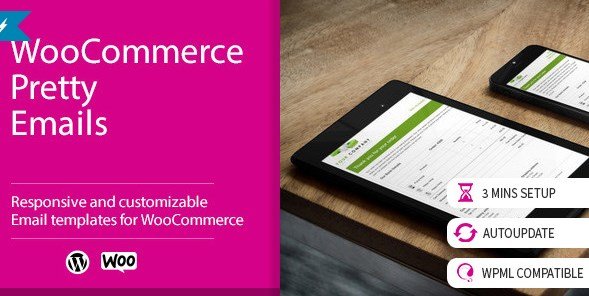
When WordPress users need to elevate their store’s branding and customer communication, WooCommerce Pretty Emails offers a robust, user-friendly solution to design stunning transactional messages. As an experienced developer, I have seen many store owners struggle with the plain, unappealing default emails that WooCommerce sends out. These standard emails often fail to reflect the brand’s identity, leading to a disjointed customer experience. WooCommerce Pretty Emails steps in to solve this specific problem by providing a dedicated interface to style and customize every email your store sends without touching a single line of code. By using WooCommerce Pretty Emails, you can ensure that your order confirmations, invoices, and notifications look professional on every device.
This plugin acts as a bridge between the technical backend of WooCommerce and the creative vision of the store owner. It essentially replaces the default, text-heavy templates with beautiful, responsive HTML layouts that you can control via a visual customizer. Whether you are running a small boutique or a large-scale e-commerce operation, the appearance of your email communications plays a crucial role in building trust and credibility. Customers are more likely to engage with a brand that pays attention to detail, and your email inbox is a prime touchpoint for this engagement.
What Makes WooCommerce Pretty Emails Different
While there are several email customization plugins available on the market, WooCommerce Pretty Emails distinguishes itself through its specific focus on ease of use and template flexibility. Unlike some competitors that require you to have knowledge of HTML or CSS to make meaningful changes, this plugin integrates directly into the WordPress ecosystem, offering settings that are intuitive for anyone familiar with the WordPress dashboard. Its unique selling proposition lies in its ability to offer high-end design capabilities without the bloat or complexity often associated with advanced page builders.
- Complete Visual Control: You can modify fonts, colors, and sizes to match your brand guidelines perfectly.
- Responsiveness: Every template is designed to look great on mobile devices, tablets, and desktops.
- No Coding Required: Upload banners and change text using simple form fields, making it accessible for non-technical users.
WooCommerce Pretty Emails Features for WordPress Users
Advanced Template Customization
One of the standout features of WooCommerce Pretty Emails is the depth of customization available for the email templates. The plugin allows you to move far beyond the standard WooCommerce header and footer. You can inject custom banners at the top of your emails, which is a fantastic way to promote ongoing sales or highlight seasonal offers. For instance, during the holiday season, you can easily switch your email banner to a festive graphic without needing a developer. Furthermore, the plugin supports custom text areas, allowing you to add personalized notes, return policies, or social media links directly into the email body. This level of control ensures that your emails are not just receipts, but marketing tools.
Typography and Color Management
Brand consistency is key to recognition, and WooCommerce Pretty Emails excels here. The plugin provides granular control over typography, enabling you to select custom fonts and adjust sizes for headers, body text, and footers. You can match the exact hex codes of your brand colors to the email elements, ensuring that the email feels like a natural extension of your website. This is particularly important for businesses that have invested heavily in their visual identity. According to best practices in email design, consistent use of brand colors can increase recognition significantly. This plugin removes the friction of trying to force these design changes via custom CSS snippets, which can often break during WooCommerce updates.
Email Attachments and File Support
Functionality meets aesthetics with the email attachments feature. WooCommerce Pretty Emails allows you to automatically attach files to your outgoing emails. This is incredibly useful for stores that need to send PDF invoices, terms of service documents, or product catalogs along with order confirmation emails. Instead of using a separate plugin to handle attachments or manually sending files after an order is placed, you can automate this process. For example, a digital product seller can attach a “How to Use Your Files” guide directly to the “Completed Order” email, enhancing customer support efficiency and reducing the number of support tickets raised post-purchase.
How to Install WooCommerce Pretty Emails
Quick Installation
- Log in to your WordPress dashboard and navigate to Plugins → Add New.
- Click the “Upload Plugin” button at the top of the page (since this is a premium plugin from CodeCanyon).
- Select the ZIP file you downloaded from CodeCanyon and click Install Now.
- Once installed, click “Activate Plugin” to start configuring your email styles.
After activation, you will typically find a new menu item labeled “Pretty Emails” or “Email Settings” within your WooCommerce dashboard, or directly under the Settings menu. It is crucial to test your emails after installation. You can do this by placing a test order on your site using a test payment gateway like Cheque or Bank Transfer, which allows you to trigger the email notifications without spending real money. For more WordPress tools, check out the extensive collection at WPExclusive.
Who Should Use WooCommerce Pretty Emails?
E-commerce Store Owners Focusing on Branding
If you are a store owner who treats your brand as a serious business asset, this plugin is essential. The default WooCommerce emails are functional but generic. They scream “default WordPress site” to your customers. If you have spent money on a custom logo, a premium theme, and professional product photography, letting your email communication fall flat is a missed opportunity. By using WooCommerce Pretty Emails, you ensure that the customer journey—from the landing page to the checkout confirmation—is seamless and aesthetically pleasing. This is particularly vital for fashion, jewelry, and luxury goods industries where visual appeal directly correlates with sales.
Store Owners with High Mobile Traffic
With over 50% of emails being opened on mobile devices, having responsive email templates is non-negotiable. If your current emails look broken or difficult to read on a smartphone, you risk annoying your customers. WooCommerce Pretty Emails is specifically designed to handle responsive layouts. If you check your analytics and see a significant portion of your traffic coming from mobile users, you need a plugin that ensures your order details, tracking links, and shipping information are perfectly legible on smaller screens. This improves the user experience and reduces the likelihood of customers contacting support because they couldn’t read their order details.
WooCommerce Pretty Emails vs Alternatives
| Feature | WooCommerce Pretty Emails | Default WooCommerce Emails |
|---|---|---|
| Visual Customizer | Yes, extensive options for colors, fonts, and banners. | Very limited, mostly text-based via plain text settings. |
| Responsiveness | Fully responsive mobile-optimized templates. | Basic responsiveness, often breaks with custom themes. |
| Custom Attachments | Built-in support for attaching files to emails. | None, requires additional plugins or code. |
| Header/Footer Customization | Drag and drop style header/banner upload. | Requires coding HTML/CSS in email templates. |
While there are other plugins like Kadence Email Customizer or YayMail that offer similar functionality, WooCommerce Pretty Emails holds its own by being a lightweight, dedicated solution focused specifically on the “Pretty” aspect—making things look good without over-complicating the editor. It avoids the heavy resource usage of some complex page-builder-based email customizers, making it a great choice for stores where performance is a priority. You can compare this with other extensions at WPExclusive downloads.
WooCommerce Pretty Emails Pricing
WooCommerce Pretty Emails is a premium plugin available exclusively through CodeCanyon. The pricing model is a one-time fee, which typically grants you lifetime usage for the item, along with 6 months of support from the developer. This is often more cost-effective than subscription-based email services for basic customization needs. After the initial 6 months, you can optionally renew the support period for an additional fee, but the plugin will continue to function indefinitely. This makes it a very attractive option for startups and small businesses looking to minimize monthly overhead while still maximizing their site’s professional appearance.
Pros and Cons
✅ Pros
- High Customizability: Extensive options to tweak fonts, colors, and layouts to match any brand.
- Mobile Friendly: Ensures emails look professional on all devices, improving customer satisfaction.
- Attachments Feature: Unique capability to attach files directly to transactional emails without extra plugins.
- No Coding Needed: Accessible to users with no technical HTML/CSS knowledge.
- One-time Cost: Affordable lifetime license compared to recurring subscription models.
❌ Cons
- Premium Only: No free version is available to test before purchasing, unlike some alternatives.
- Support Renewal: While the plugin works forever, continued support requires an additional fee after 6 months.
- Learning Curve: Although easier than coding, there is still a learning curve to navigate all the customization options effectively.
Frequently Asked Questions
Is WooCommerce Pretty Emails compatible with all WordPress themes?
Yes, the plugin is designed to work independently of your WordPress theme. It styles the emails themselves, which are generated separately from your site’s frontend theme.
Do I need to know HTML to use this plugin?
No, one of the main benefits of WooCommerce Pretty Emails is that it provides a user-friendly interface to customize your emails without needing any HTML or CSS knowledge.
Can I use my own logo in the email header?
Absolutely. The plugin allows you to upload custom banners and logos to replace the default header, helping you maintain consistent branding across all customer touchpoints.
Will this plugin slow down my website?
No, email customization plugins run on the backend when emails are generated. They do not impact the load time of your website’s frontend pages for your visitors.
Can I attach PDF invoices automatically?
Yes, the plugin includes an email attachments feature that allows you to attach files, such as PDF invoices or terms of service, to your transactional emails automatically.
Is there a refund policy?
Since the plugin is sold on CodeCanyon (Envato Market), it is subject to their refund policy, which generally covers technical issues that the author cannot fix.
Final Verdict
WooCommerce Pretty Emails is a highly effective tool for store owners who want to improve their brand image through professional transactional emails. It bridges the gap between technical customization and ease of use, offering a powerful set of features like custom fonts, responsive layouts, and file attachments without the need for coding. While the lack of a free version might be a drawback for some, the one-time fee makes it a worthwhile investment for serious businesses. It is particularly well-suited for e-commerce sites that rely on visual branding and want to ensure a consistent experience from the browser to the inbox. If you are looking to upgrade your store’s communication strategy, this plugin is a solid choice. For more resources on enhancing your WordPress site, visit WPExclusive or browse the official WooCommerce marketplace for complementary tools.