What is WooCommerce Order SMS Notification?
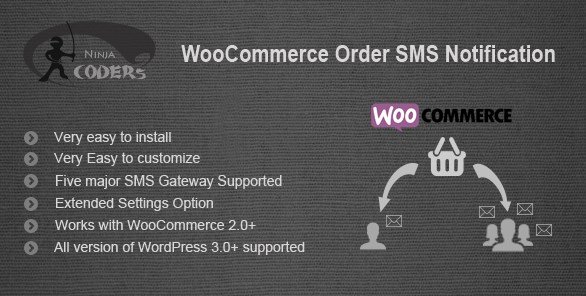
When WordPress users need to enhance their e-commerce communication strategy, WooCommerce Order SMS Notification offers a powerful solution for real-time order alerts. This plugin allows store owners to send automatic SMS notifications to both buyers and admins whenever an order is placed or its status changes, ensuring customers stay informed throughout their purchasing journey.
What Makes WooCommerce Order SMS Notification Different
Unlike generic notification plugins, WooCommerce Order SMS Notification is specifically designed for e-commerce stores to bridge the communication gap between sellers and buyers. The plugin stands out with its multi-gateway support, customizable message templates, and ability to send different SMS content based on order status changes. This tailored approach ensures your customers receive relevant information exactly when they need it.
- Seven major SMS gateway integrations for global coverage
- Customizable message templates with dynamic order information
- Separate notification rules for admins and customers
- Direct customer communication feature
- Advanced settings for complete control over SMS notifications
WooCommerce Order SMS Notification Features for WordPress Users
Multi-Gateway SMS Integration
The plugin supports seven major SMS gateways, giving you flexibility to choose the service that works best for your region and budget. This integration ensures reliable delivery of SMS notifications worldwide. The supported gateways include Clickatell, MSG91, Nexmo, Twilio, SMSGlobal, CallFire, and Plivo, allowing you to connect with your existing SMS provider or select a new one based on your specific requirements.
Customizable SMS Templates
Create personalized SMS messages using the plugin’s intuitive template system. You can include dynamic variables such as order number, status, items, and amount in your messages. This feature allows you to craft informative notifications that provide customers with exactly the information they need without overcrowding the SMS with unnecessary details. The templates can be modified for each order status, ensuring contextual communication.
Order Status-Specific Notifications
Configure different SMS messages for various order statuses, including pending, processing, completed, on-hold, cancelled, and refunded. This granular control enables you to provide customers with relevant updates at each stage of their order journey. For instance, when an order moves to “completed,” you can automatically send a message thanking the customer and providing tracking information, improving their overall shopping experience.
How to Install WooCommerce Order SMS Notification
Quick Installation
- Go to Plugins → Add New in WordPress dashboard
- Search for “WooCommerce Order SMS Notification”
- Click Install Now → Activate
After activation, navigate to WooCommerce → SMS Notifications to configure the plugin settings. You’ll need to select your preferred SMS gateway and enter the required API credentials. For detailed installation instructions, check out our WooCommerce setup guide.
Who Should Use WooCommerce Order SMS Notification?
High-Volume E-commerce Stores
For stores processing numerous orders daily, keeping customers informed without manual intervention is crucial. WooCommerce Order SMS Notification automates this process, saving valuable time while enhancing the customer experience. Store owners can focus on other aspects of their business while knowing their customers receive timely updates about their purchases.
International Retailers
Cross-border e-commerce businesses benefit significantly from SMS notifications as they don’t depend on email deliverability issues that vary by region. According to recent e-commerce studies, SMS messages have a 98% open rate compared to email’s 20%, making them ideal for international communication where consistent delivery is essential.
Service-Based WooCommerce Stores
Businesses selling appointments, bookings, or time-sensitive services can leverage WooCommerce Order SMS Notification to send immediate confirmations and reminders. The direct contact feature allows staff to communicate with customers about their orders directly from the admin panel, streamlining customer service processes.
WooCommerce Order SMS Notification vs Alternatives
| Feature | WooCommerce Order SMS Notification | WooCommerce SMS Notifications by YIT |
|---|---|---|
| Supported SMS Gateways | 7 major gateways | 4 gateways |
| Custom Message Templates | Full customization with dynamic variables | Limited customization |
| Direct Customer Contact | Built-in feature | Not available |
| Order Status-Specific Messages | All order statuses | Limited statuses |
| Price | $26 one-time purchase | $79.99/year |
For more WooCommerce plugin comparisons, visit our WooCommerce plugins collection.
WooCommerce Order SMS Notification Pricing
WooCommerce Order SMS Notification is available for a one-time purchase of $26 from CodeCanyon. This premium pricing model includes lifetime updates and 6 months of support, with the option to extend support for an additional fee. Unlike many competitors that require annual subscriptions, this one-time payment makes it an economical choice for long-term use. However, users should note that SMS costs will depend on their chosen gateway provider’s rates.
Pros and Cons
✅ Pros
- Supports 7 major SMS gateways for global reach
- Highly customizable message templates with dynamic content
- One-time purchase without recurring subscription fees
- Direct customer communication feature from admin panel
- Order status-specific notifications for contextual updates
- User-friendly interface with straightforward settings
- Regular updates and developer support
❌ Cons
- No built-in SMS cost tracking or analytics
- Limited to WooCommerce platform only
- SMS costs depend on third-party gateway providers
- No mobile app for on-the-go notifications
- Initial setup may require API configuration knowledge
Frequently Asked Questions
How do I set up WooCommerce Order SMS Notification?
After installing and activating the plugin, go to WooCommerce → SMS Notifications in your dashboard. Select your preferred SMS gateway from the seven options, enter your API credentials, and customize your message templates for different order statuses.
Which SMS gateways are supported by this plugin?
The plugin supports seven major SMS gateways: Clickatell, MSG91, Nexmo, Twilio, SMSGlobal, CallFire, and Plivo. This wide range of options ensures compatibility with most regions and pricing preferences.
Can I customize the SMS content for different order statuses?
Yes, WooCommerce Order SMS Notification allows you to create custom messages for each order status (pending, processing, completed, on-hold, cancelled, refunded). You can include dynamic variables like order number, items, and amount in these messages.
Do I need to pay for SMS notifications separately?
Yes, the plugin fee covers the software license, but you’ll need to pay for actual SMS messages according to your chosen gateway provider’s pricing structure. Each gateway has different rates based on destination and volume.
Can customers reply to the SMS notifications?
The plugin primarily sends one-way notifications from your store to customers. However, you can use the direct contact feature to send messages to customers from your admin panel if needed.
Is this plugin compatible with the latest WooCommerce version?
Yes, WooCommerce Order SMS Notification is regularly updated to maintain compatibility with the latest WooCommerce and WordPress versions. The developer actively maintains the plugin to ensure smooth operation with your e-commerce setup.
Final Verdict
WooCommerce Order SMS Notification is a robust solution for e-commerce businesses looking to improve customer communication through SMS alerts. Its multi-gateway support, customizable templates, and order status-specific messaging make it a versatile choice for stores of all sizes. While it lacks advanced analytics, its straightforward approach and one-time pricing model offer excellent value for businesses focused on reliable customer notifications. The plugin is particularly well-suited for high-volume stores, international retailers, and service-based businesses where timely communication directly impacts customer satisfaction and operational efficiency.