What is Woocommerce Export Products to XLS?
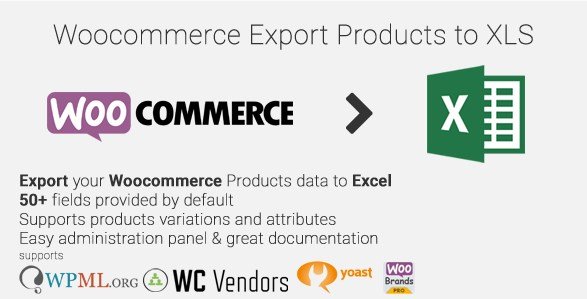
Woocommerce Export Products to XLS is a WordPress plugin designed to simplify the process of exporting product data from your WooCommerce store into an XLS file format. This plugin caters to store owners who need to manage and analyze their product information offline, create backups, or transfer their data to other systems. By supporting a wide range of product attributes and compatibility with popular plugins like WPML, Yoast SEO, and WC Vendors, it provides a flexible solution for managing WooCommerce product exports.
Key Features of Woocommerce Export Products to XLS
- AJAX Technology for Large Exports: Utilizes AJAX to efficiently export thousands of products and variations without server timeouts.
- Comprehensive Product Data: Exports all product types, including variations and grouped products, regardless of their publication status.
- Extensive Field Support: Offers 53 default fields, covering essential product details such as ID, title, description, price, stock, and more.
- ACF Support: Seamlessly integrates with Advanced Custom Fields (ACF) to export custom product data.
- Plugin Compatibility: Works with WPML for multilingual exports, Yoast SEO for SEO data, and WC Vendors for vendor-related information.
- Flexible Administration: Features an intuitive drag-and-drop interface for easy column ordering and field selection.
- XLS Output: Generates XLS files that are compatible with MS Excel 2003, 2007, 2010, and 2013.
Why Choose Woocommerce Export Products to XLS in 2024?
In 2024, Woocommerce Export Products to XLS remains a top choice for WooCommerce store owners due to its robust feature set, ongoing updates, and compatibility with the latest WordPress and WooCommerce versions. It not only simplifies data management but also offers unique advantages in handling complex product catalogs. Here’s why it’s the top choice:
- Efficient Data Management: Simplifies exporting and organizing product data for analysis and reporting.
- Compatibility: Works seamlessly with popular plugins like Yoast SEO, WPML and WC Vendors.
- Customization: Supports Advanced Custom Fields (ACF), allowing export of unique product attributes.
- Improved SEO Data: Supports exporting Yoast SEO plugin data, aiding in SEO management of product listings.
- Vendor Support: Compatible with WC Vendors, exporting vendor-specific information like commission and IDs.
How to Download Woocommerce Export Products to XLS for Free
1. Visit CodeCanyon:
- Go to the Woocommerce Export Products to XLS page on CodeCanyon.
- Check for any available free trials or promotional downloads.
2. Check Third-Party Sites:
- Look for WordPress plugin directories or promotional websites that may offer time-limited free downloads of premium plugins.
- Be cautious and only download from reputable sources to avoid malware.
3. Utilize the GPL License:
- As a WordPress plugin, Woocommerce Export Products to XLS is likely distributed under the GPL license.
- This allows for legal redistribution, but always ensure you obtain the plugin from a trusted source to avoid security risks. One such source is WPExclusive which offers reviews and information on various WordPress plugins.
For a hassle-free setup, consider WPX Hosting from top rated reliable and managed providers, which comes with pre-install WordPress and WooCommerce with optimized performance.
Installing Woocommerce Export Products to XLS: Step-by-Step Guide
1. Purchase and Download:
- Purchase the plugin from CodeCanyon.
- Download the plugin zip file to your computer.
2. Upload and Install:
- Log in to your WordPress admin panel.
- Navigate to Plugins → Add New → Upload Plugin.
- Upload the downloaded zip file and click “Install Now.”
3. Activate the Plugin:
- After installation, click “Activate Plugin” to activate Woocommerce Export Products to XLS.
- Access the plugin settings via WooCommerce → Products to XLS to configure your export options.
Note: Back up your site before installing or updating plugins/themes. Use Woocommerce Export Products to XLS’s built-in tools if prompted after an update.
Woocommerce Export Products to XLS Pricing
| Component | Price | Details |
|---|---|---|
| Regular License | $19 | Use in a single end product where users are not charged. |
| Extended License | $100 | Use in a single end product where users can be charged. |
| Extended Support (12 months) | $5.25 | Extends support for an additional 6 months beyond the included 6 months. |
Woocommerce Export Products to XLS Alternatives
Product Export Import for WooCommerce:
- Pros: Free version available, supports CSV and XML formats.
- Cons: Limited features in the free version, may require paid add-ons for advanced functionalities.
- Best For: Small to medium-sized stores needing basic export/import capabilities and CSV functionalities.
WP All Export:
- Pros: Powerful and flexible, supports various data types, and exports to multiple formats (CSV, Excel, XML).
- Cons: Can be complex to set up, requires a learning curve.
- Best For: Large stores with complex data structures needing extensive customization options.
Store Exporter Deluxe:
- Pros: Exports a wide range of WooCommerce data, including products, orders, and customers.
- Cons: Premium plugin with a higher price point, may be overkill for basic export needs.
- Best For: Businesses requiring comprehensive data extraction for reporting and analysis.
Woocommerce Export Products to XLS vs. Other Plugins
When comparing Woocommerce Export Products to XLS with other plugins, several factors come into play. This plugin is particularly strong in its ease of use and specific support for WooCommerce, making it a practical choice for users who need a straightforward solution.
- Cost: Offers a balance between features and affordability.
- Integration: Seamlessly integrates with WooCommerce and popular plugins.
- Compatibility: Known for its strong compatibility with WPML, Yoast SEO, and WC Vendors, while some alternatives may require additional extensions or have limited support.
- Support: Provides dedicated support from the developer.
Woocommerce Export Products to XLS strikes a balance, offering a user-friendly interface and essential features, particularly beneficial for store owners who prioritize ease of use and compatibility. Check WPExclusive for plugin reviews!
Tips for Using Woocommerce Export Products to XLS Effectively
- Plan Your Export: Determine which product data fields are essential for your needs before exporting.
- Order Columns: Use the drag-and-drop feature to arrange the columns in a logical order for easier analysis.
- Leverage Caching: Enable caching to speed up future exports if the product data remains relatively constant.
- Batch Processing: Adjust the “Products per batch” setting to optimize performance based on your server capabilities.
- Utilize Filters: Take advantage of filters to add custom fields or modify existing data during the export process.
Pairing Woocommerce Export Products to XLS with WP All Import
Pairing Woocommerce Export Products to XLS with WP All Import creates a robust solution for WooCommerce data management. Export your product data to XLS using this plugin, then use WP All Import to import and update that same data after edits. This combination provides a seamless workflow for bulk product updates, data backups, and migrations.
Should You Invest in Premium Extensions?
Investing in premium extensions for Woocommerce Export Products to XLS can be worthwhile if you need:
- Advanced functionality type
- Enhanced feature type
- Integration type
- Customization type
Visit the official site for pricing details
Frequently Asked Question:
Can I add my custom meta data field to export?
Please check the section For Developers.
Will I be able to import the data of an XLS with this plugin?
No, this plugin will only Export the WooCommerce products data to XLS. On the other hand WP All Import plugin may be able to do this by adding with the addon: https://wordpress.org/plugins/woocommerce-xml-csv-product-import/
Will this plugin export the images of my WooCommerce products?
No, this plugin will only export the images ids and/or URLs of your WooCommerce products in a separate column.
How can I open an XLSX file on my Office 2003?
Please read the Microsoft guide here: http://support2.microsoft.com/kb/924074.
Conclusion
Woocommerce Export Products to XLS is a reliable solution for WooCommerce store owners seeking an efficient way to export product data to XLS. Its extensive feature set, compatibility with popular plugins, and user-friendly interface make it a valuable tool for data management and analysis. Download it today and streamline your product data workflows!
Disclaimer: Please always check the official CodeCanyon page for the most up-to-date pricing and features. This review is based on the latest information available at the time of writing.