What is WooCommerce E-Commerce Bundle Rate Shipping?
The WooCommerce E-Commerce Bundle Rate Shipping plugin, developed by PotentPlugins and available on CodeCanyon, is a specialized extension designed to provide WordPress e-commerce store owners with sophisticated control over their shipping cost calculations, particularly for orders containing multiple items. Standard WooCommerce shipping options, while functional for basic scenarios, often fall short when businesses need to implement more complex, tiered, or conditional shipping logic. This plugin directly addresses this gap by allowing you to define unique shipping rates that adjust based on the quantity of items, specific product categories, or assigned shipping classes. For instance, you could charge a base rate for the first item, a reduced rate for subsequent items, and perhaps even offer free shipping after a certain quantity threshold is met. This level of flexibility is crucial for businesses that sell a variety of products with different shipping profiles or want to incentivize customers to purchase more items by offering progressively cheaper shipping. The significance of WooCommerce E-Commerce Bundle Rate Shipping lies in its ability to help store owners accurately reflect shipping costs, avoid overcharging or undercharging, and ultimately enhance the customer checkout experience. By offering more nuanced and potentially more attractive shipping rates for bundled purchases, businesses can improve conversion rates and average order values. It moves beyond simple flat rates or weight-based shipping, empowering you to implement a shipping strategy that truly aligns with your product catalog and business goals. For context on standard WooCommerce capabilities, you can review the official WooCommerce shipping documentation.
Key Features of WooCommerce E-Commerce Bundle Rate Shipping
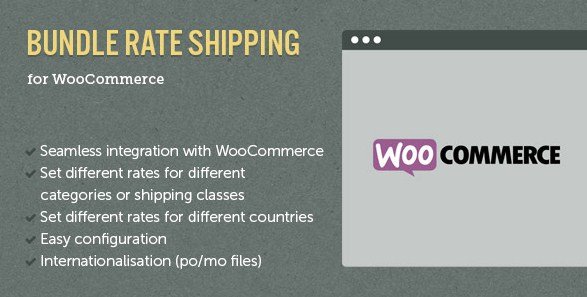
- Flexible Bundled Rates: The core capability allows you to set special shipping rates when a customer purchases multiple items, rather than a simple per-item multiplication.
- Destination-Based Configuration: Integrates with WooCommerce shipping zones, enabling you to define different bundle rate rules for various countries, states, or regions.
- Category-Specific Rules: Apply unique bundled shipping rates to products belonging to specific categories. For example, books might have a different bundle rate logic than electronics.
- Shipping Class Integration: Leverages WooCommerce shipping classes for even more granular control. You can assign different bundle rates to products based on their shipping class (e.g., ‘small-items’, ‘bulky-items’).
- Layered/Tiered Rate Complexity: Define multiple cost layers. For example, charge $5 for the first item, $2 each for the 2nd through 4th items, and $0 for any additional items.
- Free Shipping Thresholds: As highlighted in version 1.3.3, you can configure the plugin to offer free shipping when an order’s subtotal exceeds a certain amount, or when a specific quantity of items is reached, providing a powerful promotional tool.
- Intuitive Rule Management: Provides an interface to add, manage, and prioritize different shipping rules, ensuring the correct rate is applied based on cart contents and destination.
The latest mentioned version, 1.3.3, notably enhanced the plugin by allowing store owners to set up free shipping conditions based on the total order value, adding a significant marketing lever. This feature, combined with its robust tiered pricing based on item count, category, or shipping class, makes WooCommerce E-Commerce Bundle Rate Shipping a highly adaptable solution. It empowers merchants to move away from simplistic shipping calculations that might deter customers or erode profit margins. Instead, they can implement a shipping strategy that accurately reflects handling and postage costs for diverse order compositions, encouraging larger purchases through transparent and fair shipping charges. The plugin’s focus on these specific bundling scenarios distinguishes it from more general-purpose advanced shipping plugins, making it an excellent choice for stores where multi-item orders are common. For more advanced product handling, consider exploring options like WooCommerce Product Add-Ons Ultimate to complement your shipping strategy.
How to Get WooCommerce E-Commerce Bundle Rate Shipping
Since WooCommerce E-Commerce Bundle Rate Shipping is a premium plugin, it is not available for free download from the WordPress.org repository. You need to purchase it from the Envato Market (CodeCanyon). Here’s how to get it:
- 1. Visit the Official CodeCanyon Page:
- Navigate directly to the WooCommerce E-Commerce Bundle Rate Shipping sales page on CodeCanyon. This is the sole official source for purchasing the plugin.
- Review the plugin details, features, customer reviews, and support terms provided by the author, PotentPlugins.
- 2. Purchase the Plugin License:
- Click the “Add to Cart” or “Buy Now” button. You will need an Envato account to proceed; if you don’t have one, you can create it during the checkout process.
- Complete the payment. The standard Regular License typically allows usage on one end-product (a single website) and includes 6 months of support from the author. You may have an option to extend this support period for an additional fee.
- 3. Download the Plugin Files:
- Once your purchase is complete, log in to your Envato account and go to your “Downloads” section.
- Locate WooCommerce E-Commerce Bundle Rate Shipping in your list of purchased items and download the “Installable WordPress file only” (a .zip file). Avoid downloading “All files & documentation” for direct WordPress installation, as that usually contains extra files like documentation and license certificates.
For a hassle-free setup and ongoing management of your WordPress and WooCommerce store, consider using reliable managed WordPress hosting. Providers like WPX Hosting often come with WordPress and WooCommerce pre-installed and are optimized for performance, security, and scalability, which is crucial for e-commerce success.
Installing WooCommerce E-Commerce Bundle Rate Shipping: Step-by-Step Guide
Once you have purchased and downloaded the WooCommerce E-Commerce Bundle Rate Shipping plugin from CodeCanyon, installing it on your WordPress site is straightforward. Follow these steps to get the plugin up and running:
- 1. Download the Plugin .zip File:
- Ensure you have downloaded the correct installable .zip file for WooCommerce E-Commerce Bundle Rate Shipping from your Envato Market (CodeCanyon) account’s “Downloads” section. Do not unzip this file.
- Keep this file readily accessible on your computer for the upload process.
- 2. Upload to Your WordPress Site:
- Log in to your WordPress admin dashboard.
- Navigate to Plugins → Add New from the left-hand menu.
- On the Add Plugins page, click the Upload Plugin button located at the top of the page.
- Click the “Choose File” button, locate the plugin’s .zip file on your computer, select it, and then click “Install Now.” WordPress will now upload and install the plugin.
- 3. Activate and Configure the Plugin:
- After the installation is complete, you will see a success message. Click the Activate Plugin button.
- Once activated, you typically find the plugin’s settings under WooCommerce → Settings → Shipping. Look for a new shipping method option related to “Bundle Rate Shipping” or check the plugin’s documentation for the exact menu path.
- Begin configuring your shipping zones and add the “Bundle Rate Shipping” method to them. Define your specific rules, tiers, and costs according to your shipping strategy. Refer extensively to the official plugin documentation provided by PotentPlugins for detailed setup instructions and examples.
Important Note: Before installing or updating any plugin, especially on a live e-commerce site, it’s crucial to back up your website. Consider using one of the best WordPress backup plugins to ensure you can restore your site if anything goes wrong. After installation or updates, always test your shipping configurations thoroughly to ensure they are working as expected.
WooCommerce E-Commerce Bundle Rate Shipping Pricing
| Component | Price (USD) | Details |
|---|---|---|
| Regular License | $29 (approx.) | Includes use on a single end product (one website), future updates, and 6 months of support from PotentPlugins. Price subject to change on CodeCanyon. |
| Extended Support (Optional) | Varies (approx. $9 for 12 months) | Option to extend the included 6-month support period to 12 months at the time of purchase or later. Prices for extensions are set by Envato. |
The WooCommerce E-Commerce Bundle Rate Shipping plugin is sold exclusively on CodeCanyon (part of Envato Market). The primary offering is the Regular License, which, at the time of writing, is priced around $29. This license grants you the right to use the plugin on a single commercial website and includes 6 months of technical support provided directly by PotentPlugins, the developers. Additionally, all future updates to the plugin are included with this license. Envato often provides an option to extend the support period from 6 months to 12 months for an additional fee, which can be beneficial for ongoing assistance. It’s important to verify the current pricing and license terms directly on the official plugin page as these can change. For detailed information on what the licenses cover, refer to CodeCanyon’s standard licensing terms. Investing in this plugin means you’re paying for a specialized tool that can significantly refine your shipping strategy, potentially leading to increased sales and customer satisfaction by offering fair and transparent shipping costs for multi-item orders.
WooCommerce E-Commerce Bundle Rate Shipping Alternatives
While WooCommerce E-Commerce Bundle Rate Shipping excels at tiered and quantity-based shipping, several other plugins offer different approaches to advanced WooCommerce shipping:
- 1. Flexible Shipping for WooCommerce (by WP Desk):
- Pros: Highly versatile, allows table rate shipping based on weight, cart total, item count, shipping class, and more. Offers a free version with basic table rates and a powerful pro version. Well-regarded with good support.
- Cons: The Pro version can be more expensive. The sheer number of options might present a steeper learning curve for users needing only simple bundling.
- Best For: Stores requiring comprehensive table rate shipping, conditional logic beyond basic bundling, and potentially weight-based calculations for international shipping.
- 2. WooCommerce Advanced Shipping (by Jeroen Sormani / WooCommerce.com):
- Pros: Official WooCommerce.com extension (often ensures good compatibility). Provides extensive conditional logic (e.g., based on user role, product dimensions, subtotal, coupon codes). Very powerful for creating specific shipping rules.
- Cons: Typically a premium-priced extension. Can be overkill if your primary need is just quantity-based tiered rates.
- Best For: Businesses needing very specific, condition-driven shipping rules that go beyond standard table rates or simple bundling, and prefer official WooCommerce ecosystem products.
- 3. Table Rate Shipping Method for WooCommerce (by WooCommerce):
- Pros: Another official extension from WooCommerce.com. Allows defining multiple rates based on location, price, weight, or item count. Supports complex rule sets and calculations per item or per order.
- Cons: Premium priced. Setting up very complex tables can be time-consuming.
- Best For: Stores with intricate shipping requirements, especially those shipping diverse products to numerous zones where costs vary significantly. For a general overview of WooCommerce itself, check our WooCommerce review.
Each alternative has its strengths. The WooCommerce E-Commerce Bundle Rate Shipping plugin carves its niche by focusing specifically on the ‘bundle’ or ‘tiered quantity’ aspect, often providing a more straightforward setup for this particular use case compared to the broader, more complex conditional logic builders or full table rate systems. Your choice will depend on the specific nature and complexity of your shipping strategy. If nuanced, quantity-based tiered pricing is your main goal, this plugin is a very strong contender.
WooCommerce E-Commerce Bundle Rate Shipping vs. Other Plugins
When comparing WooCommerce E-Commerce Bundle Rate Shipping to other advanced shipping plugins, its primary distinction lies in its specialized focus on creating tiered shipping rates based on item quantity, categories, or shipping classes. While comprehensive plugins like Table Rate Shipping or WooCommerce Advanced Shipping offer a vast array of conditional logic, they can sometimes be overly complex or more expensive if your core requirement is specifically to manage how shipping costs accumulate as customers add more items to their cart. The WooCommerce E-Commerce Bundle Rate Shipping plugin excels in this specific scenario.
- Niche Focus vs. Broad Functionality: This plugin is tailored for bundle/tiered rates. If you need, for example, shipping costs based on product dimensions, user roles, or complex weight calculations per zone, a broader plugin like Flexible Shipping or WooCommerce Advanced Shipping might be more suitable. However, for its specific purpose, this plugin offers a more streamlined configuration.
- Ease of Tiered Setup: The interface for defining layers of costs (e.g., $X for the 1st item, $Y for the 2nd-5th items, etc.) is often more intuitive in WooCommerce E-Commerce Bundle Rate Shipping for this particular task than navigating a generic conditional rule builder.
- Cost-Effectiveness for Specific Need: If your main shipping challenge is handling multi-item orders effectively and you don’t need the full suite of features offered by more extensive (and often more expensive) shipping plugins, this plugin provides a cost-effective solution.
- Integration with Core WooCommerce Features: It effectively utilizes existing WooCommerce structures like shipping zones, product categories, and shipping classes, making it feel like a natural extension of the platform for its designated purpose.
Ultimately, WooCommerce E-Commerce Bundle Rate Shipping is not trying to be an all-in-one shipping solution for every conceivable scenario. Instead, it offers a robust, targeted solution for a common e-commerce challenge: how to fairly and attractively price shipping when customers buy multiple products. If this aligns with your primary requirement, it stands out for its focused approach. Many e-commerce businesses can benefit from such a focused approach as discussed in general e-commerce strategy articles like those on BigCommerce’s blog on e-commerce shipping.
Tips for Using WooCommerce E-Commerce Bundle Rate Shipping Effectively
- Map Your Shipping Logic First: Before diving into plugin settings, clearly outline your desired shipping rules on paper or a spreadsheet. Define how costs should change with quantity, categories, or shipping classes. This clarity will make configuration much smoother.
- Thoroughly Test All Scenarios: After setting up your rules in WooCommerce E-Commerce Bundle Rate Shipping, rigorously test them. Add different quantities of products from various categories, test different shipping destinations, and ensure the cart calculates shipping as expected. Use incognito browser windows or different user accounts to simulate real customer experiences.
- Communicate Your Shipping Policy Clearly: If you offer discounted shipping for larger orders, make this a prominent selling point on your product pages, cart, or a dedicated shipping policy page. Transparency builds trust and can encourage higher AOV.
- Start with Simple Rules: If you’re new to advanced shipping configurations, begin by implementing your most critical bundle rate rules. Once those are working correctly, you can gradually add more layers of complexity or specific conditions.
- Leverage Shipping Classes Strategically: Use WooCommerce shipping classes to group products with similar shipping characteristics (e.g., ‘Lightweight Items’, ‘Heavy Items’, ‘Fragile’). Then, apply distinct bundle rate rules to these classes using the WooCommerce E-Commerce Bundle Rate Shipping plugin for precise control.
- Utilize Free Shipping Thresholds Wisely: The ability to offer free shipping after a certain number of items or order value (as per version 1.3.3 features) is a powerful incentive. Analyze your average order value and profit margins to set a threshold that benefits both you and your customers.
- Keep Plugin Documentation Accessible: The official documentation from PotentPlugins for WooCommerce E-Commerce Bundle Rate Shipping is your best resource for understanding all its features and advanced settings. Refer to it whenever you’re unsure or want to explore more complex configurations.
- Regularly Review and Adjust: Shipping costs from carriers can change, and so can your product offerings. Periodically review your bundle rate rules to ensure they remain competitive, profitable, and aligned with your current business strategy.
Pairing WooCommerce E-Commerce Bundle Rate Shipping with Complementary Tools
The WooCommerce E-Commerce Bundle Rate Shipping plugin is inherently designed to work within the WooCommerce ecosystem, but its effectiveness can be further amplified when paired with other strategic WordPress plugins and WooCommerce extensions. Naturally, its primary companion is WooCommerce itself, extending its native shipping capabilities. However, consider its synergy with tools like WooCommerce Dynamic Pricing & Discounts. If you’re already offering product bundle discounts or tiered pricing on products, having a sophisticated shipping plugin like WooCommerce E-Commerce Bundle Rate Shipping ensures that your shipping costs align with these promotions, rather than negating them with overly simplistic or expensive shipping. For instance, if a customer gets a discount for buying three items, a smart shipping rate that also becomes more favorable for three items creates a cohesive and attractive offer. Similarly, if you use plugins like WooCommerce Product Bundles or Composite Products to create pre-defined or customizable product packages, this shipping plugin can help you assign appropriate, potentially unique, shipping rates to these often complex multi-item orders, ensuring accuracy. Even inventory management plugins become more relevant; knowing you can accurately charge for shipping multi-item orders helps in managing stock meant for bundled sales. The goal is to create a seamless customer journey where product pricing, promotional discounts, and shipping costs work in harmony, and WooCommerce E-Commerce Bundle Rate Shipping plays a crucial role in the shipping aspect of this equation. By ensuring fair and calculated shipping for multiple items, it supports broader sales strategies aimed at increasing average order value.
Should You Invest in WooCommerce E-Commerce Bundle Rate Shipping?
While WooCommerce’s core shipping options provide a starting point with flat rates and free shipping thresholds, these are often insufficient for businesses with diverse product catalogs or those aiming to incentivize larger purchases through more nuanced shipping fee structures. If your store frequently handles orders with multiple items and you find yourself struggling to apply fair and accurate shipping charges, then investing in WooCommerce E-Commerce Bundle Rate Shipping is a strategic move. This plugin is particularly worthwhile if you require:
- Tiered Shipping Costs for Quantity: The ability to charge, for example, $5 for the first item, $2 for the second and third, and free shipping for four or more items. This is a core strength of WooCommerce E-Commerce Bundle Rate Shipping.
- Category-Specific Shipping Logic: Implementing different bundled shipping rules for distinct product categories (e.g., lower bundled rates for lightweight apparel versus higher for bulky home goods).
- Shipping Class Based Bundling: Fine-tuning shipping costs for items grouped by specific shipping classes, allowing for precise control over how rates are applied to different types of products within a bundled order.
- Incentivizing Larger Orders Through Shipping: Making shipping progressively more economical as customers add more items, thereby encouraging them to increase their cart size.
- Accurate Cost Recovery: Ensuring that your shipping charges accurately reflect your actual costs for multi-item shipments, preventing undercharging (which eats into profits) or overcharging (which can deter customers).
- Enhanced Customer Experience: Providing transparent and logical shipping costs that customers perceive as fair, reducing cart abandonment due to unexpectedly high shipping fees.
If these requirements resonate with your business needs, WooCommerce E-Commerce Bundle Rate Shipping offers a specialized and cost-effective solution. Visit the official CodeCanyon sales page to review the latest features and pricing. It’s an investment in refining your checkout process and potentially boosting your average order value by making multi-item purchases more attractive.
Frequently Asked Questions:
What is WooCommerce E-Commerce Bundle Rate Shipping?
WooCommerce E-Commerce Bundle Rate Shipping is a premium WordPress plugin for WooCommerce that enables store owners to set up sophisticated, tiered shipping rates. These rates can be based on the number of items in the cart, specific product categories, or assigned shipping classes, allowing for flexible and often more cost-effective shipping for customers purchasing multiple products.
Can I offer free shipping for bulk orders with this plugin?
Yes, you can configure the WooCommerce E-Commerce Bundle Rate Shipping plugin to offer free shipping. This can be achieved by setting rules where the shipping cost becomes zero (or a negative value to offset previous charges) once a certain quantity of items is added to the cart, or if the order subtotal exceeds a predefined amount, as highlighted by features in version 1.3.3.
How do I set different bundle rates for different countries or regions?
The WooCommerce E-Commerce Bundle Rate Shipping plugin typically integrates with WooCommerce’s native Shipping Zones. You would first set up your shipping zones in WooCommerce (e.g., USA, Europe, Rest of World). Then, within each zone, you can add the Bundle Rate Shipping method and configure its specific tiered rules and costs applicable only to that zone.
Is WooCommerce E-Commerce Bundle Rate Shipping compatible with product variations?
Generally, yes. The plugin usually applies rules based on the parent product’s category or shipping class, or the total quantity of items in the cart. While it might not offer distinct rules per specific variation (e.g., blue shirt vs. red shirt), the shipping calculation will include variations as items contributing to the quantity or falling under the parent product’s defined rules.
Where can I purchase the WooCommerce E-Commerce Bundle Rate Shipping plugin?
This plugin is sold exclusively on the Envato Market, specifically on CodeCanyon. You can find it by searching for “WooCommerce E-Commerce Bundle Rate Shipping” by the author PotentPlugins on the CodeCanyon website.
Can I set up rules like ‘$5 for the first item, $2 for each additional item’?
Absolutely. This type of layered or tiered shipping logic is a core feature of the WooCommerce E-Commerce Bundle Rate Shipping plugin. You can define costs for the first item, subsequent items, or groups of items, allowing for very granular control over how shipping costs accumulate for multi-item orders.
Conclusion
The WooCommerce E-Commerce Bundle Rate Shipping plugin by PotentPlugins emerges as a highly effective and specialized solution for WooCommerce store owners looking to implement sophisticated, tiered shipping strategies. Its strength lies in providing granular control over shipping costs for orders with multiple items, allowing rates to be determined by quantity, product category, or shipping class. This capability addresses a significant limitation in standard WooCommerce shipping, enabling businesses to more accurately reflect true shipping costs, incentivize larger purchases through attractive shipping deals, and ultimately enhance customer satisfaction by offering transparent and fair pricing. If your e-commerce model involves frequent multi-item orders and you’re seeking a way to move beyond simplistic flat rates, this plugin offers the flexibility and precision needed. Investing in WooCommerce E-Commerce Bundle Rate Shipping can lead to improved conversion rates, higher average order values, and a more professional checkout experience. We encourage you to explore its features on CodeCanyon and consider how its targeted functionality can optimize your store’s shipping operations and profitability. Remember to configure and test thoroughly to align with your unique business needs.
Disclaimer: Plugin features, pricing, and availability are subject to change. Always refer to the official CodeCanyon page for WooCommerce E-Commerce Bundle Rate Shipping for the most current information before making a purchase. WPExclusive is not affiliated with PotentPlugins or Envato but aims to provide helpful insights.
{ “@context”: “https://schema.org”, “@type”: “FAQPage”, “mainEntity”: [ { “@type”: “Question”, “name”: “What is WooCommerce E-Commerce Bundle Rate Shipping?”, “acceptedAnswer”: { “@type”: “Answer”, “text”: “WooCommerce E-Commerce Bundle Rate Shipping is a premium WordPress plugin for WooCommerce that enables store owners to set up sophisticated, tiered shipping rates. These rates can be based on the number of items in the cart, specific product categories, or assigned shipping classes, allowing for flexible and often more cost-effective shipping for customers purchasing multiple products.” } }, { “@type”: “Question”, “name”: “Can I offer free shipping for bulk orders with this plugin?”, “acceptedAnswer”: { “@type”: “Answer”, “text”: “Yes, you can configure the WooCommerce E-Commerce Bundle Rate Shipping plugin to offer free shipping. This can be achieved by setting rules where the shipping cost becomes zero (or a negative value to offset previous charges) once a certain quantity of items is added to the cart, or if the order subtotal exceeds a predefined amount, as highlighted by features in version 1.3.3.” } }, { “@type”: “Question”, “name”: “How do I set different bundle rates for different countries or regions?”, “acceptedAnswer”: { “@type”: “Answer”, “text”: “The WooCommerce E-Commerce Bundle Rate Shipping plugin typically integrates with WooCommerce’s native Shipping Zones. You would first set up your shipping zones in WooCommerce (e.g., USA, Europe, Rest of World). Then, within each zone, you can add the Bundle Rate Shipping method and configure its specific tiered rules and costs applicable only to that zone.” } }, { “@type”: “Question”, “name”: “Is WooCommerce E-Commerce Bundle Rate Shipping compatible with product variations?”, “acceptedAnswer”: { “@type”: “Answer”, “text”: “Generally, yes. The plugin usually applies rules based on the parent product’s category or shipping class, or the total quantity of items in the cart. While it might not offer distinct rules per specific variation (e.g., blue shirt vs. red shirt), the shipping calculation will include variations as items contributing to the quantity or falling under the parent product’s defined rules.” } }, { “@type”: “Question”, “name”: “Where can I purchase the WooCommerce E-Commerce Bundle Rate Shipping plugin?”, “acceptedAnswer”: { “@type”: “Answer”, “text”: “This plugin is sold exclusively on the Envato Market, specifically on CodeCanyon. You can find it by searching for “WooCommerce E-Commerce Bundle Rate Shipping” by the author PotentPlugins on the CodeCanyon website.” } }, { “@type”: “Question”, “name”: “Can I set up rules like ‘$5 for the first item, $2 for each additional item’?”, “acceptedAnswer”: { “@type”: “Answer”, “text”: “Absolutely. This type of layered or tiered shipping logic is a core feature of the WooCommerce E-Commerce Bundle Rate Shipping plugin. You can define costs for the first item, subsequent items, or groups of items, allowing for very granular control over how shipping costs accumulate for multi-item orders.” } } ] }