

What is Woo Gift – Advanced Woocommerce Gift Plugin?
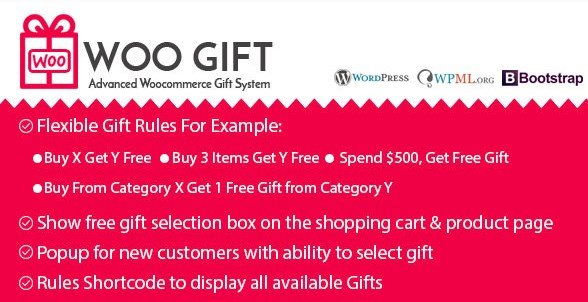
When WordPress users need a robust solution to increase their Average Order Value (AOV) and clear out inventory without discounting core products, Woo Gift – Advanced Woocommerce Gift Plugin offers a comprehensive strategy based on the psychology of gifting. In my experience managing WooCommerce stores, I have found that simply slashing prices can sometimes devalue a brand. However, offering a complimentary item creates a sense of reciprocity and delight. This plugin acts as an automated marketing manager, allowing you to implement complex gifting logic such as “Buy X Get Y” or “Spend $500 Get Free Gift” without writing a single line of code. It seamlessly integrates into your existing ecosystem to incentivize customers to spend more to unlock rewards.
What Makes Woo Gift Different
While there are several marketing plugins available on the market, Woo Gift distinguishes itself through its granular control over gifting rules and its focus on user experience. Many competitors force a single gift upon the customer, which can lead to cart abandonment if the user doesn’t want the specific item. Woo Gift flips this script by prioritizing choice and flexibility. It allows store owners to not only give gifts but to manage stock effectively by pairing slow-moving items with best-sellers. The plugin is built with a clean, responsive design that ensures the gift options look great on any device, maintaining the professional aesthetic of your store. For those looking to explore more tools to enhance their store, check out our collection of premium WooCommerce plugins.
- Unlimited gifting rules to suit any promotional calendar.
- Support for variable products, allowing customers to choose sizes or colors for gifts.
- Smart stock management to use gifts as a tool for inventory clearance.
Woo Gift Features for WordPress Users
1. Flexible Gifting Rules Engine
The core power of this plugin lies in its rule engine. You are not limited to a simple “spend X, get Y” scenario. You can create complex conditions such as “Buy 3 Items Get Y Free” or “Buy X Get Y Free” where specific products trigger the reward. This is incredibly useful for cross-selling related items—for example, buying a camera triggers a free lens filter offer. Furthermore, you can set rules based on cart total or specific product categories. If you want to run a promotion exclusive to a specific user role or logged-in users (like a VIP club), the plugin handles this natively. This level of segmentation ensures your marketing efforts target the right people at the right time. You can learn more about marketing strategies on official WooCommerce documentation.
2. Customer Choice and UX Enhancements
User experience is paramount in e-commerce. Woo Gift excels here by giving the customer autonomy. Instead of dumping a product into their cart that they might not need, it presents a “Free Gift Selection Box” on the shopping cart page or a popup for new customers. The customer sees the available gifts and picks the one they value most. This interaction increases satisfaction and reduces the friction often associated with forced add-ons. The popup feature is particularly effective for capturing attention immediately, potentially reducing bounce rates for first-time visitors. The interface is clean and responsive, ensuring that the selection process is smooth on mobile devices, where a significant portion of modern shopping occurs.
3. Advanced Technical Compatibility
From a technical standpoint, the plugin is built to handle real-world inventory complexities. It offers full support for variable products, a feature often missing in lesser free alternatives. This means if you are offering a free T-shirt, the customer can select their size and color, and the stock will adjust accordingly for that specific variation. Additionally, the plugin is translation-ready and supports multi-language setups, making it an excellent choice for international stores. It integrates cleanly with the standard WooCommerce checkout flow, ensuring that the gift price remains at zero (or handles price adjustments if required) without breaking the calculation of shipping or taxes.
How to Install Woo Gift
Quick Installation
- Log in to your WordPress dashboard and navigate to Plugins → Add New.
- Click the “Upload Plugin” button at the top of the page.
- Select the zip file you downloaded from CodeCanyon and click “Install Now”.
- Once installed, click “Activate” to start configuring your gift rules.
Who Should Use Woo Gift?
E-commerce Store Owners with High Inventory
If your warehouse is full of slow-moving stock, this plugin is your best friend. You can create rules to gift these specific products when a customer purchases a high-margin item. This helps clear inventory space without running a “Clearance Sale” that might hurt your brand image. It effectively turns dead stock into a customer loyalty tool. For more WordPress solutions, visit WPExclusive.
Beauty and Fashion Retailers
These industries benefit immensely from sampling. A beauty store can use Woo Gift to offer a free sample-size lipstick or skincare sachet when a customer spends over $50. Because the plugin supports variable products, you can even allow the customer to choose their preferred shade. This “try before you buy” approach encourages future full-size purchases.
Woo Gift vs Alternatives
| Feature | Woo Gift | Standard Coupon Plugins |
|---|---|---|
| Gifting Logic | Complex (Buy X Get Y, Categories, Roles) | Simple (Cart Total discounts) |
| Customer Interaction | Selection Box & Popups (User chooses) | Auto-applied discount |
| Variable Support | Full Support for variations | Usually simple products only |
Woo Gift Pricing
Woo Gift is a premium plugin available exclusively on CodeCanyon. It typically follows a one-time purchase model with a license that includes 6 months of support from the developers. This is a cost-effective investment compared to monthly subscription tools, as you get lifetime usage of the plugin version you downloaded for a single fee. Pricing tiers usually vary based on whether you need a regular license for one end product or an extended license for client work.
Pros and Cons
✅ Pros
- Highly flexible rule configuration allows for very specific marketing campaigns.
- The customer choice feature (selection box) improves user satisfaction.
- Support for variable products is a significant technical advantage.
❌ Cons
- Requires manual configuration of rules, which might take time for complex setups.
- As a premium plugin, it is an additional cost compared to free alternatives.
- Support is limited to the CodeCanyon support ticket system, not live chat.
Frequently Asked Questions
How do I set up a Buy X Get Y rule?
Go to the Woo Gift settings in your dashboard, create a new rule, and define the trigger (Buy X) and the reward (Get Y). You can select specific products or categories for both.
Does this plugin work with WooCommerce Product Bundles?
Yes, generally it works well with other extensions, but it is always best to test with your specific bundle plugin to ensure the cart total calculations align correctly.
Can customers choose the color or size of their free gift?
Absolutely. One of the standout features is full support for variable products, meaning customers can select their preferred variation of the gift item.
Is Woo Gift compatible with page builders like Elementor?
Yes, the plugin handles the backend logic and display. You can customize the styling to match your Elementor-built theme easily using CSS.
Will the free gift add to the shipping cost?
The gift is added to the cart with a price of zero. However, shipping calculations depend on your specific shipping settings (e.g., weight-based shipping). You may need to account for the gift’s weight in your shipping rules.
Can I limit the number of gifts available?
Yes, you can manage inventory via the product settings. Since the gift is a real product in your WooCommerce inventory, once its stock hits zero, it can no longer be claimed.
Final Verdict
Woo Gift – Advanced Woocommerce Gift Plugin is a powerful tool for any store owner looking to implement a strategic gifting campaign. It goes beyond simple discounts by fostering a positive emotional connection with the customer through the act of giving. While there is a learning curve to setting up the perfect rules, the payoff in increased Average Order Value and inventory clearance is substantial. It is particularly well-suited for fashion, beauty, and accessory stores where sampling and cross-selling are key to growth. I highly recommend this plugin for anyone serious about gamifying their shopping experience.


.png "Lense")


