What is Widget and Sidebar Customizer for WordPress?
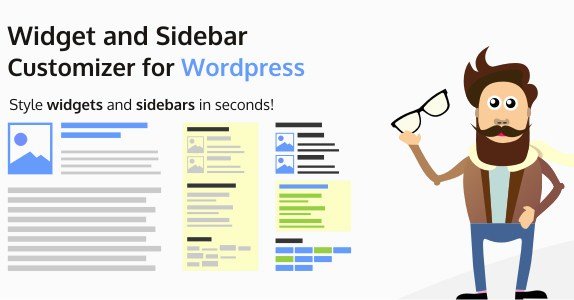
When WordPress users need to transform generic, boring widget areas into engaging, professional-looking components, Widget and Sidebar Customizer for WordPress offers a visual, code-free solution that bridges the gap between design limitations and custom development. I have seen countless themes that restrict sidebar customization to a few basic color pickers, leaving site owners frustrated. This plugin changes that dynamic entirely. By placing the power of CSS-level styling directly into an intuitive interface, it allows you to impress your visitors with the style of both your widgets and sidebars without touching a single line of code.
What Makes Widget and Sidebar Customizer Different
Most WordPress users rely on their theme’s built-in options or hire a developer to tweak the padding, fonts, and borders of their widgets. This plugin stands out because it decouples your widget design from your theme. You are no longer stuck with the default styling of your active theme. Whether you are using a heavy multipurpose theme or a lightweight option like those found on WPExclusive, this plugin gives you granular control over every visual aspect of your widget areas. Its unique selling proposition is the ability to create, save, and reuse style presets, ensuring consistency across your entire site while drastically reducing the time spent on design tasks.
- Complete control over widget typography, backgrounds, and borders.
- Ability to save and reuse design presets for multiple widgets.
- Deep customization for sidebar containers, not just the widgets inside them.
Widget and Sidebar Customizer Features for WordPress Users
Advanced Widget Design Options
The core strength of this plugin lies in its comprehensive widget design options. When I activated the plugin, I was pleased to find that it doesn’t just offer simple color changes. You get full access to typography settings, allowing you to change font families, sizes, line heights, and font weights. This is crucial for maintaining brand consistency. Beyond text, you can manipulate borders—adding radius for rounded corners, adjusting border styles (solid, dashed, dotted), and setting precise widths. You can also apply box shadows to create depth, making your widgets pop off the page. This level of detail is usually reserved for custom CSS, but here it is available in a user-friendly GUI. For those looking to expand their plugin collection, you can find more tools on our WordPress plugins section.
Full Sidebar Customization
Often, we focus so much on the widget content that we forget the container it sits in. This plugin ensures your sidebars look just as good as the content within them. You can customize the entire sidebar area, applying background colors or images that align with your site’s visual hierarchy. You can adjust the padding and margin of the sidebar itself, ensuring your widgets have breathing room. I found this particularly useful for creating distinct visual sections on a page, separating the main content from the sidebar with a contrasting background or a subtle border. This feature transforms the sidebar from a dumping ground for links into a strategic design element. It’s an essential tool for anyone serious about CSS styling without the headache of writing actual code.
Create, Save, and Reuse Style Presets
In my experience, efficiency is key when managing a WordPress site. One of the most powerful features of this plugin is the preset system. If you spend time perfecting the look of a “Recent Posts” widget—adding a specific blue background, white text, and a 5px border—you shouldn’t have to repeat those steps for your “Archives” or “Categories” widgets. With this plugin, you can save that configuration as a preset. Then, with a single click, you can apply that preset to any other widget on your site. This not only saves time but guarantees a uniform user interface (UI) across your entire website. It is a feature that I wish was standard in the core WordPress customizer.
How to Install Widget and Sidebar Customizer
Quick Installation
- Log in to your WordPress dashboard and navigate to Plugins → Add New.
- Click the “Upload Plugin” button at the top of the page.
- Select the plugin ZIP file you purchased from CodeCanyon and click “Install Now”.
- Once installed, click “Activate” to start styling your widgets.
Who Should Use Widget and Sidebar Customizer?
Non-Technical Bloggers and Site Owners
If you are running a blog or a small business site but don’t know how to write CSS, this tool is built for you. You might have a great theme, but the default widget styles look dated. Instead of hiring a freelancer for a small fix, you can use the visual interface to round corners, change fonts, and match your brand colors. It empowers you to maintain a professional look without relying on technical help.
Freelance Web Designers
For freelancers, time is money. I often need to deliver a site that looks unique, even if I’m using a standard theme. This plugin allows me to quickly skin widgets and sidebars to match a client’s branding guidelines. The preset feature is a massive timesaver when I need to apply a consistent style across multiple widget areas in a footer or a complex homepage layout. It adds that extra layer of polish that clients love, without the hours of custom coding.
Widget and Sidebar Customizer vs Alternatives
| Feature | Widget and Sidebar Customizer | Custom CSS (Default) |
|---|---|---|
| Ease of Use | Visual Drag-and-Drop Interface | Requires Coding Knowledge |
| Presets System | Yes, Save and Reuse Styles | No, manual copy-paste required |
| Sidebar Container Styling | Dedicated Controls | Complex Selectors Required |
Widget and Sidebar Customizer Pricing
This plugin is available exclusively on CodeCanyon as a premium product. It typically follows a one-time payment model for a regular license, which includes lifetime updates and 6 months of support (with the option to extend support). This is a cost-effective solution compared to recurring subscription models for similar page builder add-ons. You get high-quality functionality without a monthly fee. For more great deals and plugins, check out WPExclusive Blog.
Pros and Cons
✅ Pros
- Intuitive visual interface that requires no coding skills.
- Powerful preset system saves significant design time.
- Deep customization options for both widgets and sidebar containers.
❌ Cons
- Premium only; no free version available to test before buying.
- Excessive styling can lead to performance bloat if not managed carefully.
- May conflict with themes that have hardcoded widget styles.
Frequently Asked Questions
Is Widget and Sidebar Customizer compatible with page builders like Elementor?
Yes, generally it works alongside page builders. However, page builders often have their own widget styling systems. This plugin is most effective when used with standard WordPress widgets or themes that utilize the native widget system.
Do I need to know CSS to use this plugin?
No, absolutely not. The plugin is designed specifically to hide the complexity of CSS behind a user-friendly interface. You can change margins, paddings, colors, and fonts visually.
Can I use the styles I create on other websites?
Yes, if you use the Preset feature, you can export the settings (depending on the specific version features) or simply replicate the preset configuration manually on a new install where the plugin is active.
Will this slow down my website?
The plugin is lightweight, but adding significant custom styles does add to the CSS load. However, it is generally more optimized than loading a heavy page builder just for widget styling.
Does it work with Gutenberg blocks?
This plugin primarily focuses on the classic Widget system and sidebars. As WordPress moves toward Full Site Editing (FSE), using it with block themes may vary, but it remains highly effective for classic sidebar areas.
Is support included with the purchase?
Yes, when you purchase from CodeCanyon, you get 6 months of support from the developer, which can be extended if needed.
Final Verdict
Widget and Sidebar Customizer for WordPress is a robust tool that fills a specific gap in the WordPress ecosystem: visual styling of widget areas without the overhead of a full page builder. Its honest assessment is that it is an essential utility for anyone who finds their theme’s widget options too limiting. It’s particularly well-suited for non-technical users and freelancers who need to deliver polished, branded websites quickly. If you want to elevate the look of your sidebars and break free from default styling, this plugin is a worthy investment.