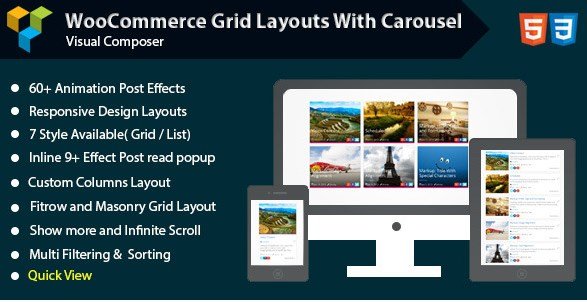
What is Visual Composer – Woocommerce Grid with Carousel?
When WordPress users need to transform static WooCommerce product listings into dynamic, visually appealing displays without writing code, Visual Composer – Woocommerce Grid with Carousel offers a specialized addon solution that seamlessly integrates with WPBakery Page Builder. This premium CodeCanyon extension empowers online store owners to create sophisticated product grids and responsive carousels that significantly enhance user engagement and product discoverability.
What Makes Visual Composer – Woocommerce Grid with Carousel Different
Unlike generic product display plugins that offer limited layout flexibility, Visual Composer – Woocommerce Grid with Carousel bridges the gap between advanced page building and e-commerce functionality. The addon transforms the standard WooCommerce product loop into customizable grid systems with built-in carousel capabilities, eliminating the need for multiple separate plugins to achieve professional product showcases.
- Native integration with Visual Composer/WPBakery Page Builder interface
- Combination of grid layouts and carousel functionality in single addon
- Advanced quick view system with 9 different inline popup animation effects
For developers already utilizing Visual Composer extensions, this addon provides specialized WooCommerce modules that extend the builder’s core functionality specifically for online stores.
Visual Composer – Woocommerce Grid with Carousel Features for WordPress Users
Advanced Grid Layout Options
The addon provides six distinct grid style configurations, allowing users to choose between traditional grid layouts, list views, and sophisticated masonry arrangements. The Fit Row option ensures perfect alignment across all device sizes, while the Masonry Grid Layout creates Pinterest-style cascading product displays that work exceptionally well for fashion, photography, and artistic product portfolios. Users can define custom column layouts ranging from single-column mobile views to multi-column desktop arrangements, ensuring optimal product density without overwhelming visitors.
Quick View and Interactive Popup Effects
One standout feature is the AJAX-powered Quick View functionality, which enables customers to preview product details, select variations, and add items to cart without leaving the current page. The addon includes nine distinct inline popup effects—from subtle fades to dramatic scale transformations—that provide visual feedback and enhance the browsing experience. These effects can be customized to match brand aesthetics while maintaining optimal loading speeds through efficient JavaScript implementation.
Responsive Design and Visual Customization
Every element within Visual Composer – Woocommerce Grid with Carousel features 100% responsive design layouts that automatically adapt to smartphones, tablets, and desktop screens. The customization panel allows precise control over background colors, hover states, and transition effects, enabling brand-consistent product presentations. Users can modify color schemes for both static and hover interactions, creating visual cues that guide customer attention toward high-margin products or promotional items.
For additional WooCommerce product display solutions, this addon complements other premium extensions available for WordPress e-commerce sites.
How to Install Visual Composer – Woocommerce Grid with Carousel
CodeCanyon Installation Process
- Purchase and download the plugin ZIP file from CodeCanyon
- Navigate to Plugins → Add New in your WordPress dashboard
- Click “Upload Plugin” and select the downloaded ZIP file
- Activate the plugin after successful upload
- Ensure WPBakery Page Builder (formerly Visual Composer) is installed and active
- Access the new grid elements through the Visual Composer element library
Who Should Use Visual Composer – Woocommerce Grid with Carousel?
E-Commerce Store Owners and Digital Retailers
Online merchants operating WooCommerce stores who prioritize visual merchandising will find this addon particularly valuable. Fashion retailers, electronics stores, and home decor businesses benefit from the masonry layouts and quick view features that reduce friction in the browsing experience. The plugin excels for catalogs containing 50-500 products where visual scanning and quick comparison shopping drive conversion rates.
WordPress Developers and Design Agencies
Development teams already standardized on WPBakery Page Builder can leverage this addon to accelerate client project delivery. Rather than custom-coding product grids from scratch, developers implement pre-configured carousel and grid elements that maintain design consistency across client sites. The extensive documentation and CodeCanyon support structure provide reliable resources for troubleshooting implementation challenges.
Visual Composer – Woocommerce Grid with Carousel vs Alternatives
| Feature | Visual Composer – Woocommerce Grid with Carousel | Standard WooCommerce Blocks |
|---|---|---|
| Grid Style Variety | 6 distinct layouts including Masonry and Fit Row | Basic grid with limited column options |
| Quick View Functionality | Built-in AJAX quick view with 9 popup effects | Requires additional plugin or custom coding |
| Carousel Capability | Integrated touch-enabled product carousel | Not available in core blocks |
| Visual Builder Integration | Native WPBakery/Visual Composer elements | Gutenberg blocks only |
Visual Composer – Woocommerce Grid with Carousel Pricing
Visual Composer – Woocommerce Grid with Carousel operates on CodeCanyon’s standard licensing model. The Regular License typically ranges between $17-$25 for use on a single end product where end users are not charged for access. Extended licensing options are available for SaaS applications or products sold as part of a larger commercial offering. Pricing includes future updates and six months of author support, with optional extended support periods available at checkout. This one-time payment structure contrasts favorably with subscription-based alternatives requiring monthly recurring fees.
Pros and Cons
✅ Pros
- Seamless drag-and-drop integration with established page builder workflows
- Comprehensive responsive grid system eliminating mobile display issues
- Quick View functionality reduces page load requirements and improves UX
- One-time purchase cost without recurring subscription fees
- Multiple animation effects for enhanced visual engagement
❌ Cons
- Requires WPBakery Page Builder (formerly Visual Composer) as prerequisite
- Limited updates compared to actively maintained WooCommerce extensions
- CodeCanyon support model may result in slower response times than direct vendors
- Learning curve for users unfamiliar with Visual Composer interface patterns
Frequently Asked Questions
Does Visual Composer – Woocommerce Grid with Carousel work with the new Gutenberg editor?
While designed specifically for WPBakery Page Builder (Visual Composer), the addon functions alongside Gutenberg by using WPBakery’s classic editor mode or shortcode insertion within Gutenberg blocks. However, it requires WPBakery to be installed and cannot operate as a standalone Gutenberg block.
Is this addon compatible with the latest version of WooCommerce?
The addon receives periodic updates to maintain compatibility with major WooCommerce releases. Before purchasing, verify the latest update date on CodeCanyon to ensure compatibility with your current WooCommerce version, particularly if using WooCommerce 7.0+.
Can I use Visual Composer – Woocommerce Grid with Carousel on multiple websites?
CodeCanyon’s Regular License permits usage on a single end product. For multiple client sites or personal projects, you must purchase separate licenses for each domain or opt for an Extended License if applicable to your use case.
Does the plugin support variable products and product attributes?
Yes, the grid and carousel elements support all WooCommerce product types including simple, variable, grouped, and external products. The Quick View functionality specifically handles variable product selection through AJAX, allowing customers to choose variations before adding to cart.
How does the Masonry layout differ from standard grid arrangements?
The Masonry layout implements a cascading grid system similar to Pinterest, where product cards flow vertically with varying heights rather than rigid row alignment. This creates a more organic, editorial aesthetic particularly suited for fashion, art, and lifestyle products where image dimensions vary significantly.
Will this addon slow down my website?
The plugin utilizes optimized CSS and JavaScript loading, only enqueueing assets when grid elements are present on the page. The Quick View feature employs AJAX to prevent full page reloads, actually potentially improving perceived performance compared to traditional product page navigation.
Final Verdict
Visual Composer – Woocommerce Grid with Carousel remains a solid choice for WordPress professionals already invested in the WPBakery ecosystem who require sophisticated product display capabilities without custom development. The combination of six grid styles, responsive masonry layouts, and integrated quick view functionality provides substantial value for fashion retailers, digital product stores, and catalog-heavy e-commerce sites. While the dependency on WPBakery Page Builder limits its audience to users of that specific builder, those within that ecosystem benefit from streamlined workflow integration and reliable grid performance. For new projects considering modern alternatives, evaluating contemporary WooCommerce solutions alongside this established addon ensures optimal platform selection for long-term maintenance.