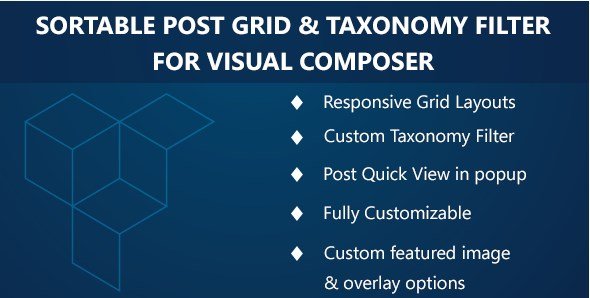
What is Visual Composer Sortable Grid & Taxonomy Filter?
When WordPress users need to transform static archive pages into dynamic, interactive content displays, Visual Composer Sortable Grid & Taxonomy Filter offers a comprehensive solution that integrates seamlessly with WPBakery Page Builder. This premium addon converts standard post type archives into aesthetically pleasing, fully sortable grids with advanced filtering capabilities, allowing visitors to interact with your content through intuitive taxonomy-based navigation and AJAX-powered sorting options.
Unlike basic grid plugins that offer limited customization, this extension provides deep integration with Visual Composer’s drag-and-drop interface, enabling both novice users and experienced developers to create sophisticated content layouts without writing custom code. Whether you’re building portfolio showcases, e-commerce product grids, or knowledge base archives, this plugin delivers the flexibility needed for modern WordPress grid implementations.
What Makes Visual Composer Sortable Grid Different
The Visual Composer Sortable Grid & Taxonomy Filter distinguishes itself through native AJAX architecture and unprecedented control over grid aesthetics. While standard gallery plugins rely on page reloads for filtering, this solution enables instant content refinement through asynchronous JavaScript requests, creating a seamless user experience that reduces server load and improves engagement metrics crucial for custom post type displays.
- Real-time AJAX Filtering: Eliminate page refreshes with instant post filtering through custom taxonomies and categories
- Visual Layout Switching: Empower users to toggle between grid, list, and masonry layouts dynamically
- Advanced Template System: Access five pre-built design templates with extensible filters for theme customization
- Custom Input Selectors: Implement checkbox, radio button, or dropdown interfaces for taxonomy filtering
Visual Composer Sortable Grid Features for WordPress Users
Dynamic Grid Configurations & Responsive Design
The plugin’s core functionality centers on versatile grid architecture that adapts to diverse content strategies. Users can configure masonry layouts for Pinterest-style arrangements or standard grids for uniform presentation, with complete control over column counts and responsive breakpoints. The system supports fully responsive grids that maintain visual integrity across mobile devices, tablets, and desktop displays.
Layout positioning options allow grid alignment to the left or right, while granular typography controls enable custom font sizing and color schemes for post titles. The inclusion of CSS3 scroll animations adds visual sophistication, triggering elegant entrance effects as users navigate through filtered content archives.
Intelligent Taxonomy Filtering & Post Type Support
Beyond basic category filtering, this addon excels in custom taxonomy filter implementation, automatically detecting and displaying registered taxonomies for any selected post type. This capability proves essential for complex WordPress installations utilizing WPBakery Page Builder with custom content architectures, such as property listings, event calendars, or product catalogs with multiple classification hierarchies.
The system generates dropdown interfaces for each detected taxonomy, allowing end-users to drill down through content layers efficiently. For enhanced usability, administrators can enable custom HTML input types—including checkboxes for multi-select scenarios or radio buttons for single-option filtering—creating intuitive navigation patterns tailored to specific content structures.
AJAX Quick View & Content Loading Optimization
The AJAX loaded post quick view functionality represents a significant UX enhancement, enabling visitors to access detailed post information through modal windows without navigating away from the grid archive. This feature proves particularly valuable for e-commerce applications and portfolio sites where minimizing navigation friction directly impacts conversion rates.
Content loading optimization extends to paginated archives, with options to enable or disable AJAX loading for grid refresh actions. The overlay animation controls allow administrators to configure hover effects on grid images, adding visual feedback that enhances perceived interactivity while maintaining performance through efficient JavaScript execution.
How to Install Visual Composer Sortable Grid
Quick Installation via CodeCanyon
As a premium extension available through CodeCanyon, installation requires manual upload procedures typical of Envato Marketplace purchases:
- Download the plugin files from your CodeCanyon downloads section
- Navigate to Plugins → Add New → Upload Plugin in your WordPress dashboard
- Select the downloaded ZIP file and click Install Now
- Activate the plugin through the Plugins menu
- Access the Visual Composer editor to locate the new grid elements in your content modules
Ensure WPBakery Page Builder is installed and activated prior to activation, as this addon functions exclusively as an extension of the parent page builder ecosystem.
Who Should Use This Visual Composer Addon?
Portfolio & Creative Agencies
Design studios and photography professionals benefit from the masonry grid layouts and category filtering systems that organize project archives by client type, medium, or service category. The quick view functionality allows potential clients to preview case studies without leaving the portfolio overview page, streamlining the inquiry process.
E-commerce & Product Catalog Managers
WooCommerce store owners and product catalog administrators utilize the custom taxonomy filter to create faceted navigation systems for complex inventories. The AJAX filtering prevents disruption to the shopping experience during product refinement, while the responsive grid ensures optimal presentation across mobile commerce platforms.
Content Publishers & News Organizations
High-volume content sites leverage the plugin’s ability to handle extensive post archives with efficient pagination and filtering. The template system allows publishers to maintain consistent branding across archive pages while providing readers with intuitive tools to navigate years of editorial content through topic-based taxonomy filters.
Visual Composer Sortable Grid vs Alternatives
| Feature | Visual Composer Sortable Grid | Essential Grid |
|---|---|---|
| Page Builder Integration | Native WPBakery extension with backend/frontend editing | Standalone shortcode generator with limited VC integration |
| AJAX Filtering | Built-in taxonomy filtering with asynchronous loading | Requires third-party addons or custom development |
| Template System | 5 built-in templates with theme filter extensibility | Template library but limited PHP filter hooks |
| Input Customization | Checkbox, radio, and dropdown selector options | Standard dropdown filtering only |
Visual Composer Sortable Grid Pricing
The Visual Composer Sortable Grid & Taxonomy Filter operates on a premium licensing model through the Envato CodeCanyon marketplace. Standard pricing typically ranges between $20-$30 for a regular license, which includes lifetime updates for a single domain and six months of priority support from the development team. Extended licensing options are available for multi-site implementations and commercial redistribution scenarios.
This investment structure positions the plugin competitively against subscription-based alternatives, offering perpetual usage rights without recurring annual fees common to SaaS grid solutions. Support extensions and customization services are available directly through the author’s support channels for complex implementation requirements.
Pros and Cons
✅ Pros
- Seamless integration with WPBakery Page Builder interface
- True AJAX filtering eliminates disruptive page reloads
- Extensive customization through WordPress filter hooks
- Responsive masonry and standard grid layout options
- Quick view modal reduces bounce rates on archive pages
❌ Cons
- Requires WPBakery Page Builder (not compatible with Gutenberg or other builders)
- No free version available for trial evaluation
- Advanced customization requires PHP knowledge for filter implementation
- Limited to CodeCanyon support ecosystem rather than WordPress.org forums
Frequently Asked Questions
Is Visual Composer Sortable Grid compatible with Custom Post Types?
Yes, the plugin fully supports custom post types and automatically detects associated taxonomies. You can configure grids to display posts from any registered post type including WooCommerce products, portfolio items, or custom content types, with filtering capabilities for all attached taxonomies.
Does the AJAX filtering work with caching plugins?
The AJAX functionality is designed to work alongside popular caching solutions like WP Rocket and W3 Total Cache. However, you may need to exclude AJAX endpoints from caching rules to ensure real-time filter results display correctly for dynamic content.
Can I customize the filter button text and labels?
Absolutely. The plugin includes WordPress filters to modify “Filter” and “Remove Filter” button text, allowing complete localization and branding consistency. Developers can utilize the provided hooks to alter frontend strings programmatically.
Is the grid layout mobile responsive?
The plugin generates fully responsive grids that adapt to mobile viewports. You can configure column counts for different device breakpoints, and the masonry layouts maintain structural integrity on smartphones and tablets through CSS3 media queries.
How does the quick view feature handle custom fields?
The AJAX quick view pulls standard post content including featured images, excerpts, and metadata. For advanced custom field display (ACF, Pods, etc.), you may need to extend the quick view template using the provided filter hooks to include additional post meta in the modal window.
Will this plugin slow down my website?
The plugin utilizes optimized JavaScript and CSS minification to minimize performance impact. AJAX loading actually reduces server load compared to traditional pagination by fetching only requested content segments rather than full page renders.
Final Verdict
Visual Composer Sortable Grid & Taxonomy Filter delivers exceptional value for WPBakery Page Builder users requiring sophisticated content filtering and grid presentation. The combination of AJAX architecture, customizable taxonomy filters, and responsive masonry layouts addresses common limitations of standard WordPress archives. While the dependency on WPBakery restricts compatibility, existing Visual Composer users will find this addon indispensable for creating interactive portfolio galleries, product catalogs, and content hubs. The one-time purchase model and extensive template system make it particularly well-suited for agencies managing multiple client sites with diverse grid requirements.