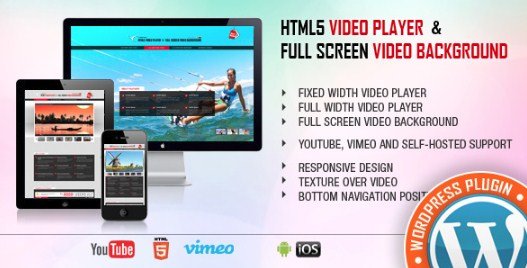
Video Addon MotoPress is an interactive extension for the MotoPress Content Editor that adds video slideshow and video lightbox modules to WordPress sites. With 347 downloads recorded in official logs, it provides a specialized way to display multimedia content. This extension helps site owners increase visitor engagement by integrating responsive video elements directly into their visual layouts.
WPExclusive members get access to the Video Addon as part of a full plugin and theme library — plans from $9.99/month. See the full MotoPress collection →
What Is Video Addon MotoPress?
Video Addon MotoPress is developed by MotoPress and is a builder plugin for WordPress. It belongs to the builder category on WPExclusive, alongside other tools for professional site construction. This specific addon acts as a bridge between standard video hosting and the visual drag and drop interface.
The plugin solves the difficulty of creating complex video galleries and popups without manual coding. It is designed for bloggers, agencies, and portfolio owners who need to represent services or products through dynamic video sliders.
Video Addon MotoPress Features
The feature set is built around providing two primary interactive widgets that integrate with the main MotoPress visual interface.
Interactive Video Slideshow
The Video Slider widget allows users to combine multiple media types in a single interface. Users can mix images with self-hosted MP4 files, YouTube, and Vimeo videos within one slider. It includes controls for autoplay and slideshow speed, making it suitable for landing page headers or dedicated multimedia gallery sections.
Responsive Video Lightbox
The Video Lightbox module enables videos to play in a focused popup overlay upon a click action. It supports custom thumbnails and captions, allowing designers to maintain site aesthetics rather than using default player skins. Every element is fully responsive to ensure the lightbox behaves correctly on mobile devices and tablets.
Drag and Drop Integration
The plugin utilizes the familiar drag and drop functionality of the core content editor. Once activated, the new widgets appear in the Media group of objects. This allows non-technical users to paste video URLs and define sources like HTML5 or third-party providers without editing template files.
Pricing
The addon is typically sold as a premium extension for the MotoPress Content Editor. Check current pricing on the Video Addon sales page — WPExclusive members access it as part of their plan.
| Plan | Price | Sites | Includes |
|---|---|---|---|
| Standard License | Retail Price | Single | 1 Year Support |
| WPExclusive Membership | From $9.99/month | Unlimited | Video Addon + full library |
For developers managing multiple sites, a WPExclusive membership covers the Video Addon plus hundreds of other plugins and themes — usually less than one premium license.
Latest Version
The current version is 1.3.3. This release includes improved compatibility with WordPress 6.8 and PHP 8.4. WPExclusive updates plugin files promptly after each release.
How to Install
- Download the Video Addon .zip from your WPExclusive member account
- In WordPress: Plugins → Add New → Upload Plugin
- Select the .zip and click Install Now → Activate
- Launch the MotoPress Content Editor on any page or post
- Locate the “Media” group in the object panel to find the Video Lightbox and Video Slider widgets
Use Cases
Product and Service Portfolios
Showcase physical products or digital services using the Video Slider to give potential customers a 360-degree view. This is useful for designers who want to display high-quality cinematic shots alongside static project images.
Video Bloggers and Influencers
Bloggers can use the Video Lightbox to present their latest YouTube or Vimeo content in a clean, non-distracting player. It keeps users on the website while providing a cinematic viewing experience that doesn’t clutter the main article text.
Agencies and Developers Managing Multiple Client Sites
Agencies can deploy the Video Addon across various client niches without worrying about individual license costs. Using a membership allows for consistent media presentation tools across different projects.
Pros and Cons
✅ Strengths
- Supports professional mixing of self-hosted, YouTube, and Vimeo sources
- Integrated with native drag and drop site builders
- Fully responsive output for mobile-first designs
⚠️ Limitations
- Requires the MotoPress Content Editor to be installed and active
- Alignment options may vary depending on the active theme’s CSS containers
- Developer auto-updates require an active license key. WPExclusive publishes updates manually when new versions are released.
Is Video Addon MotoPress GPL Licensed?
Yes. Video Addon MotoPress is distributed under the GNU General Public License (GPL) — the same license that governs WordPress itself. GPL gives any user the legal right to use, study, share, and redistribute the software. This is the legal framework that makes WPExclusive’s membership model possible.
WPExclusive distributes 100% original, unmodified files — the same release the developer publishes. No injected code, no alterations, no security risks.
Get Video Addon MotoPress on WPExclusive
WPExclusive membership starts at $9.99/month, $87/year, or $149 lifetime — giving you Video Addon MotoPress plus every plugin and theme in the library, on unlimited sites.
Explore the full MotoPress collection → or browse all WordPress plugins →
Frequently Asked Questions
What does Video Addon MotoPress do?
Video Addon MotoPress is a builder extension that integrates video sliders and lightbox functionality into the MotoPress Content Editor. The plugin enables the use of mixed media galleries including YouTube, Vimeo, and local MP4 files.
Is Video Addon MotoPress free?
This is a premium-only extension. However, it can be accessed via a WPExclusive membership starting from $9.99/month, which includes the full library.
What is the latest version of Video Addon MotoPress?
The current version is 1.3.3. The plugin is actively maintained for compatibility with the latest PHP and WordPress environments.
How much does Video Addon MotoPress cost?
The plugin retails for various prices depending on the developer license. Via WPExclusive, it is included in plans from $9.99/month.
Is it legal to use Video Addon MotoPress via WPExclusive?
The plugin is GPL licensed, which explicitly permits redistribution. WPExclusive provides original, unmodified files — fully within GPL terms.
Does the Video Addon work with other page builders?
The Video Addon is specifically architecturalized to work with the MotoPress Content Editor and will not function as a standalone widget within other builders like Elementor or Beaver Builder.