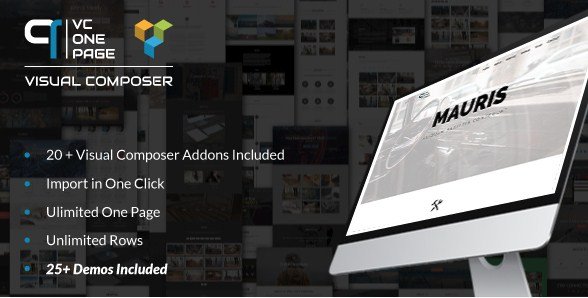
What is VC One Page Builder – Addons for Visual Composer?
When WordPress users need to create stunning single-page scrolling websites without coding, VC One Page Builder – Addons for Visual Composer offers a comprehensive solution with 25+ pre-built demos and 23 specialized addons. This premium extension transforms the standard Visual Composer experience into a one-page website powerhouse, featuring parallax backgrounds, smooth scrolling navigation, and over 200 animation effects that bring your content to life.
What Makes VC One Page Builder Different
Unlike standard page builder addons that simply add basic elements, VC One Page Builder specifically targets the unique challenges of single-page website design. While traditional page builders focus on multi-page layouts, this plugin provides specialized tools for vertical scrolling navigation, section-based storytelling, and seamless transitions that define modern one-page experiences. The inclusion of one-click demo import means you can deploy complete website templates instantly, then customize them using the familiar Visual Composer interface.
- 25+ complete website demos importable with a single click
- 200+ animation effects specifically optimized for one-page scrolling
- Specialized row extensions including parallax, video, and slider backgrounds
- Native WooCommerce integration for one-page product showcases
- Custom navigation systems designed for single-page anchor linking
VC One Page Builder Features for WordPress Users
Advanced Row Extensions & Background Effects
The Extended Basic Row Addons serve as the foundation for immersive one-page designs. You can implement true parallax scrolling backgrounds that respond to mouse movement and scroll speed, creating depth and visual interest. The Video Background addon supports both self-hosted videos and external embeds, automatically optimizing for mobile devices. For image-heavy portfolios, the Slider Background option allows multiple images to cycle behind your content with customizable transition effects. These features work seamlessly with WPBakery Page Builder rows, extending functionality without breaking existing layouts.
Comprehensive Content Element Library
Beyond basic text and images, this plugin delivers specialized content modules essential for professional one-page sites. The Timeline addon presents chronological information in two distinct visual styles, perfect for company histories or project roadmaps. Team showcases support both grid and carousel layouts, while the Portfolio and Grid elements can pull from custom post types, offering flexibility for unique content structures. The Counter and Countdown modules add urgency and social proof, with three style variations each. Every element includes accessibility considerations and responsive breakpoints to ensure your single-page site performs flawlessly across devices.
WooCommerce Integration & E-Commerce Features
For businesses selling products on single-page layouts, the WooCommerce addons provide essential e-commerce functionality without requiring separate shop pages. The WooCommerce Carousel displays products in six different configurations, from simple sliders to complex grid carousels with quick-view capabilities. Product Display addons allow featured product highlighting directly within your one-page scroll, while the Product In Tab feature organizes inventory into clean, space-saving tabbed interfaces. This integration works with standard WooCommerce shortcodes while adding the visual polish and animation controls that differentiate premium one-page stores from basic templates.
How to Install VC One Page Builder
Installation Requirements
Before installation, ensure you have Visual Composer or WPBakery Page Builder installed and activated, as VC One Page Builder functions as an extension rather than a standalone plugin. You’ll also need WordPress 4.0 or higher with PHP 5.6+ for optimal performance.
Quick Installation Steps
- Purchase and download the plugin from CodeCanyon
- Navigate to Plugins → Add New in your WordPress dashboard
- Click Upload Plugin and select the downloaded ZIP file
- Click Install Now, then Activate the plugin
- Navigate to the VC One Page Builder settings to validate your purchase code
- Import desired demos from the One Click Demo Import section
After activation, you’ll find new addon categories within your Visual Composer element panel, organized logically by function (Content, Social, WooCommerce, etc.). The demo import process typically takes 2-3 minutes, automatically configuring menus, images, and placeholder content that you can then customize to match your brand.
Who Should Use VC One Page Builder?
Freelance Web Designers & Developers
If you build client sites regularly, this plugin significantly reduces development time for landing pages and portfolio sites. The pre-built demos provide professional starting points that impress clients, while the extensive customization options ensure you can deliver unique designs without writing custom CSS. The 450+ icon library and 12 button types cover most design requirements out of the box, and the Contact Form 7 styling addon ensures lead generation forms match your aesthetic perfectly. For freelancers managing multiple projects, the one-click demo import alone saves hours compared to building one-page layouts from scratch.
Small Business Owners & Startup Founders
Entrepreneurs needing a professional web presence without hiring developers will appreciate the intuitive visual interface. The Header addon allows easy logo and menu customization specifically for one-page navigation, automatically creating smooth-scroll anchor links. Business owners can showcase services using the Box Message and Chart addons, display team members with hover effects, and integrate e-commerce functionality for direct sales. The Back to Top button and Space addons improve user experience without technical knowledge, while the Social Share integration helps amplify marketing reach.
VC One Page Builder vs Alternatives
| Feature | VC One Page Builder | Standard Visual Composer |
|---|---|---|
| One-Page Demos | 25+ importable templates | Basic multi-page layouts only |
| Animation Effects | 200+ scroll-triggered animations | Basic entrance animations |
| Parallax Backgrounds | Video, image, and slider support | Static background images only |
| One-Page Navigation | Automatic anchor menu generation | Manual anchor configuration required |
| WooCommerce Support | 6 carousel types + product tabs | Basic product grid only |
VC One Page Builder Pricing
VC One Page Builder – Addons for Visual Composer is available exclusively through CodeCanyon as a premium plugin. The regular license typically costs around $25-$35 for use on a single website, while extended licenses are available for developers building client sites or commercial products. This pricing includes lifetime updates and six months of support from the developer, with options to extend support to 12 months for an additional fee. Unlike subscription-based page builders, this one-time purchase model appeals to budget-conscious users who prefer owning their tools outright rather than paying monthly fees.
Pros and Cons
✅ Pros
- Massive library of 25+ professional demos accelerates design workflow
- Seamless integration with existing Visual Composer/WPBakery setups
- Comprehensive WooCommerce support enables one-page online stores
- 200+ animation effects create engaging user experiences
- Regular updates maintain compatibility with latest WordPress versions
❌ Cons
- Requires Visual Composer/WPBakery base plugin (additional cost)
- Learning curve for mastering all 23 addon configurations
- Demo content requires manual image replacement for commercial use
- Limited to one-page specific designs (not ideal for multi-site structures)
Frequently Asked Questions
Do I need Visual Composer to use this plugin?
Yes, VC One Page Builder functions as an addon extension for WPBakery Page Builder (formerly Visual Composer). You must have the base plugin installed and activated for these addons to appear in your editor.
Can I use VC One Page Builder on multiple websites?
The regular license covers a single end product (one website). If you’re a developer building sites for clients, you’ll need either separate licenses for each site or an extended license depending on your specific usage and whether you’re charging end users.
How does the one-click demo import work?
The demo import tool downloads all necessary images, content, and settings from the developer’s server, automatically recreating the demo layout on your site. You’ll need to replace placeholder images and text with your own content, but the structure and styling remain intact.
Is VC One Page Builder compatible with my existing WordPress theme?
The plugin works with any theme that supports Visual Composer/WPBakery. However, some themes with heavy custom CSS might require minor adjustments to ensure the parallax and animation effects display correctly across all sections.
Can I disable specific animations for mobile devices?
Yes, the plugin includes responsive controls that allow you to disable parallax effects and certain animations on mobile devices to improve loading speed and battery life on smartphones and tablets.
Does it work with WooCommerce product variations?
The WooCommerce Carousel and Product Display addons support variable products, though the display format depends on the specific layout you choose. The Product In Tab feature works particularly well for organizing variations and related products.
Final Verdict
VC One Page Builder – Addons for Visual Composer delivers exceptional value for anyone specifically building single-page WordPress websites. The combination of 25+ ready-to-use demos and 23 specialized addons eliminates the technical barriers typically associated with parallax scrolling and advanced animations. While the requirement for WPBakery Page Builder adds to the total cost, the time saved during development quickly offsets this investment. It’s particularly well-suited for creative agencies building portfolio sites, startups needing high-impact landing pages, and small businesses wanting streamlined e-commerce presentations without complex multi-page architectures. If your project demands sophisticated one-page scrolling with professional polish, this plugin provides the specialized tools that generic page builders simply don’t offer.