What is Toolset Types WordPress Plugin?
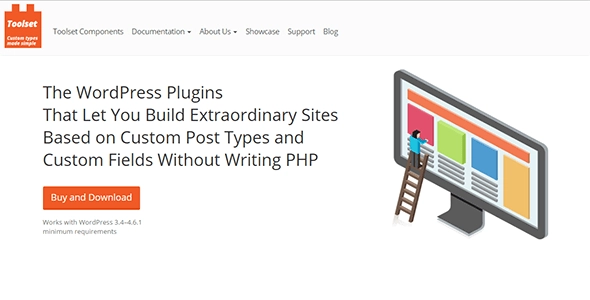
Toolset Types WordPress Plugin is a fundamental component of the Toolset suite, designed to extend the core functionality of WordPress by enabling the creation and management of custom content types. While standard WordPress comes with built-in post types like ‘posts’ and ‘pages’, many websites require unique structures to effectively organize specialized information. Toolset Types empowers users to define their own Custom Post Types (CPTs), tailored precisely to their content needs, such as ‘Properties’ for a real estate site, ‘Events’ for a calendar, or ‘Books’ for a library catalog. This plugin goes beyond just creating post types; it allows detailed customization by adding custom fields to store specific data associated with each custom post, ranging from simple text inputs to complex relational fields. Furthermore, it facilitates the creation of custom taxonomies, acting as bespoke categorization systems to organize these custom posts more logically than standard tags or categories. This powerful combination provides a flexible framework for building complex, data-driven websites directly within the WordPress environment, all without requiring profound coding knowledge.
Key Features of Toolset Types WordPress Plugin
- Custom Post Type Creation: Define new content types beyond standard posts and pages, like ‘Products’, ‘Portfolios’, or ‘Listings’, with custom labels and settings.
- Custom Field Management: Add a wide variety of custom fields to your post types, including text, numbers, dates, images, checkboxes, and more, to capture specific data points.
- Custom Taxonomy Definition: Create hierarchical or non-hierarchical taxonomies to categorize your custom posts in ways that fit your specific content structure, distinct from standard categories and tags.
- Repeating Field Groups: Organize multiple custom fields into repeatable groups, useful for structured data like product specifications or event schedules.
- Post Relationships: Establish connections between different post types, such as parent/child or many-to-many relationships, enabling powerful data linking and display options.
- Input Validation: Implement built-in validation rules for custom fields to ensure accurate and complete data entry by users.
- Front-End Display Readiness: Seamlessly integrates with other Toolset components like Toolset Blocks and Toolset Forms for easy front-end display and user interaction with your custom content.
As part of the Toolset suite, Toolset Types is regularly updated to ensure compatibility with the latest WordPress versions and to introduce new features that enhance custom content management capabilities. The latest version includes refinements to its user interface and improved performance.
How to Download Toolset Types WordPress Plugin for Free
Toolset Types is part of the premium Toolset plugin suite and is not available for free standalone download from the WordPress plugin repository. To download Toolset Types, you will need to purchase a Toolset license from the official Toolset website. Upon successful purchase, you will gain access to your Toolset account, which includes download links for all the individual Toolset components, including Types.
1. Visit the Official Toolset Website:
- Navigate to the Toolset website (https://toolset.com/).
- Explore the different pricing plans to choose the one that best suits your project needs.
2. Purchase a Toolset License:
- Complete the purchase process for your chosen plan.
- You will receive email confirmation and instructions to access your Toolset account.
3. Access Your Toolset Account and Download:
- Log in to your Toolset account using the provided credentials.
- Locate the downloads section and download the Toolset Types plugin file (a .zip file).
For a hassle-free setup, consider WPX Hosting from top rated reliable and managed providers, which comes with pre-install WordPress and WooCommerce with optimized performance.
Installing Toolset Types WordPress Plugin: Step-by-Step Guide
Once you have downloaded the Toolset Types plugin file from your account, you can proceed with the installation on your WordPress website. The process is straightforward and similar to installing any other WordPress plugin.
1. Log in to Your WordPress Dashboard:
- Access the administrative area of your WordPress site.
- Navigate to the ‘Plugins’ menu and click on ‘Add New’.
2. Upload and Install the Plugin:
- Click the ‘Upload Plugin’ button at the top of the ‘Add New Plugin’ page.
- Click ‘Choose File’, select the Toolset Types .zip file you downloaded, and click ‘Install Now’.
3. Activate the Plugin and Enter Your License Key:
- After the upload and installation are complete, click the ‘Activate Plugin’ button.
- You will be prompted to enter your Toolset license key. You can find this key in your Toolset account.
Note: Back up your site before installing or updating plugins/themes. Use Toolset Types’ built-in tools if prompted after an update.
Toolset Types WordPress Plugin Pricing
Toolset Types is part of the larger Toolset suite, which offers various licensing options depending on your needs. The pricing structure is designed to provide comprehensive tools for building custom WordPress sites.
| Component | Price | Details |
|---|---|---|
| Toolset Agency Plan | $299/year | Unlimited sites, 1 year of updates & support. Ideal for web professionals and agencies. |
| Toolset Professional Plan | $149/year | 3 sites, 1 year of updates & support. Suitable for developers working on multiple projects. |
| Toolset Basic Plan | $69/year | 1 site, 1 year of updates & support. Good for single personal or small business websites. |
All plans include access to the core Toolset plugins, including Types, Views, Blocks, Forms, and Maps, providing a complete solution for custom content development within WordPress. Multi-year discounts or lifetime licenses may also be available, so it’s always best to check the official Toolset pricing page for the most current information.
Toolset Types WordPress Plugin Alternatives
While Toolset Types is a robust solution, several other plugins offer similar functionalities for managing custom content in WordPress. Depending on your budget, technical expertise, and specific project requirements, one of these alternatives might be a better fit.
Advanced Custom Fields (ACF):
- Pros: Extremely popular and widely used, excellent documentation, vast community support, extensive field types, and developer-friendly. ACF Pro extends capabilities with repeating fields, flexible content, and options pages.
- Cons: Primarily focuses on custom fields; creating custom post types and taxonomies requires additional code or another plugin. Displaying content usually requires custom coding.
- Best For: Developers and users comfortable with some coding who need highly customizable custom fields and display methods.
Custom Post Type UI (CPT UI):
- Pros: Free, easy-to-use interface for creating and managing custom post types and taxonomies. Simple and effective for its core purpose.
- Cons: Does not provide custom field functionality; it solely handles post types and taxonomies. Needs to be paired with a custom field plugin like ACF.
- Best For: Users who need a simple way to create CPTs and taxonomies and who plan to use a separate plugin for custom fields.
Meta Box:
- Pros: Comprehensive suite of developer-focused tools for custom fields, custom post types, settings pages, and more. Offers many extensions for advanced features like relationships and front-end forms.
- Cons: Can be more complex for beginners due to its modular nature and developer-centric approach. Some advanced features require paid extensions.
- Best For: Developers seeking a full-featured and flexible toolkit for custom content, willing to delve into documentation or code.
Toolset Types WordPress Plugin vs. Other Custom Content Plugins
Comparing Toolset Types with alternatives often highlights Toolset’s integrated approach. While plugins like ACF excel at custom fields and CPT UI at post types, Toolset offers a complete ecosystem from defining content structure to displaying and interacting with it on the front-end, all with minimal to no coding. This makes it a compelling choice for a specific user base.
- All-in-One Solution: Toolset provides a cohesive workflow encompassing custom post types, fields, taxonomies, front-end forms (with Toolset Forms), and display options (with Toolset Blocks/Views), unlike many alternatives that might require combining multiple plugins.
- No-Code/Low-Code Emphasis: For users who prefer a visual interface and dislike writing custom code for templating, query loops, or forms, Toolset’s integration with Gutenberg blocks (Toolset Blocks) and drag-and-drop interfaces offers a significant advantage.
- Complex Relationships Made Easy: Toolset’s ability to easily define and manage complex relationships between different post types, and then display that linked content, often surpasses the native or extension-based capabilities of other plugins.
- Learning Curve vs. Code Reliance: While there’s a learning curve to understand the Toolset ecosystem, it often replaces the need to learn PHP, HTML, and CSS for dynamic data display, making it accessible to a broader audience, including designers and non-developers.
The choice largely depends on whether you prefer assembling individual tools with coding knowledge or utilizing a comprehensive, visually-driven suite for your custom content needs. For instance, if you’re building a directory website, Toolset provides out-of-the-box solutions for maps and searching custom content, functionalities that would require significant custom development with ACF or CPT UI alone. You can also explore other custom post type plugins for a broader perspective.
Tips for Using Toolset Types WordPress Plugin Effectively
- Plan Your Content Structure: Before diving in, map out your custom post types, custom fields, and taxonomies. A clear content model will dramatically simplify your development process.
- Utilize Repeating Fields: For structured data that might repeat (e.g., product specifications, office hours), use repeating field groups to maintain data consistency and ease of input.
- Master Relationships: Leverage post relationships to link related content. This is powerful for building complex sites like directories where entries are connected.
- Integrate with Toolset Blocks: For front-end display, heavily utilize Toolset Blocks in the Gutenberg editor. They simplify displaying your custom fields and post relationships without coding.
- Explore Conditional Logic: Use conditional logic in your forms and displays to show or hide fields/content based on user input or other field values, enhancing user experience and data accuracy.
Pairing Toolset Types with Complementary Toolset Plugins
Toolset Types truly shines when paired with other plugins within the Toolset suite. It forms the backbone of your custom content, but other Toolset components transform that data into a fully functional website without coding. For example, Toolset Blocks allows you to design templates for your custom post types and display custom fields directly within the Gutenberg editor. This eliminates the need for PHP template files, making design accessible to non-developers. Similarly, Toolset Forms enables you to create front-end forms for users to submit or edit custom content, which is invaluable for dynamic user-generated content or directory sites. If you’re building a directory or listing site, Toolset Maps seamlessly integrates with your custom content to display locations and filter listings geographically. For e-commerce with custom products, pairing Types with WooCommerce and Toolset allows you to add custom fields to products and variations, extending WooCommerce’s capabilities significantly. This synergistic approach makes Toolset a powerful platform for building complex, data-driven WordPress sites.
Should You Invest in Toolset Types WordPress Plugin?
Investing in Toolset Types, as part of the broader Toolset suite, is highly recommended if you aim to build complex, data-driven WordPress websites without extensive custom coding. While core WordPress handles basic content, advanced projects like directories, real estate listings, membership sites, or custom e-commerce stores often demand specialized content structures. Toolset Types provides the foundational tools for this customization. You should consider investing if you need:
- Advanced functionality for custom post types, fields, and taxonomies beyond basic WordPress capabilities.
- Enhanced feature types like repeating field groups and complex post relationships that simplify comprehensive data management.
- Seamless integration with front-end display and editing tools (Toolset Blocks, Forms, Views) to minimize coding and accelerate development.
- Robust customization abilities for dynamic content without relying on a developer for every change.
The upfront cost for Toolset is offset by the time and development expenses saved, making it a cost-effective solution for serious web projects or agencies. Visit the official Toolset site for current pricing details and to explore their licensing options.
Frequently Asked Question:
What is Toolset Types used for?
Toolset Types is used to create and manage custom content types (Custom Post Types or CPTs), custom fields, and custom taxonomies in WordPress, enabling users to build highly structured and specialized websites beyond standard posts and pages.
Is Toolset Types a free plugin?
No, Toolset Types is a premium plugin and a core component of the Toolset suite. It requires a paid license from the official Toolset website to download and use.
Can I create relationships between different post types with Toolset Types?
Yes, Toolset Types allows you to define various relationships between custom post types, including one-to-many and many-to-many relationships, providing powerful ways to link and organize related content.
Do I need to code to use Toolset Types?
While Toolset Types itself doesn’t require coding for content structure, its full potential is realized when combined with other Toolset plugins (like Blocks and Forms), which offer no-code or low-code solutions for displaying and managing custom content on the front-end.
How does Toolset Types compare to Advanced Custom Fields (ACF)?
ACF is excellent for creating custom fields, while Toolset Types focuses on creating custom post types and taxonomies. However, Toolset (the full suite including Types) offers a more complete no-code solution for displaying and managing custom content on the front-end, whereas ACF often requires more custom coding for display.
Where can I find documentation for Toolset Types?
Comprehensive documentation for Toolset Types and the entire Toolset suite is available on the official Toolset website’s documentation section.
Conclusion
Toolset Types WordPress Plugin stands out as a powerful and essential tool for anyone looking to build complex, content-rich websites on WordPress without delving deep into custom code. By providing intuitive interfaces for creating custom post types, custom fields, and taxonomies, it empowers designers and developers alike to tailor WordPress to virtually any content structure. Its seamless integration with the broader Toolset ecosystem—including blocks for display and forms for input—transforms WordPress into a robust application development framework. If your project demands flexible content modeling, efficient data management, and dynamic display capabilities, Toolset Types is an invaluable investment that streamlines your workflow and expands the possibilities of what you can achieve with WordPress. It’s a comprehensive solution for transforming WordPress from a blogging platform into a versatile content management system capable of handling highly specialized data.
Disclaimer: Always refer to the official Toolset website for the most accurate and up-to-date information regarding pricing, features, and compatibility. Prices and features are subject to change.