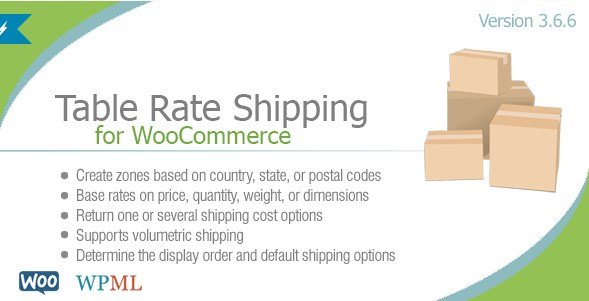
What is Table Rate Shipping For WooCommerce By Bolderelements?
When WordPress users need to implement complex, condition-based shipping calculations for their online stores, Table Rate Shipping For WooCommerce By Bolderelements offers an unparalleled level of flexibility that native WooCommerce shipping options simply cannot match. This premium WooCommerce plugin empowers store owners to create sophisticated shipping rate tables based on multiple variables including cart subtotal, product dimensions, weight, quantity, and specific shipping zones. Whether you’re running a furniture store calculating freight by dimensional weight or a wholesale operation offering tiered pricing based on order volume, this plugin transforms your shipping strategy from a limitation into a competitive advantage.
What Makes Table Rate Shipping For WooCommerce By Bolderelements Different
Unlike basic flat-rate shipping plugins available on WordPress.org, Bolderelements’ solution provides granular control over every aspect of your logistics calculation. The plugin stands out through its intuitive drag-and-drop interface for prioritizing shipping rules, support for multiple cost combinations within single table rows, and seamless integration with WooCommerce Shipping Zones. You can configure rates based on dimensional weight calculations, hide methods when free shipping is available, and even restrict specific shipping options by user role—features essential for B2B and wholesale operations that standard shipping modules cannot accommodate.
- Drag-and-drop priority control for shipping rule hierarchy
- Dimensional weight calculations for freight-based products
- User role restrictions for B2B and wholesale scenarios
- Multiple cost combinations per table row (flat fee + percentage)
Table Rate Shipping For WooCommerce By Bolderelements Features for WordPress Users
Advanced Conditional Logic and Versatile Parameters
The plugin supports an extensive list of conditions that allow you to create highly specific shipping scenarios. You can base calculations on order totals, individual products, cart line items, or specific shipping classes. The condition set includes subtotal amounts, item quantity, physical weight, height, width, length, surface area, volume, product categories, and even temporal factors like date ranges and specific days of the week. This versatility ensures that whether you’re shipping delicate glassware requiring special handling fees on weekends or offering seasonal promotions, your shipping rates automatically adjust to match your business rules.
Flexible Pricing Models and Cost Combinations
Bolderelements provides numerous cost options that go far beyond simple flat rates. Store owners can implement percentage-based calculations (such as fuel surcharges), multiply rates by weight or dimensions, or create incremental pricing structures (“for every X pounds, add Y dollars”). The plugin allows multiple costs within each table row, enabling complex combinations like a base flat fee plus additional weight increments, or a handling fee combined with a percentage of the subtotal. This granular control ensures accurate shipping cost recovery without overcharging customers or eating into profit margins.
Seamless WooCommerce Integration and Zone Management
Designed specifically for WooCommerce Shipping Zones, the plugin supports multiple instances within each zone, allowing different rate tables for domestic versus international customers. Advanced features include the ability to disable shipping taxes per instance, round weights to the next whole number for carrier compatibility, and automatically hide table rate methods when free shipping is active. You can also add descriptive text below shipping options to explain delivery timeframes or special handling requirements, improving customer transparency and reducing support inquiries.
How to Install Table Rate Shipping For WooCommerce By Bolderelements
Quick Installation Process
- Purchase and download the plugin from CodeCanyon
- Navigate to Plugins → Add New in your WordPress dashboard
- Click “Upload Plugin” and select the downloaded ZIP file
- Click Install Now, then Activate the plugin
- Navigate to WooCommerce → Settings → Shipping to configure your table rates
After activation, you’ll find new shipping method options within your WooCommerce shipping zones. The plugin includes comprehensive documentation to guide you through setting up your first conditional rate table.
Who Should Use Table Rate Shipping For WooCommerce By Bolderelements?
eCommerce Stores with Complex Physical Products
Furniture retailers, appliance stores, and merchants selling oversized or fragile items benefit immensely from dimensional weight calculations and surface area-based pricing. If your products vary significantly in size and weight, and you need to calculate shipping based on actual freight costs rather than arbitrary flat rates, this plugin provides the mathematical precision required. The ability to factor in height, width, length, and volume ensures you never undercharge for bulky items or overcharge for lightweight products.
Wholesale and B2B Operations
Businesses serving wholesale clients or operating membership-based stores will appreciate the user role limitation features. You can offer exclusive shipping rates to VIP customers while displaying standard rates to retail shoppers, or configure free shipping thresholds that vary by customer type. The plugin’s ability to base conditions on cart subtotals—either inclusive or exclusive of taxes and coupons—makes it ideal for complex B2B eCommerce pricing structures where net totals determine shipping eligibility.
Table Rate Shipping For WooCommerce By Bolderelements vs Alternatives
| Feature | Table Rate Shipping By Bolderelements | Standard WooCommerce Shipping |
|---|---|---|
| Dimensional Weight | Full support with custom calculations | Not available without extensions |
| Condition Logic | 12+ conditions including date/time | Basic weight and class only |
| Cost Combinations | Multiple costs per row | Single rate per method |
| User Role Restrictions | Built-in role limiting | Requires additional plugins |
Table Rate Shipping For WooCommerce By Bolderelements Pricing
Table Rate Shipping For WooCommerce By Bolderelements is available exclusively through CodeCanyon as a premium solution. The plugin operates on a one-time purchase model, typically priced between $25-$30, which includes lifetime updates for the purchased version and six months of support from Bolderelements. Extended support options are available for an additional fee. Unlike subscription-based SaaS shipping solutions, this pricing structure makes it cost-effective for established stores processing high volumes, as there are no per-transaction fees or annual renewal requirements unless you opt for extended support.
Pros and Cons
✅ Pros
- Extensive conditional logic supporting 12+ variables including dimensional weight and surface area
- Ability to combine multiple cost types (flat fee + percentage) within single rate rules
- Native WooCommerce Shipping Zone compatibility with multiple instances per zone
- User role restrictions perfect for wholesale and B2B configurations
- Drag-and-drop interface for intuitive rule prioritization
❌ Cons
- No free version available for testing before purchase
- Steeper learning curve compared to basic flat-rate shipping plugins
- CodeCanyon licensing model may not suit agencies managing multiple client sites
- Requires WooCommerce knowledge to configure advanced conditions effectively
Frequently Asked Questions
What is table rate shipping in WooCommerce?
Table rate shipping is a method that calculates shipping costs based on multiple conditions and variables rather than flat rates. Table Rate Shipping For WooCommerce By Bolderelements allows you to create complex rules based on cart subtotal, weight, dimensions, quantity, product categories, and customer location to determine accurate shipping costs.
How do I calculate shipping by weight and dimensions in WooCommerce?
With this plugin, navigate to your shipping zone settings and add a Table Rate shipping method. You can then create rules that multiply shipping costs by weight, or calculate based on dimensional weight (volume multiplied or divided by a custom number), ensuring accurate freight quotes for bulky items.
Can I hide table rate shipping when free shipping is available?
Yes, the plugin includes a specific option to hide the table rate method automatically when the customer qualifies for free shipping, preventing confusion and encouraging customers to select the free option while maintaining your complex rate structure for non-qualifying orders.
Does Table Rate Shipping work with WooCommerce Shipping Zones?
Yes, the plugin is fully compatible with WooCommerce Shipping Zones and supports multiple instances within each zone. This allows you to create different rate tables for different geographic regions, such as local delivery rates versus international freight calculations.
How do I restrict shipping methods for specific user roles?
The plugin includes built-in functionality to limit table rate methods based on user roles. In the shipping method settings, you can select which user roles (such as Wholesale, Retail, or Subscriber) can view and select specific shipping options, making it ideal for B2B stores.
Can I offer different shipping rates based on product categories?
Absolutely. The plugin allows you to create conditions based on product categories, shipping classes, and individual products. This means you can charge different rates for fragile items, heavy furniture, or digital products within the same cart, ensuring accurate cost allocation.
Final Verdict
Table Rate Shipping For WooCommerce By Bolderelements stands as a robust solution for merchants whose shipping needs exceed the capabilities of standard WooCommerce functionality. Its strength lies in the granular control over conditional logic and the ability to handle complex mathematical calculations for dimensional weight and combined pricing models. While the learning curve and premium price point may deter casual sellers, established eCommerce operations—particularly those in furniture, wholesale, or freight-heavy industries—will find the investment pays dividends through accurate cost recovery and reduced cart abandonment. For businesses requiring precise, condition-based shipping calculations, this plugin delivers professional-grade functionality that scales with your catalog complexity.