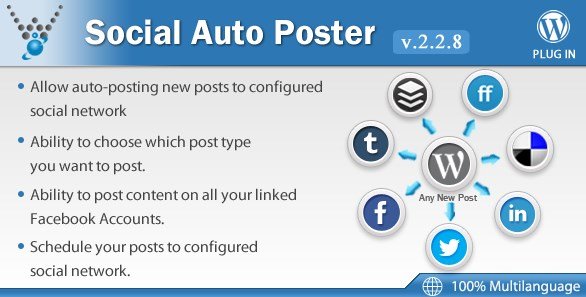
What is Social Auto Poster?
When WordPress site owners struggle to maintain consistent social media presence across multiple platforms, Social Auto Poster – WordPress Plugin offers a comprehensive automation solution that eliminates manual cross-posting. I have tested numerous social automation tools over the years, and this particular plugin stands out for its ability to seamlessly distribute content to Facebook, Twitter, LinkedIn, Tumblr, Delicious, and BufferApp without requiring complex API configurations or third-party subscriptions.
Social Auto Poster functions as your virtual social media manager, automatically detecting new content published on your WordPress site and pushing it to your configured social networks immediately or according to your custom schedule. Unlike basic sharing buttons that require manual clicks, this plugin operates in the background, ensuring your latest blog posts, product updates, or portfolio additions reach your audience the moment they go live. For those interested in exploring other automation solutions, check out my detailed guide on the best social media plugins for WordPress to compare your options.
What Makes Social Auto Poster Different
The WordPress ecosystem offers several social sharing solutions, but Social Auto Poster distinguishes itself through comprehensive platform support and intelligent automation features. While many plugins focus solely on the major networks like Facebook and Twitter, this tool extends functionality to include Tumblr, Delicious, and BufferApp integration—platforms often neglected by competitors but valuable for specific content marketing strategies.
- Multi-Network Architecture: Simultaneous posting to six different social platforms including legacy networks like Delicious
- Intelligent URL Management: Automatic generation of unique URLs for each post instance to prevent duplicate content penalties
- Granular Control: Selective posting by post type, allowing different strategies for blog posts versus products
- Built-in URL Shortening: Native tiny URL generation to maximize character limits on Twitter and improve link aesthetics
- Scheduling Flexibility: Advanced queue system for optimal posting times across different time zones
Social Auto Poster Features for WordPress Users
Comprehensive Social Network Integration
The plugin’s core strength lies in its broad compatibility with social platforms. I particularly appreciate the Facebook integration, which allows posting to multiple linked accounts simultaneously—ideal for managing both personal profiles and business pages from a single WordPress installation. The Twitter implementation respects API limitations while ensuring your content includes proper hashtags and mentions. LinkedIn integration targets professional audiences effectively, while the inclusion of Tumblr and Delicious provides access to niche communities and bookmarking services that drive targeted traffic. The BufferApp connectivity serves as a bridge to additional networks, effectively extending your reach beyond the native six platforms.
Advanced Scheduling and Automation Controls
Automation without control creates chaos, which is why Social Auto Poster includes sophisticated scheduling capabilities. You can configure immediate posting for breaking news or time-sensitive offers, or establish a delayed publishing queue that spaces out your content for optimal engagement. The plugin supports custom scheduling intervals, allowing you to maintain consistent activity during your audience’s peak hours without overwhelming their feeds. This feature proves invaluable when batch-creating content—you can write five blog posts on Monday and have them automatically distributed throughout the week. For more automation strategies, explore my tutorial on how to automate WordPress posts effectively.
Flexible Content Management and URL Optimization
Social Auto Poster offers granular control over which content types trigger automatic sharing. Whether you’re publishing standard posts, custom post types, portfolio items, or WooCommerce products, you can configure distinct sharing rules for each category. The URL shortening feature automatically converts lengthy WordPress permalinks into clean, trackable tiny URLs—essential for character-limited platforms and analytics tracking. Unlike plugins that share identical URLs repeatedly, this tool generates unique URLs for each posting instance, helping you avoid spam filters and duplicate content issues while providing clearer analytics data.
How to Install Social Auto Poster
Configuration Process
- Purchase and download the plugin from CodeCanyon
- Navigate to Plugins → Add New → Upload Plugin in your WordPress dashboard
- Select the ZIP file and click Install Now, then Activate
- Access Social Auto Poster settings from the left sidebar menu
- Configure API credentials for each social network (Facebook App ID, Twitter API keys, etc.)
- Select preferred post types and scheduling preferences
- Run a test post to verify connectivity
The setup process requires obtaining API keys from each social platform, which ensures secure, authorized posting. I recommend referring to the official Facebook Sharing Documentation when configuring your App ID to ensure compliance with current API standards.
Who Should Use Social Auto Poster?
Content Creators and Multi-Author Blogs
If you manage a high-volume publication with multiple contributors, manual social sharing becomes unsustainable. Social Auto Poster ensures every article reaches your social channels immediately upon publication, regardless of who hits the publish button. This eliminates the bottleneck where content waits for a social media manager to craft updates, ensuring timely distribution of breaking news or trending topics.
E-commerce Store Owners
WooCommerce users benefit significantly from automated product promotion. When you add new inventory or update pricing, the plugin can automatically share these changes to your social storefronts, driving immediate traffic to product pages. The ability to schedule these announcements during peak shopping hours maximizes conversion potential without requiring midnight manual posting.
Digital Marketing Agencies
Agencies managing multiple client WordPress sites require reliable, white-label automation tools. Social Auto Poster supports multiple configurations per installation, allowing you to manage diverse social strategies across different client industries from a unified dashboard. For agency-specific tools, review my recommendations for WordPress content marketing tools that streamline client workflows.
Social Auto Poster vs Alternatives
| Feature | Social Auto Poster | Revive Old Post |
|---|---|---|
| Platform Support | Facebook, Twitter, LinkedIn, Tumblr, Delicious, Buffer | Facebook, Twitter, LinkedIn, Tumblr |
| URL Shortening | Built-in tiny URL | Third-party integration required |
| Scheduling | Advanced queuing with unique URLs | Basic interval scheduling |
| Post Type Support | Any WordPress post type | Posts and pages only |
| Pricing Model | One-time purchase (CodeCanyon) | Freemium with Pro version |
Social Auto Poster Pricing
Social Auto Poster operates on a premium model through the CodeCanyon marketplace, typically priced between $20-$30 for a regular license covering single-site usage. This one-time payment structure appeals to users seeking to avoid recurring SaaS subscriptions common with tools like Hootsuite or Buffer. The extended license option supports multi-site networks and client projects. Support and updates are included for six months, with optional extensions available. This pricing model proves cost-effective for established sites generating consistent content, paying for itself within the first month compared to monthly social media management tool subscriptions.
Pros and Cons
✅ Pros
- Comprehensive multi-platform support including legacy networks like Delicious
- Unique URL generation prevents duplicate content flags and improves tracking
- Works with any WordPress post type without custom coding
- User-friendly admin interface suitable for non-technical users
- One-time purchase eliminates recurring subscription costs
- Native URL shortening improves link presentation on character-limited platforms
❌ Cons
- Requires manual API configuration for each social network (steep learning curve for beginners)
- No free version available for testing before purchase
- Limited analytics compared to dedicated social media management platforms
- Dependency on third-party APIs means occasional breaking changes require updates
Frequently Asked Questions
How do I configure Facebook API for Social Auto Poster?
You need to create a Facebook App in the Facebook Developers portal, obtain your App ID and Secret Key, then enter these credentials in the plugin’s Facebook settings tab. Ensure your app has the “pages_manage_posts” permission for automatic page publishing.
Can Social Auto Poster schedule posts for specific times rather than immediate sharing?
Yes, the plugin includes advanced scheduling features that allow you to queue posts for optimal publishing times. You can set custom intervals or specify exact dates and times for each social network independently.
Does Social Auto Poster work with custom post types like WooCommerce products?
Absolutely. The plugin supports any registered WordPress post type. You can selectively enable auto-posting for products, portfolio items, testimonials, or any custom content type your theme or plugins create.
Why are my URLs not shortening automatically in Twitter posts?
Ensure you have enabled the “Enable tiny URL” option in the general settings. The plugin uses its built-in shortening service, but you can also configure external shortening services through WordPress hooks if needed.
Is there a limit to how many social accounts I can connect?
No artificial limits exist within the plugin itself. However, social media platform APIs may impose rate limits. Facebook, for instance, restricts how frequently apps can post to prevent spam.
Can I exclude specific posts from auto-posting?
Yes, individual posts include a meta box where you can disable auto-sharing for that specific content piece. You can also set global exclusions by category or post type in the plugin settings.
Final Verdict
Social Auto Poster – WordPress Plugin delivers robust automation capabilities for content marketers seeking to maintain consistent social presence without manual intervention. Its strength lies in comprehensive platform support and the elimination of recurring fees common to SaaS alternatives. While the initial API configuration requires technical patience, the long-term time savings justify the learning curve. The plugin particularly excels for WooCommerce stores and multi-author blogs where content volume makes manual sharing impractical. If you prioritize ownership over subscription models and need reliable, set-and-forget social automation, this CodeCanyon offering deserves serious consideration alongside your Buffer or native platform strategies.