What is Smart Post Lists Widget for WordPress?
When WordPress users need to create dynamic, filtered post lists without touching PHP or SQL code, Smart Post Lists Widget for WordPress offers a visual query builder that transforms how you display content in sidebars. This powerful yet user-friendly plugin eliminates the complexity of database queries while giving you complete control over which posts appear, how they look, and where they’re positioned across your site.
What Makes Smart Post Lists Widget for WordPress Different
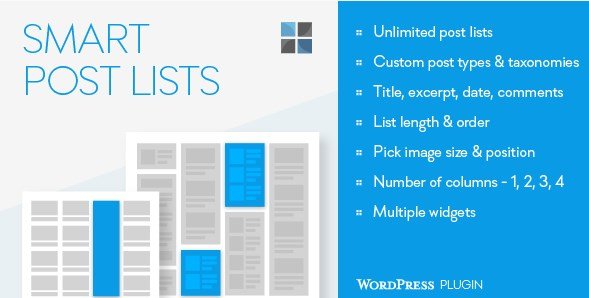
Unlike standard recent posts widgets that offer minimal filtering options, Smart Post Lists Widget for WordPress operates like a visual SQL query builder wrapped in an intuitive drag-and-drop interface. You can create unlimited independent lists, each with unique filtering criteria, layout configurations, and styling options. Whether you need to showcase posts from specific authors, filter by custom taxonomies, or create multi-column grid layouts, this plugin handles complex content curation without requiring developer assistance.
- Visual query builder eliminates need for coding knowledge while maintaining SQL-like precision
- Unlimited widget instances allow different post lists across various sidebars and widget areas
- Advanced filtering by categories, tags, authors, and custom post types
- Flexible layout options including 1-4 column grids with customizable image positioning
Smart Post Lists Widget for WordPress Features for WordPress Users
Advanced Content Filtering and Query Building
The core strength of this plugin lies in its sophisticated filtering system. You can build precise content queries by selecting specific categories, tags, and authors, or dive deeper with custom post types and taxonomies support. This makes it ideal for membership sites, portfolios, or e-commerce platforms using WooCommerce product post types. The query interface allows you to set list length, define custom ordering parameters, and establish relationships between different content filters without writing a single line of code.
Flexible Display and Layout Configuration
Presentation flexibility sets Smart Post Lists Widget for WordPress apart from basic sidebar widgets. You control image sizing with options for thumbnail, medium, large, or custom dimensions, while positioning images at the top, right, left, or integrated within excerpts. The plugin supports multi-column layouts ranging from single-column lists to four-column grids, making it adaptable for footers, sidebars, or full-width widget areas. Additionally, you can customize list delimiters and assign unique CSS classes to individual widget instances for targeted styling.
Content Element Control
Granular control over displayed content elements ensures your post lists match your site’s information architecture perfectly. Choose to display post titles, excerpts, publication dates, and comment counts in any combination. This selective visibility proves invaluable when creating compact sidebar lists versus detailed content previews in footer areas. The plugin respects your content strategy by letting you determine exactly how much information visitors see before clicking through to full articles.
How to Install Smart Post Lists Widget for WordPress
CodeCanyon Purchase and Installation
- Purchase and download the plugin files from CodeCanyon
- Navigate to Plugins → Add New in your WordPress dashboard
- Click “Upload Plugin” and select the downloaded ZIP file
- Click Install Now, then Activate the plugin
- Navigate to Appearance → Widgets to configure your first Smart Post List
After activation, you’ll find the widget available in your WordPress widget library, ready to drag into any registered sidebar or custom widget area.
Who Should Use Smart Post Lists Widget for WordPress?
Content-Heavy Blogs and Magazine Sites
If you manage a high-volume blog or online magazine with multiple categories and contributors, this plugin becomes essential for content discovery. Create specific sidebar lists highlighting “Editor’s Picks” from certain authors, or showcase “Trending in Technology” by filtering specific categories and tags. The ability to create multiple independent lists means you can contextually display related content in different sections without overwhelming readers with irrelevant posts.
Business and Portfolio Websites
Businesses utilizing custom post types for portfolios, testimonials, or case studies benefit significantly from this plugin’s flexibility. Display recent portfolio items in footers, highlight specific service categories in sidebar navigation, or create filtered testimonial lists by industry vertical. The custom CSS class feature allows developers to maintain brand consistency while content managers handle the widget configuration.
Smart Post Lists Widget for WordPress vs Alternatives
| Feature | Smart Post Lists Widget | Default Recent Posts Widget |
|---|---|---|
| Filtering Options | Categories, tags, authors, custom post types, taxonomies | Single category only |
| Layout Control | 1-4 columns, custom image positioning and sizing | Single column, title only or with date |
| Query Complexity | SQL-like visual builder with multiple parameters | Basic chronological listing |
| Widget Instances | Unlimited independent configurations | Limited by theme widget areas |
| Styling Options | Custom CSS classes per instance | Inherits theme styles only |
Smart Post Lists Widget for WordPress Pricing
Smart Post Lists Widget for WordPress is available as a premium plugin through CodeCanyon. The standard license typically ranges between $17-25 USD, including six months of support from the developer and lifetime updates for the plugin. Extended licenses are available for developers building client sites or including the widget in commercial themes. This one-time purchase model provides significant value compared to subscription-based alternatives, especially for agencies managing multiple WordPress installations requiring advanced sidebar functionality.
Pros and Cons
✅ Pros
- Eliminates need for custom coding or SQL knowledge to create complex post queries
- Unlimited widget instances allow diverse content display strategies across single site
- Comprehensive support for custom post types and taxonomies extends beyond standard blog posts
- Flexible image handling and multi-column layouts adapt to any design requirement
- Custom CSS classes enable precise styling control without modifying core files
❌ Cons
- Premium pricing may deter casual bloggers compared to free alternatives
- Learning curve for advanced query building despite visual interface
- Limited to widget areas unless paired with custom widget plugins for shortcode functionality
- Requires manual updates through CodeCanyon rather than standard WordPress repository
Frequently Asked Questions
Can I display custom post types using Smart Post Lists Widget for WordPress?
Yes, the plugin fully supports custom post types and taxonomies. You can create post lists from portfolios, testimonials, products, or any other custom content type registered in your WordPress installation, making it versatile for business sites beyond standard blogs.
Does Smart Post Lists Widget for WordPress require coding knowledge?
No coding is required. The plugin features a visual form-based interface similar to SQL query builders where you select options from dropdown menus. However, basic CSS knowledge helps if you want to utilize the custom CSS class feature for advanced styling.
Can I use multiple Smart Post Lists widgets on the same page?
Absolutely. You can drag the widget into as many sidebars or custom widget areas as needed, and each instance operates independently with its own query parameters, layout settings, and styling options.
How do I control which images display in my post lists?
The plugin allows you to select image sizes including WordPress default thumbnails, medium, large, or custom registered sizes. You can position images at the top, left, right, or within the excerpt, and choose whether images appear inside or outside the content wrapper.
Is Smart Post Lists Widget for WordPress compatible with page builders?
Yes, as long as your page builder supports standard WordPress widgets or widget areas. You can place Smart Post Lists in sidebar widget areas that page builders can access, or use widget shortcode plugins to embed lists directly within page builder layouts.
Can I filter posts by multiple categories or tags simultaneously?
Yes, the plugin supports complex filtering including multiple categories, tags, and authors. You can create inclusive or exclusive filters to show posts that match any or all selected criteria, functioning similarly to advanced database queries.
Final Verdict
Smart Post Lists Widget for WordPress delivers exceptional value for website owners needing sophisticated content curation without developer resources. Its SQL-like query capabilities wrapped in a visual interface solve the common WordPress limitation of rigid recent post displays. The plugin excels particularly for content-heavy sites, membership platforms utilizing custom post types, and agencies requiring consistent widget functionality across client portfolios. While the premium price point and CodeCanyon update workflow may not suit everyone, the time saved on custom development and the flexibility gained for content strategy make this a worthwhile investment for serious WordPress publishers. If your sidebar strategy extends beyond showing the latest five posts, this plugin provides the granular control necessary to transform static sidebars into dynamic content discovery tools.