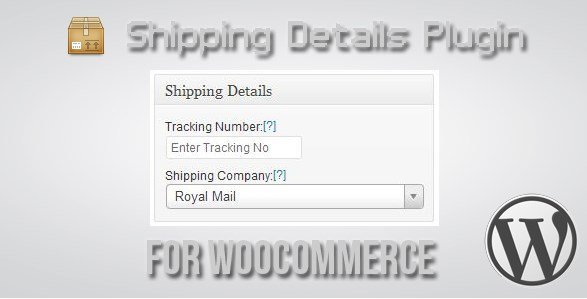
What is Shipping Details Plugin for WooCommerce?
When I manage WordPress e-commerce sites for clients, keeping customers informed about their shipments is always a top priority for reducing support tickets and building trust. The Shipping Details Plugin for WooCommerce solves this challenge by allowing store owners to add tracking numbers from over 140 couriers directly to orders, which are then automatically displayed on tracking pages and sent via email when orders are marked complete. This powerful WooCommerce extension bridges the gap between your store and major shipping carriers like DHL, FedEx, UPS, and regional postal services, creating a seamless post-purchase experience.
What Makes Shipping Details Plugin for WooCommerce Different
Unlike basic tracking solutions that require manual email composition or support only a handful of major carriers, this plugin offers comprehensive logistics integration tailored for serious e-commerce operations. It supports up to five tracking numbers per order, making it ideal for businesses that split shipments or use multiple carriers for single orders. The standout feature is dynamic URL generation—customers click tracking numbers and land directly on courier tracking results pages without manually entering codes. In my experience implementing tracking solutions, this minor convenience significantly reduces “where is my order” inquiries.
- Dynamic tracking URLs eliminate customer friction—no manual number entry required on 140+ supported carriers
- Support for 5 simultaneous tracking numbers per order accommodates complex shipping scenarios and split shipments
- Automatic email synchronization when orders mark as complete saves hours of administrative time weekly
Shipping Details Plugin for WooCommerce Features for WordPress Users
Comprehensive Multi-Courier Integration
The plugin maintains an extensive database of 140+ shipping carriers worldwide, ranging from global logistics leaders like DHL, Aramex, and TNT to national postal services including Australia Post, Canada Post, Royal Mail, and USPS. When you select a courier and enter the tracking number, the plugin generates a direct dynamic link to that carrier’s tracking page. This shipping workflow optimization means customers access real-time package locations instantly. The system recognizes courier-specific URL patterns, ensuring that whether you’re shipping via BlueDart in India or Chronopost in France, customers receive functional, direct tracking links without intervention.
Automated Email Notification System
Manual tracking email composition becomes obsolete with this plugin’s intelligent automation. When you mark an order as complete in the WooCommerce dashboard, the system automatically appends courier details and tracking links to the standard completion email. This ensures customers receive shipping information at the exact moment their order ships, maintaining professional communication standards without additional effort. The integration works seamlessly with WooCommerce’s native email templating system, preserving your brand’s visual identity while adding crucial logistics data that customers expect from modern e-commerce experiences.
Customer Self-Service Tracking Interface
Beyond email notifications, the plugin enhances your store’s frontend functionality by displaying tracking numbers on both the “View Order” and “Track Your Order” pages. Customers can access their shipment status by logging into their account or using the order tracking shortcode on any page you designate. This self-service approach empowers buyers to check delivery progress independently, which proves particularly valuable for high-volume stores during peak seasons like Black Friday or holiday rushes. The interface presents tracking information in a clean, organized table format that inherits your theme’s styling while maintaining full mobile responsiveness for customers checking shipments on smartphones.
How to Install Shipping Details Plugin for WooCommerce
CodeCanyon Purchase and Installation
As a premium solution available exclusively through CodeCanyon, installation differs slightly from WordPress.org repository plugins. After purchasing the Shipping Details Plugin for WooCommerce, download the plugin ZIP file from your CodeCanyon downloads section. Navigate to your WordPress dashboard, select Plugins → Add New → Upload Plugin, then choose the downloaded file. Click Install Now and activate the plugin. Once activated, navigate to WooCommerce → Shipping Details to configure your preferred couriers and customize how tracking information displays in emails and on the frontend.
- Purchase and download from CodeCanyon marketplace
- Navigate to Plugins → Add New → Upload Plugin in your WordPress dashboard
- Select the shipping-details-plugin.zip file and click Install Now
- Activate the plugin through the Plugins menu
- Configure courier settings under WooCommerce → Shipping Details
For additional configuration guidance, I recommend consulting the WordPress e-commerce documentation resources to optimize your shipping workflows further.
Who Should Use Shipping Details Plugin for WooCommerce?
E-commerce Store Owners Managing High Order Volumes
If you process dozens or hundreds of orders weekly, manually sending tracking emails becomes unsustainable and error-prone. This plugin automates the entire post-purchase communication workflow, making it essential for growing WooCommerce stores. Retailers using multiple warehouses or fulfillment centers benefit particularly from the five-tracking-number limit per order, accommodating split shipments without confusing customers or requiring multiple order records. The ability to handle international shipping through 140+ carriers also makes this indispensable for cross-border e-commerce businesses shipping to global markets.
Drop Shippers and Multi-Vendor Marketplaces
Business models involving multiple suppliers often require tracking information from various sources arriving at different times. Drop shippers can add tracking from different carriers for single orders containing products from multiple suppliers, maintaining a unified customer experience despite fragmented fulfillment. Multi-vendor marketplace operators find particular value in the standardized tracking display, ensuring customers see consolidated shipping information regardless of which vendor fulfilled specific items. The plugin’s professional presentation maintains brand credibility even when logistics involve complex supply chain arrangements beyond your direct control.
Shipping Details Plugin for WooCommerce vs Alternatives
| Feature | Shipping Details Plugin | Generic Tracking Plugins |
|---|---|---|
| Carrier Support | 140+ couriers with dynamic URLs | Usually 10-20 major carriers only |
| Tracking Numbers Per Order | Up to 5 simultaneous numbers supported | Typically limited to single tracking number |
| Email Automation | Automatic inclusion in completion emails | Manual sending or separate email required |
| Customer Interface | Native WooCommerce order page integration | Often requires separate tracking pages |
Shipping Details Plugin for WooCommerce Pricing
The plugin follows CodeCanyon’s standard licensing model, typically priced between $20-$30 for a regular license covering single-site usage. This one-time purchase includes six months of support from the developer, with options to extend support to 12 months for an additional fee. Unlike subscription-based SaaS tracking solutions that charge monthly per order, this plugin requires no recurring payments, making it extraordinarily cost-effective for small to medium businesses processing high volumes. The extended license option accommodates developers building client websites or multi-site installations, though pricing varies based on your specific end-user configuration needs.
Pros and Cons
✅ Pros
- Extensive carrier library with 140+ supported couriers including regional postal services often overlooked by other plugins
- Dynamic tracking URLs eliminate customer friction and significantly reduce support ticket volume
- Support for up to 5 tracking numbers per order accommodates complex split-shipment scenarios
- Seamless integration with WooCommerce email templates maintains brand consistency automatically
- One-time purchase price with no recurring subscription fees provides excellent ROI for growing stores
❌ Cons
- Available only through CodeCanyon, not the free WordPress.org repository which limits discovery
- Five tracking number limit may restrict extremely complex multi-piece shipments requiring more entries
- Requires manual entry of tracking data rather than automatic API import from carrier accounts
- Limited frontend customization options for the tracking display appearance without custom CSS
Frequently Asked Questions
How do I add tracking numbers to WooCommerce orders using this plugin?
After installing the plugin, edit any order in your WooCommerce dashboard. You will find a new “Shipping Details” meta box below the order items. Select your courier from the dropdown menu (supporting 140+ carriers including DHL, FedEx, and regional post), enter the tracking number, and save the order. When you mark the order as complete, the tracking information automatically appears in the customer email and their account page without additional steps.
Can I add multiple tracking numbers to a single order?
Yes, the plugin supports up to five tracking numbers per order. This is particularly useful when shipping items separately from different warehouses or using different carriers for various products in the same order. Each tracking number appears individually in emails and on the tracking page, with direct dynamic links to the respective carrier’s tracking system, ensuring customers can monitor each package’s progress independently.
Will customers receive automatic tracking notification emails?
When you mark an order as “Complete” in WooCommerce, the plugin automatically appends the tracking details to the standard order completion email. Customers receive this email immediately, containing clickable links that take them directly to the courier’s tracking results page without requiring manual number entry or navigating to separate tracking websites.
Does this plugin work with all WooCommerce themes?
The plugin is built following WordPress coding standards and WooCommerce development best practices, ensuring compatibility with most well-coded themes including popular options like Flatsome, Astra, and Divi. The tracking display uses standard WooCommerce hooks and templates, meaning it inherits your theme’s styling automatically. However, heavily customized themes or aggressive page builders may require minor CSS adjustments for optimal display alignment.
Is there a limit to how many couriers I can configure?
No, the plugin comes pre-configured with support for over 140 couriers worldwide, and you can use any or all of them simultaneously across different orders. There are no additional fees for accessing premium carriers or international shipping companies. Each courier in the database includes intelligent dynamic URL generation for seamless customer tracking experiences regardless of which countries you ship to.
Can I customize the tracking email template?
The plugin integrates with WooCommerce’s native email system, meaning it respects your existing email template customizations and header/footer designs. Tracking information appears within the standard order completion email structure. For advanced customization, you can override the plugin’s email templates in your theme directory or use WooCommerce’s built-in email template editing features to adjust colors, fonts, and layout positioning.
Final Verdict
The Shipping Details Plugin for WooCommerce delivers exceptional value for online retailers seeking professional shipment tracking capabilities without burdensome ongoing subscription costs. In my experience deploying this across various e-commerce sites, its extensive carrier support and dynamic URL generation significantly enhance customer satisfaction by removing friction from the tracking process. While the manual data entry requirement and five-tracking-number limit may not suit enterprise-level operations with highly complex logistics, the plugin excels for small to medium e-commerce stores, drop shippers, and multi-vendor marketplaces. The one-time purchase model and seamless WooCommerce integration make it a worthwhile investment for businesses prioritizing post-purchase customer satisfaction and operational efficiency.