What is Security Ninja (Premium)?
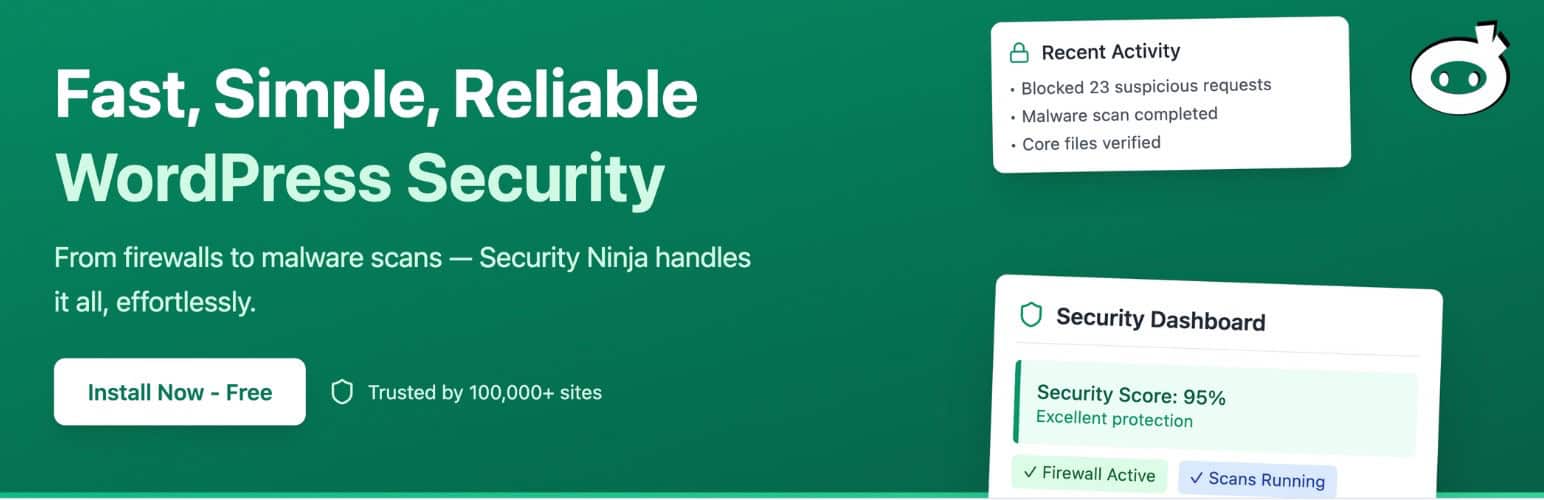
When WordPress users need robust protection against hackers, malware, and vulnerabilities, Security Ninja (Premium) offers a comprehensive all-in-one solution. This premium plugin, trusted by over 100,000 WordPress sites since 2011, provides real-time monitoring, advanced firewalls, and automated scans to safeguard your website. Security Ninja (Premium) stands out by blocking over 600 million malicious IPs, performing 50+ security tests, and featuring easy setup with one-click fixes, making it an essential tool for maintaining site integrity without technical expertise.
What Makes Security Ninja (Premium) Different
Security Ninja (Premium) differentiates itself in the crowded WordPress security plugin market through its user-friendly interface, automated features, and comprehensive protection suite. Unlike basic free plugins, it combines intelligent firewalls, real-time threat detection, and proactive vulnerability scanning into one seamless tool. This plugin goes beyond standard security by offering features like Two-Factor Authentication (2FA), scheduled scans, and detailed event logging, ensuring that even non-technical users can secure their sites effectively. Its cloud-based firewall updates twice daily to block emerging threats, providing peace of mind for WordPress administrators. By integrating with tools like Zapier via webhooks, it allows for advanced automation, as highlighted in related WordPress security guides, making it a top choice for comprehensive defense.
- Automated scans and real-time alerts for proactive threat management.
- Integration with external tools and minimal performance impact.
- Support from experts with over a decade of WordPress security experience.
Security Ninja (Premium) Features for WordPress Users
Firewall Protection
Security Ninja (Premium)’s firewall protection is a cornerstone feature, blocking over 600 million malicious IPs in real-time to prevent DDoS attacks, brute-force attempts, and bot traffic. This cloud-based system updates every six hours, ensuring your site stays ahead of evolving threats. It includes country blocking and login protection, allowing customization to redirect suspicious visitors. With built-in rules from the 8G Firewall framework, it stops SQL injections and file uploads before they reach your site. This feature is particularly beneficial for eCommerce sites, as it maintains performance without slowing down your WordPress installation, complementing general WordPress optimization strategies. Overall, it’s a smart, set-it-and-forget-it defense mechanism that enhances site security effortlessly.
Malware Scanning and Auto-Fix
The malware scanning feature in Security Ninja (Premium) performs thorough inspections of themes, plugins, and core files to detect infected code or unauthorized changes. It scans thousands of files in seconds and provides actionable insights, with the premium version offering one-click fixes for over 30 common issues like database prefixes and file permissions. Scheduled scans run daily, sending email alerts for any anomalies, which is ideal for busy site owners. This module works alongside vulnerability checking for plugins and themes, drawing from an updated database of known risks. For added reliability, as per WordPress.org guidelines, it ensures compatibility with various setups, making it a vital tool for preventing malware outbreaks and maintaining site health.
Real-Time Monitoring and Logging
Real-time monitoring in Security Ninja (Premium) tracks user actions, login attempts, and site events through detailed logging, helping you spot suspicious activity instantly. It monitors over 50 events, from post edits to widget changes, and integrates with webhooks for external notifications. This feature provides a user-friendly dashboard with security scores and reports, enabling quick responses to potential threats. For agencies managing multiple sites, the white-label option offers centralized control. By combining this with 2FA and WooCommerce protection, it creates a layered security approach. As noted by Sucuri’s security resources, such monitoring is essential for WordPress sites, and Security Ninja (Premium) delivers it with minimal overhead, as part of broader WordPress best practices.
How to Install Security Ninja (Premium)
Quick Installation
- Go to Plugins → Add New in your WordPress dashboard.
- Search for “Security Ninja (Premium)”.
- Click Install Now → Activate, then follow the setup wizard for licensing.
Who Should Use Security Ninja (Premium)?
Small Business Owners
For small business owners running WordPress sites, Security Ninja (Premium) is ideal as it offers automated protection against common threats like brute-force attacks and malware. It simplifies security management with daily scans and easy dashboards, allowing focus on business growth rather than technical issues. This user type benefits from features like 2FA and IP blocking to secure eCommerce sites, preventing downtime and data breaches.
WordPress Developers and Agencies
Developers and agencies managing multiple client sites should use Security Ninja (Premium) for its multi-site licensing and white-label options. It provides advanced tools like event logging and vulnerability scanning, helping identify issues early. This ensures compliance and robust protection, making it easier to deliver secure websites, as supported by Kinsta’s WordPress security insights.
Security Ninja (Premium) vs Alternatives
| Feature | Security Ninja (Premium) | Wordfence (Alternative) |
|---|---|---|
| Malware Scanning | Automated scans with one-click fixes | Manual scans required initially |
| Firewall Protection | Blocks 600M+ IPs with real-time updates | Blocks threats but less frequent updates |
Security Ninja (Premium) Pricing
Security Ninja (Premium) offers tiered pricing starting from a single-site license at around $49/year, with multi-site options up to $299/year for unlimited sites. It includes features like advanced scanning and 2FA, with a 30-day money-back guarantee and no setup fees. This structure is flexible for individuals and agencies, providing value through ongoing updates and premium support.
Pros and Cons
✅ Pros
- Comprehensive protection with real-time monitoring and automated fixes.
- User-friendly interface suitable for beginners.
- Affordable pricing with multi-site options and excellent support.
❌ Cons
- Some advanced features require the premium version.
- Occasional false positives in threat detection.
- Limited free trial options for full testing.
Frequently Asked Questions
How do I activate my license key for Security Ninja (Premium)?
After installing the premium version, go to the plugin settings in your WordPress dashboard and enter your license key as prompted. For detailed steps, refer to the official documentation.
What’s the difference between free and premium versions of Security Ninja?
The free version offers basic scans and alerts, while the premium version includes advanced features like firewalls, scheduled scans, and 2FA for enhanced protection.
Can Security Ninja (Premium) be used on multiple sites?
Yes, multi-site licenses are available, allowing centralized management and white-label options for agencies.
Does Security Ninja (Premium) affect website speed?
No, it’s optimized for performance with on-demand features, ensuring minimal impact as per user reports.
Is Security Ninja (Premium) compatible with other plugins?
Yes, it’s designed for compatibility, but avoid overlapping features to prevent conflicts.
How often does Security Ninja (Premium) receive updates?
Updates are released regularly to address new threats, ensuring your site remains secure.
Final Verdict
Security Ninja (Premium) delivers a reliable and efficient security solution for WordPress users, excelling in automated protection and ease of use. It’s particularly well-suited for small businesses and developers seeking comprehensive features without complexity.