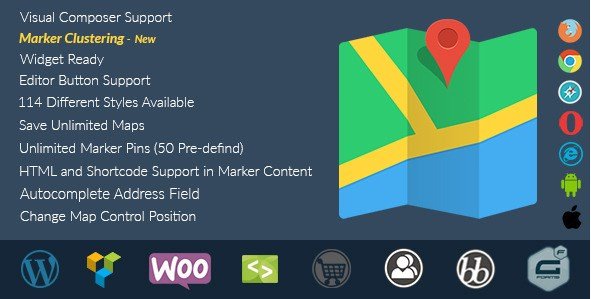
What is SB Multilingual Responsive Google Map with Styles?
When WordPress users need to display interactive, fully customized Google Maps without writing complex JavaScript, SB Multilingual Responsive Google Map with Styles offers a comprehensive solution with over 100 visual skins and complete multilingual support. This premium WordPress plugin eliminates the technical barriers typically associated with Google Maps integration, allowing site owners to create unlimited responsive maps with custom markers, location lists, and automated address completion.
What Makes SB Multilingual Responsive Google Map with Styles Different
Unlike standard map plugins that offer limited styling options, SB Multilingual Responsive Google Map with Styles provides unprecedented visual customization through its extensive library of 100+ predefined map skins. The plugin distinguishes itself by combining aesthetic flexibility with practical functionality—supporting marker clustering for high-density locations, TinyMCE editor integration for seamless content creation, and comprehensive multilingual capabilities that automatically adapt to your site’s language settings.
- 100+ unique map styles and visual skins with regular updates
- True multilingual support with automatic language detection
- No API key required for basic functionality (reducing setup complexity)
- Advanced marker clustering for handling hundreds of location pins efficiently
- Live preview in WordPress admin with drag-and-drop simplicity
SB Multilingual Responsive Google Map with Styles Features for WordPress Users
Fully Responsive Design with Mobile Optimization
In today’s mobile-first environment, map responsiveness is non-negotiable. SB Multilingual Responsive Google Map with Styles delivers fully responsive maps that adapt seamlessly to smartphones, tablets, and desktop displays. The plugin includes touch-friendly controls, customizable control positioning, and mobile-optimized info windows that ensure visitors can interact with your location data regardless of device. The marker cluster support intelligently groups nearby pins on smaller screens, preventing overcrowding while maintaining usability.
Advanced Styling and Customization Options
Visual customization sets this plugin apart from competitors. With access to 100+ different map styles (skins) and counting, you can match your maps to any brand aesthetic—from minimalist monochrome to vibrant terrain visualizations. The plugin includes 50 predefined colorful marker pins, plus the ability to upload unlimited custom markers with different icons for each location. Set custom map centers, show or hide specific map controls, and implement HTML-rich info windows that support images, formatted text, and even shortcode content for dynamic displays.
Multilingual Support and Location Management
For international websites and multilingual WordPress installations, this plugin offers comprehensive language support that automatically renders maps in your site’s active language. The address field autocomplete feature streamlines location entry, while the “find nearest places” API integration helps visitors discover relevant nearby businesses. Create unlimited maps with unlimited markers per map, manage location lists efficiently, and enable direction links within info windows to guide users seamlessly to physical locations.
How to Install SB Multilingual Responsive Google Map with Styles
CodeCanyon Purchase and Installation
As a premium plugin available exclusively through CodeCanyon, installation differs slightly from standard WordPress.org plugins:
- Purchase and download the plugin files from CodeCanyon
- Navigate to Plugins → Add New → Upload Plugin in your WordPress dashboard
- Select the downloaded ZIP file and click Install Now
- Activate the plugin through the ‘Plugins’ menu
- Access the SB Maps settings panel to configure default options
The plugin integrates seamlessly with posts, pages, custom post types, widgets, and template files. Use the built-in shortcode generator or the TinyMCE editor button to insert maps without memorizing complex syntax.
Who Should Use SB Multilingual Responsive Google Map with Styles?
Real Estate Agencies and Property Listings
Real estate professionals benefit tremendously from the ability to display multiple property locations with custom markers indicating property types, price ranges, or availability status. The marker clustering prevents map clutter in dense metropolitan areas, while the responsive design ensures potential buyers can view properties on mobile devices during on-the-go searches. The direction link feature in info windows helps clients navigate to open houses effortlessly.
Travel Bloggers and Tourism Websites
Travel content creators can leverage the 100+ map styles to match destination aesthetics—using terrain views for hiking blogs or simplified styles for city guides. The multilingual support accommodates international audiences, while the ability to embed images and rich content in info windows allows for detailed attraction descriptions alongside location data. Create comprehensive travel itinerary maps with unlimited markers for points of interest.
Local Business Directories and Multi-Location Chains
Business directories utilizing plugins like WordPress directory themes can integrate SB Multilingual Responsive Google Map with Styles to display franchise locations, retail stores, or service areas. The address autocomplete simplifies data entry for directory submissions, while the “find nearest places” functionality helps customers locate the closest branch. Custom markers allow different icons for different business categories, enhancing visual organization.
SB Multilingual Responsive Google Map with Styles vs Alternatives
| Feature | SB Multilingual Responsive Google Map | WP Google Maps (Free) |
|---|---|---|
| Visual Styles | 100+ predefined skins included | Limited styling options |
| API Key Requirement | No API key required for basic use | Requires Google API key |
| Multilingual Support | Built-in multi-language capabilities | Requires additional plugins |
| Marker Clustering | Advanced clustering included | Premium feature only |
While free alternatives exist on WordPress.org, they typically require paid add-ons for marker clustering and advanced styling. SB Multilingual Responsive Google Map with Styles provides these enterprise features in a single package with dedicated support.
SB Multilingual Responsive Google Map with Styles Pricing
Available exclusively through CodeCanyon, SB Multilingual Responsive Google Map with Styles operates on a one-time purchase model starting at approximately $25 for a regular license (single site). Extended licenses for multi-site or commercial applications are available at higher tiers. The purchase includes lifetime updates and six months of support from the developer, with options to extend support to twelve months for an additional fee. Unlike subscription-based SaaS mapping solutions, this plugin offers unlimited usage without recurring monthly charges.
Pros and Cons
✅ Pros
- Extensive library of 100+ map styles eliminates design limitations
- No API key requirement simplifies initial setup and reduces ongoing costs
- True multilingual support ideal for international websites
- Unlimited maps and markers with no artificial limits
- Shortcode generator and TinyMCE integration for non-technical users
- Responsive design with touch optimization for mobile devices
❌ Cons
- Premium pricing may deter hobby bloggers or small personal sites
- Not available through WordPress.org repository (CodeCanyon only)
- Some advanced shortcodes may not work within info windows if JavaScript-dependent
- Limited to six months support unless extended (standard Envato terms)
Frequently Asked Questions
Do I need a Google Maps API key to use this plugin?
According to the plugin documentation, SB Multilingual Responsive Google Map with Styles does not require a Google Maps API key for basic functionality. However, for high-traffic websites or advanced features like the “find nearest places” API, you may need to obtain API credentials from Google Cloud Platform to avoid usage limits.
Can I display multiple maps on the same page?
Yes, the plugin fully supports multiple maps per page. Each map operates independently with its own shortcode, allowing you to display different locations, styles, or marker sets within the same post or page without conflicts.
Is SB Multilingual Responsive Google Map with Styles compatible with WPML and Polylang?
The plugin includes built-in multilingual support and works seamlessly with popular WordPress translation plugins like WPML and Polylang. Maps automatically render in the active language of your site, and you can create language-specific marker content.
How many markers can I add to a single map?
The plugin supports unlimited markers per map. For high-density areas, enable the marker cluster feature to group nearby pins at certain zoom levels, improving performance and user experience on maps with hundreds of locations.
Can I use custom icons for different marker types?
Absolutely. The plugin includes 50 predefined colorful markers, plus you can upload unlimited custom marker images. Each marker can have a unique icon, allowing you to categorize locations visually (e.g., restaurants vs. hotels vs. attractions).
Does the plugin work with page builders like Elementor or Divi?
Yes, SB Multilingual Responsive Google Map with Styles works with all major page builders. Use the provided shortcode in text modules, or utilize the TinyMCE editor button when editing content within page builder interfaces. The plugin also supports direct PHP function calls for theme integration.
Final Verdict
SB Multilingual Responsive Google Map with Styles delivers exceptional value for WordPress users requiring sophisticated, visually distinctive mapping solutions. The combination of 100+ customizable styles, robust multilingual capabilities, and unlimited marker support makes it particularly well-suited for real estate websites, travel platforms, and international business directories. While the one-time purchase price exceeds free alternatives, the elimination of API key requirements (for basic use) and inclusion of premium features like marker clustering justify the investment for professional applications. For developers and site owners prioritizing design flexibility and ease of use, this plugin represents a comprehensive mapping solution that scales from simple contact page maps to complex location databases.