What is Roundabout WordPress Carousel Slider Plugin?
When I need to transform static WordPress content into engaging, interactive visual experiences, Roundabout WordPress Carousel Slider Plugin emerges as my preferred solution. This premium CodeCanyon offering goes beyond basic image sliding functionality, delivering a comprehensive carousel system with over 65 main configuration options across 10 distinct categories. Unlike standard slider plugins that restrict creativity with rigid templates, Roundabout empowers me to build custom HTML designs using WordPress’s native WYSIWYG editor while supporting both drag-and-drop interfaces and advanced jQuery effects for truly dynamic presentations.
I’ve found this WordPress slider solution particularly valuable when client projects demand unique visual storytelling without compromising site performance. Whether showcasing portfolio pieces, product galleries, or testimonial carousels, Roundabout provides the granular control necessary to match brand aesthetics precisely while maintaining cross-browser compatibility.
What Makes Roundabout Different from Other Slider Plugins
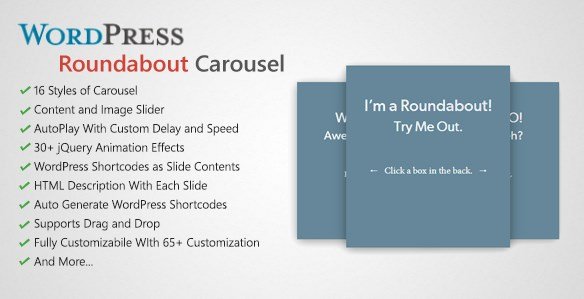
Having tested dozens of carousel solutions over my WordPress development career, I recognize that most plugins force an uncomfortable choice between simplicity and customization. Roundabout WordPress Carousel Slider Plugin eliminates this compromise by offering 16 distinct carousel styles alongside unlimited slide creation capabilities. The plugin’s architecture supports jQuery-powered transitions with 30+ visual effects, yet remains accessible through familiar WordPress admin interfaces.
- Unparalleled Customization: Over 65 configuration options controlling scale, opacity, background images, and positioning
- Native WordPress Integration: Built-in WYSIWYG editor support for content creation using familiar WordPress tools
- Advanced Interaction: Drag-and-drop functionality with customizable axis constraints and drop effects
- Flexible Content Support: Handles images, custom HTML, and nested WordPress shortcodes within slides
Roundabout Features for WordPress Users
Advanced Visual Customization & 16 Carousel Styles
I appreciate how Roundabout eliminates design constraints through its 16 unique carousel style presets. Each style serves different aesthetic requirements—from minimalist single-image displays to complex 3D rotating galleries. The plugin enables granular control over slide dimensions, implementing custom minimum and maximum scale effects that create depth perception impossible with standard flat sliders. Background customization extends beyond simple color selection; I can configure background images with adjustable opacity settings, creating layered visual experiences that complement rather than compete with foreground content.
Drag-and-Drop Content Management
The drag-and-drop interface revolutionizes how I organize slide sequences. Rather than navigating cumbersome backend menus, I can physically reorder slides through intuitive dragging, with custom axis constraints ensuring content aligns perfectly within my design parameters. This functionality extends to frontend user interactions—visitors can swipe or drag through carousel content with customizable drop effects that provide satisfying tactile feedback. Combined with autoplay capabilities featuring adjustable delay timing and transition speeds, Roundabout accommodates both passive browsing experiences and active user exploration.
Dynamic Content & Navigation Controls
Roundabout distinguishes itself through sophisticated subtitle description systems supporting custom HTML content with independent show/hide animations. I often utilize this feature for portfolio sliders where project titles and descriptions require different timing from primary images. The navigation control system offers unprecedented flexibility—I can implement custom-sized dots, thumbnail previews, or fully custom HTML messages as navigation elements. Color customization covers background, hover states, and active slide indicators, while radius and border controls ensure navigation elements align with modern design trends. The plugin also supports WordPress shortcodes as slide content, enabling dynamic integration with other essential WordPress plugins and functionality.
How to Install Roundabout WordPress Carousel Slider Plugin
CodeCanyon Installation Process
Since Roundabout is a premium plugin available exclusively through CodeCanyon, installation differs from standard WordPress repository plugins:
- Purchase and download the plugin files from your CodeCanyon account
- Navigate to Plugins → Add New in your WordPress dashboard
- Click “Upload Plugin” and select the roundabout.zip file
- Activate the plugin through the ‘Plugins’ menu
- Access Roundabout settings from the new admin menu to configure global options
After activation, the plugin automatically generates unique shortcodes for each slider created, enabling placement within posts, pages, custom post types, and widget areas including sidebars. I particularly value the export/import functionality, which allows me to transfer complete slider configurations between development and production environments or client sites efficiently.
Who Should Use Roundabout Carousel Slider?
Creative Professionals & Portfolio Websites
For photographers, designers, and creative agencies requiring portfolio presentation solutions, Roundabout offers the visual sophistication necessary to showcase work professionally. The custom scale and opacity controls create museum-quality image displays, while the unlimited slide capacity accommodates extensive galleries without performance degradation.
E-commerce & Product Showcase Sites
E-commerce operators benefit from Roundabout’s ability to integrate product shortcodes directly within slides, creating dynamic product carousels that update automatically as inventory changes. The drag-and-drop reordering facilitates rapid seasonal campaign adjustments, while the 30+ jQuery transition effects draw attention to featured merchandise through subtle motion design.
Content Publishers & Marketing Teams
Marketing professionals leverage the custom HTML subtitle capabilities to create compelling calls-to-action within content sliders. The WYSIWYG editor integration means content teams can build and modify slides without developer assistance, accelerating campaign deployment timelines while maintaining brand consistency across all carousel elements.
Roundabout vs Alternative Slider Plugins
| Feature | Roundabout | Slider Revolution | MetaSlider |
|---|---|---|---|
| Configuration Options | 65+ in 10 categories | 100+ advanced settings | 20-30 basic options |
| Learning Curve | Moderate (WYSIWYG familiar) | Steep | Beginner-friendly |
| jQuery Effects | 30+ built-in | 200+ layers/animations | 4 basic transitions |
| Content Flexibility | Shortcode support + Custom HTML | Layer-based builder | Limited to images/captions |
| Performance Impact | Lightweight (selective loading) | Resource-heavy | Optimized for speed |