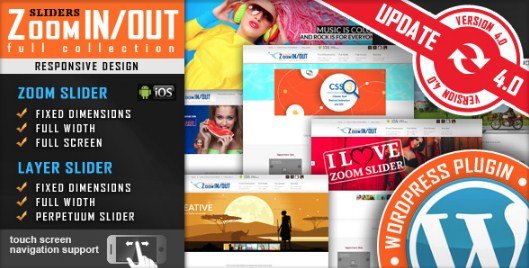
What is Responsive Zoom In/Out Slider WordPress Plugin?
The Responsive Zoom In/Out Slider WordPress Plugin, available on CodeCanyon, is a specialized tool designed to enhance your website’s visual appeal by creating dynamic and engaging image sliders with a unique zoom-in/out effect. Unlike standard image sliders that merely transition between static images, this plugin animates the viewing experience by smoothly zooming into a focal point of an image and then zooming out before transitioning to the next slide, or vice-versa. This effect can draw user attention to specific details within your images, making it an excellent choice for portfolios, product showcases, photography websites, and any site aiming to present visual content in a more captivating manner. The plugin emphasizes responsiveness, ensuring that these visually rich sliders adapt seamlessly to various screen sizes, from desktops to tablets and smartphones. This adaptability is crucial for maintaining a consistent and professional user experience across all devices. It also comes with options for different display modes, such as Fixed Dimensions, Full Width, and Full Screen, offering flexibility in how you integrate the slider into your site’s design. The core purpose of the Responsive Zoom In/Out Slider is to provide a lightweight yet impactful way to display images, transforming a standard gallery into an interactive journey for the visitor. By focusing on this specific animation style, it offers a more refined and polished zoom effect compared to general-purpose slider plugins where zoom might be an afterthought. This makes it a significant asset for users who want to highlight high-resolution imagery and guide their audience’s gaze effectively, ultimately improving engagement and the perceived quality of the presented content.
Key Features of Responsive Zoom In/Out Slider WordPress Plugin
- Configurable Zoom In/Out Effect: Allows precise control over the initial and final zoom levels for each image, enabling you to tailor the animation to highlight specific details.
- Adjustable Zoom Duration: You can set the duration of the zoom effect, controlling how quickly or slowly the animation occurs, impacting the overall pace and feel of the slider.
- Option to Disable Zoom Effect: Provides flexibility to turn off the zoom effect if needed, reverting to a more standard sliding motion for certain images or slider instances.
- Touch Screen Navigation: Essential for modern websites, this feature ensures smooth and intuitive navigation on mobile devices and tablets through swipe gestures.
- Fully Responsive Design: The slider automatically adjusts its layout and image scaling to fit any screen size, from large desktop monitors to small smartphone displays, ensuring optimal viewing.
- Multiple Slider Layouts: Offers three distinct versions – Fixed Dimensions, Full Width, and Full Screen – allowing for versatile integration into various website designs and purposes.
- Easy Configuration Panel: A user-friendly backend interface makes setting up and customizing sliders straightforward, even for users with limited technical knowledge.
- Shortcode Integration: Easily embed sliders anywhere on your WordPress site, including posts, pages, and widget areas, using simple shortcodes.
- Navigation Controls: Typically includes options for arrow navigation and potentially pagination (dots/thumbnails) for manual control over slide progression.
- Autoplay Functionality: Sliders can be set to advance automatically, with options to control the delay between slides and pause on hover.
- Looping Capability: Allows the slider to continuously loop through images, providing a seamless viewing experience.
- Cross-Browser Compatibility: Designed to work consistently across major web browsers, ensuring a broad audience can experience the slider as intended.
- Lightweight and Optimized: Focuses on providing its core functionality efficiently, aiming for minimal impact on page load times, crucial for SEO and user experience.
The latest version of the Responsive Zoom In/Out Slider WordPress Plugin continues to refine these features, ensuring compatibility with the latest WordPress versions and focusing on performance improvements. While specific version numbers change, the developers typically address any bugs, enhance existing functionalities, and may introduce subtle improvements to the animation engine or configuration options. Users benefit from ongoing development that keeps the plugin robust and effective in the ever-evolving WordPress ecosystem. This dedication to maintenance means the plugin remains a reliable choice for adding dynamic, zooming image presentations to your website, helping to keep your visual content fresh and engaging for your audience. The ability to fine-tune aspects like zoom intensity and timing, combined with its responsive nature, makes it a powerful tool for visual storytelling and product highlighting. Its specialized focus on the zoom effect differentiates it from more generic slider plugins, offering a unique aesthetic for websites that prioritize impactful imagery and user engagement through dynamic visuals without overwhelming visitors with overly complex animations or a bloated feature set.
How to Obtain and Download Responsive Zoom In/Out Slider WordPress Plugin
The Responsive Zoom In/Out Slider WordPress Plugin is a premium plugin available exclusively through the Envato Market, specifically on CodeCanyon. As such, it is not available for free download from the WordPress.org repository or other free plugin directories. To obtain this plugin, you will need to purchase a license. The process is straightforward and ensures you receive a legitimate copy with access to support and updates from the developer, LambertGroup. Here’s a step-by-step guide to purchasing and downloading the plugin:
- Navigate to CodeCanyon: Open your web browser and go to the CodeCanyon website (codecanyon.net). CodeCanyon is a large marketplace for premium scripts and plugins, including many WordPress solutions.
- Search for the Plugin: Use the search bar on CodeCanyon to look for “Responsive Zoom In/Out Slider WordPress Plugin” or simply “Zoom In/Out Slider LambertGroup” to find the specific item. Double-check that you’ve found the correct plugin by verifying the author (LambertGroup) and the plugin features.
- Review Plugin Details and Purchase: On the plugin’s sales page, you can review all its features, read user reviews, check the comments section for any pre-sales questions, and view the live preview. Once you’re satisfied, click the “Buy Now” or “Add to Cart” button. You will typically be purchasing a Regular License, which allows you to use the plugin on a single end product (i.e., one website) that you or one client owns. An Extended License is also usually available if you intend to use the plugin in an end product that is sold to multiple clients.
- Complete the Checkout Process: You’ll need an Envato account to make a purchase. If you don’t have one, you can create it during the checkout process. Follow the on-screen prompts to complete your payment. Envato accepts various payment methods, including credit cards and PayPal.
- Download the Plugin Files: After your purchase is complete, log in to your Envato account and navigate to your “Downloads” page. You will find the Responsive Zoom In/Out Slider WordPress Plugin listed there. Click the “Download” button next to it and choose to download “All files & documentation” or just the “Installable WordPress file only.” It’s generally recommended to download all files, as this package includes the plugin’s ZIP file, licensing information, and any available documentation. The critical file you’ll need for installation is the plugin’s .zip file (e.g., `responsive-zoom-inout-slider.zip`).
For a hassle-free setup and optimal performance for your WordPress site and plugins like the Responsive Zoom In/Out Slider, consider WPX Hosting. They are a top-rated, reliable, and managed WordPress hosting provider, often coming with pre-installed WordPress and WooCommerce, optimized for speed and security, which can significantly enhance your website’s overall performance and user experience.
Installing Responsive Zoom In/Out Slider WordPress Plugin: Step-by-Step Guide
Once you have purchased and downloaded the Responsive Zoom In/Out Slider WordPress Plugin from CodeCanyon, installing it on your WordPress website is a standard procedure. You’ll need the installable .zip file that you obtained from your Envato downloads section. There are generally two common methods for installing a WordPress plugin: through the WordPress admin dashboard (the easiest method) or via FTP (File Transfer Protocol), which is useful if you encounter issues with the admin uploader or have specific server configurations. Before you begin, it’s always a good practice to back up your WordPress site, including your files and database, especially when installing new plugins or making significant changes. This ensures you can restore your site if anything unexpected occurs. Here’s how to install the plugin:
1. Using the WordPress Admin Dashboard (Recommended Method):
- Log in to your WordPress Admin Area: Access your WordPress dashboard by navigating to `yourwebsite.com/wp-admin` and entering your credentials.
- Navigate to the Plugins Section: In the left-hand sidebar, hover over “Plugins” and then click on “Add New.”
- Upload the Plugin: On the “Add Plugins” page, click the “Upload Plugin” button located at the top of the page. This will reveal a file selection dialog.
- Choose and Install the Plugin File: Click the “Choose File” or “Browse…” button, then locate and select the `responsive-zoom-inout-slider.zip` file (or similarly named .zip file specific to the plugin) that you downloaded from CodeCanyon. After selecting the file, click the “Install Now” button. WordPress will now upload and unpack the plugin file.
- Activate the Plugin: Once the installation is complete, you will see a success message. Click the “Activate Plugin” link to enable the Responsive Zoom In/Out Slider WordPress Plugin on your site. After activation, you should look for a new menu item in your WordPress admin sidebar, often labeled with the plugin’s name or under “Settings,” where you can configure its options.
2. Using FTP (File Transfer Protocol):
- Extract the Plugin .zip File: On your computer, locate the downloaded plugin .zip file and extract its contents. This will create a folder named something like `responsive-zoom-inout-slider`.
- Connect to Your Server via FTP: Use an FTP client (such as FileZilla, Cyberduck, or Transmit) to connect to your web server using your FTP credentials (host, username, password).
- Navigate to the Plugins Directory: Once connected, navigate to the `wp-content/plugins/` directory within your WordPress installation.
- Upload the Plugin Folder: Upload the entire extracted plugin folder (e.g., `responsive-zoom-inout-slider`) from your computer to the `wp-content/plugins/` directory on your server.
- Activate the Plugin: After the upload is complete, go back to your WordPress admin dashboard. Navigate to “Plugins” > “Installed Plugins.” You should see the Responsive Zoom In/Out Slider WordPress Plugin listed. Click the “Activate” link below its name.
Note: Always back up your site before installing or updating plugins. After activating the Responsive Zoom In/Out Slider WordPress Plugin, check for its settings page, usually found in the main WordPress menu or under the ‘Settings’ tab, to start creating and customizing your sliders.
Responsive Zoom In/Out Slider WordPress Plugin Pricing
| Component | Price (approx.) | Details |
|---|---|---|
| Regular License | Around $17 – $25 (USD) | This is a one-time payment. It typically grants usage on a single end product (one website) for yourself or one client. Includes future plugin updates and 6 months of support from the author (LambertGroup). Support can usually be extended for an additional fee. |
| Extended License | Around $75 – $125 (USD) | This license is required if you plan to use the plugin in an end product that is sold to multiple clients (e.g., a website template or theme you sell). Also a one-time payment with similar update and support terms. |
| Support Extension (6 months) | Around $5 – $10 (USD) | If you wish to extend the initial 6 months of author support, you can purchase an additional 6 or 12 months of support. This is optional and can be bought at the time of plugin purchase or later. |
The pricing for the Responsive Zoom In/Out Slider WordPress Plugin is managed through the Envato Market (CodeCanyon) and is subject to change by the author or Envato. The figures mentioned above are typical for plugins of this nature on the platform. It’s crucial to visit the official plugin page on CodeCanyon to get the most current pricing information before making a purchase. The Regular License is the most common choice for individual website owners. This license generally includes all future updates to the plugin, ensuring compatibility with newer WordPress versions and access to new features or bug fixes released by the developer. The included 6 months of technical support from LambertGroup covers assistance with plugin features, bug reporting, and general troubleshooting related to the plugin’s functionality. This support is valuable, especially when first setting up the slider or if you encounter any compatibility issues. Considering the specialized functionality and the polish it adds to image presentations, the one-time cost for a Regular License often represents good value for users seeking a unique and engaging zoom slider effect without recurring subscription fees, which are common with some other WordPress plugins. Always review the license terms on CodeCanyon carefully to understand what is covered before purchasing.
Responsive Zoom In/Out Slider WordPress Plugin Alternatives
While the Responsive Zoom In/Out Slider WordPress Plugin offers a specific and appealing zoom effect, there are several other robust slider plugins available for WordPress, each with its own strengths and weaknesses. If you’re exploring alternatives, consider these popular options:
1. Slider Revolution:
- Pros: Extremely feature-rich with a powerful visual, drag-and-drop editor. Offers a vast array of animations, transitions (including Ken Burns zoom effects), layers, and templates. Highly versatile for creating almost any type of slider or visual presentation. It also includes advanced responsive settings.
- Cons: Can have a steeper learning curve due to its extensive options. May be overkill (and potentially heavier on resources) if you only need a simple zoom slider. It’s also a premium plugin.
- Best For: Users who need highly customized, complex sliders with intricate animations and layering, and are willing to invest time in learning its interface. Often used for hero sections and elaborate visual storytelling.
2. Soliloquy:
- Pros: Known for being lightweight, fast-loading, and user-friendly. It’s highly optimized for performance and SEO. Offers responsive design and basic customization options, with addons for more features like carousels, thumbnails, and dynamic sliders. A free version (Soliloquy Lite) is available.
- Cons: The free version is limited. While it offers some animations, it might not have the specific, fine-tuned zoom-in/out effect as the dedicated plugin without custom CSS or specific addons. Advanced features are part of its premium tiers.
- Best For: Users prioritizing speed, simplicity, and ease of use for creating clean, responsive image and video sliders without a heavy feature set. Good for blogs, portfolios, and business websites that need straightforward sliders.
3. Smart Slider 3:
- Pros: Offers a very intuitive live visual editor and a generous free version with many features. Supports various layers, animations (including Ken Burns effect which is similar to zoom), and dynamic content sources. It’s highly responsive and provides a good balance between features and ease of use.
- Cons: Some of the most advanced features, templates, and animation types are reserved for the Pro version. While powerful, achieving the exact precise initial/final zoom level control of the dedicated plugin might require more tweaking.
- Best For: A wide range of users, from beginners to advanced, looking for a versatile and modern slider plugin. The free version is excellent for many, and the Pro version unlocks significant power. Great for building beautiful sliders with rich content.
When choosing an alternative to the Responsive Zoom In/Out Slider WordPress Plugin, consider your primary need. If the unique zoom-in/out animation with specific controls (initial zoom, final zoom, duration) is paramount, the dedicated plugin might still be the best fit due to its specialization. However, if you need a broader range of animation styles, more complex layering, or a free option to start with, one of these alternatives could be more suitable. Evaluate based on your technical comfort, budget, and the specific visual impact you aim to achieve on your WordPress site. Some users also explore integrating sliders with page builders like Elementor Pro, which often come with their own slider widgets, though these might not offer the same specialized zoom effects.
Responsive Zoom In/Out Slider WordPress Plugin vs. Other Slider Plugins
The Responsive Zoom In/Out Slider WordPress Plugin carves out a specific niche in the crowded market of WordPress slider plugins. While many multipurpose sliders like Slider Revolution or Smart Slider 3 offer a Ken Burns effect, which provides a panning and zooming animation, this plugin by LambertGroup is specifically engineered to deliver a distinct zoom-in/out sequence with dedicated controls for initial zoom, final zoom, and effect duration for each image. This specialized focus is its primary differentiator. Other plugins might offer zoom as one of many animation options, often as part of a broader effect library, potentially lacking the granular control over the zoom parameters that this plugin provides. This makes the Responsive Zoom In/Out Slider particularly appealing for users whose main objective is to achieve this specific, captivating visual effect without navigating a complex interface full of unrelated features. The simplicity of its configuration, tailored to the zoom effect, means users can achieve their desired outcome more quickly and efficiently compared to tweaking generic animation settings in a larger plugin. Furthermore, its claim of being lightweight and optimized for this particular task can be an advantage over heavier, feature-packed plugins if the zoom slider is the only advanced slider functionality required. This targeted approach can lead to better performance and less bloat on a website. Many general-purpose sliders aim to be a jack-of-all-trades, which is excellent for versatility but can sometimes mean that specialized effects are less refined or harder to master. The Responsive Zoom In/Out Slider bets on doing one thing exceptionally well. This focus ensures that the zoom animations are smooth, responsive, and impactful, directly addressing the needs of users looking to enhance product images, portfolio pieces, or any visual content where drawing attention to detail is key. While it may not offer the extensive layering capabilities, video support, or vast template libraries of its larger competitors, its strength lies in its precise execution of its core promise: delivering an engaging, responsive zoom-in/out image slider experience with minimal fuss.
- Specialized Zoom Functionality: Its core strength is the dedicated, configurable zoom-in/out effect, offering more direct control (initial/final zoom, duration) over this specific animation than many general-purpose sliders.
- Potentially Simpler Configuration for Zoom Effects: If your primary goal is this zoom effect, setting it up is likely more straightforward as the interface is tailored to these parameters, avoiding the complexity of multi-purpose animation timelines.
- Responsive Design with Touch Support: While common now, its implementation is built around the zoom effect working well on all devices, which is crucial for this type of visual-heavy animation.
- Targeted Value Proposition: For users who specifically need this zoom style, it offers a focused solution, potentially at a lower price point or with less overhead than a full-featured premium slider that includes many unused features.
Ultimately, the choice depends on your specific requirements. If you need a sophisticated, dedicated zoom-in/out effect and appreciate a focused tool, the Responsive Zoom In/Out Slider WordPress Plugin is a strong contender. If you require a wider array of animations, intricate layering, or dynamic content sourcing, a more comprehensive plugin like Smart Slider 3 or Slider Revolution might be a better investment, even if it means a steeper learning curve for achieving a similar zoom effect. Consider the plugin’s compatibility with your theme and other plugins, and whether its specific features align best with your website’s goals for visual presentation and user engagement.
Tips for Using Responsive Zoom In/Out Slider WordPress Plugin Effectively
- Optimize Your Images: Before uploading images to your slider, ensure they are properly optimized for the web. Use tools to compress images without significant loss of quality. High-resolution images are great for zoom, but large file sizes will slow down your site. Aim for a balance. You can learn more about image optimization at MDN Web Docs on Images.
- Select High-Quality, Relevant Images: The zoom effect draws attention to image details. Use clear, high-resolution photographs or graphics where zooming in adds value, such as showcasing product features, intricate designs, or expansive landscapes.
- Fine-Tune Zoom Parameters: Experiment with the initial zoom, final zoom, and duration settings for each image. A subtle zoom can be elegant, while a more dramatic zoom can create impact. Ensure the zoom highlights the most important part of the image.
- Consider the User Experience: Ensure the zoom speed and intensity are comfortable for viewers and don’t feel jarring. The animation should enhance, not detract from, the content. Test on various devices to see how the effect translates.
- Maintain Responsiveness: Double-check how the slider and its zoom effect appear on different screen sizes (desktop, tablet, mobile). The plugin is responsive, but image composition can affect how well the zoom works visually on smaller screens.
- Use Captions and Descriptions (if supported): If the plugin allows for captions or descriptions with slides, use them to provide context, tell a story, or include calls-to-action related to the image.
- Limit the Number of Slides: While it’s tempting to showcase many images, too many slides can overwhelm users and potentially slow down page load times. Curate your best images for maximum impact.
- Match Slider Aesthetics with Your Theme: If customization options for navigation controls (arrows, bullets) or backgrounds are available, try to align them with your website’s overall design and branding for a cohesive look.
- Test Autoplay Settings: If using autoplay, set a reasonable delay between transitions. Consider enabling “pause on hover” so users can inspect an image more closely if they wish.
- Check for Plugin Updates Regularly: Keep the Responsive Zoom In/Out Slider WordPress Plugin updated to benefit from the latest features, bug fixes, and security patches, ensuring smooth operation with your WordPress version.
Pairing Responsive Zoom In/Out Slider WordPress Plugin with WooCommerce
Pairing the Responsive Zoom In/Out Slider WordPress Plugin with WooCommerce can significantly enhance the presentation of products on your e-commerce store. Product imagery is paramount in online retail, and the dynamic zoom-in/out effect offered by this plugin can provide a more engaging and detailed view of what you’re selling. Imagine showcasing a new fashion line where the slider zooms into the texture of a fabric, or an electronics gadget where it highlights a specific port or button. This level of visual detail can help bridge the gap between online browsing and the tangible experience of examining a product in a physical store. You could use the slider on individual product pages to replace or supplement the standard WooCommerce product gallery, offering a more interactive way for customers to explore product photos. Alternatively, it could be used on category pages or the homepage to create eye-catching promotional banners featuring new arrivals or best-selling items with the captivating zoom effect. The ability to control the initial and final zoom levels means you can precisely direct the customer’s attention to the most important features or selling points of each product image. When configured thoughtfully, this pairing can lead to increased user engagement, longer time spent on product pages, and potentially higher conversion rates. Ensure that the images used are high-resolution to maintain clarity during the zoom. Furthermore, the responsive nature of the slider ensures that this enhanced product viewing experience is consistent across all devices, which is crucial as many shoppers browse and buy on mobile. By making your product visuals more interactive and informative, the Responsive Zoom In/Out Slider WordPress Plugin can be a valuable asset in making your WooCommerce store stand out and providing a richer shopping experience for your customers, ultimately driving sales.
Is the Investment in Responsive Zoom In/Out Slider WordPress Plugin Worth It?
Deciding whether the investment in the Responsive Zoom In/Out Slider WordPress Plugin is worthwhile hinges on your website’s specific needs and the value you place on its unique visual capabilities. As a premium plugin from CodeCanyon, it requires a one-time purchase, which typically includes future updates and a period of author support. This model can be more cost-effective in the long run compared to subscription-based plugins if its features align well with your long-term requirements. The primary reason to invest in this particular plugin is its specialized focus on the zoom-in/out effect. If creating dynamic, engaging image presentations where specific details are smoothly highlighted through zoom animations is a key objective for your website – perhaps for a photography portfolio, a product showcase for an e-commerce site, or detailed architectural visualizations – then this plugin offers a tailored solution. The granular control over zoom parameters (initial/final zoom levels, duration) allows for a level of precision that might be harder to achieve or more cumbersome to configure in multi-purpose slider plugins. Consider the following when evaluating its worth:
- Unique Visual Impact: If you need to make your images truly stand out and provide a more interactive viewing experience than static images or simple fade/slide transitions, the zoom effect is a strong differentiator.
- Ease of Use for Specific Effect: If the zoom-in/out animation is precisely what you’re looking for, this plugin provides a direct path to achieving it without navigating a complex interface designed for myriad other animation types.
- Enhanced User Engagement: Dynamic and visually appealing content tends to keep users on your site longer and encourages interaction. The zoom effect can make browsing images more captivating.
- Professional Presentation: For businesses and professionals (e.g., photographers, designers, e-commerce stores), a polished and unique presentation of visual assets can enhance brand perception and perceived value.
- Dedicated Support and Updates: Investing in a premium plugin generally means access to support from the developer and regular updates, ensuring compatibility and security.
If your website heavily relies on high-quality imagery and you believe this specific zoom effect will significantly improve how your content is perceived and interacted with, then the modest one-time cost is likely a good investment. However, if your slider needs are basic, or if you require a vast array of different animation styles and features beyond zoom, then a free slider or a more comprehensive premium alternative might be more appropriate. Visit the official CodeCanyon page to view demos and reviews to make an informed decision based on your project’s scope and budget. For many, the ability to add this specific, polished visual flair is well worth the price.
Frequently Asked Questions:
1. Is Responsive Zoom In/Out Slider WordPress Plugin free?
No, the Responsive Zoom In/Out Slider WordPress Plugin is a premium plugin. It is available for purchase on CodeCanyon (part of Envato Market). A one-time fee grants you a license to use the plugin, typically including future updates and a period of author support.
2. How do I customize the zoom effect for each image?
The plugin provides specific settings for each image in your slider. You can typically define the initial zoom percentage (how zoomed-in the image starts), the final zoom percentage (how zoomed-in or out it becomes), and the duration of the zoom animation. These controls allow for fine-tuning the effect to suit each image.
3. Is the Responsive Zoom In/Out Slider WordPress Plugin responsive and touch-friendly?
Yes, a key feature of this plugin is its responsive design, meaning it adapts to different screen sizes (desktops, tablets, mobiles). It also includes touch screen navigation support, allowing users on mobile devices to swipe through slides easily.
4. Can I use this plugin with any WordPress theme?
The plugin is designed to be compatible with most WordPress themes that follow standard WordPress coding practices. However, as with any plugin, conflicts can occasionally arise with themes or other plugins that have very custom code. It’s generally good practice to test it, and premium plugins usually come with support to help resolve such issues.
5. Does the Responsive Zoom In/Out Slider WordPress Plugin support video slides or layers?
Based on its primary description focusing on “image” zoom, it’s mainly an image slider. While some advanced sliders support video or complex layers, this plugin specializes in the zoom-in/out effect for images. For definitive information on video or layer support, it’s best to check the plugin’s sales page on CodeCanyon or its documentation.
6. Where can I get support if I have issues with the plugin?
Support for the Responsive Zoom In/Out Slider WordPress Plugin is provided by the author (LambertGroup) through the CodeCanyon platform. When you purchase the plugin, you typically receive 6 months of included support, which can often be extended for an additional fee. You can contact the author via their profile page or the support tab on the plugin’s item page on CodeCanyon.
Conclusion
The Responsive Zoom In/Out Slider WordPress Plugin by LambertGroup stands out as a specialized tool for WordPress users looking to add a dynamic and engaging zoom animation to their image sliders. Its core strength lies in providing precise control over the zoom-in/out effect for each image, including initial and final zoom levels and animation duration. This allows for the creation of visually captivating presentations that can effectively highlight details in photographs, product images, or portfolio pieces. The plugin’s commitment to responsive design and touch navigation ensures a seamless user experience across all devices, which is crucial in today’s multi-device web landscape. With its different layout options (Fixed Dimensions, Full Width, Full Screen) and easy configuration, it offers a good degree of flexibility for integration into various website designs. While it may not have the exhaustive feature set of some larger, multi-purpose slider plugins, its focused approach on the zoom effect means it does this one thing particularly well, often with less complexity and potentially better performance for that specific task. For those whose primary goal is to implement this unique and polished zoom animation, the Responsive Zoom In/Out Slider WordPress Plugin represents a valuable and cost-effective investment. It empowers website owners to elevate their visual content beyond static displays, fostering greater user engagement and adding a professional touch to their online presence. We encourage you to explore its demo on CodeCanyon and consider if its unique capabilities align with your website’s visual storytelling goals.
Disclaimer: Plugin features, pricing, and support terms are subject to change. Always refer to the official plugin page on CodeCanyon for the most current and accurate information before making a purchase. Back up your website before installing new plugins.