

What is Premium Age Verification / Restriction for WordPress?
Premium Age Verification / Restriction for WordPress is a dedicated WordPress plugin designed specifically for website owners who need to implement robust age gating mechanisms. Developed by AA-Team, a Power Elite Author on the Envato Market (CodeCanyon), this plugin addresses the critical need for restricting access to content deemed inappropriate for certain age groups, whether for legal, ethical, or business reasons. If your website features content related to alcohol (wineries, breweries, distilleries), tobacco, gambling, adult themes, R-rated violence, legal cannabis, or any other age-sensitive material, implementing an effective age verification system is not just recommended, it’s often a legal necessity. Failure to comply with regulations like the Children’s Online Privacy Protection Act (COPPA) in the US or similar laws globally can lead to significant penalties. Premium Age Verification / Restriction for WordPress provides a comprehensive toolkit to create customizable, brand-aligned verification screens that prevent underage users from accessing restricted areas. It goes beyond simple pop-ups, offering multiple templates, detailed customization options, and tracking features, making it a suitable solution for businesses requiring a professional and compliant approach to age restriction on their WordPress site. It aims to protect both the website owner legally and younger audiences from potentially harmful content, integrating seamlessly into the WordPress environment.
Key Features of Premium Age Verification / Restriction for WordPress
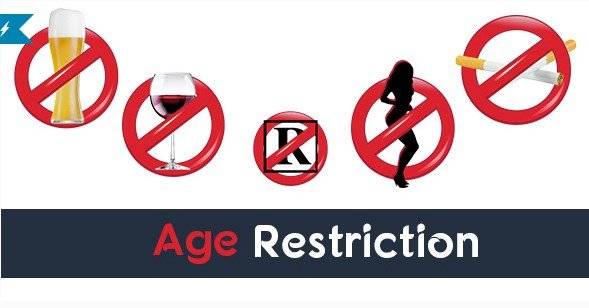
- Multiple Customizable Templates: Comes with several pre-designed templates (including themes for wine, adult content, beer, cigarettes, gambling, R-rated violence, and weed) that can be heavily customized to match your site’s branding.
- Deep Customization Options: Allows modification of logos, background images or colors, text colors, hover effects, button text, and informational messages within the verification gate.
- Flexible Verification Methods: Users can verify their age by entering their date of birth, simply clicking Yes/No buttons, or using social login options like Facebook or Google (though Google+ is deprecated, Facebook remains functional).
- Minimum Age Setting: Define the precise minimum age required for access, crucial for complying with specific legal requirements (e.g., 18, 21, or other local regulations).
- Targeted Restriction Rules: Apply age restrictions globally across the entire site, or selectively to specific pages, posts, custom post types, taxonomies (like categories or tags), and even individual WooCommerce products.
- Country-Specific Restrictions: Option to enable the age verification gate only for visitors from selected countries, useful for navigating varying international laws.
- Multiple Restrictions Per Site: Allows setting up different verification templates and rules for different sections of the same website.
- Built-in Statistics: Track key metrics for each restriction rule, including total impressions, successful authentications (broken down by method: manual, Facebook, Google), and device type (Desktop, Mobile, Tablet).
- User Data Export: Provides the ability to view and export a list of users who have successfully passed the age verification into a CSV file for record-keeping or analysis.
- Responsive Design: Ensures the age verification screen displays correctly and functions smoothly across all device types and screen sizes.
- Translation Ready: All front-end text elements are translatable, allowing you to present the verification prompt in any language.
The latest version available at the time of review incorporated templates for emerging needs like gambling, R-rated violence, and legal weed sites, demonstrating ongoing development focus, although direct author support is noted as not included with the standard license purchase. Always check the CodeCanyon page for the absolute latest features and version details before purchasing.
How to Purchase and Download Premium Age Verification / Restriction for WordPress
Premium Age Verification / Restriction for WordPress is exclusively available for purchase on the CodeCanyon marketplace, part of the Envato ecosystem. As a premium plugin, it is not available for free download from the official WordPress repository or other sources. Obtaining the plugin involves a straightforward purchase process directly through CodeCanyon, ensuring you receive a legitimate license and access to future updates as provided by the author. Attempting to download from unofficial ‘nulled’ sites is risky, often leading to security vulnerabilities or outdated versions. Stick to the official source for safety and reliability.
1. Visit the CodeCanyon Sales Page:
- Navigate to the official Premium Age Verification / Restriction for WordPress page on CodeCanyon.net.
- Review the plugin details, features, compatibility information, and recent updates. Check the current pricing for Regular and Extended licenses.
2. Select License and Purchase:
- Choose the appropriate license (Regular for most single-site uses where end-users aren’t charged, Extended if users will be charged).
- Click the ‘Add to Cart’ or ‘Buy Now’ button. You will need an Envato account to complete the purchase. If you don’t have one, you’ll be prompted to create one.
- Follow the checkout process, providing payment information.
3. Download the Plugin File:
- Once the purchase is complete, log in to your Envato account and go to your ‘Downloads’ section.
- Locate Premium Age Verification / Restriction for WordPress in your list of purchased items.
- Click the ‘Download’ button and choose ‘Installable WordPress file only’. This will download a ZIP file (e.g., `premium-age-restriction.zip`) to your computer.
For a hassle-free setup and optimized performance, especially when running potentially resource-intensive plugins or e-commerce functionalities like WooCommerce alongside age verification, consider using reliable managed WordPress hosting. Providers like WPX Hosting often offer optimized environments and easy WordPress installation, streamlining the initial setup process.
Installing Premium Age Verification / Restriction for WordPress: Step-by-Step Guide
Installing Premium Age Verification / Restriction for WordPress follows the standard procedure for uploading a premium WordPress plugin. Once you have downloaded the installable ZIP file from CodeCanyon, you can install it directly through your WordPress dashboard. Ensure you have administrator privileges for your WordPress site before proceeding. It’s crucial to only use the ZIP file downloaded directly from your Envato account to avoid security risks associated with unofficial sources. The process is quick and typically takes only a few minutes to complete, after which you can begin configuring the age verification settings to suit your specific website requirements and legal obligations.
1. Navigate to Plugin Uploader:
- Log in to your WordPress admin dashboard.
- In the left-hand menu, hover over ‘Plugins’ and click on ‘Add New’.
- On the ‘Add Plugins’ page, click the ‘Upload Plugin’ button located at the top of the screen.
2. Upload the Plugin ZIP File:
- Click the ‘Choose File’ button (the exact wording might vary slightly depending on your browser).
- Locate and select the `premium-age-restriction.zip` file (or similar name) that you downloaded from CodeCanyon.
- Once the file is selected, click the ‘Install Now’ button. WordPress will upload and unpack the plugin file.
3. Activate the Plugin:
- After the installation is successful, you will see a confirmation message. Click the ‘Activate Plugin’ button.
- Once activated, you should find a new menu item related to ‘Age Restriction’ or similar in your WordPress dashboard menu. This is where you will configure the plugin’s settings, create restriction rules, and customize the appearance of your age verification gate.
Note: Always back up your WordPress site completely before installing or updating any plugins, including Premium Age Verification / Restriction for WordPress. While unlikely, conflicts can occur. Use a reliable backup solution like UpdraftPlus Premium or your hosting provider’s backup service. After activation, navigate to the plugin’s settings panel immediately to configure your first age restriction rule according to your site’s needs and legal requirements.
Premium Age Verification / Restriction for WordPress Pricing
Premium Age Verification / Restriction for WordPress is available exclusively through the CodeCanyon marketplace and is offered under Envato’s standard licensing terms. Understanding the pricing structure and what each license includes is important before making a purchase. The plugin is a one-time purchase per license, granting access to future updates as released by the author, AA-Team. However, it’s crucial to note that, according to the sales page information at the time of review, direct item support from the author (AA-Team) is *not* included with the purchase. Support inquiries would typically need to go through Envato’s general help channels or community forums, unless the author offers separate support packages. Pricing is subject to change, so always verify the current cost directly on the CodeCanyon product page.
| Component | Price (USD) | Details |
|---|---|---|
| Regular License | $20 | Permits use by you or one client in a single end product (e.g., one website) where the end users are not charged for access. Includes future updates. Item support from the author is typically not included. Ideal for standard websites needing age gating (e.g., wineries, blogs with mature content). Price includes item price and buyer fee. |
| Extended License | $80 | Permits use by you or one client in a single end product (e.g., one website or application) where end users can be charged for access (e.g., membership sites, premium content areas). Includes future updates. Item support from the author is typically not included. Suitable for commercial applications requiring age verification as part of a paid service. Price includes item price and buyer fee. |
| Author Support | Not Included | As per the sales page, direct support from AA-Team is not bundled with the license purchase. Check Envato’s policies or contact the author for potential separate support options if needed. |
The listed prices are exclusive of any local taxes or handling fees that may apply depending on your location. Always review Envato’s license terms carefully to ensure the selected license matches your intended use case. The one-time payment model offers good value considering the feature set, especially compared to subscription-based verification services, provided you don’t anticipate needing extensive direct author support.
Premium Age Verification / Restriction for WordPress Alternatives
While Premium Age Verification / Restriction for WordPress offers a robust feature set, several other plugins provide age gating functionality for WordPress. Exploring alternatives can help determine the best fit based on specific needs, budget, and desired features. Some popular options offer different approaches, ranging from free basic solutions to other premium plugins with varying levels of customization and compliance features. Consider factors like ease of use, template design options, targeting capabilities, support availability, and compatibility with other plugins like caching or e-commerce platforms when evaluating alternatives.
Age Gate (Free & Pro):
- Pros: Offers a free version with basic functionality available on WordPress.org. The Pro version adds more features like bot exclusion, advanced customization, and more specific content restriction. Generally user-friendly interface.
- Cons: The free version has limitations on customization and features compared to premium options. Pro version involves ongoing subscription costs. May have fewer built-in templates compared to Premium Age Verification / Restriction for WordPress.
- Best For: Users needing a basic, free age gate or those willing to pay a subscription for advanced features and dedicated support.
WP Age Gate Pro:
- Pros: Another premium option focusing specifically on age verification. Often includes features like SEO friendliness (preventing search engines from being blocked), different verification methods (dropdowns, input fields, simple buttons), and customization options. May offer direct developer support.
- Cons: Is a premium-only plugin, requiring purchase. Feature set and template variety might differ; compare specifics carefully. Pricing model (one-time vs. subscription) should be checked.
- Best For: Users looking for a dedicated premium alternative with potentially different features or support structures, focusing on SEO compatibility.
Custom Code / Membership Plugins:
- Pros: Complete control over design and functionality if implemented via custom code. Membership plugins (like MemberPress) can sometimes be adapted for age restriction, especially if integrated with custom fields or registration processes.
- Cons: Custom code requires development expertise and ongoing maintenance. Using membership plugins might be overly complex for simple age gating and may lack specific features like age calculation or dedicated templates. Can be more time-consuming to set up.
- Best For: Developers needing highly specific, unique implementations or sites already using robust membership systems that can be leveraged.
Choosing the right alternative depends heavily on your technical skills, budget, required features (like statistics, specific templates, country targeting), and whether you prefer a one-time purchase or a subscription model with included support.
Premium Age Verification / Restriction for WordPress vs. Other Age Gate Plugins
When comparing Premium Age Verification / Restriction for WordPress to the broader landscape of age gate plugins available for WordPress, several factors distinguish it. Its primary strength lies in the combination of extensive template options, deep customization capabilities, and granular control over where and how restrictions are applied. Unlike many free or simpler premium alternatives that might offer limited design choices or basic yes/no prompts, this plugin provides multiple professionally designed starting points tailored to specific industries (wine, adult, beer, etc.) and allows significant branding adjustments. The ability to set different restrictions for various content types (posts, pages, products, taxonomies) and target specific countries offers a level of flexibility often missing in less comprehensive solutions. Furthermore, the inclusion of built-in statistics provides valuable insights into user interactions with the age gate, a feature not always standard elsewhere.
- Template Variety and Customization: Offers more built-in, industry-specific templates and extensive options (logo, background, colors) compared to many free or basic premium plugins, allowing for better brand integration.
- Granular Restriction Rules: Excels in allowing restrictions on various content types (including WooCommerce products and taxonomies) and by country, offering more precise control than plugins limited to global or page-level restrictions.
- Integrated Statistics: Provides built-in tracking of impressions, authentications (by type), and device usage, offering data directly within the WordPress dashboard without needing external analytics configuration for basic insights.
- One-Time Purchase Model: The CodeCanyon licensing (Regular/Extended) is a one-time cost per site/use case, which can be more cost-effective long-term than subscription-based plugins, although direct author support is typically not included.
- Social Login Options: Includes Facebook and Google verification methods (though usefulness of Google+ is negligible now), offering alternative ways for users to verify age quickly.
However, potential users should consider that it’s a premium-only plugin, lacking a free entry point offered by some competitors like Age Gate. Additionally, the lack of bundled author support might be a drawback for users who anticipate needing direct assistance. The setup, while straightforward WordPress plugin installation, involves configuring potentially complex rules and templates, which might have a slightly steeper learning curve than very basic plugins. It’s best suited for businesses and website owners who prioritize robust features, strong branding, detailed control over restrictions, and integrated basic analytics, and are comfortable with a one-time purchase model without bundled support. Always ensure it meets the specific legal and compliance requirements for your jurisdiction and industry.
Tips for Using Premium Age Verification / Restriction for WordPress Effectively
- Understand Legal Requirements: Before configuring, research the specific minimum age laws (e.g., 18, 21, or other) and regulations (industry codes, GDPR, COPPA) applicable to your content and target audience’s location. Set the minimum age accurately within the plugin settings.
- Customize for Brand Consistency: Utilize the template customization options fully. Upload your logo, choose background images or colors that match your site’s design, and adjust text colors to maintain a professional and cohesive brand experience, even on the verification screen.
- Write Clear and Concise Text: Customize the verification prompt messages to be clear, legally compliant, and user-friendly. Explain *why* verification is needed and what the user needs to do. Ensure button texts (‘Enter’, ‘Confirm’, ‘Exit’) are unambiguous.
- Choose the Right Verification Method: Decide between date of birth input, simple yes/no buttons, or social login based on your required level of assurance and user convenience. Date of birth is generally more robust for compliance.
- Apply Restrictions Strategically: Use the targeting options wisely. Apply the gate globally if all content is restricted, or selectively to specific sections, pages, or WooCommerce products if only parts of your site require age verification. Avoid unnecessarily gating content.
- Leverage Country Restrictions: If your legal obligations differ by region, use the country-specific settings to show the age gate only to visitors from relevant locations, improving the experience for others.
- Test Thoroughly Across Devices: After setup, test the age verification process rigorously on different browsers (Chrome, Firefox, Safari, Edge) and devices (desktop, tablet, mobile) to ensure it displays correctly and functions reliably for all users.
- Monitor Statistics: Regularly check the built-in statistics to understand how users are interacting with the gate (e.g., authentication methods used, device breakdown). This might highlight potential usability issues or confirm effectiveness.
- Consider User Experience: While necessary, age gates can be intrusive. Ensure the process is as smooth as possible. Use the ‘Remember Me’ cookie option (if compliant) so returning users don’t have to verify repeatedly within a set timeframe.
- Keep the Plugin Updated: Regularly update the plugin when new versions are released on CodeCanyon to benefit from bug fixes, security patches, and potential new features. Remember to back up before updating.
Pairing Premium Age Verification / Restriction for WordPress with WooCommerce
One of the significant strengths of Premium Age Verification / Restriction for WordPress is its explicit compatibility and integration capabilities with WooCommerce, the most popular e-commerce platform for WordPress. This pairing is particularly crucial for online stores selling age-restricted products such as alcohol (wine, beer, spirits), tobacco products, vape supplies, adult items, or other goods legally prohibited for sale to minors. By using this plugin, store owners can implement granular control, ensuring that only users who have verified their age can browse or purchase specific items. You can configure the age restriction rules to apply directly to individual WooCommerce products or entire product categories. For instance, you could allow general browsing of your site but trigger the age verification gate only when a user attempts to view or add an alcohol-related product to their cart. This targeted approach enhances user experience by not unnecessarily blocking access to non-restricted parts of the store while still maintaining compliance for sensitive products.
The setup involves navigating to the plugin’s restriction settings within the WordPress dashboard and selecting the specific WooCommerce products or categories you wish to protect. When a user accesses these protected items, the customized age verification template you’ve designed will appear, prompting them to confirm their age before proceeding. This seamless integration prevents underage users from completing purchases of restricted goods. Furthermore, combining this with WooCommerce’s own settings for shipping restrictions or payment gateway rules can create a multi-layered compliance strategy. The statistics feature within Premium Age Verification / Restriction for WordPress can also provide insights into how many users attempt to access restricted products and successfully pass verification. This pairing provides essential functionality for online stores needing to adhere to legal age requirements for sales, transforming a standard WooCommerce shop into a compliant platform for regulated goods without needing complex custom development. Ensure your site’s overall security is also robust, potentially using tools like Sucuri Security to protect customer data.
Why Invest in Premium Age Verification / Restriction for WordPress?
While free age verification plugins exist, investing in a premium solution like Premium Age Verification / Restriction for WordPress offers significant advantages, particularly for businesses and websites dealing with strict legal requirements or those prioritizing brand consistency and detailed control. The one-time purchase price provides access to a feature set often far exceeding basic free options. If your website requires more than just a simple ‘Are you over 18?’ pop-up, the premium features become essential for compliance, user experience, and operational insight. Consider investing in this premium plugin if you need:
- Advanced Template Customization & Branding: Go beyond generic prompts with multiple industry-specific templates and deep customization (logo, backgrounds, colors, text) to ensure the age gate perfectly matches your site’s professional look and feel.
- Granular Content Restriction Control: Apply age restrictions precisely where needed – not just globally, but to specific pages, posts, custom post types, categories, tags, and even individual WooCommerce products, offering flexibility unavailable in basic tools.
- Multiple Verification Methods & Settings: Offer users different ways to verify (DOB input, buttons, social login) and fine-tune settings like minimum age requirements and cookie duration for returning visitors.
- Country-Specific Targeting: Implement different rules or only show the verification gate to users in specific geographical locations, crucial for navigating international legal landscapes.
- Integrated Analytics and User Tracking: Gain insights directly within WordPress on how users interact with your age gate (impressions, successful verifications by method, device usage) and export user lists (CSV) for record-keeping.
- Dedicated WooCommerce Integration: Seamlessly restrict access to specific products or categories in your online store, a vital feature for e-commerce sites selling regulated goods.
- Ongoing Updates: The premium model typically ensures the plugin is kept up-to-date with WordPress core updates and evolving web standards (though direct author support requires clarification/separate purchase).
Essentially, the investment provides a more robust, flexible, compliant, and professional solution for managing age-restricted content. Visit the official CodeCanyon page for the most current pricing details and feature list to determine if Premium Age Verification / Restriction for WordPress aligns with your specific business needs and budget.
Frequently Asked Question:
Is Premium Age Verification / Restriction for WordPress compliant with GDPR?
The plugin provides tools to help with compliance, but compliance ultimately depends on configuration. It uses cookies to remember verified users (which requires consent under GDPR) and logs verification attempts. You must ensure your privacy policy reflects this data usage and configure cookie settings appropriately. It doesn’t inherently collect excessive personal data for basic verification.
How do I set the minimum required age?
Within the plugin’s settings panel in your WordPress dashboard, you can create or edit restriction rules. Each rule allows you to specify the exact minimum age (e.g., 18, 21) required for users to pass the verification gate for the content that rule applies to.
Can I restrict specific WooCommerce products or categories?
Yes, the plugin specifically supports targeting WooCommerce. When setting up a restriction rule, you can choose to apply it to individual products or entire product categories, preventing users from viewing or purchasing those items until they pass age verification.
Will this plugin slow down my website?
Like any plugin, it adds some processing load. However, it’s generally designed to be efficient. Performance impact is usually minimal but can depend on server resources and overall site complexity. Ensure your hosting is adequate and test site speed after installation.
Is the plugin translation-ready?
Yes, the sales page confirms that the plugin is translatable. This means you can change the text displayed on the front-end verification screen (like prompts and button labels) into any language using standard WordPress translation methods (e.g., .po/.mo files or translation plugins).
What happens if a user fails the age verification?
By default, users who fail the verification (e.g., enter a date of birth below the minimum age, or click ‘No’) are typically blocked from accessing the restricted content. You might be able to configure a redirection URL (e.g., to the homepage or a specific informational page) within the plugin settings, depending on the specific version and configuration options.
Conclusion
Premium Age Verification / Restriction for WordPress stands out as a comprehensive and highly flexible solution for WordPress website owners needing to implement effective age gating. Its rich feature set, including multiple customizable templates, granular restriction rules (covering pages, posts, taxonomies, WooCommerce products, and countries), integrated statistics, and various verification methods, caters specifically to sites dealing with legally regulated or sensitive content. The ability to deeply customize the look and feel ensures brand consistency, while the detailed targeting options provide the necessary control to comply with diverse legal requirements without unnecessarily hindering user access to non-restricted content. While the lack of bundled author support with the standard CodeCanyon purchase is a point to consider, the one-time pricing model offers excellent long-term value compared to subscription services. For businesses operating in sectors like alcohol, tobacco, gambling, or adult entertainment, or any site needing robust control over content access based on age, Premium Age Verification / Restriction for WordPress presents a compelling and professional choice. Its integration with WooCommerce is a particularly strong asset for e-commerce stores. We encourage you to review its features on CodeCanyon and consider it for ensuring compliance and responsible content delivery on your WordPress site.
Disclaimer: Plugin features, pricing, and support policies are subject to change. Always refer to the official CodeCanyon sales page for the most current information before purchasing. Ensure the plugin’s use complies with all applicable local and international laws regarding age verification and data privacy.


.png "WooCommerce Order Bumps")


