What is PowerPack for Beaver Builder?
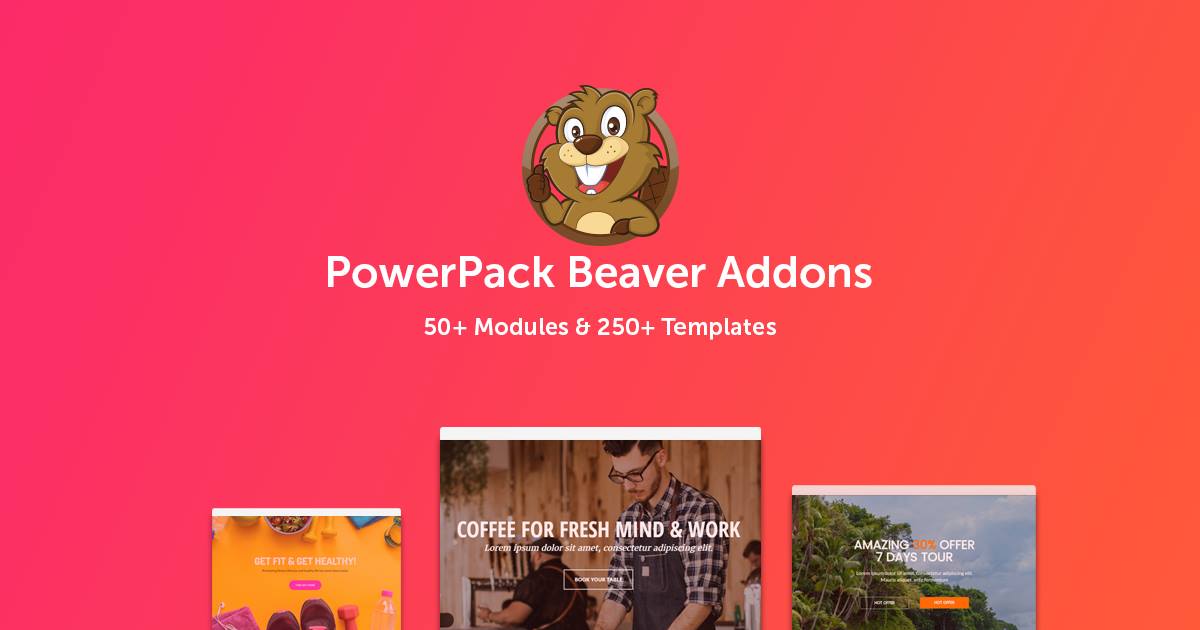
PowerPack for Beaver Builder is a comprehensive addon designed to enhance the capabilities of Beaver Builder, a popular WordPress page builder. It offers over 90 unique modules, a vast template library, and various extensions, making it an essential tool for web designers and developers. With its focus on creativity, efficiency, and performance, PowerPack allows users to build professional websites without needing extensive coding skills. Released by IdeaBox Creations, this plugin has been adopted by over 100,000 users for its ability to streamline workflows and add advanced functionalities like custom headers, footers, and social integrations. Whether you’re creating e-commerce sites or corporate pages, PowerPack ensures your designs stand out while maintaining optimal site speed.
Key Features of PowerPack for Beaver Builder
- Over 90 creative modules, including advanced accordions, tabs, and sliders, enabling dynamic content display and user engagement.
- A template library with 200+ section templates and 150+ page templates, allowing quick website assembly for various industries.
- Extensions like Header/Footer Builder and Maintenance Mode, which reduce reliance on third-party plugins for custom layouts and site management.
- Seamless integration with Beaver Themer for dynamic content and conditional logic, enhancing site personalization.
- Performance-focused design with options to enable or disable modules, ensuring lightweight operation without slowing down your site.
The latest version of PowerPack includes enhanced template syncing, improved social media modules, and better compatibility with WordPress multisite setups, making it even more versatile for modern web projects.
How to Download PowerPack for Beaver Builder for Free
1. Visit the Official Site:
- Go to the PowerPack sales page at https://wpbeaveraddons.com/ and navigate to the pricing section.
- Look for any free trial offers or demo versions available for download.
2. Sign Up or Log In:
- Create an account or log in to your existing one to access downloads.
- Ensure you have a valid email for verification.
3. Download the Plugin:
- Locate the download link for the free version and save the ZIP file to your computer.
- For a seamless experience, consider using WPX Hosting, which optimizes WordPress performance.
Installing PowerPack for Beaver Builder: Step-by-Step Guide
1. Prepare Your WordPress Site:
- Back up your site using a plugin like UpdraftPlus from our site at https://wordpress-1613757-6351696.cloudwaysapps.com/updraftplus/.
- Ensure Beaver Builder is installed and activated on your WordPress dashboard.
2. Upload and Activate the Plugin:
- Go to Plugins > Add New, upload the ZIP file, and activate it.
- Check for any update prompts and follow built-in tools for seamless integration.
3. Configure Settings:
- Navigate to PowerPack settings in the dashboard to enable modules and templates.
- Test the plugin on a staging site as recommended in our guide at https://wordpress-1613757-6351696.cloudwaysapps.com/staging-guide/.
Note: Always back up your site before installing plugins. Use PowerPack’s built-in tools if prompted after updates.
PowerPack for Beaver Builder Pricing
| Component | Price | Details |
|---|---|---|
| Standard License | $69/year | Includes 1 year of updates and support for unlimited sites. |
| Agency License | $199/year | Enhanced support, white-label options, and priority features for agencies. |
| Lifetime Access | Custom Quote | Contact for details; offers perpetual use without annual renewals. |
PowerPack for Beaver Builder Alternatives
Elementor Pro:
- Pros: Intuitive drag-and-drop interface with a vast widget library.
- Cons: Can be resource-intensive for larger sites.
- Best For: Beginners seeking a wide range of design options.
Beaver Themer:
- Pros: Excellent for dynamic content and theme integration.
- Cons: Lacks the extensive module variety of PowerPack.
- Best For: Advanced users focusing on custom theming.
WP Bakery Page Builder:
- Pros: Strong shortcode support and frontend editing.
- Cons: Steeper learning curve compared to Beaver Builder addons.
- Best For: Users already invested in legacy builders.
PowerPack for Beaver Builder vs. Other Plugins
PowerPack stands out among Beaver Builder addons for its extensive module library and performance optimizations, offering more creative control than competitors like Elementor extensions. While alternatives provide similar functionalities, PowerPack excels in seamless integration and user-friendly design. Discover more here.
- Cost Advantage: More affordable with unlimited site usage compared to premium versions of rivals.
- Flexibility Aspect: Customizable modules reduce the need for additional plugins, saving resources.
- Compatibility: Works flawlessly with all Beaver Builder editions, unlike some alternatives with limited support.
- Support Aspect: Offers stellar documentation and quick responses, as praised by users.
For optimal setup, pair it with hosting like WPX Hosting for enhanced performance.
Tips for Using PowerPack for Beaver Builder Effectively
- Enable only necessary modules to maintain site speed and performance.
- Use the template library for rapid prototyping to speed up development.
- Customize headers and footers for a cohesive brand experience across pages.
- Integrate with SEO tools like RankMath for better on-page optimization.
- Regularly update the plugin to access new features and security enhancements.
Pairing PowerPack for Beaver Builder with Complementary Tools
PowerPack pairs excellently with WooCommerce for e-commerce sites, enabling custom product layouts and checkout pages. This integration boosts conversion rates by allowing dynamic, visually appealing designs that enhance user experience. Additionally, combining it with plugins like WPForms improves lead generation through styled forms.
Should You Invest in Premium Extensions?
The free version of PowerPack is great for basic needs, but premium extensions are ideal if you require advanced features like white-label branding and extensive template libraries. These add-ons provide:
- Advanced functionality for complex sites.
- Enhanced customization options for agencies.
- Seamless integrations with tools like Google Analytics for better insights.
- Priority support for quick resolutions.
Visit the official site for detailed pricing at https://wpbeaveraddons.com/pricing/.
Frequently Asked Questions
Is PowerPack for Beaver Builder easy to use for beginners?
Yes, it features an intuitive interface similar to Beaver Builder, requiring no coding skills, making it ideal for newcomers.
What are the system requirements for PowerPack?
It requires Beaver Builder 2.2 or higher and works with all editions, ensuring broad compatibility.
Will PowerPack slow down my website?
No, it’s built for performance with options to disable unused modules, keeping your site lightweight.
How many sites can I use PowerPack on?
You can use it on an unlimited number of sites with a standard license.
Does PowerPack offer white-label options?
Yes, premium users can rebrand it for their agency needs.
What support is available for PowerPack users?
It includes extensive documentation and responsive email support for one year with the standard license.
Conclusion
PowerPack for Beaver Builder is an indispensable tool that elevates your WordPress site building experience with its rich features and ease of use. Download it today from https://wpbeaveraddons.com/pricing/ and unlock endless design possibilities for your projects.
Disclaimer: Always use official sources for the latest pricing and features. Verify updates on the developer’s site.