

What is Post Navigation Preview WordPress Plugin?
When WordPress users need to transform boring text-based previous/next links into engaging visual experiences, Post Navigation Preview WordPress Plugin offers a premium solution that displays thumbnail previews, post excerpts, and customizable navigation layouts. This powerful CodeCanyon plugin replaces standard navigation with rich visual cards that significantly increase page views and reduce bounce rates by encouraging readers to explore related content through attractive preview boxes.
Unlike basic WordPress navigation functions, this plugin creates an interactive browsing experience similar to modern magazine websites and professional editorial platforms. Whether you run a personal blog, news magazine, or WooCommerce store, adding visual navigation previews helps visitors discover more of your content effortlessly while improving overall site usability and engagement metrics.
What Makes Post Navigation Preview Different
Standard WordPress themes typically offer plain “Previous Post” and “Next Post” text links that provide zero context about where the user is navigating. Post Navigation Preview WordPress Plugin revolutionizes this experience by displaying featured images, post titles, optional excerpts, and publication dates in beautifully styled cards. The plugin supports both standard WordPress posts and WooCommerce products, making it uniquely versatile for content publishers and e-commerce operators seeking professional navigation solutions.
- Visual thumbnail previews instead of plain text links increase click-through rates
- Dual display modes: Normal (with excerpt) and No Excerpt layouts for design flexibility
- Native WooCommerce product navigation support for online stores
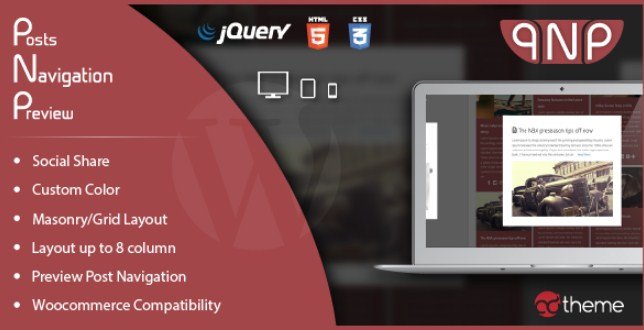
- Masonry and Grid layout options with responsive column controls up to 8 columns
- Complete color customization with opacity controls for seamless brand integration
Post Navigation Preview Features for WordPress Users
Flexible Navigation Display Types
The plugin offers two distinct navigation preview styles to match your content strategy perfectly. The Normal mode displays post thumbnails alongside titles and excerpts, perfect for editorial sites where context matters and readers need content teasers before clicking. The No Excerpt mode shows clean image and title cards, ideal for photography portfolios or visual-heavy websites where minimalism enhances user experience and larger images drive engagement.
Both modes support shortcode implementation, allowing you to place navigation anywhere within your content, not just at post endings. This flexibility proves invaluable when designing custom page layouts or when you want to insert navigation mid-content to capture readers before they reach article conclusions.
Advanced Layout Customization
Post Navigation Preview WordPress Plugin provides unprecedented layout flexibility with both Masonry and Grid layout options. The masonry layout creates dynamic, Pinterest-style arrangements that work beautifully for blogs with varying image aspect ratios, allowing images of different heights to fit together in an organic, visually appealing pattern. Conversely, the grid layout offers clean, uniform alignment suitable for professional business sites and e-commerce stores requiring consistent product presentation.
You can configure anywhere from 1 to 8 columns, ensuring optimal display across desktop, tablet, and mobile devices. The responsive design automatically adjusts column counts based on screen size, maintaining usability without manual intervention. This granular control ensures your navigation looks professional whether viewed on large monitors or compact smartphone screens.
WooCommerce Integration & Social Features
Beyond standard blog posts, this plugin excels as a WooCommerce navigation solution, allowing customers to browse previous and next products with full preview cards displaying product images, prices, and titles. This feature eliminates friction in the shopping experience by enabling visual product browsing without returning to category pages or using browser back buttons.
The built-in Social Share functionality encourages content distribution across platforms, increasing your organic reach. Widget support enables sidebar navigation previews on archive pages, providing multiple touchpoints for content discovery. Every visual element features customizable color schemes including main colors with opacity adjustments and secondary accent colors, ensuring seamless brand integration with any WordPress theme.
How to Install Post Navigation Preview
CodeCanyon Installation Process
As a premium CodeCanyon plugin, Post Navigation Preview requires manual installation rather than repository search. The process remains straightforward for experienced WordPress users:
- Purchase and download the plugin ZIP file from CodeCanyon
- Navigate to your WordPress dashboard → Plugins → Add New → Upload Plugin
- Select the downloaded ZIP file and click “Install Now”
- Activate the plugin through the ‘Plugins’ menu in WordPress
- Configure settings via the new Post Navigation Preview menu item in your dashboard
- Generate shortcodes or enable automatic display in theme locations
The plugin includes comprehensive documentation and video tutorials to guide you through shortcode generation, color customization, and responsive breakpoint configuration. Translation files (.po/.mo) are included for multilingual websites, making this solution viable for international publishers requiring localized navigation elements.
Who Should Use Post Navigation Preview?
Content Publishers and Magazine Sites
Editorial websites publishing high-volume content benefit tremendously from visual navigation systems. By displaying related posts with thumbnail previews, online magazines can increase session duration and page views per visit significantly. The masonry layout particularly suits editorial sites with diverse image sizes from various contributors, while the excerpt display provides readers with content teasers that drive click-through rates substantially higher than standard text links.
WooCommerce Store Owners
E-commerce operators looking to improve product discoverability will find Post Navigation Preview WordPress Plugin invaluable for reducing browse abandonment. Instead of forcing customers to use backwards browser navigation or return to category pages, the plugin creates seamless product browsing experiences. Customers can visually scan previous and next items directly from any product page, reducing friction in the shopping journey and potentially increasing average order values through improved product exposure and cross-selling opportunities.
Post Navigation Preview vs Alternatives
| Feature | Post Navigation Preview | Standard WordPress Navigation |
|---|---|---|
| Visual Preview | Full thumbnail with hover effects and styling | Text-only links with no visual context |
| Layout Options | Masonry, Grid, 1-8 columns configurable | None (theme dependent, usually single row) |
| WooCommerce Support | Native product navigation with price display | Requires separate plugins or custom coding |
| Customization | Colors, opacity, excerpts on/off, social sharing | Limited to basic CSS text styling |
| Content Display | Optional excerpts and meta information | Title only or manual text entry |
Compared to free navigation plugins available in the WordPress repository, Post Navigation Preview offers superior design flexibility and dedicated WooCommerce integration that free alternatives typically lack. While free options provide basic thumbnail navigation, they rarely offer masonry layouts, column customization, or the granular color controls this premium solution provides.
Post Navigation Preview Pricing
Post Navigation Preview WordPress Plugin is available exclusively through CodeCanyon as a premium solution under the Envato marketplace license. Pricing typically ranges between $17-$25 for a regular license, which includes future updates and six months of support from the developer. Extended licenses are available for developers building client websites or incorporating the plugin into commercial products requiring broader usage rights.
The investment proves cost-effective for serious publishers and e-commerce sites seeking professional navigation solutions that free plugins cannot match. Given the potential increase in page views and user engagement, the plugin often pays for itself through improved advertising revenue or increased sales conversions.
Pros and Cons
✅ Pros
- Transforms standard navigation into engaging visual experiences that increase CTR
- Dual display modes (Normal/No Excerpt) suit different content types and design preferences
- Comprehensive WooCommerce product navigation support including variable products
- Highly customizable with opacity controls, color options, and column configurations
- Responsive masonry and grid layouts with up to 8 columns for desktop and mobile
- Widget support for sidebar implementation beyond standard post footers
- Translation ready with included .po/.mo files for multilingual websites
- Social sharing integration encourages content distribution
❌ Cons
- Premium pricing may not suit hobby bloggers or personal sites with limited budgets
- CodeCanyon licensing restrictions compared to GPL plugins from WordPress repository
- Requires manual installation via FTP or upload (not available in WordPress repository)
- May require CSS adjustments for perfect theme integration with highly customized themes
- Limited to previous/next navigation logic (no algorithmic related posts functionality)
- Support limited to 6 months unless extended with additional purchase
Frequently Asked Questions
Does Post Navigation Preview work with custom post types?
Yes, the plugin supports standard posts, pages, and custom post types registered in your WordPress installation. You can configure navigation settings independently for each post type, making it versatile for portfolios, testimonials, case studies, or any custom content structure your site utilizes.
Can I use this plugin with page builders like Elementor or Divi?
Absolutely. Post Navigation Preview WordPress Plugin generates shortcodes that work seamlessly within page builder modules, text widgets, and theme builders. You can place navigation previews anywhere within your layouts, not just at post endings, giving you complete design flexibility and content strategy control.
How do I hide post excerpts in the navigation cards?
The plugin includes a “No Excerpt” display mode specifically for this purpose. Simply select this option in the shortcode generator or widget settings to show only thumbnails and titles, creating cleaner navigation for visual-heavy websites or photography portfolios where images speak louder than text.
Is Post Navigation Preview compatible with multilingual websites?
Yes, the plugin includes .po and .mo translation files and is fully compatible with WPML, Polylang, and Weglot. Navigation elements automatically adjust to translated content, ensuring consistent user experiences across all language versions of your site without additional configuration.
What is the maximum number of columns supported?
The plugin supports 1 through 8 columns, with responsive breakpoints that automatically adjust column counts for tablets and mobile devices. You can configure different column settings for various screen sizes, ensuring optimal display across all devices.
Does it work with WooCommerce variable products?
Yes, Post Navigation Preview fully supports WooCommerce product navigation including variable products, grouped products, and simple products. The preview cards display product featured images and titles, helping customers browse your catalog efficiently without navigating back to category pages.
Final Verdict
Post Navigation Preview WordPress Plugin delivers exceptional value for content publishers and e-commerce sites seeking to modernize their user navigation experience. By transforming mundane text links into visually appealing preview cards, the plugin significantly enhances user engagement and content discoverability. The inclusion of WooCommerce support, masonry layouts, and extensive customization options justifies the premium pricing for professional websites.
While hobby bloggers might find free alternatives sufficient, serious publishers, magazine sites, and online stores will appreciate the polished presentation and revenue-optimized navigation this solution provides. It’s particularly well-suited for image-heavy blogs, WooCommerce product catalogs, editorial sites prioritizing user experience, and any website seeking to improve session duration metrics and reduce bounce rates through intuitive visual navigation.


%20.jpg "Bookly Service Extras (Add-On)")


