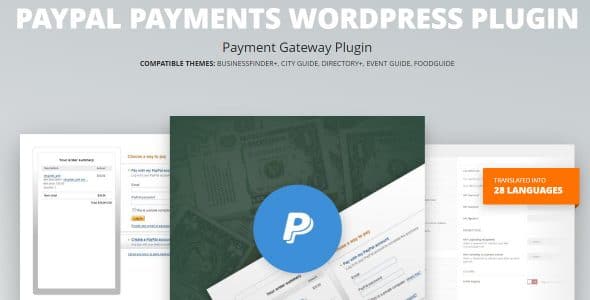
What is Paypal Payments WordPress Plugin?
When WordPress users need a reliable payment solution for membership sites and subscription services, the Paypal Payments WordPress Plugin offers a streamlined approach to accepting PayPal payments without complex integration hassles. This powerful plugin simplifies the payment process by allowing administrators to set multiple pricing tiers for account registration while leveraging PayPal’s trusted payment infrastructure. As a dedicated Paypal Payments WordPress Plugin solution, it eliminates the need for third-party payment processors and provides a seamless checkout experience for your users.
What Makes Paypal Payments WordPress Plugin Different
Unlike generic payment plugins that offer multiple gateway options with complicated setups, the Paypal Payments WordPress Plugin focuses exclusively on PayPal integration, ensuring a specialized and optimized experience. The plugin stands out with its straightforward configuration process and unique ability to manage multiple pricing structures for different user registration levels. This focused approach means faster setup times, fewer configuration errors, and a more reliable payment processing system specifically tuned for PayPal’s ecosystem.
- Specialized PayPal-only integration for maximum reliability
- Multiple pricing tiers for different membership levels
- Zero transaction fees beyond PayPal’s standard rates
- Simple admin interface with minimal learning curve
- Automatic payment confirmation and user account activation
Paypal Payments WordPress Plugin Features for WordPress Users
Multi-Tier Pricing System
The plugin’s standout feature is its ability to configure multiple pricing options for account registration. As an administrator, you can create different membership tiers with varying price points, access levels, and benefits. This flexibility is perfect for content creators, course providers, and service businesses that want to offer basic, premium, and enterprise-level access options. Each pricing tier can be customized with specific features, duration limits, and automatic renewal settings, giving you complete control over your monetization strategy.
Seamless PayPal Integration
The plugin leverages PayPal’s robust API to ensure secure and reliable payment processing. It supports all major PayPal payment methods including credit cards, debit cards, and PayPal balance transfers. The integration maintains PCI compliance through PayPal’s secure checkout process, meaning you don’t have to worry about handling sensitive financial information on your server. The plugin automatically handles currency conversion, international payments, and PayPal’s buyer protection policies, providing peace of mind for both you and your customers.
Automated User Management
Once a payment is confirmed through PayPal, the plugin automatically activates the user’s account and assigns the appropriate membership level based on their purchase. This automation eliminates manual intervention and reduces administrative overhead. The plugin also handles failed payments, subscription cancellations, and membership expirations automatically, sending notifications to both users and administrators when important payment events occur. This hands-off approach allows you to focus on growing your business rather than managing payment logistics.
How to Install Paypal Payments WordPress Plugin
Quick Installation
- Go to Plugins → Add New in WordPress dashboard
- Search for “Paypal Payments WordPress Plugin”
- Click Install Now → Activate
- Navigate to the plugin settings page
- Enter your PayPal API credentials
- Configure your pricing tiers and membership levels
- Test with PayPal’s sandbox mode before going live
Who Should Use Paypal Payments WordPress Plugin?
Membership Site Owners
If you’re running a membership site with multiple access levels, this plugin is perfect for managing subscription payments. Whether you’re offering premium content, exclusive resources, or community access, the multi-tier pricing system lets you create different membership packages that automatically grant appropriate permissions upon successful payment. The seamless integration with PayPal means your members can use their preferred payment method without leaving your site’s ecosystem.
Digital Product Sellers
For entrepreneurs selling digital products like courses, ebooks, or software licenses, this plugin provides a straightforward way to handle payments and access control. You can set up different product tiers with varying features and pricing, and the plugin will automatically manage customer access based on their purchase. This is especially useful for WordPress premium themes and plugin developers who want to offer multiple license options.
Paypal Payments WordPress Plugin vs Alternatives
| Feature | Paypal Payments WordPress Plugin | WooCommerce PayPal Checkout |
|---|---|---|
| Setup Complexity | Minimal setup, focused on PayPal only | Requires WooCommerce installation |
| Multi-Tier Pricing | Built-in membership tiers | Requires extensions |
| Resource Usage | Lightweight, dedicated functionality | Heavy, full e-commerce platform |
Paypal Payments WordPress Plugin Pricing
The plugin offers a one-time purchase model with a single premium license that includes lifetime updates and priority support. Unlike subscription-based payment plugins that charge monthly fees, this approach provides better long-term value for established businesses. The purchase includes installation assistance, configuration guidance, and access to comprehensive documentation. There are no hidden transaction fees beyond PayPal’s standard processing rates, making it a cost-effective solution for businesses of all sizes.
Pros and Cons
✅ Pros
- Extremely easy setup process compared to complex e-commerce solutions
- Specialized PayPal integration ensures maximum reliability
- Lightweight plugin that won’t slow down your website
- One-time purchase with no recurring subscription fees
- Excellent for WordPress plugins and membership sites
❌ Cons
- Limited to PayPal payments only – no alternative payment gateways
- Basic reporting features compared to full e-commerce platforms
- Requires some technical knowledge for advanced customizations
Frequently Asked Questions
Is the Paypal Payments WordPress Plugin compatible with all WordPress themes?
Yes, the plugin is designed to work with any WordPress theme that follows standard coding practices. It uses WordPress’s built-in functions and hooks to ensure maximum compatibility.
Do I need a PayPal Business account to use this plugin?
Yes, you’ll need a PayPal Business account to accept payments through the plugin. Personal accounts cannot receive payments for goods and services.
Can I offer free trials with this plugin?
The plugin supports various payment models including one-time payments and recurring subscriptions. For trial periods, you can set up a $0 initial payment tier that transitions to paid plans.
How does the plugin handle failed payments and declined transactions?
The plugin automatically notifies users of payment failures and provides retry options. Administrators receive notifications of failed transactions for manual follow-up if needed.
Is the plugin GDPR compliant?
Yes, the plugin is designed with privacy in mind and doesn’t store sensitive payment information. All payment processing is handled through PayPal’s secure servers.
Can I use this plugin with WooCommerce?
While technically possible, this plugin is designed as a standalone solution. For WooCommerce stores, consider using PayPal’s official WooCommerce extension for better integration.
Final Verdict
The Paypal Payments WordPress Plugin delivers exactly what it promises – a simple, reliable way to accept PayPal payments for account registration and memberships. It’s particularly well-suited for content creators, course providers, and membership site owners who want a streamlined payment solution without the complexity of full e-commerce platforms. While the PayPal-only limitation might be a drawback for businesses wanting multiple payment options, the plugin’s focus on PayPal integration ensures superior reliability and ease of use. For anyone primarily using PayPal for transactions, this plugin offers excellent value with its one-time purchase model and straightforward implementation.