What is Newscodes?
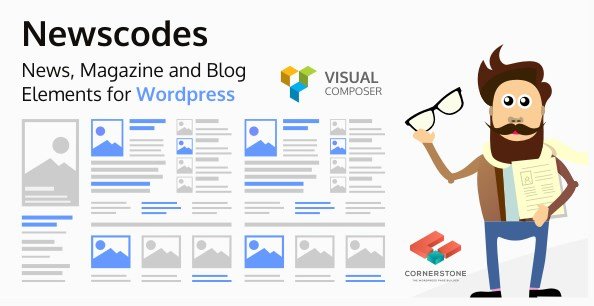
When WordPress users need versatile content presentation solutions for news-heavy websites, Newscodes – News, Magazine and Blog Elements for WordPress offers an all-in-one layout system with over 20 customizable post styles. This premium Codecanyon plugin transforms standard WordPress posts into professionally designed grids, lists, tickers, and tabbed sections without requiring coding knowledge, making it essential for publishers seeking professional magazine layouts.
What Makes Newscodes Different
Unlike standard WordPress themes that lock you into rigid layout structures, Newscodes provides unlimited styling possibilities through its dedicated Style Manager and Editor. The plugin excels at content organization through advanced filtering systems while maintaining performance with Ajax load capabilities. Whether you’re running a high-traffic news portal or a niche content publication, this plugin offers flexibility that basic theme options cannot match.
- 20+ ready-to-use post layouts for immediate deployment without design skills
- Advanced taxonomy and meta filtering systems for dynamic content organization
- Real-time style customization via the intuitive Style Manager interface
- Seamless integration with major page builders like Elementor and WPBakery
Newscodes Features for WordPress Users
Visual Layout Diversity & Design Flexibility
Newscodes breaks creative boundaries with 20+ distinct post layouts ranging from traditional grids to dynamic marquees. The plugin supports various image ratio options ensuring visual consistency across all devices. Whether you need featured post highlights, compact lists, or attention-grabbing tickers, the layout library accommodates diverse content strategies. The Post Grids and Post Lists functionality allows publishers to display content in masonry, equal-height, or editorial-style arrangements that keep readers engaged longer.
Advanced Filtering & Content Management
The plugin’s sophisticated filtering system distinguishes it from basic post grid plugins found on WordPress.org. Users can implement Post Filters by taxonomy, meta fields, and custom criteria, ensuring visitors discover relevant content quickly. The Post Taxonomy Filters and Post Meta Filters enable complex queries like “show featured posts from category X published this week.” Combined with Featured Posts highlighting, content curation becomes effortless for editorial teams managing large article archives.
Interactive Elements & User Experience
Newscodes Tabbed Elements allow publishers to organize massive content archives into digestible sections without overwhelming readers. The Marquee and Ticker options are particularly valuable for breaking news sites, displaying scrolling headlines that capture immediate attention. Most importantly, the Ajax Load functionality enables infinite scroll capabilities without page refreshes, significantly improving user experience and reducing server load on high-traffic content-heavy websites. These interactive components work harmoniously to create immersive reading experiences that modern audiences expect.
How to Install Newscodes
Quick Installation via Upload
As a premium Codecanyon product, Newscodes requires manual installation since it’s not available in the free WordPress repository:
- Purchase and download the plugin files from Codecanyon
- Navigate to Plugins → Add New in your WordPress dashboard
- Click “Upload Plugin” and select the newscodes.zip file
- Click Install Now, then Activate the plugin
- Access the Newscodes Style Manager from your dashboard menu to begin configuration
For detailed implementation guidance, refer to WordPress best practices for plugin management and security protocols.
Who Should Use Newscodes?
Digital News Publishers
Online newspapers and digital journalism platforms benefit significantly from Newscodes’ breaking news tickers and featured post capabilities. The plugin’s ability to highlight urgent updates while maintaining organized category archives makes it indispensable for time-sensitive content delivery. The Ajax Load feature ensures that readers can consume unlimited articles without frustrating page reloads, crucial for retaining traffic during viral news cycles.
Lifestyle Magazine Editors
For publications covering fashion, travel, or entertainment, the unlimited styling options and image ratio controls ensure visual storytelling remains consistent with brand aesthetics. The tabbed elements help organize diverse content categories—such as “Latest,” “Trending,” and “Editor’s Picks”—within single-page layouts. Magazine teams can leverage Post Meta Filters to automatically surface most-commented or highest-rated content, driving engagement across editorial sections.
Niche Bloggers & Content Creators
Professional bloggers looking to upgrade from basic blog rolls can utilize the extensive layout library to compete with major publications aesthetically. The Newscodes Style Manager allows quick color and typography adjustments to match existing branding, while Post Taxonomy Filters help showcase cornerstone content alongside recent posts. Independent publishers gain enterprise-level presentation capabilities without hiring developers.
Newscodes vs Alternatives
| Feature | Newscodes | Standard Post Grid Plugins |
|---|---|---|
| Layout Variety | 20+ specialized news/magazine layouts | Usually 5-10 generic grid options |
| Content Filtering | Advanced taxonomy + meta filters | Basic category filtering only |
| Interactive Elements | Tickers, marquees, tabbed interfaces | Static grids only |
| Loading Technology | Ajax Load with infinite scroll | Standard pagination |
Newscodes Pricing
Newscodes is available exclusively through Codecanyon as a one-time purchase. The Regular License typically costs between $20-$40 for single website use, while the Extended License accommodates client projects and multi-site deployments at a higher tier. Both licenses include lifetime plugin updates and six months of dedicated support from the developers, with options to extend support periods for an additional fee. This pricing model eliminates recurring subscription costs common with SaaS layout tools.
Pros and Cons
✅ Pros
- Extensive library of 20+ professional post layouts specifically designed for news content
- Advanced filtering system supports complex content queries by taxonomy and meta fields
- No coding required—Style Manager provides visual customization interface
- Ajax Load functionality creates modern, app-like browsing experiences
- Fully responsive designs that maintain image ratios across mobile and desktop
- Compatible with Elementor, WPBakery, and other major page builders
❌ Cons
- Premium pricing with no free trial version available for testing
- Learning curve associated with mastering the Style Manager interface
- Requires manual updates through Codecanyon rather than WordPress auto-updates
- May require CSS adjustments for perfect integration with highly customized themes
- Limited documentation for advanced developer customization
Frequently Asked Questions
Is Newscodes compatible with Elementor and other page builders?
Yes, Newscodes integrates seamlessly with Elementor, WPBakery Page Builder, and other major WordPress page builders. The plugin includes dedicated shortcodes and widgets that can be inserted directly into page builder layouts, allowing drag-and-drop placement of post grids, tickers, and tabbed elements within custom-designed pages.
Can I use Newscodes on multiple websites with one license?
The Regular License covers single website usage. If you need to deploy Newscodes on multiple sites or client projects, you must purchase multiple Regular Licenses or opt for the Extended License, which accommodates broader usage rights. Check the specific licensing terms on Codecanyon for your specific use case.
Does Newscodes work with custom post types beyond standard blog posts?
Absolutely. Newscodes supports custom post types and custom taxonomies, making it suitable for portfolio sites, product catalogs, or any content structure beyond standard WordPress posts. The Post Taxonomy Filters work with custom categories and tags, providing flexibility for specialized content architectures.
Are the Newscodes layouts mobile responsive?
All 20+ layouts included in Newscodes are fully responsive and optimized for mobile devices. The plugin includes specific image ratio options that ensure visual consistency across different screen sizes, and touch-friendly navigation for tabbed elements and ticker displays.
How does the Ajax Load feature improve site performance?
The Ajax Load feature dynamically loads additional posts as users scroll, eliminating the need for full page refreshes when browsing archives. This reduces server load and bandwidth consumption while providing a smoother user experience. Content appears instantly without the jarring interruption of traditional pagination.
Can I customize colors, fonts, and spacing without coding?
Yes, the Newscodes Style Manager and Editor provides visual controls for adjusting colors, typography, spacing, and borders. Users can create unlimited custom styles and apply them to different post elements. For advanced users, custom CSS can be added, but basic styling requires no programming knowledge.
Final Verdict
Newscodes – News, Magazine and Blog Elements for WordPress delivers exceptional value for content-heavy websites requiring sophisticated presentation options. While the premium price point and learning curve may deter casual bloggers, digital publishers, magazine operators, and professional content creators will find the investment justified by the extensive layout library, advanced filtering capabilities, and professional news-focused features like tickers and marquees. The plugin effectively bridges the gap between basic WordPress blogging and enterprise-level content management, making it a worthwhile addition to any serious publication’s toolkit.