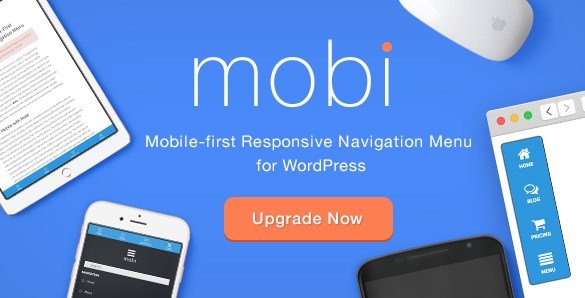
What is Mobi Mobile First WordPress Responsive Navigation Menu Plugin?
When over 60% of global web traffic originates from mobile devices, having a navigation system that prioritizes smartphone users isn’t optional—it’s essential. Mobi Mobile First WordPress Responsive Navigation Menu Plugin transforms how visitors interact with your WordPress site on handheld devices by delivering a complete mobile-optimized browsing experience. Unlike standard responsive themes that simply shrink desktop menus, Mobi rebuilds navigation from the ground up with touch-friendly interfaces, gesture support, and lightning-fast overlay systems that keep mobile users engaged rather than frustrated.
I discovered this plugin while searching for a solution that could handle complex menu structures without sacrificing mobile performance. Whether you’re running an e-commerce store, membership site, or content blog, Mobi provides the mobile navigation infrastructure that modern WordPress sites desperately need. With its drag-and-drop interface and extensive customization options, you can create branded mobile experiences that match your theme perfectly while improving conversion rates and reducing bounce rates on mobile devices.
What Makes Mobi Different from Standard Menu Plugins
Most WordPress menu plugins treat mobile responsiveness as an afterthought—a simple hamburger icon that reveals a basic dropdown. Mobi flips this paradigm entirely by adopting a mobile-first philosophy where the smartphone experience drives the design decisions, not the desktop version. This approach results in menus that feel native to mobile operating systems rather than cramped desktop compromises. The plugin generates a dedicated mobile navigation layer that operates independently from your theme’s default menu system, ensuring compatibility even with older themes that weren’t built with modern responsive standards in mind.
- True mobile-first architecture with retina-ready graphics and touch-optimized targets
- Full-screen overlay navigation that eliminates the cramped dropdown experience
- Granular user visibility controls allowing different menus for guests versus logged-in members
- Integrated social media functionality that turns your navigation into a follower generation tool
- Zero coding required with visual drag-and-drop menu construction
Mobi Features for WordPress Users
Mobile-First Design Architecture
Mobi recognizes that mobile navigation requires different psychological and ergonomic considerations than desktop browsing. The plugin offers both top and bottom positioning options, allowing you to place the navigation trigger where thumbs naturally rest during one-handed phone use. The retina-ready graphics ensure your menu icons remain crisp on high-density displays like iPhone Retina screens and modern Android devices. Every interactive element meets WCAG accessibility guidelines for touch targets, with minimum sizing that prevents accidental clicks and frustrated users. The full overlay popup system replaces cramped dropdowns with an immersive navigation experience that can display complex menu hierarchies without requiring pinch-zooming or horizontal scrolling.
Visual Customization and Branding Control
Your mobile menu should feel like a natural extension of your brand, not a generic afterthought. Mobi provides comprehensive visual customization through an intuitive options panel where you can upload custom background images, insert your site logo directly into the menu interface, and modify color schemes to match your activated theme perfectly. The plugin includes access to over 700 icon fonts from both FontAwesome and Ionicons libraries, allowing you to create visual menu cues that transcend language barriers. Additionally, Google Fonts integration ensures typography consistency between your mobile menu and main site content. The drag-and-drop interface makes reordering menu items intuitive, while real-time preview capabilities let you test changes across different device viewports before publishing.
Advanced Functionality and User Targeting
Beyond basic navigation, Mobi functions as a sophisticated user engagement tool. The social media navigation options let you embed follow buttons and share functionality directly within the menu structure, increasing your social proof and follower counts without intrusive popups. Perhaps most valuable for membership sites and e-commerce platforms is the user visibility control system—you can configure entirely different menu sets for guests versus logged-in users, showing premium content links only to subscribers or displaying account-specific options for customers. The plugin’s animation options add polish to transitions without sacrificing performance, utilizing hardware-accelerated CSS animations that maintain 60fps scrolling even on older mobile devices. Cross-browser testing ensures consistent behavior across Safari, Chrome, Firefox mobile, and Samsung Internet.
How to Install Mobi Mobile Menu Plugin
Installation from CodeCanyon
- Purchase and download the plugin files from CodeCanyon
- Navigate to Plugins → Add New in your WordPress dashboard
- Click “Upload Plugin” and select the mobi.zip file
- Click Install Now, then Activate the plugin
- Access the Mobi settings panel under Appearance → Mobi Menu
- Configure your menu positioning (top or bottom) and overlay settings
- Use the drag-and-drop builder to organize menu items and assign icons
- Customize colors, fonts, and background images to match your branding
- Save settings and test on actual mobile devices using the preview mode
Who Should Use Mobi Mobile Navigation?
E-Commerce Store Owners
If you’re running WooCommerce or Easy Digital Downloads, mobile navigation directly impacts conversion rates. Mobi enables you to create streamlined mobile shopping experiences with quick-access cart icons, category browsing optimized for thumb navigation, and user-specific menus that show “My Account” to logged-in customers while displaying “Login” to guests. The overlay system prevents the navigation conflicts common with complex product filters and mega menus on small screens.
Membership and Community Sites
Membership sites require sophisticated navigation differentiation between user roles. Mobi’s visibility controls allow you to build entirely separate navigation structures—guests might see “Pricing” and “Features” while paid members see “Dashboard,” “Community Forums,” and “Support.” This reduces cognitive load for regular users while maintaining clear conversion paths for prospects. The social media integration also helps community sites encourage member connections across platforms.
Mobi vs Alternative Mobile Menu Solutions
| Feature | Mobi Plugin | Standard Responsive Themes |
|---|---|---|
| Mobile Architecture | Native mobile-first overlay system | Converted desktop dropdowns |
| Icon Libraries | 700+ FontAwesome and Ionicons included | Limited or requires separate plugins |
| User Role Menus | Built-in visibility controls | Requires custom coding |
| Social Integration | Native social media navigation | Not included |
| Customization | Drag-and-drop with real-time preview | CSS editing required |
Mobi Pricing and Licensing
Mobi is available exclusively through CodeCanyon as a premium plugin, typically priced between $20-$30 for a regular license that covers single-site usage. The extended license option accommodates multi-site networks or commercial projects where the end-user charges for access. Unlike subscription-based SaaS menu builders, Mobi uses a one-time purchase model with lifetime updates included, making it cost-effective for long-term projects. Support is provided through the author’s dedicated help desk system, with documentation covering common implementation scenarios and troubleshooting steps for theme conflicts.
Pros and Cons
✅ Pros
- True mobile-first design philosophy with hardware-accelerated animations
- Comprehensive user visibility controls for membership sites
- Massive icon library (700+) eliminating the need for separate icon plugins
- Flexible positioning options (top or bottom) for ergonomic optimization
- Social media integration turns navigation into a marketing tool
- Works independently of theme menus for maximum compatibility
❌ Cons
- Premium pricing may exceed budget constraints for hobby sites
- CodeCanyon licensing requires renewal for continued updates after initial period
- May require CSS tweaking for highly customized theme integrations
Frequently Asked Questions
Is Mobi compatible with all WordPress themes?
Yes, Mobi operates independently from your theme’s native navigation system, creating a dedicated mobile menu layer that functions across 99% of WordPress themes including Genesis, Divi, Astra, and custom-built frameworks.
Can I show different mobile menus to logged-in users versus guests?
Absolutely. Mobi includes granular visibility controls that allow you to configure completely separate menu structures for different user states, perfect for membership sites and e-commerce platforms.
Does Mobi work with WooCommerce?
Yes, Mobi integrates seamlessly with WooCommerce, allowing you to add cart icons, account links, and product category navigation optimized specifically for mobile shopping experiences.
How does the drag-and-drop menu builder work?
The visual builder interface lets you reorder menu items by dragging them into position, assign icons from the 700+ library, set custom colors for individual items, and preview changes in real-time before publishing.
Will Mobi slow down my website?
No, Mobi is lightweight and loads only the necessary CSS and JavaScript on mobile devices. The code is optimized for performance with minified assets and asynchronous loading to maintain fast page speeds.
Can I add my logo to the mobile navigation overlay?
Yes, Mobi includes options to upload your site logo, custom background images, and branded color schemes directly into the mobile menu interface, ensuring consistent brand presentation across all devices.
Final Verdict on Mobi Mobile First Menu Plugin
Mobi Mobile First WordPress Responsive Navigation Menu Plugin delivers exactly what modern WordPress sites need: a navigation system that prioritizes the mobile experience without compromising desktop functionality. Its combination of drag-and-drop simplicity, extensive icon libraries, and sophisticated user targeting makes it particularly valuable for e-commerce operators and membership site owners who need to differentiate navigation based on user roles. While the premium pricing places it above free alternatives, the time saved in customization and the professional mobile experience delivered offers strong ROI for serious businesses. If you’re struggling with high mobile bounce rates or confusing navigation on smartphones, Mobi provides the infrastructure necessary to convert mobile browsers into engaged customers.