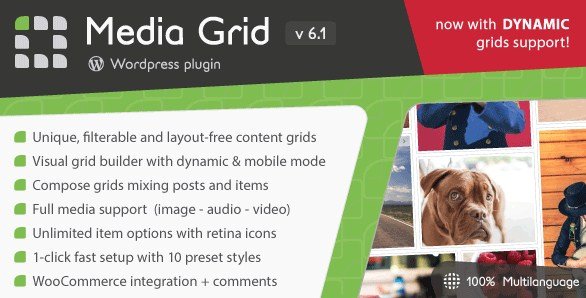
What is Media Grid WordPress Responsive Portfolio Plugin?
When WordPress users need to create stunning, professional portfolios that showcase their work beautifully, Media Grid WordPress Responsive Portfolio Plugin offers a revolutionary masonry-based approach with unlimited customization options. This powerful plugin transforms how you display media content, providing unmatched flexibility for creating responsive, filterable galleries that adapt perfectly to any device or container size.
What Makes Media Grid Different
Media Grid stands out in the crowded WordPress plugin market with its unique layout-free portfolio system and visual drag-and-drop grid builder. Unlike traditional gallery plugins that confine you to rigid layouts, Media Grid gives you complete creative freedom to shape your grids exactly how you envision them, whether you’re creating a photography portfolio, design showcase, or product gallery.
- Visual drag-and-drop grid builder with real-time mobile preview
- 100% CSS-based item shaping for lightning-fast performance
- Unlimited layout possibilities with dynamic grid generation
Media Grid Features for WordPress Users
Advanced Grid Building System
The plugin’s core strength lies in its revolutionary grid builder that lets you create unlimited portfolios without layout constraints. You can freely shape items to build custom grids, use the visual drag-and-drop interface with mobile mode preview, and create dynamic grids that repeat your base layouts while optionally shuffling elements. The 1-click grid cloning system makes it easy to replicate successful designs across multiple pages. Learn more about WordPress grid plugins best practices to maximize your portfolio’s impact.
Comprehensive Media Support
Media Grid supports virtually every media type you might need, including single images, image sliders with video support, YouTube/Vimeo/Dailymotion videos, SoundCloud and self-hosted audio, inline text with video backgrounds, and even custom HTML content in the lightbox. The plugin also integrates seamlessly with WooCommerce, allowing you to showcase products with optional “add-to-cart” buttons supporting quantity and variable products. According to WCAG accessibility guidelines, this diverse media support ensures your content remains accessible to all users.
Powerful Filtering and Search
Enhance user experience with sophisticated filtering and search capabilities. Media Grid includes an items filtering system that can search through pages, default grid filters via shortcode parameters, 675 icons to beautify filters and customize item overlays, and in-grid item searching with custom tags support. Filters and search can be positioned on the grid’s top, left, or right side, giving you complete control over your portfolio’s layout and functionality.
How to Install Media Grid
Quick Installation
- Purchase and download Media Grid from CodeCanyon
- Go to Plugins → Add New → Upload Plugin in WordPress dashboard
- Choose the downloaded zip file and click Install Now
- Activate the plugin and follow the setup wizard
Who Should Use Media Grid?
Photographers and Visual Artists
Photographers will love Media Grid’s image-centric features, including the Ken Burns effect, image zoom system, and protection against right-click downloads. The plugin’s ability to create sophisticated masonry layouts perfect for showcasing photography portfolios, combined with the AJAX lightbox for full-screen image viewing, makes it an ideal choice for visual professionals. Check out our guide on best portfolio plugins for photographers for more options.
Web Designers and Agencies
Design agencies benefit from Media Grid’s native integration with popular page builders like Elementor, Visual Composer, and Cornerstone. The plugin’s flexibility allows you to create unique portfolio layouts that match your brand identity, while the WooCommerce integration enables you to showcase design work as sellable products. The multilingual support with WPML certification makes it perfect for international agencies serving global clients.
Media Grid vs Alternatives
| Feature | Media Grid | Essential Grid |
|---|---|---|
| Grid Builder | Visual drag-and-drop with mobile preview | Backend editor only |
| Layout Freedom | 100% layout-free, unlimited possibilities | Predesigned templates with customization |
| Performance | CSS-based shaping for optimal speed | JavaScript-heavy, slower loading |
Media Grid Pricing
Media Grid is available as a premium plugin on CodeCanyon for $29, which includes 6 months of support and lifetime updates. The price includes all features without any additional premium tiers or hidden costs. Extended 12-month support is available for an additional $8.63. Considering the extensive feature set and regular updates, this represents excellent value for professionals needing a robust portfolio solution. As noted by LinkedIn’s research on visual content, investing in quality presentation tools significantly increases engagement and conversion rates.
Pros and Cons
✅ Pros
- Unlimited layout flexibility with visual builder
- Excellent performance with CSS-based rendering
- Comprehensive media support and WooCommerce integration
- Advanced filtering and search capabilities
- Regular updates and dedicated support
❌ Cons
- Learning curve for advanced features
- Premium-only (no free version available)
- Requires manual installation from CodeCanyon
Frequently Asked Questions
Is Media Grid compatible with page builders?
Yes, Media Grid offers native integration with Elementor, Visual Composer, and Cornerstone, allowing you to seamlessly incorporate portfolios into your page builder layouts.
Can I use Media Grid for WooCommerce products?
Absolutely! Media Grid includes WooCommerce integration with optional “add-to-cart” buttons that support both quantity and variable products, making it perfect for creating product galleries.
Does Media Grid support multiple languages?
Yes, Media Grid is 100% multilingual with WPML certification and Polylang support, making it ideal for international websites.
How do I protect my images from being downloaded?
Media Grid includes built-in “right-click” protection for images, helping prevent unauthorized downloads of your visual content.
Can I create different grid layouts for different pages?
Yes, Media Grid allows you to create unlimited grid layouts with the 1-click cloning system, making it easy to maintain consistency while adapting to different page requirements.
Is Media Grid mobile responsive?
Media Grid is fully responsive and adapts itself to any container size. The visual builder includes a mobile preview mode to ensure your portfolios look perfect on all devices.
Final Verdict
Media Grid WordPress Responsive Portfolio Plugin is an exceptional solution for professionals seeking complete control over their portfolio presentation. Its unique layout-free approach, combined with powerful features like the visual grid builder, comprehensive media support, and advanced filtering system, makes it stand out in the WordPress plugin ecosystem. While the learning curve might be steeper than simpler alternatives, the investment pays off in unparalleled flexibility and professional results. It’s particularly well-suited for photographers, designers, and agencies who need to showcase diverse media types in visually stunning layouts that perform excellently across all devices.