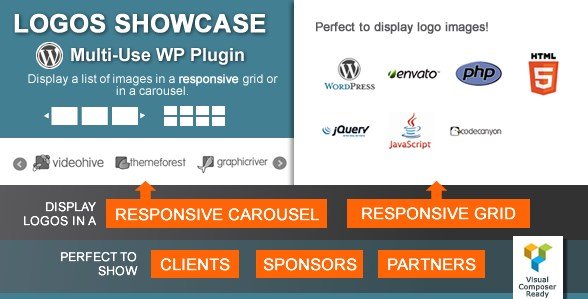
What is Logos Showcase – Multi-Use Responsive WP Plugin?
When WordPress users need to display client logos, partner showcases, or image galleries professionally, Logos Showcase – Multi-Use Responsive WP Plugin offers a comprehensive solution with grid and carousel layouts. This premium plugin transforms how you present visual partnerships on your website.
What Makes Logos Showcase Different
Logos Showcase stands out as a specialized WordPress plugin designed specifically for creating professional logo displays and image grids. Unlike generic gallery plugins, it focuses on business use cases with features like click tracking, category filtering, and multiple display modes optimized for showcasing partnerships and affiliations.
- Three display modes: Normal Grid, Responsive Grid, and Horizontal Carousel
- Built-in click tracking to measure partner engagement
- Advanced category filtering with live filter options
Logos Showcase Features for WordPress Users
Display Modes and Layouts
The plugin offers three distinct display modes to suit different needs. The Normal Grid maintains fixed image sizes while adapting to available space, perfect for consistent branding. The Responsive Grid automatically adjusts columns based on screen size, ensuring optimal viewing on all devices. The Horizontal Carousel provides an interactive slider experience with customizable transition speeds and auto-scroll options, ideal for showcasing multiple partners in a compact space.
Visual Enhancement Options
Elevate your logo presentations with built-in style options. The Grayscale Style displays logos in muted tones that restore color on hover, creating an elegant interaction effect. The Box Highlight style adds a subtle border highlight on hover for visual feedback. Tooltips can be enabled to display additional information about each partner or logo, enhancing user experience and providing context for visitors.
Content Management Features
Organize your displays efficiently with category-based filtering. Group logos by clients, sponsors, partners, or any custom taxonomy you define. The live category filter allows visitors to dynamically filter displayed logos, improving navigation and user experience. Bulk upload functionality through the WordPress Media Library saves time when adding multiple logos. Each logo can include individual URLs with options to open in new tabs, plus comprehensive click tracking analytics to measure engagement.
How to Install Logos Showcase
Quick Installation
- Purchase and download the plugin from CodeCanyon
- Go to Plugins → Add New → Upload Plugin in WordPress dashboard
- Choose the downloaded zip file and click Install Now
- Activate the plugin and configure your first logo showcase
Who Should Use Logos Showcase?
Business Agencies and Consultants
Perfect for agencies displaying their client portfolio or consultants showcasing certifications and partnerships. The click tracking feature provides valuable insights into which partnerships generate the most interest, helping agencies focus their networking efforts effectively.
E-commerce and Affiliate Sites
Ideal for online stores displaying payment methods, shipping partners, or brand affiliations. The responsive design ensures logos look professional on all devices, while the category filtering allows customers to quickly find relevant partners or services.
Logos Showcase vs Alternatives
| Feature | Logos Showcase | Standard Gallery Plugins |
|---|---|---|
| Click Tracking | Built-in analytics dashboard | Not available |
| Category Filtering | Live filter with multiple categories | Basic filtering |
| Business Focus | Optimized for logos and partnerships | General image display |
Logos Showcase Pricing
Available as a premium plugin on CodeCanyon for a one-time purchase of $26, including 6 months of support and lifetime updates. Extended support options are available for additional cost. The plugin offers excellent value considering its specialized features and business applications.
Pros and Cons
✅ Pros
- Specialized for business use cases with click tracking
- Three distinct display modes for different needs
- Excellent responsive design and mobile optimization
❌ Cons
- Premium plugin requires purchase
- Limited to logo/image displays (not a general gallery)
- Learning curve for advanced features
Frequently Asked Questions
Can I use Logos Showcase for regular image galleries?
While designed for logos, the plugin works excellently for any image grid or carousel display, making it versatile for various visual content needs.
Does Logos Showcase work with page builders?
Yes, the plugin includes Visual Composer integration and works with most major page builders through shortcodes and widgets.
Can I track how many times each logo is clicked?
Absolutely! The plugin includes built-in click tracking that monitors engagement with each logo, providing valuable analytics data.
Is the plugin mobile responsive?
Yes, all three display modes are fully responsive and adapt beautifully to different screen sizes and devices.
Can I organize logos into different categories?
Yes, the plugin supports category-based organization with live filtering options for enhanced user navigation.
Does Logos Showcase support external links?
Yes, each logo can have individual URLs with options to open in the same or new browser window.
Final Verdict
Logos Showcase – Multi-Use Responsive WP Plugin delivers exceptional value for businesses needing professional logo displays. Its specialized features like click tracking and category filtering set it apart from generic gallery plugins. It’s particularly well-suited for agencies, consultants, and businesses wanting to showcase partnerships professionally while measuring engagement.