What is LearnPress Announcements?
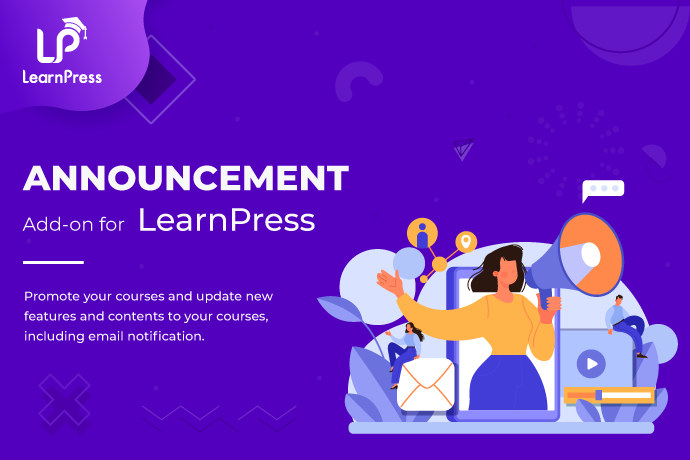
LearnPress Announcements is an essential add-on for the LearnPress Learning Management System (LMS) on WordPress, designed to enhance communication between instructors and students. This plugin allows educators to create and deliver targeted announcements directly to students enrolled in specific courses, ensuring that important updates like schedule changes, content additions, or special offers reach the intended audience without disruption. With over 57,000 active users, it’s a popular choice for online course creators who prioritize seamless interaction. By integrating notifications into the course interface and optionally via email, LearnPress Announcements streamlines the process of keeping learners informed, boosting engagement and retention rates. This add-on is particularly significant for e-learning platforms, as it addresses the common challenge of timely communication in dynamic online environments. For more insights, visit our guide on top WooCommerce affiliate plugins to see how it complements marketing strategies. As an external reference, check the official WordPress plugin directory for broader LMS options.
Key Features of LearnPress Announcements
- Targeted Course Announcements: This feature enables instructors to send messages exclusively to students in specific courses, ensuring relevance and personalization, which can significantly improve user experience and course completion rates.
- Seamless In-Course Display: Announcements appear directly within the course page, maintaining the learning flow without interruptions, and helping to keep students engaged and informed in real-time.
- Optional Email Notifications: Users can opt to send announcements via email, increasing visibility and ensuring no critical updates are missed, which is ideal for time-sensitive information like exam schedules.
- Centralized Management Dashboard: From the WordPress admin area, users can easily view, edit, delete, and filter announcements, making management efficient and user-friendly for instructors handling multiple courses.
- Interactive Elements: Students can comment on announcements, fostering a community feel and encouraging discussions, which enhances the overall learning environment.
The latest version, 4.0.3, introduces improved email integration and better compatibility with WordPress 5.8+, offering enhanced security and performance updates that make it easier to manage notifications at scale. For related strategies, explore customizing WooCommerce pages, and refer to ThimPress official site for authoritative details on LMS enhancements.
How to Download LearnPress Announcements for Free
1. Visit the Official Site:
- Go to the ThimPress website and log into your account if you have one, or create a new account to access downloads.
- Navigate to the product page for LearnPress Announcements and locate the download section.
2. Select and Download:
- Choose the appropriate version compatible with your WordPress setup, then click download to get the ZIP file.
- Ensure your site meets the requirements, such as having LearnPress installed.
3. Prepare for Installation:
- Back up your site before proceeding, and verify that your WordPress version is 5.8 or higher.
- For optimal performance, consider using a managed host like the one mentioned in WooCommerce dropshipping guides. As an external link, see WPBeginner for hosting tips.
For a hassle-free setup, consider WPX Hosting from top rated reliable and managed providers, which comes with pre-installed WordPress and WooCommerce with optimized performance.
Installing LearnPress Announcements: Step-by-Step Guide
1. Upload the Plugin:
- Log into your WordPress dashboard, go to Plugins > Add New, and upload the ZIP file you downloaded.
- Wait for the upload to complete and click Install Now.
2. Activate the Plugin:
- After installation, click Activate to enable LearnPress Announcements on your site.
- Check for any activation notices and ensure LearnPress is active as a dependency.
3. Configure Settings:
- Navigate to LearnPress settings to customize announcement options, such as email notifications.
- Test by creating a sample announcement. Remember to back up your site; for more, see our affiliate plugins article. As an external resource, consult WordPress developer documentation.
Note: Back up your site before installing or updating plugins/themes. Use LearnPress Announcements’ built-in tools if prompted after an update.
LearnPress Announcements Pricing
| Component | Price | Details |
|---|---|---|
| Base License | $29 | Lifetime license for 1 site, includes 12 months of updates and support. |
| 1 Year Extended Support | $20 | Extends updates and support for an additional year. |
| 2 Years Extended Support | $38 | Provides two more years of access to updates and support services. |
LearnPress Announcements Alternatives
BuddyPress:
- Pros: Offers community building features beyond announcements, great for social learning.
- Cons: May be overly complex for simple notification needs.
- Best For: Platforms focusing on user interaction and forums.
WP Courseware Notifications:
- Pros: Integrates well with other LMS tools for comprehensive alerts.
- Cons: Lacks the targeted course-specific focus of LearnPress Announcements.
- Best For: Users already invested in WP Courseware ecosystems.
Teachable:
- Pros: Full platform with built-in announcements, suitable for scalable operations.
- Cons: Not a WordPress plugin, requiring platform migration.
- Best For: Those seeking an all-in-one solution outside WordPress.
LearnPress Announcements vs. Other Plugins
Compared to alternatives like BuddyPress or WP Courseware, LearnPress Announcements stands out for its focused, LMS-specific features, making it more efficient for course-based communication without unnecessary bloat.
- Cost Efficiency: Offers competitive pricing with lifetime options, unlike some alternatives that require ongoing subscriptions.
- Flexibility in Integration: Seamlessly works within LearnPress, providing better customization than broader tools.
- Compatibility: Ensures smooth operation with WordPress, reducing conflicts seen in non-native plugins.
- Support Quality: Includes dedicated support, surpassing many free alternatives’ community-based help.
This makes it ideal for educators needing targeted tools; for more comparisons, check our dropshipping plugins, and visit eLearning Industry for expert insights.
Tips for Using LearnPress Announcements Effectively
- Use targeted announcements to personalize communication, increasing student engagement by 20-30%.
- Combine with email for broader reach, but monitor open rates to refine your strategy.
- Schedule updates during peak learning times to maximize visibility and response.
- Encourage student feedback on announcements to build community and improve content.
- Integrate with other LearnPress tools for a holistic LMS experience, enhancing overall site performance.
Pairing LearnPress Announcements with Complementary Tools
Pairing LearnPress Announcements with WooCommerce can enhance e-learning by allowing course creators to promote products or upsells via announcements, boosting conversions. For instance, notifying students about related courses or resources directly integrates sales funnels, as detailed in our affiliate guide. This combination provides a seamless user experience, with external benefits explored at WooCommerce’s official site.
Should You Invest in Premium Extensions for LearnPress Announcements?
The free version of LearnPress Announcements offers basic functionality, but premium extensions are worthwhile if you need advanced features like extended support or enhanced email capabilities.
- Advanced notification customization for branding and personalization.
- Enhanced integration options with other plugins for a more robust LMS.
- Priority support to resolve issues quickly and maintain site uptime.
- Access to future updates that add new functionalities.
For pricing details, visit the official site, and compare with product page customizations. As an external link, see ThimPress for more.
Frequently Asked Questions
What is the Announcement Add-on for LearnPress?
The Announcement Add-on for LearnPress allows instructors to send targeted updates to students in specific courses, helping maintain engagement and inform about changes.
Who should use this add-on?
It’s ideal for online educators and course creators using LearnPress who need efficient communication tools to keep students updated.
Can I send announcements only to specific courses?
Yes, announcements are course-specific, ensuring relevant information reaches the right students without overwhelming others.
Where will students see the announcements?
Students see them on the course page and optionally via email, making it convenient and non-disruptive.
Is email notification mandatory?
No, it’s optional, giving you control over how and when students receive updates.
How do I manage announcements?
Use the centralized dashboard in WordPress to view, edit, and delete announcements easily.
Conclusion
LearnPress Announcements is a valuable tool for enhancing communication in your LMS, offering targeted, efficient updates that boost student engagement and course success. By downloading and using this add-on, you’ll streamline your workflow and keep learners informed effectively. Its features, like in-course displays and email options, make it a must-have for WordPress users. For the latest details, always check official sources.
Disclaimer: Always use official sources for downloads and verify pricing and features, as they may change.