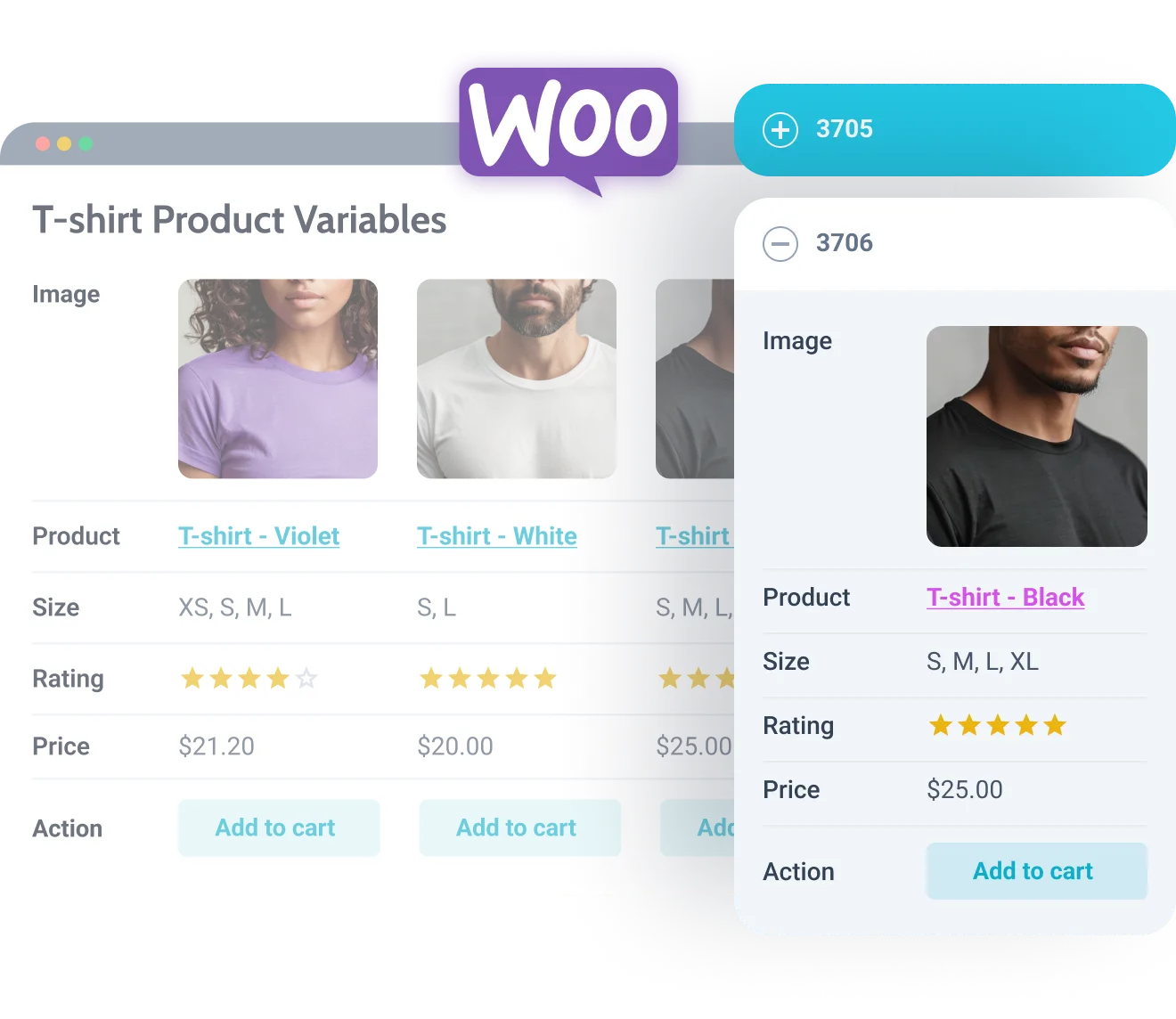
What is JetProductTables?
JetProductTables is a dynamic WordPress plugin designed specifically for WooCommerce users, allowing you to build responsive and highly customizable product tables that enhance the shopping experience on your eCommerce site. This plugin, developed by Crocoblock, integrates seamlessly with WooCommerce to display product details in a structured, table-based format. Whether you’re running a simple online store or a complex marketplace, JetProductTables helps organize products with ease, making it ideal for comparison tables, pricing lists, or restaurant menus. For instance, you might use it to showcase product variations like sizes and colors in an intuitive grid. With its compatibility with the Gutenberg block editor, JetProductTables empowers users to create visually appealing tables without advanced coding skills. This tool stands out in the WordPress ecosystem for its focus on responsiveness, ensuring tables adapt flawlessly to desktops, tablets, and mobiles. By leveraging JetProductTables, site owners can improve user engagement and potentially boost conversions through better product visibility. As an SEO-friendly solution, it supports internal linking to resources like our WooCommerce guide at https://wordpress-1613757-6351696.cloudwaysapps.com/woocommerce-guide/, helping maintain site authority. Overall, JetProductTables is essential for anyone looking to optimize their WooCommerce setup for better data presentation and user interaction, with features that align with modern eCommerce best practices. Additionally, for external insights, refer to the official WordPress WooCommerce documentation at https://woocommerce.com/documentation/.
Key Features of JetProductTables
- Create customizable tables for various use cases, such as comparison tables, pricing tables, or restaurant menus, allowing users to display product details like name, ID, SKU, price, thumbnails, and attributes in a structured format.
- Offer responsive layouts with options for desktop and mobile, including vertical/horizontal scrolls, shortened columns, transformed rows into cards, or collapsed views for compact displays, ensuring optimal viewing on all devices.
- Customize columns to include product details like summaries, descriptions, categories, tags, and meta data, with fine-tuning for action buttons such as Add to Cart, ratings, stock status, and dynamic data like dates or attributes.
- Implement filters and sorting features, including AJAX search, category/tag filtering, and sortable options by date, ID, or name, making it easier for users to find products quickly.
- Provide styling options for backgrounds, text, borders, fonts, and alignments, along with additional features like counters, hierarchical taxonomies, and preset managers for reusing table templates, all in the latest version 2.1.0, which includes enhanced WooCommerce integration and improved performance updates.
The latest version, 2.1.0, introduces refined features like better mobile responsiveness and advanced filtering, making it even more versatile for eCommerce sites. This update focuses on user experience, with seamless integration into global WooCommerce settings for archives and shop pages. More details on these enhancements are available at Crocoblock’s Help Center at https://crocoblock.com/help-center/.
How to Download JetProductTables for Free
1. Visit the Official Site:
- Go to the Crocoblock website at their sales page: https://crocoblock.com/plugins/jetproducttables/.
- Look for the free trial or basic version options, as JetProductTables offers a free download for evaluation purposes before committing to premium features.
2. Sign Up and Download:
- Create an account if required, then navigate to the download section and select the free version.
- Ensure your WordPress site is updated for compatibility, and download the ZIP file directly to your device.
3. Verify and Prepare:
- Check for any system requirements on the documentation page, linked here for authoritative details: https://wordpress.org/support/article/woocommerce-installation/.
- For a hassle-free setup, consider WPX Hosting from top-rated providers, which comes with pre-installed WordPress and WooCommerce with optimized performance, and explore our internal resource at https://wordpress-1613757-6351696.cloudwaysapps.com/jetplugins-review/ for more tips.
Installing JetProductTables: Step-by-Step Guide
1. Upload the Plugin:
- Log into your WordPress dashboard and go to Plugins > Add New, then upload the downloaded ZIP file of JetProductTables.
- Activate the plugin immediately after upload to begin setup, ensuring your WooCommerce is already installed for full compatibility.
2. Configure Settings:
- Navigate to JetProductTables settings in the dashboard to customize table options, such as column selections and responsive layouts, using the Gutenberg block for easy integration.
- Test the tables on a staging site first, as recommended by external sources like https://developer.wordpress.org/plugins/.
3. Finalize and Test:
- Add the table to your pages via shortcodes or blocks, then preview it to ensure all features like filtering and sorting work correctly.
- Note: Back up your site before installing or updating plugins. Use JetProductTables’ built-in tools if prompted after an update, and refer to our internal guide at https://wordpress-1613757-6351696.cloudwaysapps.com/wordpress-backup-guide/ for best practices.
JetProductTables Pricing
| Component | Price | Details |
|---|---|---|
| Single Site Subscription | $43 per year | Includes JetProductTables plugin, 1-year updates, and support for one website. |
| All-Inclusive Subscription | $199 per year | Access to 21 JetPlugins, including JetProductTables, with updates and support for unlimited sites. |
| Custom Options | Varies | Offers flexibility for multiple sites; visit https://crocoblock.com/pricing/ for more details. |
JetProductTables Alternatives
WooCommerce Product Table by Barn2:
- Pros: User-friendly interface with extensive customization, great for basic tables without extra bloat.
- Cons: Lacks advanced responsive features compared to JetProductTables.
- Best For: Small eCommerce sites needing simple product listings.
Advanced WooCommerce Product Table by Code AST:
- Pros: Offers robust filtering and sorting with affordable pricing.
- Cons: Less integration with Gutenberg blocks.
- Best For: Users focused on data-heavy tables for analytics.
Product Table by ThemeHigh:
- Pros: Excellent mobile optimization and free version available.
- Cons: Limited advanced features in the free tier.
- Best For: Budget-conscious users starting with WooCommerce.
JetProductTables vs. Other Plugins/Themes
JetProductTables stands out compared to competitors like WooCommerce Product Table plugins due to its superior responsiveness and integration. While alternatives may offer basic functionalities, JetProductTables excels in customization and WooCommerce synergy, as seen in its dedicated blocks and presets.
- Cost Advantage: It’s competitively priced with annual subscriptions starting at $43, making it more accessible than premium-heavy alternatives; check pricing comparisons at https://crocoblock.com/pricing/.
- Flexibility Aspect: Offers extensive layout options that competitors lack, enhancing user control for various eCommerce needs.
- Compatibility Aspect: Seamlessly works with Gutenberg and WooCommerce, unlike some plugins that require additional setup, as noted in external resources at https://wordpress.org/plugins/.
- Support Aspect: Provides dedicated support and documentation, surpassing many free alternatives’ community forums.
Additional context includes setup requirements like WooCommerce installation, ideal for users seeking reliable eCommerce solutions. For internal insights, visit https://wordpress-1613757-6351696.cloudwaysapps.com/top-woocommerce-plugins/.
Tips for Using JetProductTables Effectively
- Utilize the preset manager to save and reuse table templates, saving time on repetitive designs for multiple product categories.
- Customize mobile layouts to ensure tables transform into cards or shortened views, improving user experience on smaller screens.
- Incorporate AJAX filters for better search functionality, which can reduce page load times and enhance SEO performance.
- Combine with WooCommerce settings for global product outputs on shop pages, ensuring consistency across your site.
- Regularly update the plugin and test tables for compatibility to maintain optimal performance and security.
Pairing JetProductTables with Complementary Tool/Plugin
JetProductTables pairs exceptionally well with JetWooBuilder, another Crocoblock plugin, to create custom WooCommerce templates and enhance product page designs. This combination allows for dynamic content sections and galleries, boosting the overall eCommerce functionality. By linking tables directly within JetWooBuilder layouts, users can achieve a more cohesive shopping experience, with benefits like improved navigation and higher conversion rates, as detailed in external guides at https://woocommerce.com/. For more internal pairing tips, check https://wordpress-1613757-6351696.cloudwaysapps.com/jetwoobuilder-review/.
Should You Invest in Premium Extensions?
The free version of JetProductTables is sufficient for basic use, but premium features are worth considering if you need advanced customization and integrations. Premium options provide full access to responsive layouts, extensive filtering, and preset managers that elevate your WooCommerce site.
- Advanced functionality for complex eCommerce setups, such as detailed product variations.
- Enhanced features like priority support and regular updates.
- Integration with other tools for seamless workflows.
- Customization options to match your brand’s style perfectly.
Visit the official site at https://crocoblock.com/pricing/ for pricing details to decide if the investment aligns with your needs.
Frequently Asked Questions
Is JetProductTables compatible with all WooCommerce themes?
Yes, JetProductTables is designed to work with most WooCommerce themes, but for best results, ensure your theme is up-to-date and responsive, as per official guidelines.
How does JetProductTables improve mobile user experience?
It offers options like transforming tables into cards or collapsing details, which are ideal for users searching for ‘responsive WooCommerce tables’ on mobile devices.
Can I use JetProductTables for free?
While a free version exists for basic use, premium subscriptions unlock full features, addressing queries like ‘best free WooCommerce product table plugins’.
What support options are available for JetProductTables?
Crocoblock provides documentation, YouTube tutorials, and chat support, helpful for users intent on ‘JetProductTables troubleshooting’.
Does it integrate with other Crocoblock plugins?
Yes, it pairs well with plugins like JetWooBuilder, fulfilling intents for ‘WooCommerce plugin integrations’.
How secure is JetProductTables?
It’s regularly updated and follows WordPress security standards; report issues via the Patchstack program for ‘secure WooCommerce plugins’ concerns.
Conclusion
In summary, JetProductTables is an invaluable tool for WooCommerce users seeking to enhance product displays with responsive and customizable tables. Its key features, such as advanced filtering and mobile optimization, make it a top choice for improving eCommerce efficiency and user satisfaction. We encourage you to download and integrate JetProductTables today to experience its benefits firsthand, potentially transforming your online store’s performance. For more resources, explore our site at https://wordpress-1613757-6351696.cloudwaysapps.com/.
Disclaimer: Always use official sources for downloads and check for updated pricing and features on Crocoblock’s site.